
1. Introduction
This manual provides comprehensive instructions for the installation, operation, and maintenance of your VASTEND VL-BSD-7A 1080P Backup Camera System. This system is designed to enhance driving safety and convenience for various vehicles, including trucks, trailers, and campers, by providing clear front and rear views.
The system features a 7-inch IPS touchscreen monitor, two high-definition cameras with IP69 waterproofing, infrared night vision, and loop recording capabilities.
2. Package Contents
Please verify that all items listed below are included in your package:
- 1x 7.0 inch Monitor
- 1x Camera 1 (Square type)
- 1x Camera 2 (Dome type)
- 1x Connect Cable for Monitor
- 1x Bracket Accessories for Monitor
- 1x Product Manual
- 1x 32GB TF Card
- 2x 5m Extension Cords
- 1x 15m Extension Cord

Figure 2.1: An image showing all items included in the package, such as the monitor, cameras, cables, bracket accessories, and 32GB TF card.
3. Product Features
- 7-inch IPS 1080P Touch Screen: The monitor features a 1/2.9" AHD sensor, providing clear and vivid 1080P images on a 7-inch IPS HD screen (1024 x 600 resolution). The advanced touchscreen technology replaces traditional buttons for convenient operation.
- Stable Wired Signal Transmission: A wired connection between the cameras and monitor ensures a strong signal without interference, delays, image distortion, or quality loss, providing real-time visual feedback.
- IP69 Waterproof & IR Night Vision: Both cameras are IP69 waterproof, allowing them to withstand heavy rain and harsh weather conditions. Enhanced infrared night vision provides clear images in low-light environments.
- Loop Recording: The system supports loop recording, automatically overwriting the oldest footage when the 32GB SD card is full. A time-lapse recording function is also included.
- Wide Range of Applications: Ideal for medium to large vehicles such as motorhomes, caravans, trailers, and trucks.

Figure 3.1: Overview of the VASTEND backup camera system, including the 7-inch IPS touchscreen monitor, two cameras (one square, one dome), and a 32GB SD card.
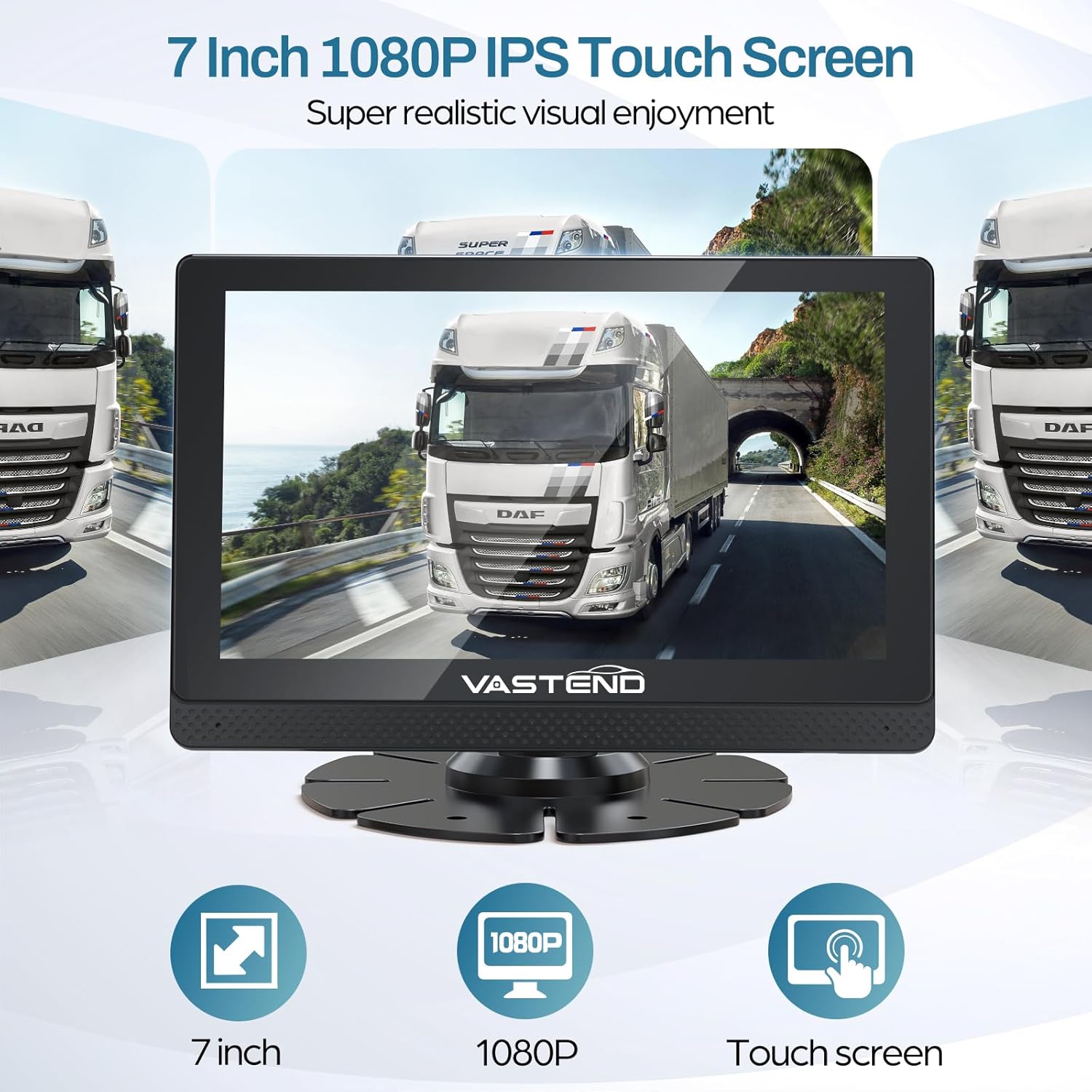
Figure 3.2: The 7-inch IPS touchscreen monitor displaying a clear 1080P image, highlighting its size, resolution, and touch functionality.
4. Setup and Installation
The VASTEND backup camera system is designed for straightforward installation. Follow these steps for proper setup:
- Mount the Monitor: Securely attach the 7-inch monitor to your dashboard or desired location using the provided bracket accessories. Ensure the monitor is positioned for optimal viewing without obstructing your driving view.
- Mount the Cameras: Install Camera 1 (square type) at the rear of your vehicle and Camera 2 (dome type) at the front or another desired location. Ensure cameras have a clear line of sight and are securely fastened.
- Connect the Cameras to the Monitor: Use the provided 5m and 15m extension cords to connect Camera 1 and Camera 2 to the corresponding input ports on the monitor. Ensure connections are firm.
- Power Connection: Connect the monitor's power cable to a suitable power source in your vehicle, such as the cigarette lighter adapter/socket or fuse box. The system is designed for plug-and-play operation.
- Insert SD Card: Insert the included 32GB TF card into the designated slot on the monitor for loop recording functionality.
- Test the System: After all connections are made, turn on your vehicle's ignition and test the camera system to ensure both cameras display correctly on the monitor and all functions are operational.

Figure 4.1: A detailed wiring diagram showing how to connect the monitor, cameras, and power supply for easy installation.

Figure 4.2: Illustration of the wired connection between the cameras and the monitor, emphasizing stable signal transmission with a 15m extension cable.
5. Operation
The 7-inch IPS touchscreen monitor provides intuitive control over the camera system.
5.1 Basic Functions
- Power On/Off: The system typically powers on automatically with the vehicle's ignition. Use the power button on the monitor to manually turn it on or off if needed.
- Camera View Switching: Tap the screen or use the on-screen controls to switch between Camera 1 (rear view), Camera 2 (front/side view), or a split-screen display if supported.
- Reversing Display: When the vehicle is put into reverse, the monitor will automatically switch to the rear camera view, often displaying parking guidelines to assist with maneuvering.
- Touch Screen Controls: Navigate menus, adjust settings, and control playback directly on the touchscreen.
5.2 Advanced Functions
- Night Vision: The cameras automatically activate infrared night vision in low-light conditions, providing clear monochrome images.
- Loop Recording: The system continuously records footage to the 32GB SD card. When the card is full, the oldest files are automatically overwritten.
- Playback: Access recorded footage directly from the monitor's menu. Files can also be transferred to a computer using an SD card reader.
- Settings: Adjust display brightness, contrast, camera mirroring, parking lines, and other system preferences through the monitor's settings menu.

Figure 5.1: The monitor displaying clear night vision footage and a reversing view with parking lines, illustrating enhanced visibility in low light and during parking maneuvers.
6. Maintenance
To ensure the longevity and optimal performance of your VASTEND backup camera system, follow these maintenance guidelines:
- Clean Lenses Regularly: Keep camera lenses clean from dirt, dust, and water spots using a soft, damp cloth. Avoid abrasive cleaners.
- Monitor Care: Clean the monitor screen with a soft, lint-free cloth. Do not use harsh chemicals.
- Check Connections: Periodically inspect all wired connections for tightness and signs of wear or damage.
- SD Card Management: Format the SD card periodically (e.g., once a month) to maintain optimal recording performance and prevent data corruption. Back up important footage before formatting.
- Weather Protection: While cameras are IP69 waterproof, extreme weather conditions (e.g., prolonged exposure to direct sunlight in very hot climates, or severe ice buildup) can still affect performance. Ensure cameras are not obstructed by snow or ice.

Figure 6.1: The IP69 waterproof camera shown in fog, rain, and snow, demonstrating its durability in harsh environments.
7. Troubleshooting
If you encounter issues with your VASTEND backup camera system, refer to the following common problems and solutions:
- No Image on Monitor:
- Check if the monitor is powered on.
- Verify all power and video cables are securely connected.
- Ensure the camera is receiving power.
- Flickering or Unstable Image:
- Inspect cable connections for looseness or damage.
- Ensure the power supply is stable and sufficient.
- Poor Night Vision:
- Clean the camera lens to remove any obstructions.
- Ensure there are no strong light sources directly interfering with the camera's infrared sensors.
- Recording Not Working:
- Check if the 32GB SD card is properly inserted.
- Ensure the SD card is not full; format it if necessary (after backing up data).
- Verify recording settings in the monitor's menu.
If these steps do not resolve the issue, please contact VASTEND customer support for further assistance.
8. Specifications
| Feature | Specification |
|---|---|
| Model Number | VL-BSD |
| Monitor Screen Size | 7 Inches |
| Monitor Resolution | 1024 x 600 (IPS HD) |
| Camera Resolution | 1080P (AHD Sensor) |
| Waterproof Rating | IP69 |
| Connectivity | Wired |
| Special Features | Touch Screen, IR Night Vision, Loop Recording |
| Included Storage | 32GB TF Card |
| Product Dimensions | 11 x 4 x 3 inches (packaging) |
| Item Weight | 4.33 pounds |
9. Warranty and Support
VASTEND offers a free two-year warranty for this product, covering manufacturing defects and malfunctions under normal use. Additionally, lifetime technical service support is provided to assist you with any questions or issues you may encounter.
For warranty claims, technical assistance, or any inquiries, please refer to the contact information provided in the product manual included in your package. Ensure you have your purchase details and model number (VL-BSD-7A) ready when contacting support.


