Introduction
The Keurig K-Duo Plus Essentials Coffee Maker offers versatile brewing options, allowing you to prepare both single-serve K-Cup pods and full carafes of ground coffee. This manual provides comprehensive instructions for setting up, operating, and maintaining your coffee maker to ensure optimal performance and enjoyment.

Image: The Keurig K-Duo Plus Essentials Coffee Maker in black, featuring a thermal carafe and a removable water reservoir.
Safety Information
- Read all instructions before using the appliance.
- Do not touch hot surfaces. Use handles or knobs.
- To protect against fire, electric shock, and injury to persons, do not immerse cord, plugs, or appliance in water or other liquid.
- Close supervision is necessary when any appliance is used by or near children.
- Unplug from outlet when not in use and before cleaning. Allow to cool before putting on or taking off parts, and before cleaning the appliance.
- Do not operate any appliance with a damaged cord or plug or after the appliance malfunctions, or has been damaged in any manner.
- The use of accessory attachments not recommended by the appliance manufacturer may result in fire, electric shock, or injury to persons.
- Do not use outdoors.
- Do not let cord hang over edge of table or counter, or touch hot surfaces.
- Do not place on or near a hot gas or electric burner, or in a heated oven.
- Always attach plug to appliance first, then plug cord into the wall outlet. To disconnect, turn any control to "off", then remove plug from wall outlet.
- Do not use appliance for other than intended use.
What's in the Box
- Keurig K-Duo Plus Essentials Coffee Maker
- 12-Cup Thermal Carafe
- Gold Tone Mesh Filter (for ground coffee)
- Removable 60 oz. Water Reservoir
- Removable Drip Tray
Product Overview
The Keurig K-Duo Plus Essentials features a sleek design with intuitive controls for both single-serve and carafe brewing. Key components include the K-Cup pod holder, ground coffee filter basket, water reservoir, and thermal carafe.

Image: Side view of the Keurig K-Duo Plus Essentials, illustrating product dimensions and the flexible positioning of the water reservoir (rear or side).
Setup
- Unpack: Remove all packaging materials and components from the box.
- Position Water Reservoir: The 60 oz. water reservoir can be positioned to the right, left, or along the back of the brewer to optimize counter space. Simply lift and re-attach to your desired position.
- Fill Water Reservoir: Fill the removable water reservoir with fresh water up to the "MAX" fill line.
- Initial Clean: Before brewing coffee, perform an initial cleansing brew. Place a large mug on the drip tray (for single serve) or the carafe on the heating plate (for carafe brew). Select the largest brew size (12 oz for single, 12 cups for carafe) and initiate a brew cycle without coffee. Discard the hot water.

Image: Top-down view demonstrating the multi-position capability of the 60 oz. water reservoir on the Keurig K-Duo Plus Essentials.
Operating Instructions
Brewing a Single Cup (K-Cup Pods)
- Place Mug: Place a mug on the drip tray. For travel mugs, remove the drip tray.
- Insert K-Cup Pod: Lift the handle and place a K-Cup pod in the K-Cup pod holder. Lower the handle completely to puncture the pod.
- Select Brew Size: Choose your desired brew size: 6, 8, 10, or 12 oz.
- Select Strength (Optional): Press the "STRONG" button for a bolder cup of coffee.
- Start Brew: Press the illuminated "K" button to start brewing. The coffee maker will heat, then brew in one simple process (Smart Start).

Image: The Keurig K-Duo Plus Essentials brewing a single-serve coffee into a travel mug, demonstrating the travel mug friendly design.
Brewing a Carafe (Ground Coffee)
- Prepare Filter Basket: Open the brewer lid and insert the gold tone mesh filter into the filter basket. Add your desired amount of ground coffee (approximately 1 tablespoon per 6 oz. of water). Close the brewer lid.
- Place Carafe: Place the 12-cup thermal carafe on the heating plate.
- Select Brew Size: Choose your desired carafe brew size: 6, 8, 10, or 12 cups.
- Select Strength (Optional): Press the "STRONG" button for a bolder carafe of coffee.
- Start Brew: Press the illuminated "K" button to start brewing. The coffee maker will heat, then brew in one simple process (Smart Start). The brew-pause feature allows you to interrupt the brew cycle for 20 seconds to pour a cup without making a mess.
- Programmable Auto-Brew: To program a carafe brew up to 24 hours in advance, refer to the detailed instructions in the full user manual.
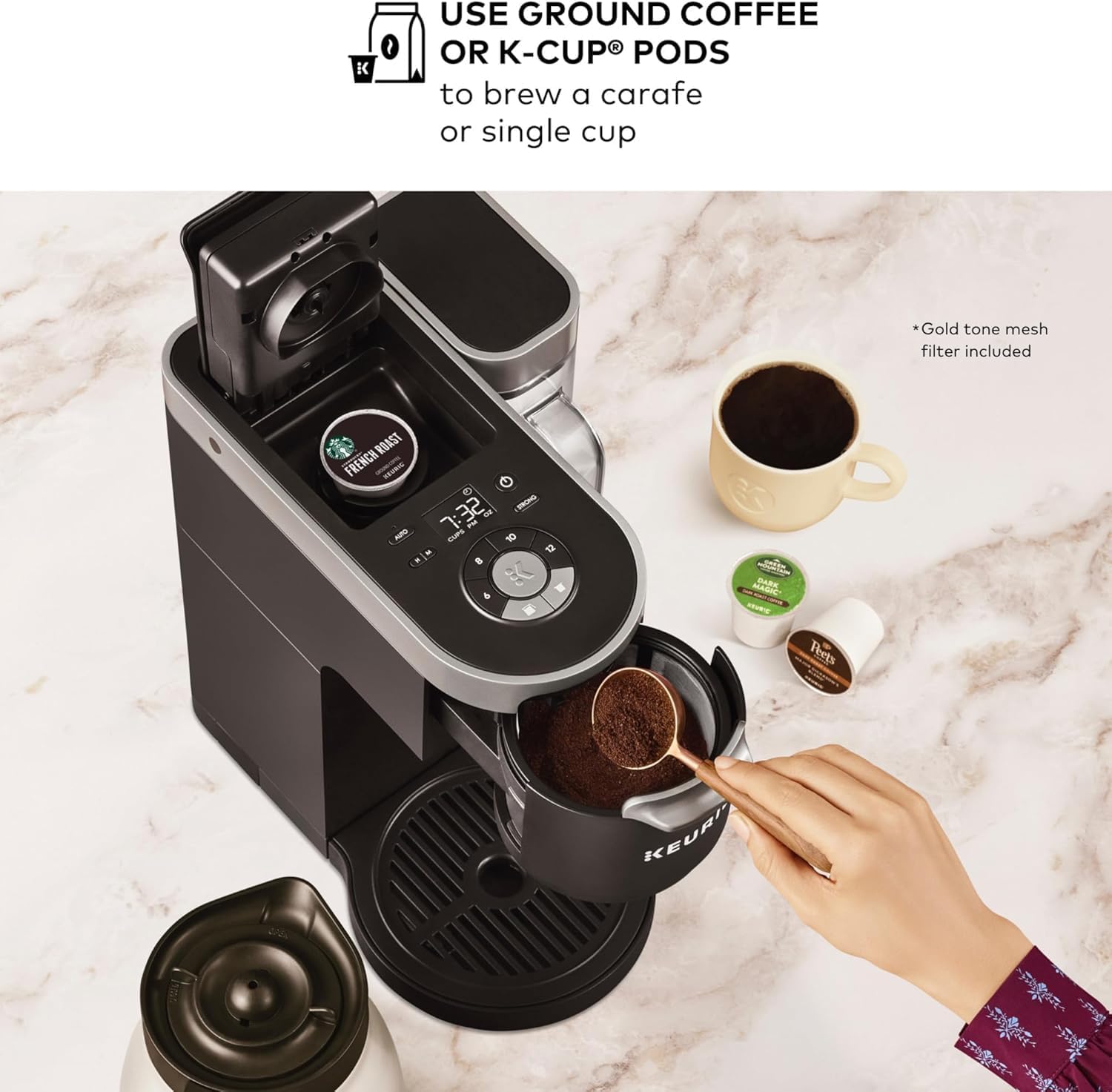
Image: The Keurig K-Duo Plus Essentials demonstrating the dual brewing capability for both K-Cup pods and ground coffee.

Image: Close-up of the control panel, highlighting the "STRONG BREW" option and multiple brew sizes for both carafe and single cup.
Maintenance
- Cleaning: The removable drip tray detaches easily for cleaning. The water reservoir and thermal carafe should be hand-washed with mild soap and warm water. The gold tone mesh filter can also be rinsed clean.
- Descaling: Over time, calcium deposits can build up in your coffee maker. Refer to the full user manual for detailed descaling instructions to maintain optimal performance.
Troubleshooting
| Problem | Possible Cause | Solution |
|---|---|---|
| Coffee maker does not brew. | No water in reservoir. | Fill water reservoir to the MAX line. |
| Coffee is weak or watery. | Incorrect coffee-to-water ratio or weak brew setting. | Use more ground coffee or select the "STRONG" brew option. |
| "Add Water" indicator remains on after filling. | Reservoir not seated correctly. | Ensure the water reservoir is firmly seated in its position. |
For more detailed troubleshooting, please consult the complete user manual or contact Keurig customer support.
Specifications
- Brand: Keurig
- Model: K-Duo Plus
- Color: Black
- Product Dimensions: 7.68"D x 15.88"W x 14.9"H
- Item Weight: 8.47 pounds
- Water Reservoir Capacity: 60 ounces
- Brewing Capacity: 6, 8, 10, 12 oz. (single cup); 6, 8, 10, 12 cups (carafe)
- Special Features: Programmable Carafe Auto-Brew, Smart Start, Brew-Pause, Energy-Saving Auto-Off
- Coffee Input Type: K-Cup Pods, Ground Coffee
- Voltage: 120 Volts
- UPC: 611247365557
Warranty and Support
The Keurig K-Duo Plus Essentials Coffee Maker comes with a manufacturer's warranty. For specific warranty details, product registration, or customer support, please visit the official Keurig website or refer to the warranty card included with your product.
Related Documents - K-Duo Plus
 |
Keurig K-Supreme Plus SE: Use and Care Guide A comprehensive guide to using and caring for your Keurig K-Supreme Plus SE single-serve coffee maker, including setup, brewing, features, maintenance, descaling, troubleshooting, and warranty information. |
 |
Keurig K-Duo Plus FAQ: Your Guide to Brewing Single Cups and Carafes Comprehensive Frequently Asked Questions (FAQ) for the Keurig K-Duo Plus coffee maker, covering setup, usage, cleaning, troubleshooting, and product specifications for single-serve and carafe brewing. |
 |
Keurig K-Select Brewer Use & Care Guide: Setup, Cleaning, Troubleshooting, and Warranty Comprehensive guide for the Keurig K-Select brewer, covering setup, brewing, cleaning, descaling, troubleshooting common issues, and warranty information. Learn how to get the most from your brewer. |
 |
Keurig K-Duo Plus Quick Start Guide: Brewing Coffee A concise guide to setting up and using your Keurig K-Duo Plus coffee maker for both single-serve K-Cup pods and carafe brewing. Includes important safety information, button overview, and step-by-step brewing instructions. |
 |
Keurig K-Duo Plus Coffee Maker User Manual & Care Guide Comprehensive user manual and care guide for the Keurig K-Duo Plus Single Serve K-Cup Pod and Carafe Coffee Maker. Learn about setup, brewing, maintenance, troubleshooting, and warranty. |
 |
Keurig K-Duo Plus Use & Care Guide: Brewing, Maintenance, and Troubleshooting A comprehensive guide for the Keurig K-Duo Plus coffee maker, detailing setup, brewing single cups and carafes, brewer features, cleaning, descaling, troubleshooting common issues, and warranty information. |