1. Introduction
This manual provides essential information for setting up, operating, maintaining, and troubleshooting your ASUS TUF Gaming A14 laptop. Designed for high-performance gaming and demanding tasks, this laptop combines robust hardware with durable construction.
The ASUS TUF Gaming A14 features an AMD Ryzen AI 9 HX 370 processor, an NVIDIA GeForce RTX 4060 laptop GPU with a dedicated MUX switch, 16GB of LPDDR5X RAM, and a 1TB PCIe Gen 4 SSD. It is built to deliver peak performance and reliability, even under extreme conditions.
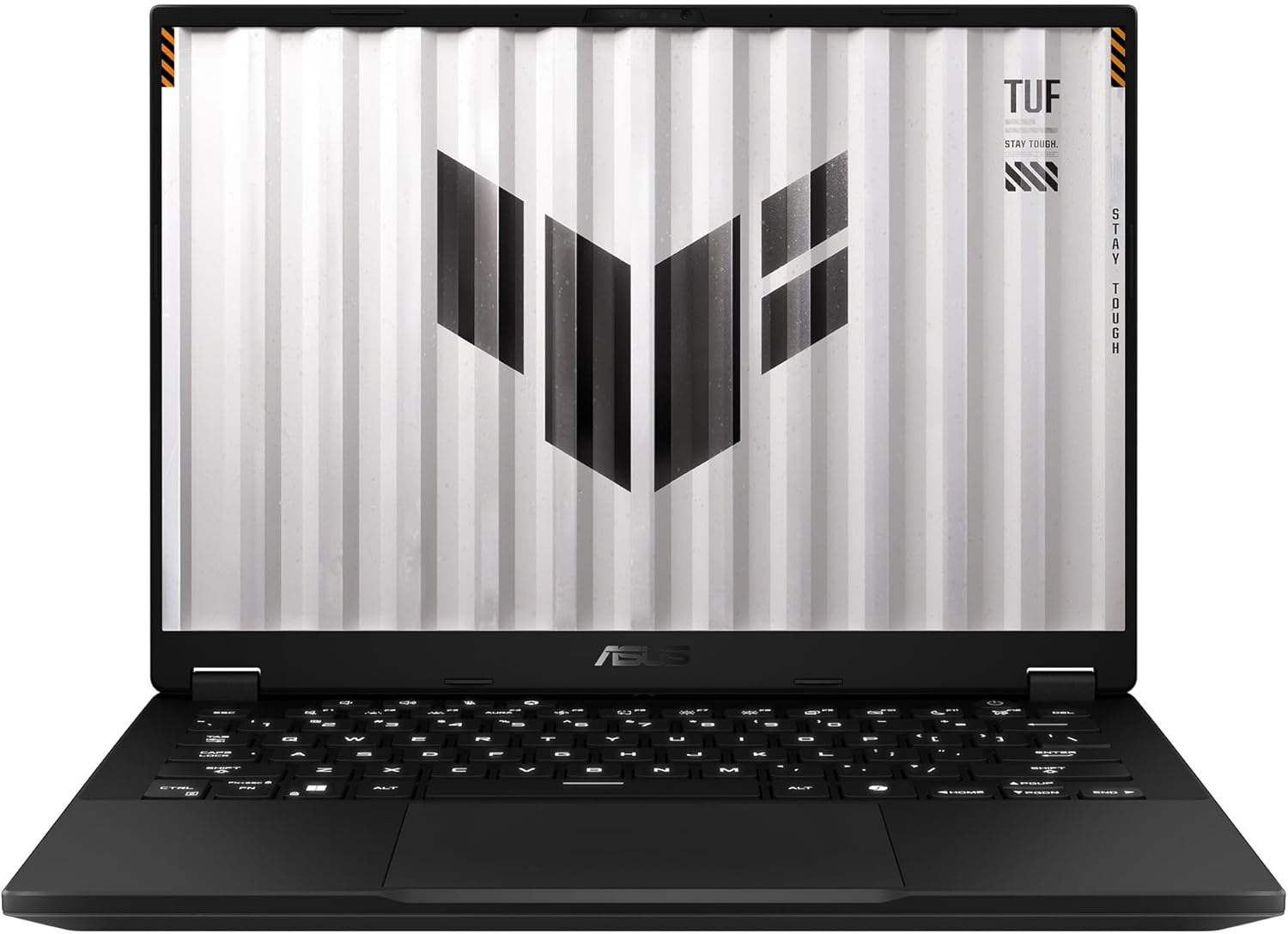
Figure 1.1: Front view of the ASUS TUF Gaming A14 Laptop.
2. Initial Setup
Follow these steps to prepare your ASUS TUF Gaming A14 for first use:
- Unboxing: Carefully remove the laptop and all accessories from the packaging. Ensure all components are present: laptop, power adapter, and documentation.
- Connect Power: Plug the power adapter into the laptop's power port and then into a wall outlet. It is recommended to fully charge the battery before initial use.
- Power On: Open the laptop lid and press the power button, typically located on the top-right of the keyboard deck.
- Initial Windows Setup: Follow the on-screen prompts to complete the Windows 11 setup process. This includes selecting your region, language, connecting to a Wi-Fi network, and creating a user account.
- Software Updates: After Windows setup, connect to the internet and allow the system to download and install any pending updates for Windows and ASUS drivers.
Video 2.1: Initial unboxing and power-up sequence of an ASUS TUF Gaming laptop, demonstrating the first look and startup process.
3. Key Features
The ASUS TUF Gaming A14 is engineered with several features to enhance your computing and gaming experience:
- High-Refresh Rate Display: Enjoy smooth visuals on the 14-inch Full HD (1920x1080) display with a 144Hz refresh rate and Adaptive Sync technology, minimizing lag and screen tearing.
- Powerful Performance: Equipped with an AMD Ryzen AI 9 HX 370 processor and an NVIDIA GeForce RTX 4060 laptop GPU, providing robust performance for gaming and multitasking.
- Durable Design: Built to military-grade MIL-STD-810H standards, ensuring resilience against accidental bumps and knocks.
- Efficient Cooling: Features multiple heat pipes and three heat sinks to effectively dissipate heat, preventing overheating during extended use.
- RGB Backlit Keyboard: A high-quality RGB backlit keyboard offers customizable lighting and comfortable typing.
- Connectivity: Includes USB 4.0, HDMI, and other essential ports for versatile connectivity.

Figure 3.1: Overview of key features and specifications of the ASUS TUF Gaming A14.
Video 3.2: A detailed look at the ASUS TUF Gaming A14, showcasing its display, robust build quality, efficient thermal design, and powerful components for gaming.
4. Operating Your Laptop
Here are some general guidelines for operating your ASUS TUF Gaming A14:
- Keyboard Functions: The keyboard features dedicated function keys (Fn) that, when pressed in combination with F1-F12, control various settings like volume, screen brightness, and keyboard backlighting. The WASD keys are highlighted for gaming.
- Touchpad Usage: The large glass touchpad supports multi-touch gestures for navigation. Refer to Windows settings for customizing touchpad gestures.
- Connecting External Devices: Use the available USB ports (including USB 4.0) to connect external devices such as mice, keyboards, and external storage. The HDMI port allows connection to external displays.
- Armoury Crate Software: Utilize the pre-installed ASUS Armoury Crate software to monitor system performance, customize RGB lighting, adjust fan profiles, and optimize gaming settings.

Figure 4.1: The RGB backlit keyboard of the ASUS TUF Gaming A14.
5. Maintenance and Care
Proper maintenance ensures the longevity and optimal performance of your laptop:
- Cleaning: Use a soft, lint-free cloth to clean the screen and chassis. For stubborn smudges, a slightly dampened cloth with water or a specialized screen cleaner can be used. Avoid harsh chemicals.
- Ventilation: Ensure the ventilation grilles (located on the sides and rear) are clear of obstructions to allow for proper airflow and prevent overheating. Regularly clean dust from the vents using compressed air.
- Battery Care: For optimal battery health, avoid consistently draining the battery to 0% or keeping it at 100% for extended periods. If storing the laptop for a long time, charge it to about 50-60%.
- Software Updates: Regularly update your operating system, drivers, and security software to ensure stability, performance, and protection against vulnerabilities.

Figure 5.1: Rear view of the ASUS TUF Gaming A14, highlighting the exhaust vents for cooling.
6. Troubleshooting
If you encounter issues with your laptop, try these common solutions:
- No Power: Ensure the power adapter is securely connected to both the laptop and a working power outlet. Check if the power outlet is functional.
- Screen Issues: If the screen is black, try connecting an external monitor to check if the display output is working. Adjust screen brightness using function keys.
- Performance Lag: Close unnecessary applications, check for background processes consuming high resources, and ensure drivers are up to date. Verify cooling vents are clear.
- Wi-Fi Connectivity: Ensure Wi-Fi is enabled in Windows settings. Restart your router and modem. Try connecting to a different Wi-Fi network to isolate the issue.
- Audio Problems: Check volume settings in Windows and ensure no external audio devices are interfering. Update audio drivers if necessary.
For more complex issues, refer to the ASUS support website or contact customer service.
7. Technical Specifications
| Feature | Specification |
|---|---|
| Model Name | ASUS TUF Gaming A14 (FA401WV-WB94) |
| Standing Screen Display Size | 14 Inches |
| Max Screen Resolution | 1920x1080 |
| Processor | AMD Ryzen AI 9 HX 370 |
| RAM Memory Installed Size | 16 GB LPDDR5X |
| Computer Memory Type | DDR5 RAM |
| Hard Disk Size | 1 TB |
| Hard Disk Description | 1TB PCIe Gen 4 SSD |
| Graphics Card Description | Dedicated NVIDIA GeForce RTX 4060 |
| Operating System | Windows 11 |
| Item Weight | 8 pounds |
| Package Dimensions | 20 x 14 x 4 inches |
8. Warranty and Support
Your ASUS TUF Gaming A14 laptop comes with a standard manufacturer's warranty. Please refer to the warranty card included in your product packaging for specific terms and conditions, including coverage duration and service procedures.
For technical support, driver downloads, FAQs, and additional product information, please visit the official ASUS support website. You can also find contact information for customer service in your region on the ASUS website.
Online Support: www.asus.com/support/


