
OOSSXX OSX-4KEXPIR02
OOSSXX PoE 4K PTZ Outdoor Home Security Camera System
User Manual
Model: OSX-4KEXPIR02
Product Overview
The OOSSXX PoE 4K PTZ Outdoor Home Security Camera System is designed to provide comprehensive surveillance with advanced features. This camera offers 4K Ultra HD resolution, Pan-Tilt-Zoom (PTZ) capabilities for wide area coverage, two-way audio communication, and intelligent motion detection. Its Power over Ethernet (PoE) design simplifies installation by delivering both power and data through a single network cable, making it an ideal solution for outdoor security monitoring.
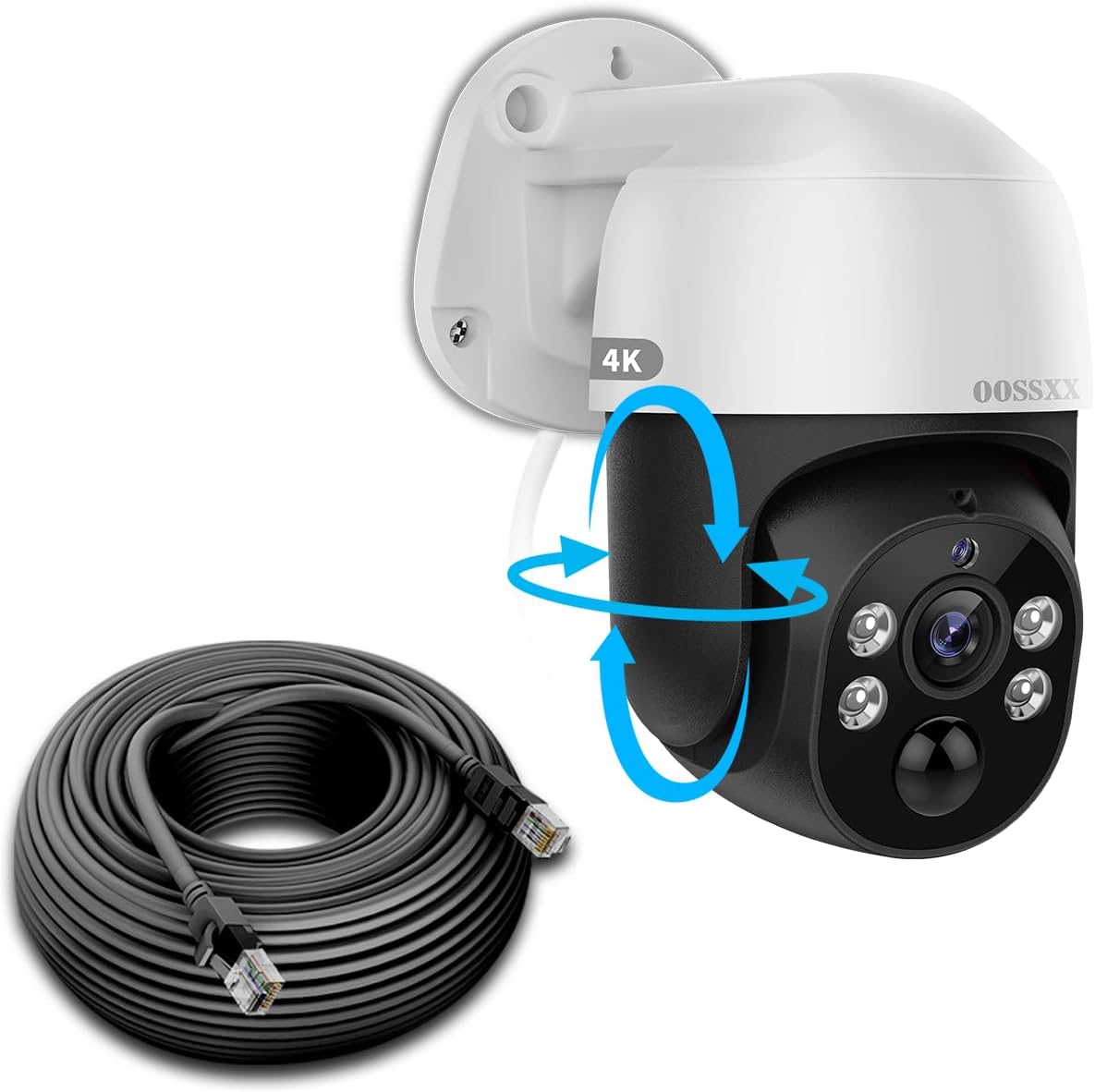
Image: OOSSXX 4K PTZ PoE Outdoor Security Camera with included Ethernet cable.
Setup Guide
What's in the Box
- 1 x 4K PoE PIR Camera
- 1 x 60FT Network Cable
- 1 x Screw Pack
Installation Steps
- Mounting the Camera: Select a suitable outdoor location for optimal coverage. Use the provided screw pack to securely mount the camera to a wall or ceiling. Ensure the mounting surface is stable and can support the camera's weight.
- Connecting the PoE Cable: Connect one end of the 60ft Ethernet cable to the camera's PoE port. Connect the other end of the Ethernet cable to a PoE-enabled NVR (Network Video Recorder) or a PoE switch. This single cable provides both power and data connectivity to the camera.
- NVR/DVR Connection: Ensure your NVR or DVR is properly connected to a monitor via HDMI and to your network for remote access.
- App Download and Setup: Download the free "Honestview" or "Eseecloud" app from your smartphone's app store (IOS or Android). Follow the in-app instructions to add your camera system. This typically involves scanning a QR code or manually adding the device ID.

Image: Diagram illustrating the Plug & Play PoE system connection from camera to NVR and router.
Operating Instructions
Pan-Tilt-Zoom (PTZ) Control
The camera features full PTZ functionality, allowing you to remotely adjust its viewing angle. It can pan 355 degrees horizontally and tilt from -15 degrees to 90 degrees vertically. The 5x digital zoom allows for closer inspection of details within the camera's field of view.

Image: The camera's 355-degree pan and 90-degree tilt capabilities, controllable via the mobile application.
Two-Way Audio
Utilize the built-in microphone and speaker for two-way communication. This feature allows you to listen to audio from the camera's location and speak through the camera using the mobile app, enabling interaction with visitors or deterring intruders.

Image: Illustration of the two-way audio function, allowing communication via the camera.
Night Vision
The camera is equipped with Pure IR Ultimate Night Vision, providing clear imaging in total darkness up to 80 feet. The invisible IR LEDs ensure discreet surveillance without glare.

Image: The camera's night vision capabilities, providing clear visibility in low-light conditions.
Smart AI & PIR Double Detection
The camera utilizes Smart AI and PIR (Passive Infrared) double detection to accurately identify human motion, reducing false alarms. When motion is detected, you receive instant alerts via the app.

Image: Smart AI and PIR Double Detection system, highlighting human and vehicle recognition.
Maintenance
Cleaning
Regularly clean the camera lens and housing with a soft, damp cloth to remove dust and debris. Avoid using harsh chemicals or abrasive materials that could damage the camera's surface or lens.
Environmental Protection
The camera is IP66 waterproof, designed to withstand various outdoor weather conditions, including rain and dust. Ensure all cable connections are properly sealed to maintain its waterproof integrity.

Image: The camera's IP66 waterproof rating, demonstrating its resilience to outdoor elements and proper cable sealing.
Troubleshooting
Common Issues and Solutions
- Camera Not Connecting/No Device Found:
- Ensure the PoE cable is securely connected to both the camera and the NVR/PoE switch.
- Verify that the NVR/PoE switch is powered on and functioning correctly.
- Check network settings on your NVR and ensure the camera's IP address is within the same subnet or discoverable.
- Try restarting the NVR and the camera.
- Confirm you are using the correct app ("Honestview" or "Eseecloud") and that it is updated to the latest version.
- Poor Image Quality:
- Clean the camera lens to remove any smudges or dirt.
- Ensure there are no obstructions in the camera's field of view.
- Check your NVR's resolution settings to ensure it is configured for 4K (3840 x 2160) recording.
- Verify network bandwidth if experiencing lag or pixelation, especially for remote viewing.
- No Two-Way Audio:
- Check audio settings within the mobile app to ensure microphone and speaker functions are enabled.
- Ensure your smartphone's volume is up and microphone permissions are granted to the app.
- Verify network stability for real-time audio transmission.
- False Motion Alerts:
- Adjust motion detection sensitivity settings in the app.
- Define specific detection zones to exclude areas with frequent irrelevant motion (e.g., swaying trees, busy roads).
- Ensure the camera lens is clean, as dirt can sometimes trigger alerts.
Specifications
| Feature | Specification |
|---|---|
| Model Name | Extend PoE 4K PTZ Camera |
| Video Capture Resolution | 4K UHD 2160p (8.0 Megapixel, 3840 x 2160) |
| Indoor/Outdoor Usage | Outdoor |
| Connectivity Technology | Wired (PoE) |
| Pan Angle | 355 Degrees |
| Tilt Angle | -15 to 90 Degrees |
| Digital Zoom | 5x |
| Night Vision Range | 80 Feet |
| Special Features | 2-Way Audio, Digital Zoom, PT Control, Smart AI & PIR Detection |
| Power Source | AC/DC (via PoE) |
| Material | Acrylonitrile Butadiene Styrene (ABS), Aluminum |
| Dimensions (L x W x H) | 7 x 5 x 4 inches |
| Item Weight | 2 Pounds |
| Included Components | 4K PoE PIR Camera, 60FT Network Cable, Screw Pack |
Warranty and Support
The OOSSXX PoE 4K PTZ Outdoor Home Security Camera System comes with a 1-Year Warranty. OOSSXX also provides Lifetime Technical Support to assist with any product-related inquiries or issues.
Access to the dedicated mobile application, "Honestview" or "Eseecloud", is provided free of charge with no monthly subscription fees required for remote viewing and basic functionalities.
Related Documents - OSX-4KEXPIR02
 |
OOSSXX OSX-WXTZ41230 ワイヤレス防犯カメラシステム クイックスタートガイド OOSSXX OSX-WXTZ41230 ワイヤレス防犯カメラシステムのセットアップとインストールに関するクイックスタートガイド。NVR、カメラの接続、アプリ設定、リモート監視方法を解説。 |
 |
OOSSXX AHD Surveillance System - Product Overview and Connectivity Guide Comprehensive overview of the OOSSXX AHD surveillance system, detailing its BNC, VGA, and HDMI port connectivity for DVR and PTZ cameras. Includes model information and important usage notes. |
 |
OOSSXX POE NVR Manual: Setup, Configuration, and Operation Comprehensive manual for the OOSSXX POE NVR (Model 00SSXX), covering product specifications, packing list, interface descriptions, network diagrams, setup and installation, camera pairing, email settings, and operational interface guidance. |
 |
OOSSXX PoE防犯カメラシステム クイックスタートガイド OOSSXX PoE防犯カメラシステム POETZ50130バージョンのクイックスタートガイド。設置、ネットワーク設定、アプリのインストール、監視・録画の基本操作について説明します。 |
 |
OOSSXX HD POE Security System Manual Comprehensive manual for the OOSSXX HD POE Security System, covering installation, setup, app integration, and troubleshooting. |
 |
OOSSXX Thinklink Product Catalog: Advanced Surveillance Systems Explore the OOSSXX Thinklink product catalog featuring a wide range of advanced surveillance systems, including wireless NVR kits, solar security cameras, POE systems, and standalone cameras for home and business security. |
Ask a question about this manual
Ask about setup, troubleshooting, compatibility, parts, safety, or missing instructions. Manuals+ will review the question and use this page’s manual context to help answer it.