
Introduction
Welcome to the Bettdow SmartWatch FB028-black user manual. This guide provides comprehensive instructions to help you set up, operate, and maintain your new smartwatch. Designed for both men and women, this smartwatch combines a 1.91-inch touch screen with advanced features like Amazon Alexa voice assistant, IP68 water resistance, and over 100 sport modes. Please read this manual carefully to ensure optimal performance and longevity of your device.
Product Overview
The Bettdow SmartWatch FB028-black is a versatile wearable device packed with features to support your daily life and fitness goals.
Key Features:
- 1.91-inch Full Touch Screen: Enjoy clear visuals and easy navigation on the vibrant LCD display with 320x385 resolution.
- Amazon Alexa Voice Assistant: Control smart home devices, set alarms, check weather, and more using voice commands.
- Bluetooth Calling: Make and receive calls directly from your wrist, and get message notifications.
- 100+ Sport Modes: Track various activities including running, yoga, cycling, swimming, and more.
- IP68 Waterproof: Suitable for daily use, hand washing, and showering without worry.
- Health Monitoring: Includes heart rate monitoring, blood oxygen (SpO2) tracking, and sleep analysis.
- Long Battery Life: Up to 48 hours of continuous use, 7 days of regular use, and 30 days in standby mode.
- Customizable Dials: Choose from over 100 personalized watch faces via the app.

Figure 1: Bettdow SmartWatch featuring its 1.91-inch large color screen.

Figure 2: Innovative rounded design and non-toxic silicone strap for comfort.
Getting Started
1. Unboxing
Carefully open the packaging and ensure all components are present:
- Bettdow SmartWatch (FB028-black)
- Silicone Wristband
- Charging Cable
- User Manual
Video 1: Unboxing the Bettdow Smartwatch (Model FB033 shown, contents may vary slightly).
2. Charging the SmartWatch
Before first use, fully charge your smartwatch. Connect the magnetic charging cable to the charging points on the back of the watch and plug the USB end into a power adapter (not included) or a computer's USB port. The watch screen will indicate charging status.
3. App Installation and Pairing
To unlock the full potential of your Bettdow SmartWatch, download and install the companion app on your smartphone (compatible with Android and iOS).
- Scan the QR code in the manual or search for the app name (usually provided in the manual) in your phone's app store.
- Install the app and create an account if prompted.
- Enable Bluetooth on your smartphone.
- Open the app and follow the on-screen instructions to pair your smartwatch. Ensure the watch is powered on and near your phone during pairing.
Operating Your SmartWatch
1. Basic Navigation
- Touch Screen: Swipe left, right, up, or down to navigate through menus and features. Tap to select.
- Side Button: Press to wake the screen, return to the home screen, or access the app list.
2. Bluetooth Calling
Once paired with your smartphone, you can make and receive calls directly from your smartwatch.
- Making Calls: Access the 'Phone' menu on your watch, use the dial pad, or select from frequent contacts/call history.
- Receiving Calls: When a call comes in, the watch will display the caller ID. You can answer or reject the call from your wrist.

Figure 3: Bluetooth calling feature on the smartwatch.
3. Amazon Alexa Voice Assistant
Integrate with Amazon Alexa to control your smart home, get information, set reminders, and more.
- Ensure your watch is connected to the app and Alexa is configured.
- Activate Alexa on your watch (refer to the app for specific activation methods, usually a long press or specific swipe).
- Speak your commands clearly, e.g., "Alexa, turn on the lights," "Alexa, what's the weather?"

Figure 4: Interacting with the Alexa voice assistant.
4. Sport Modes
The smartwatch offers over 100 sport modes to accurately track your workouts. It automatically recognizes common exercise types.
- Navigate to the 'Sport' menu on your watch.
- Select your desired activity (e.g., Outdoor Run, Indoor Run, Yoga, Swimming).
- Start your workout, and the watch will record data such as duration, calories burned, distance, and heart rate.

Figure 5: Over 100 multi-sport modes available for tracking.
5. Health Monitoring
Monitor your health metrics directly from your wrist.
- Heart Rate: Access the heart rate monitor feature to get real-time readings.
- Blood Oxygen (SpO2): Measure your blood oxygen saturation levels.
- Sleep Tracking: The watch automatically monitors your sleep patterns, providing data on sleep duration and quality.
- Menstrual Cycle Tracking: For female users, track and predict menstrual cycles through the app.
6. Customization (Watch Faces)
Personalize your smartwatch with a variety of watch faces.
- Access the 'Multi-dial' section on your watch or through the companion app.
- Choose from over 100 personalized digital, minimalist, or mechanical dials.
- You can also upload your own photos to create custom watch faces.

Figure 6: Multiple customizable watch faces.
Water Resistance (IP68)
The Bettdow SmartWatch is IP68 waterproof, meaning it is resistant to dust and can withstand immersion in water up to 1 meter for 30 minutes. This makes it suitable for:
- Hand washing
- Showering (avoid hot water and steam)
- Light rain and splashes
- Swimming in shallow water (not suitable for diving or high-pressure water activities)
Important: Do not press any buttons while the watch is submerged in water. Avoid exposure to hot water, steam, or corrosive liquids, as this may compromise the water resistance.
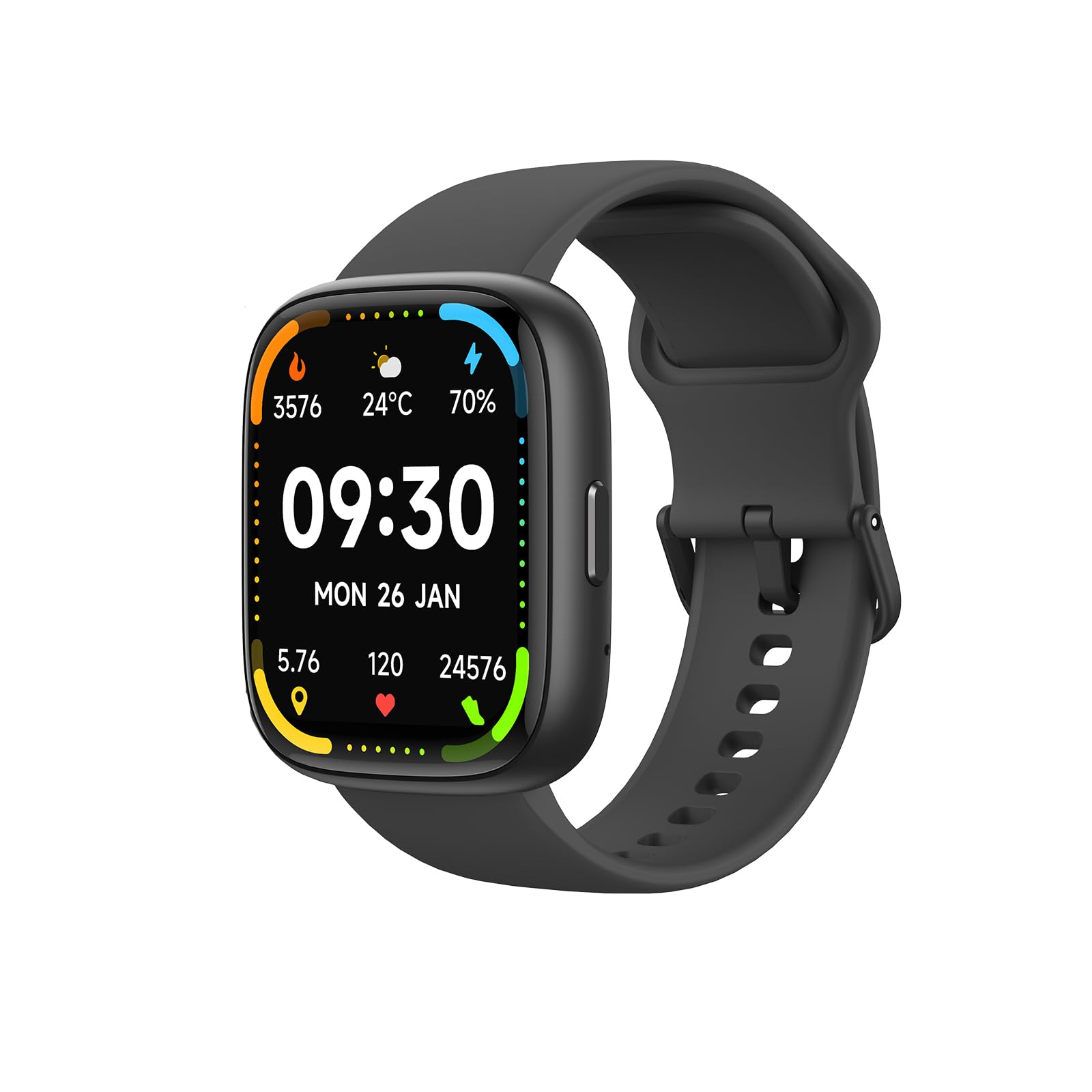
Figure 7: IP68 water resistance for daily activities.
Maintenance
To ensure the longevity and proper functioning of your smartwatch, follow these maintenance guidelines:
- Cleaning: Regularly clean the watch screen and strap with a soft, dry cloth. If necessary, use a slightly damp cloth and then dry thoroughly.
- Avoid Chemicals: Do not use harsh chemicals, cleaning solvents, or strong detergents, as they may damage the watch's finish or internal components.
- Charging: Use only the provided charging cable. Ensure the charging contacts are clean and dry before charging.
- Storage: Store the watch in a cool, dry place when not in use. Avoid extreme temperatures.
Troubleshooting
If you encounter any issues with your Bettdow SmartWatch, refer to the following common solutions:
| Problem | Solution |
|---|---|
| Watch does not turn on | Ensure the watch is fully charged. Press and hold the side button for several seconds. |
| Cannot pair with phone | Make sure Bluetooth is enabled on your phone and the watch is within range. Restart both devices and try pairing again. Check if the app is updated. |
| Inaccurate health data | Ensure the watch is worn snugly on your wrist, not too tight or too loose. Clean the sensors on the back of the watch. |
| Notifications not received | Check app permissions on your phone to ensure notifications are allowed. Verify that the watch is connected via Bluetooth. |
| Alexa not responding | Ensure the watch is connected to your phone and has an active internet connection. Verify Alexa is configured correctly in the companion app. |
If the problem persists, please contact Bettdow customer support.
Specifications
| Feature | Detail |
|---|---|
| Model Number | FB028-black |
| Display | 1.91-inch LCD Touch Screen, 320 x 385 resolution |
| Connectivity | Bluetooth |
| Special Features | Amazon Alexa Voice Assistant, Bluetooth Calling |
| Water Resistance | IP68 (up to 1 meter depth) |
| GPS | No built-in GPS |
| Battery Life | Up to 48 hours (continuous use), 7 days (regular use), 30 days (standby) |
| Strap Material | Silicone |
| Memory Capacity | 128 MB |
| Compatible Devices | Smartphones (Android, iOS), Tablets |
| Target Audience | Unisex Adults |
Warranty and Support
Your Bettdow SmartWatch FB028-black comes with a limited warranty of 3 months from the date of purchase. This warranty covers manufacturing defects under normal use.
For warranty claims, technical support, or any questions not covered in this manual, please contact Bettdow customer service through the official website or your retailer. Please have your purchase receipt and model number ready.
Additional protection plans may be available for purchase, including extended warranty against failures and defects, and insurance against theft, robbery, and breakage. Please check with your retailer for details.