
1. Introduction
The Wildgame Innovations Terra Cell XT 24MP Cellular Trail Camera is designed to monitor wildlife and property remotely. Featuring dual network capabilities, it captures high-resolution images and 1080p video, transmitting them directly to your device via the HuntSmart App. Its robust design and advanced features ensure reliable performance in various outdoor conditions.

Image 1.1: The Wildgame Innovations Terra Cell XT Trail Camera, bundled with a 32GB SD card and a 4-in-1 USB card reader.
2. What's Included
Verify that all components are present in your package:
- Wildgame Innovations Terra Cell XT 24MP Cellular Trail Camera with 21 LEDs (Dual Network)
- 32GB Ultra SDHC UHS-I Memory Card
- 4-In-1 USB Card Reader (Black)
- Adjustable Tree Strap

Image 2.1: Visual representation of the items included in the product package.
3. Setup Guide
3.1. Battery Installation
- Open the battery compartment on the back of the camera.
- Insert 8 AA batteries (not included), ensuring correct polarity.
- Alternatively, connect a 12-volt DC power source (e.g., solar panel, not included) to the DC jack.
- Securely close the battery compartment.
3.2. Memory Card Installation
- Locate the SD card slot.
- Insert the provided 32GB Ultra SDHC UHS-I Memory Card into the slot until it clicks into place. Ensure the card is inserted in the correct orientation.
3.3. Cellular Network Setup
- Download the Wildgame Innovations HuntSmart App on your smartphone or tablet.
- Follow the in-app instructions to create an account and add your camera. Setup is typically done via scanning a QR code located on the camera.
- Ensure the camera has a strong cellular signal for optimal performance. The dual network feature allows for connection to the best available network.
3.4. Mounting the Camera
- Select a suitable location for the camera, such as a tree or post, ensuring a clear view of the desired area.
- Use the adjustable tree strap to securely fasten the camera. Thread the strap through the mounting slots on the camera and tighten it around the object.
- Adjust the camera's angle to achieve the desired field of view.
- For added security, utilize the cable-lock-ready latch (security accessories not included) to deter theft.

Image 3.1: Rear view of the camera, illustrating the battery compartment and internal components.

Image 3.2: The trail camera securely mounted to a tree using the adjustable strap.
4. Operating Instructions
4.1. Powering On/Off
Locate the power switch on the camera. Slide it to the 'ON' position to activate the camera. To power off, slide the switch to the 'OFF' position.
4.2. Configuring Settings via HuntSmart App
All camera settings, including photo resolution, video length, trigger delay, and operating modes, are managed through the Wildgame Innovations HuntSmart App. Connect your camera to the app using the QR code setup process. The app's Artificial Intelligence Management (AIM) System helps organize and analyze captured data.
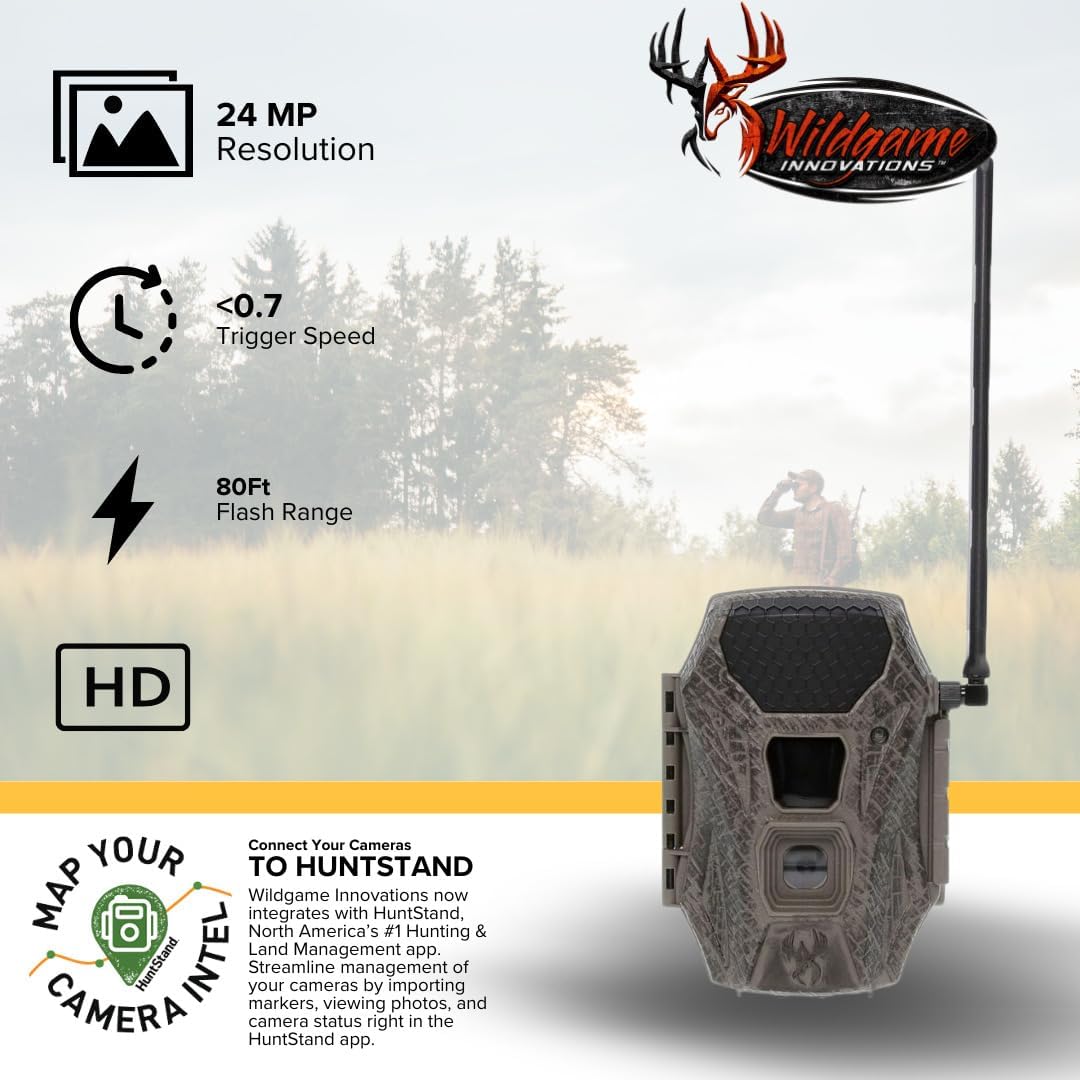
Image 4.1: Key features of the Terra Cell XT camera, including resolution, trigger speed, flash range, and app integration.
4.3. Photo and Video Capture
The camera features a rapid 0.7-second trigger speed and an 80-foot detection and flash range, ensuring quick capture of moving subjects. It records 24MP still images and 1080p high-definition video. The 21 850nm LEDs provide clear night vision without startling wildlife.

Image 4.2: An example of an image captured by the camera, viewed on a smartphone.

Image 4.3: Detailed performance specifications for the camera's capture capabilities.
4.4. Data Retrieval and Management
Captured photos and videos are automatically uploaded to the Wildgame Innovations HuntSmart App. The app organizes and analyzes the data, providing information detailed by species, geolocation, and custom descriptions. You can view and manage your media directly from your phone or computer.
5. Maintenance
5.1. Cleaning the Camera
- Gently wipe the camera lens and housing with a soft, damp cloth to remove dirt, dust, or moisture.
- Avoid using abrasive cleaners or solvents that could damage the camera's finish or lens.
- Ensure the camera is dry before prolonged storage or re-deployment.
5.2. Battery Replacement
When the battery indicator in the app or on the camera shows low power, replace all 8 AA batteries with new ones. Always use fresh batteries of the same type. If using a 12-volt DC source, ensure the connection is secure and the power source is functioning correctly.
5.3. Memory Card Management
Regularly check the memory card's storage capacity through the HuntSmart App. While images are uploaded, it is good practice to periodically format the SD card using the camera's settings (if available) or a computer to maintain optimal performance and prevent data corruption. Back up any desired media before formatting.
6. Troubleshooting
6.1. Camera Not Powering On
- Check Batteries: Ensure 8 fresh AA batteries are installed correctly with proper polarity.
- External Power: If using a 12V DC source, verify the connection and power supply functionality.
- Power Switch: Confirm the power switch is firmly in the 'ON' position.
6.2. No Images/Videos Captured
- Memory Card: Ensure the SD card is inserted correctly and is not full. Try formatting the card.
- Detection Range: Verify that subjects are within the 80-foot detection range.
- Settings: Check camera settings via the HuntSmart App to ensure it's configured for photo/video capture and not in a 'sleep' or 'off' mode.
- Obstructions: Ensure no branches or objects are blocking the sensor.
6.3. Poor Image/Video Quality
- Lens Cleanliness: Clean the camera lens to remove any smudges or dirt.
- Lighting Conditions: Ensure adequate lighting for daytime shots. For night shots, verify the 21 LEDs are functioning.
- Subject Distance: Subjects too close or too far may result in blurry images.
6.4. Cellular Connectivity Issues
- Signal Strength: Check the cellular signal strength indicator on the camera or in the app. Relocate the camera to an area with better reception if needed.
- App Connection: Ensure the camera is properly linked to your HuntSmart App account.
- Data Plan: Verify your cellular data plan for the camera is active and has sufficient data.
7. Specifications
| Model | Terra Cell XT |
| Image Resolution | 24 Megapixels |
| Video Resolution | 1080p HD |
| Trigger Speed | 0.7 seconds |
| Detection & Flash Range | 80 feet |
| LEDs | 21 x 850nm Infrared LEDs |
| Network Type | Dual Network Cellular |
| Power Source | 8 AA Batteries (not included) or 12V DC input |
| Memory | SDHC/SDXC Card (up to 32GB included) |
| Dimensions (L x W x H) | 10 x 8.4 x 6.5 inches |
| Item Weight | 1.62 pounds |
| UPC | 196271455356 |
8. Warranty and Support
8.1. Product Warranty
For detailed information regarding the product warranty, please refer to the official Wildgame Innovations website or the warranty card included with your purchase. Warranty terms and conditions may vary.
8.2. Customer Support
If you encounter any issues or have questions not covered in this manual, please visit the Wildgame Innovations support section on their official website for FAQs, additional resources, or to contact customer service directly.