
NutriChef NCAFS26A
Contents
NutriChef 26L Electric Air Fryer Oven User Manual
Brand: NutriChef | Model: NCAFS26A
Introduction
Welcome to the NutriChef 26L Electric Air Fryer Oven user manual. This versatile countertop appliance is designed to simplify your cooking experience, offering a wide range of functions including air frying, roasting, baking, broiling, toasting, reheating, warming, slow cooking, and dehydrating. With its powerful 1700W heating element and 26-liter capacity, it is ideal for preparing healthy and delicious meals for the entire family. Please read this manual thoroughly before first use to ensure safe and optimal operation of your new appliance.
Important Safety Instructions
When using electrical appliances, basic safety precautions should always be followed to reduce the risk of fire, electric shock, and injury.
- Read all instructions before operating the appliance.
- Do not touch hot surfaces. Use handles or knobs. Always use oven mitts or gloves when handling hot materials.
- To protect against electric shock, do not immerse cord, plugs, or the appliance housing in water or other liquid.
- Close supervision is necessary when any appliance is used by or near children.
- Unplug from outlet when not in use and before cleaning. Allow to cool before putting on or taking off parts.
- Do not operate any appliance with a damaged cord or plug, or after the appliance malfunctions or has been damaged in any manner.
- The use of accessory attachments not recommended by the appliance manufacturer may cause injuries.
- Do not use outdoors.
- Do not let cord hang over edge of table or counter, or touch hot surfaces.
- Do not place on or near a hot gas or electric burner, or in a heated oven.
- Extreme caution must be used when moving an appliance containing hot oil or other hot liquids.
- Always attach plug to appliance first, then plug cord into the wall outlet. To disconnect, turn any control to "off", then remove plug from wall outlet.
- Do not use appliance for other than intended use.
- Oversized foods or metal utensils must not be inserted in the appliance as they may create a fire or risk of electric shock.
- A fire may occur if the appliance is covered or touching flammable material, including curtains, drapes, walls, and the like, when in operation.
- Do not place any materials other than manufacturer's recommended accessories in this appliance.
- Do not place paper, cardboard, plastic, or similar products in the appliance.
- Do not store any materials, other than manufacturer's recommended accessories, in this appliance when not in use.
- Do not cover the crumb tray or any part of the oven with metal foil. This will cause overheating of the appliance.
Product Overview
Components and Accessories
Your NutriChef Air Fryer Oven comes with several accessories to enhance your cooking versatility.
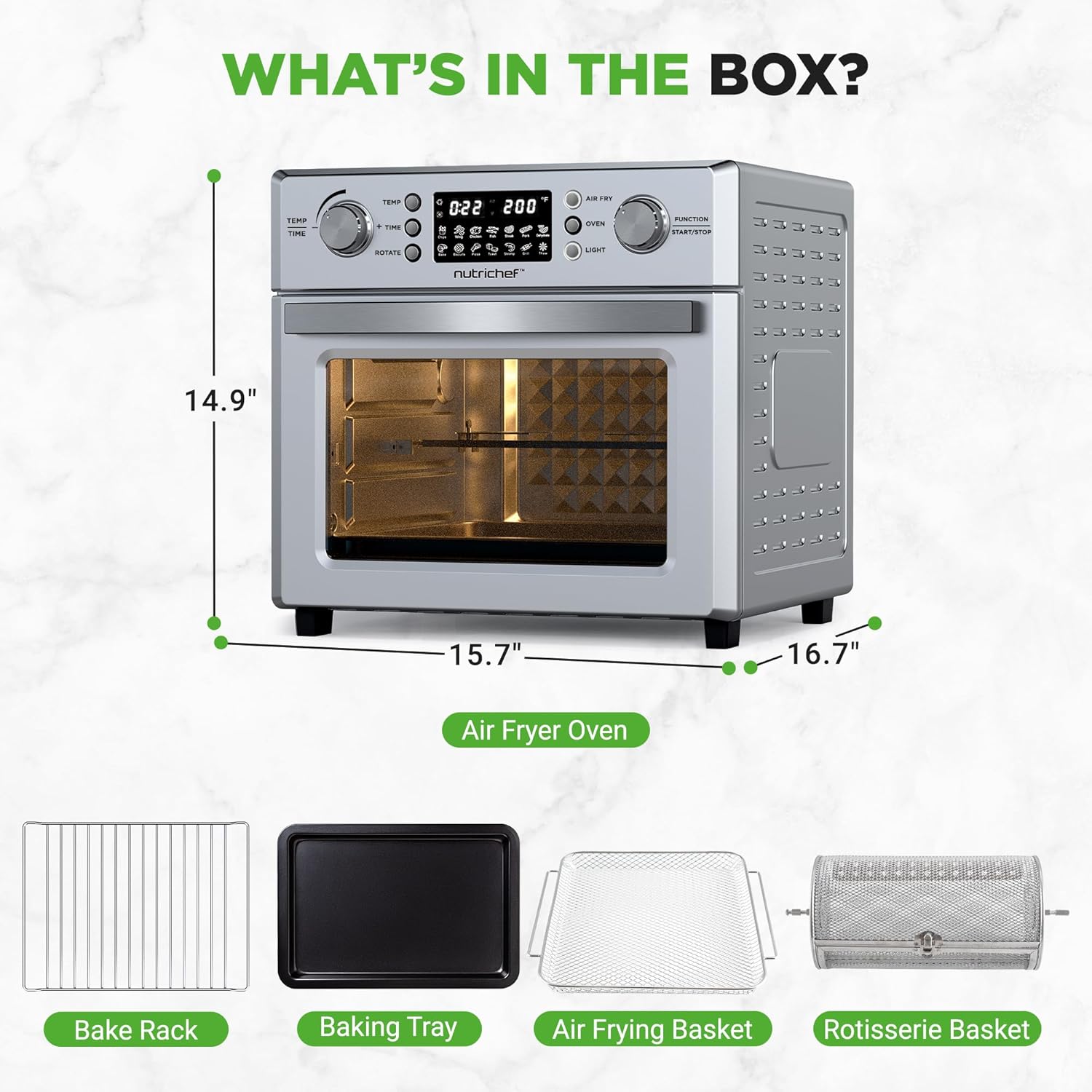
Figure 1: NutriChef 26L Electric Air Fryer Oven with its included accessories: Bake Rack, Baking Tray, Air Frying Basket, and Rotisserie Basket. The image also shows the oven's dimensions: 14.9" H, 15.7" D, 16.7" W.
- Main Unit: The 26L Electric Air Fryer Oven.
- Bake Rack: For baking and general oven use.
- Baking and Drip Tray: Collects drips and can be used for baking.
- Air Frying Basket: Designed for optimal air circulation during air frying.
- Rotisserie Basket: For 360° rotating cooking, ideal for items like fries or nuts.
- Rotisserie Fork/Spit: For roasting whole chickens or larger cuts of meat.
- Rotisserie Handle: For safe removal of the rotisserie basket or spit.
Control Panel
The intuitive digital control panel allows for easy selection of cooking functions, time, and temperature.
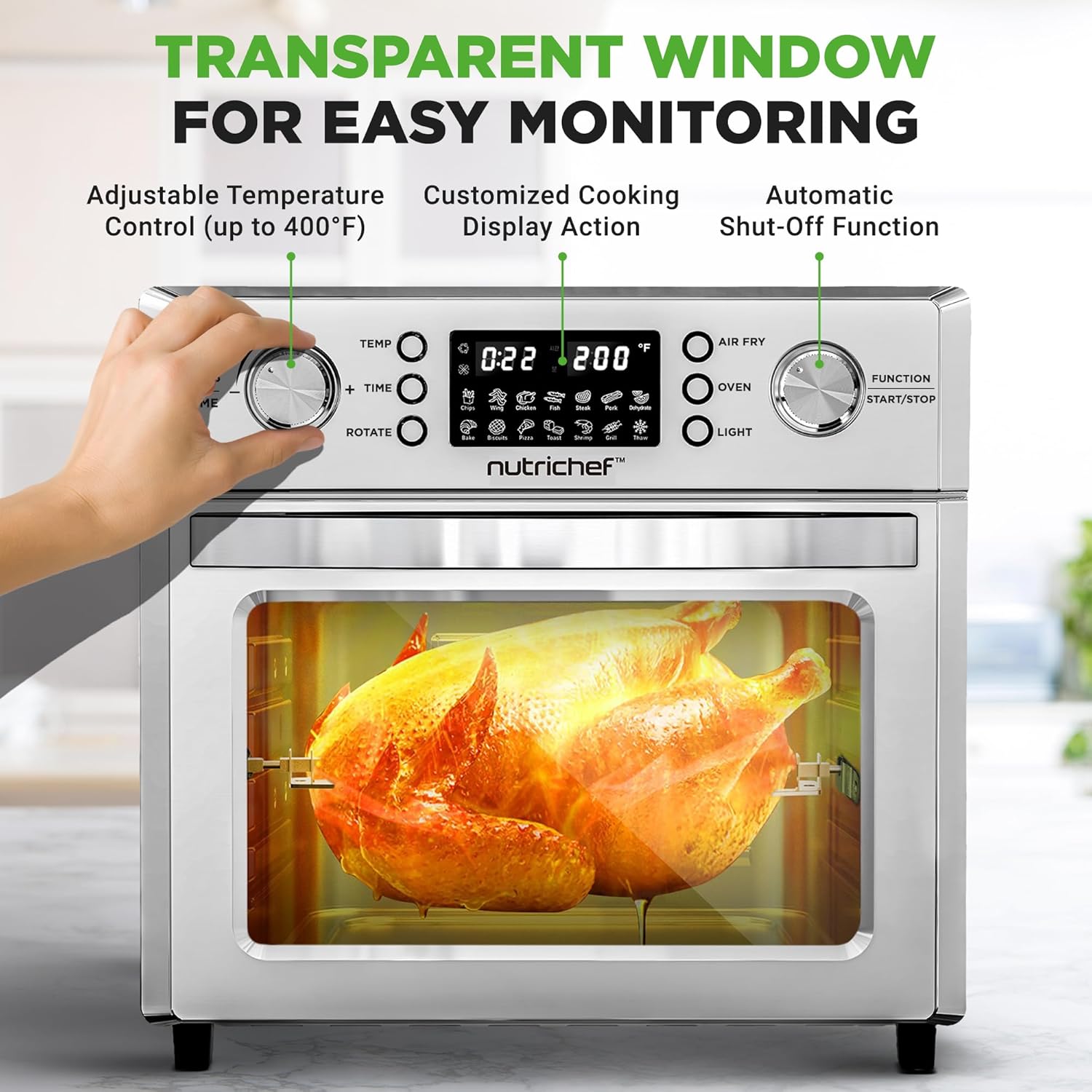
Figure 2: The digital LED touch screen display and control knobs for adjusting time, temperature, and selecting functions. It features 10 digital presets for various cooking modes.
- Digital Display: Shows time, temperature, and selected preset.
- Time/Temp Knobs: Used to adjust cooking time and temperature.
- Function/Start/Stop Knob: Selects cooking mode and starts/stops the cooking process.
- Preset Buttons: Icons for Air Fry, Toast, Bake, Broil, Roast, Reheat, Warm, Slow Cook, Dehydrate, Fries, Wings, Chicken, Fish, Meat, Shrimp, Cake, Cookies, Bread, Pizza, Grill, Thaw.
- Light Button: Turns the interior oven light on/off.
- Rotate Button: Activates the rotisserie function.
Setup
- Unpacking: Carefully remove all packaging materials, stickers, and labels from the appliance. Ensure all accessories are present.
- Initial Cleaning: Before first use, wipe the exterior of the oven with a damp cloth. Wash all removable accessories (baking tray, air frying basket, bake rack, rotisserie basket) with warm, soapy water. Rinse thoroughly and dry completely.
- Placement: Place the air fryer oven on a stable, level, heat-resistant surface. Ensure there is at least 6 inches of clear space on all sides and above the appliance for proper ventilation. Do not place it near flammable materials.
- Power Connection: Plug the power cord into a grounded electrical outlet.
Operating Instructions
General Operation
- Power On: Plug in the appliance. The digital display will illuminate.
- Select Function: Turn the "Function/Start/Stop" knob to select your desired cooking mode (e.g., Air Fry, Bake, Roast).
- Adjust Time and Temperature: Use the "Time" and "Temp" knobs to set the desired cooking duration and temperature.
- Start Cooking: Press the "Function/Start/Stop" knob to begin the cooking cycle.
- Pause/Stop: Press the "Function/Start/Stop" knob again to pause or stop the cooking process.
Using Presets
The NutriChef Air Fryer Oven features 10 digital presets for common dishes, simplifying your cooking.
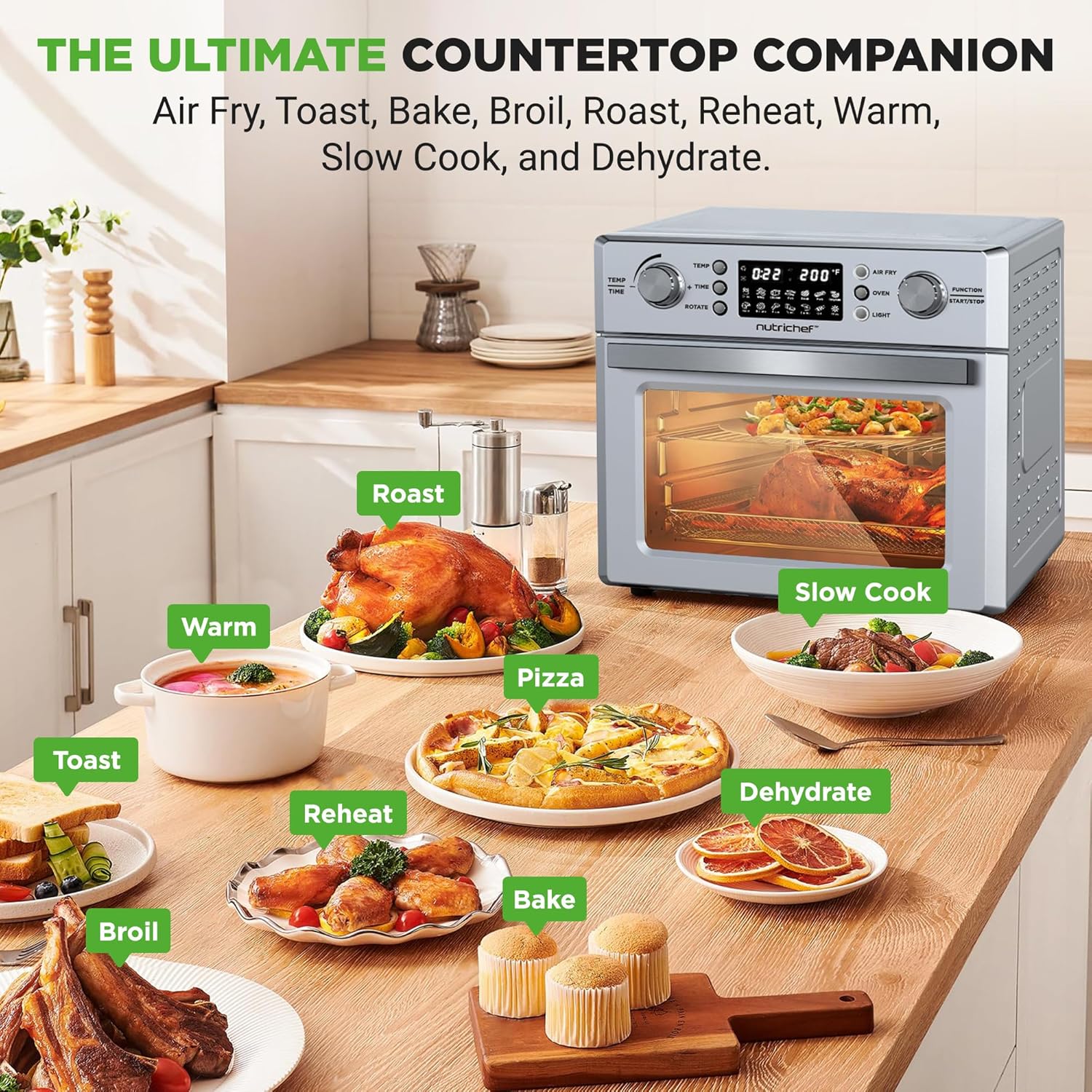
Figure 3: The NutriChef Air Fryer Oven is a versatile countertop companion, capable of Air Frying, Toasting, Baking, Broiling, Roasting, Reheating, Warming, Slow Cooking, and Dehydrating.
- Place food inside the oven using the appropriate accessory (e.g., air frying basket for fries).
- Select the desired preset by pressing the corresponding icon on the digital display. The oven will automatically set the optimal time and temperature for that dish.
- Press the "Function/Start/Stop" knob to begin.
- You can manually adjust the time and temperature even after selecting a preset if needed.
Air Frying Function
The 360° hot air circulation technology ensures even cooking and crispy results with minimal oil.
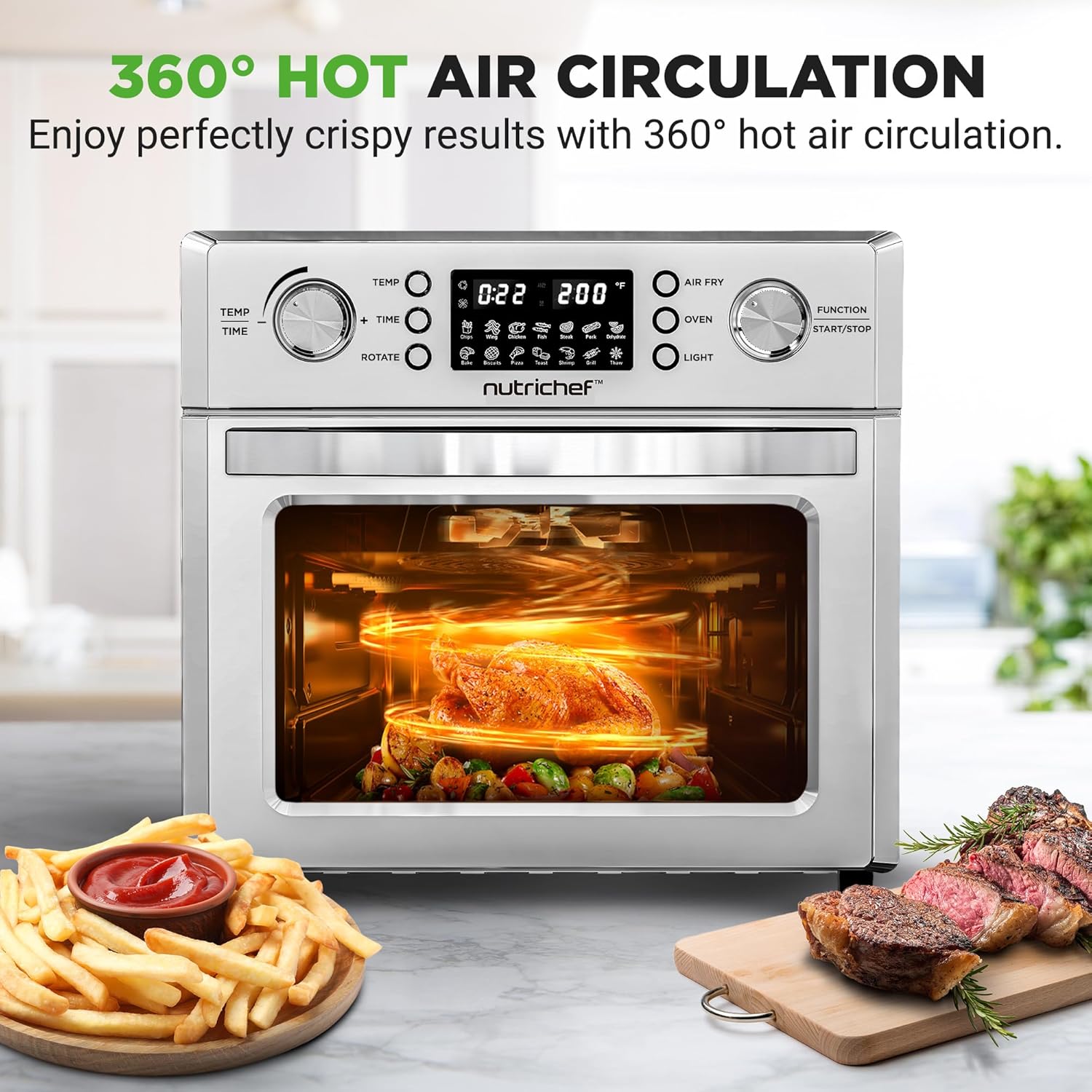
Figure 4: Experience perfectly crispy results with the 360° hot air circulation feature, ensuring fast, even, and oil-free cooking.
- Use the air frying basket for best results when air frying.
- Arrange food in a single layer in the basket to allow for optimal air circulation. Do not overcrowd.
- For even crisping, shake the basket or flip food halfway through the cooking time.
Rotisserie Function
The rotisserie function allows for 360° rotating cooking, perfect for whole chickens, roasts, or using the rotisserie basket for items like fries or nuts.
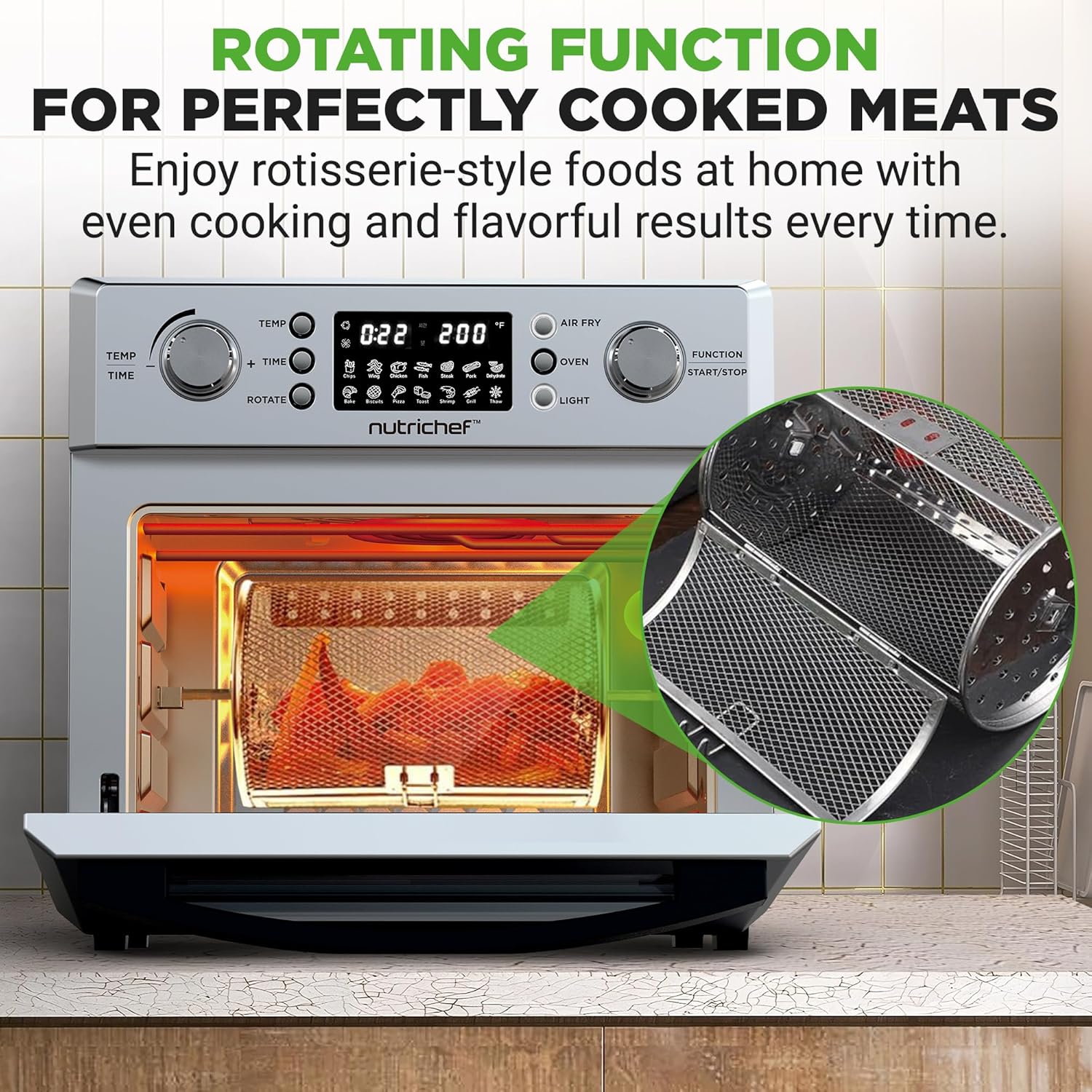
Figure 5: The rotating function ensures perfectly cooked meats and other foods, providing even cooking and flavorful results every time.
- For Rotisserie Basket: Place food inside the rotisserie basket and secure the lid. Insert the rotisserie shaft through the basket.
- For Rotisserie Spit (for whole chicken/roast): Secure the food onto the rotisserie spit using the forks.
- Carefully insert the rotisserie assembly into the oven's rotisserie slots. Ensure it is securely seated.
- Select a cooking function (e.g., Roast, Air Fry) and set time/temperature.
- Press the "Rotate" button to activate the rotation.
- Use the rotisserie handle to safely remove the hot assembly after cooking.
Product Demonstration Video
Watch this official product video for a visual guide on the features and operation of the NutriChef 26L Electric Air Fryer Oven.
Video 1: An official demonstration of the NutriChef 26L Electric Air Fryer Oven, showcasing its digital presets, 360° air circulation, rotisserie mode, and ease of cleaning.
Cleaning and Maintenance
Regular cleaning ensures the longevity and optimal performance of your NutriChef Air Fryer Oven.

Figure 6: The baking tray and air frying basket are dishwasher safe, making cleanup convenient.
- Before Cleaning: Always unplug the oven and allow it to cool completely before cleaning.
- Interior: Wipe the interior walls with a damp cloth and mild detergent. For stubborn stains, use a non-abrasive sponge. Do not use harsh chemicals or abrasive cleaners.
- Exterior: Wipe the exterior with a soft, damp cloth. Dry thoroughly.
- Accessories: The baking tray, air frying basket, and bake rack are dishwasher safe. For manual cleaning, wash with warm, soapy water, rinse, and dry thoroughly. The non-stick surfaces facilitate easy cleaning.
- Crumb Tray: Regularly remove and clean the crumb tray located at the bottom of the oven to prevent grease buildup and potential fire hazards.
- Storage: Ensure the oven is clean and dry before storing. Store in a cool, dry place.
Troubleshooting
If you encounter issues with your NutriChef Air Fryer Oven, refer to the common problems and solutions below.
| Problem | Possible Cause | Solution |
|---|---|---|
| Appliance does not turn on. | Not plugged in; power outlet malfunction; appliance not switched on. | Ensure the power cord is securely plugged into a working outlet. Check if the power button/knob is pressed. |
| Food is not cooked evenly. | Overcrowding the basket; incorrect temperature/time; food not shaken/flipped. | Do not overcrowd the basket. Ensure food is in a single layer. Adjust temperature/time as needed. Shake or flip food halfway through cooking. |
| White smoke coming from the appliance. | Grease residue from previous use; high fat content food. | Clean the appliance and accessories thoroughly after each use. For high-fat foods, place a small amount of water in the drip tray to reduce smoke. |
| Appliance smells like burning plastic. | New appliance odor; plastic packaging not fully removed. | This is normal for first few uses. Ensure all packaging is removed. If odor persists, contact customer support. |
| Rotisserie function not rotating. | Rotisserie assembly not properly installed; "Rotate" button not pressed. | Ensure the rotisserie shaft is correctly seated in the drive and support slots. Press the "Rotate" button. |
Specifications
| Feature | Detail |
|---|---|
| Model Name | NCAFS26A |
| Brand | NutriChef |
| Capacity | 26 Liters |
| Output Wattage | 1700 Watts |
| Voltage | 120 Volts |
| Product Dimensions (D x W x H) | 14.96" x 16.73" x 15.75" |
| Material | Stainless Steel, Polypropylene (PP), Acrylonitrile Butadiene Styrene (ABS) |
| Control Method | Touch |
| Special Features | Temperature Control, Automatic Shut-Off, Programmable, 360° Rotating Feature |
| Non-stick Coating | Yes |
| Dishwasher Safe Parts | Yes (Removable basket and tray) |
Warranty and Support
Your NutriChef 26L Electric Air Fryer Oven is covered by a manufacturer's warranty. For detailed warranty information, product support, or to inquire about replacement parts, please refer to the warranty card included with your purchase or visit the official NutriChef website.
For customer service inquiries, please contact NutriChef support directly.
Ask a question about this manual
Ask about setup, troubleshooting, compatibility, parts, safety, or missing instructions. Manuals+ will review the question and use this page’s manual context to help answer it.