
1. Introduction
This manual provides instructions for the iJoy Squishmallows Bluetooth Earbuds, Model SQ60005. These wireless earbuds feature a built-in microphone, a charging case, and offer up to 30 hours of playtime. Please read this manual thoroughly before use to ensure proper operation and to maximize your listening experience.

Image 1.1: The iJoy Squishmallows Bluetooth Earbuds and their charging case.
2. What's in the Box
Verify that all items are present in the package:
- iJoy Squishmallows Bluetooth Earbuds (Left and Right)
- Wireless Charging Case
- USB Charging Cable (Type-C)
- Extra Ear Gels (various sizes)
- User Manual (this document)
3. Setup
3.1. Charging the Earbuds and Case
Before first use, fully charge the earbuds and the charging case. The charging case provides additional battery life for the earbuds.
- Connect the provided USB Type-C cable to the charging port on the case and to a compatible USB power source (e.g., computer, wall adapter).
- Ensure the earbuds are placed correctly inside the charging case.
- The LED indicator on the case will show charging status. Refer to the LED indicator section for details.
- Important: Use only standard chargers. Avoid fast chargers, as they may damage the device.
The charging case is also compatible with wireless charging pads.

Image 3.1: Earbuds in their charging case, indicating up to 30 hours of total playtime.

Image 3.2: The charging case is compatible with wireless charging pads.
3.2. Pairing and Syncing
Follow these steps to connect your earbuds to a Bluetooth-enabled device:
- Open the charging case and remove both earbuds. The LED lights on both earbuds will flash red and blue, indicating they are in pairing mode.
- On your device (smartphone, tablet, etc.), navigate to the Bluetooth settings and ensure Bluetooth is enabled.
- Search for available devices. Select "Squishmallows Earbuds" from the list.
- Once connected, the earbuds will indicate a successful pairing (e.g., LED lights will stop flashing or turn solid blue).

Image 3.3: Visual guide for pairing and syncing the earbuds with your device.

Image 3.4: The earbuds utilize Bluetooth 5.0 for easy and stable connection.
4. Operating Instructions
4.1. Touch Controls
The earbuds feature touch-sensitive controls for various functions:
- Left Earbud:
- Single Press: Play / Pause audio
- Double Press: Previous song
- Hold: Volume Down
- Right Earbud:
- Single Press: Play / Pause audio
- Double Press: Next song
- Hold: Volume Up
- Answering/Ending Calls:
- Single Press (either earbud): Answer / End call
- Hold (either earbud): Reject call

Image 4.1: Detailed diagram of touch control functions for each earbud.
4.2. Wearing the Earbuds
For optimal sound quality and comfort, select the ear gels that best fit your ears. The package includes multiple sizes.
- Gently insert each earbud into your ear canal.
- Rotate the earbud slightly until it feels secure and comfortable.
- Ensure a snug fit to achieve the best sound isolation and bass response.

Image 4.2: The earbuds come with three ear tip sizes for a perfect fit.
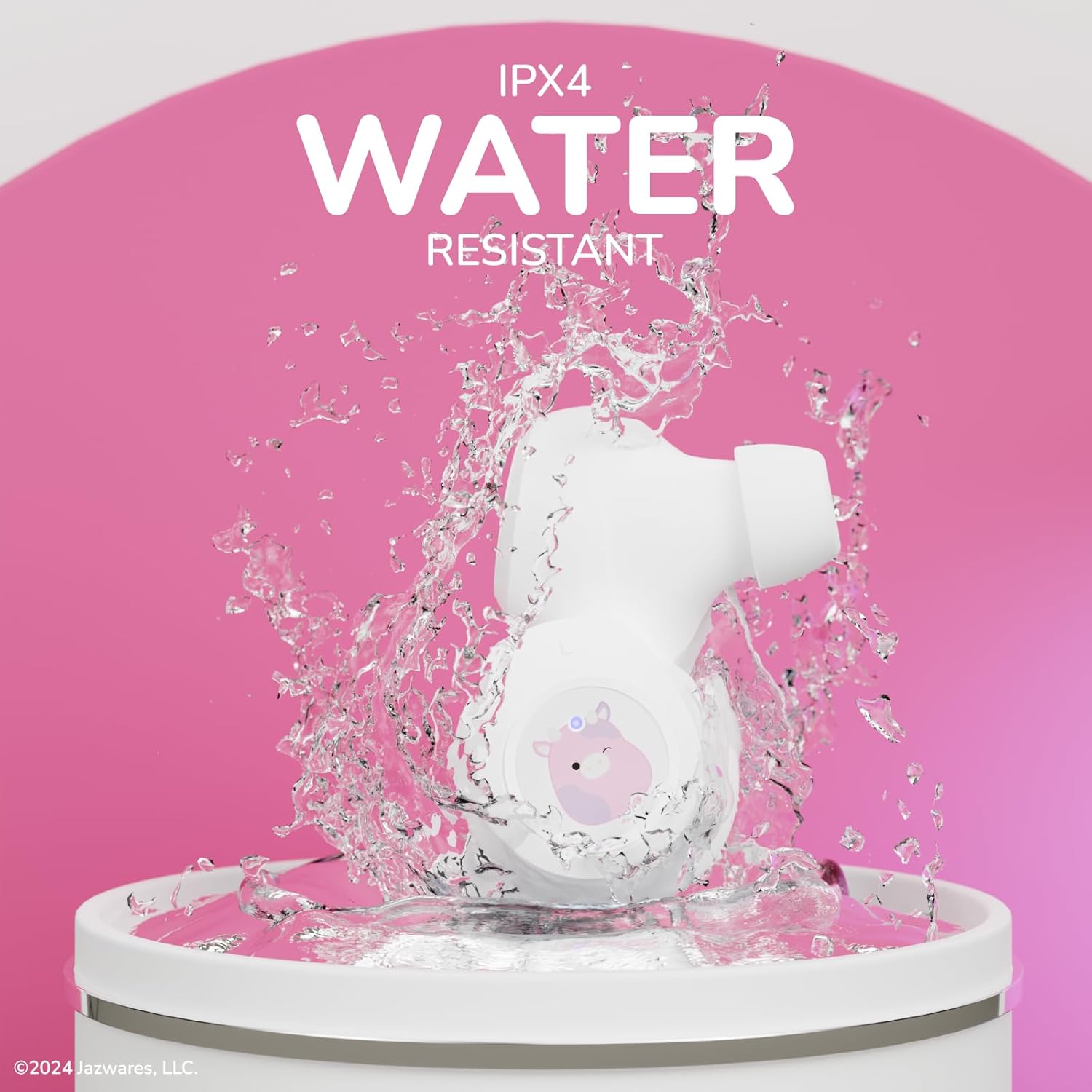
Image 4.3: Proper placement of the earbud for comfort and sound quality.
5. Maintenance
5.1. Cleaning
Regular cleaning helps maintain performance and hygiene:
- Gently wipe the earbuds and charging case with a soft, dry, lint-free cloth.
- Remove ear gels and clean them with mild soap and water, then dry thoroughly before reattaching.
- Do not use abrasive cleaners, alcohol, or chemical solvents.
5.2. Storage
When not in use, store the earbuds in their charging case to protect them and keep them charged.
5.3. Water Resistance
The earbuds are rated IPX4 water resistant, meaning they are protected against splashing water from any direction. They are not designed for submersion in water.

Image 5.1: The earbuds feature IPX4 water resistance, protecting them from splashes.
6. Troubleshooting
If you encounter issues with your earbuds, refer to the following common solutions:
- Earbuds not pairing: Ensure both earbuds are out of the case and flashing red/blue. Turn off and on your device's Bluetooth. Forget the device in your Bluetooth settings and try pairing again.
- Only one earbud working: Place both earbuds back in the charging case, close the lid, wait a few seconds, then remove them simultaneously. This often re-syncs them.
- No sound: Check the volume level on both your device and the earbuds. Ensure the earbuds are properly connected to your device.
- Charging issues: Verify the USB cable is securely connected and the power source is active. Ensure earbuds are correctly seated in the charging case. Avoid using fast chargers.
- Poor sound quality: Ensure ear gels provide a snug fit. Clean any debris from the earbud nozzles. Move closer to your connected device to avoid interference.
7. Specifications
| Feature | Specification |
|---|---|
| Model Name | Squishmallows Bluetooth Earbuds |
| Model Number | SQ60005 |
| Connectivity Technology | Wireless (Bluetooth 5.0) |
| Wireless Range | Up to 33 feet (10 meters) |
| Battery Life | Up to 30 hours (with charging case) |
| Noise Control | Sound Isolation |
| Water Resistance | IPX4 (Water Resistant) |
| Material | Acrylonitrile Butadiene Styrene (ABS) |
| Product Dimensions | 2.5 x 1.5 x 1.5 inches (Charging Case) |
| Item Weight | 2.39 ounces |
| UPC | 810146467816 |

Image 7.1: The earbuds offer long-range connectivity up to 33 feet.
8. Safety Information
- Hearing Protection: Avoid listening at high volume levels for extended periods to prevent hearing damage.
- Driving Safety: Do not use earbuds while driving or cycling where the inability to hear ambient sounds could pose a danger.
- Choking Hazard: This product contains small parts and is not suitable for young children.
- Charging: Use only the provided USB cable and a standard 5V charger. Do not use fast chargers.
- Battery Care: Do not disassemble, crush, or expose the product to extreme temperatures or fire.
9. Warranty and Support
For warranty information and customer support, please refer to the documentation included with your product or contact the manufacturer, Quest USA Corp. Keep your proof of purchase for warranty claims.


