1. Introduction
This manual provides essential instructions for the safe and effective use of your XWNV AC Adapter, designed for compatibility with NordicTrack Commercial S22i Studio Cycle Bikes (models NTEX02422, NTEX02422.0, NT-NTEX02422-INT). Please read this manual thoroughly before use and retain it for future reference.

Image 1.1: The XWNV AC Adapter, including the main power brick, detachable AC input cable, and DC output cable with a round connector.
The adapter provides a stable power supply, featuring multiple protection mechanisms to ensure the safety and longevity of your connected devices. It is designed for worldwide voltage use (100-240 VAC, 50/60Hz).
2. Setup Instructions
- Unpack the Adapter: Carefully remove the AC adapter and all cables from its packaging.
- Connect the AC Input Cable: Plug the detachable AC input cable into the adapter's AC inlet. Ensure it is firmly seated.
- Connect to Power Outlet: Insert the AC input cable's plug into a standard wall power outlet (100-240V AC).
- Connect to Device: Plug the DC output cable's round connector into the power input port of your NordicTrack Commercial S22i Studio Cycle Bike or other compatible device.

Image 2.1: The AC adapter connected to a wall outlet and supplying power to a compatible electronic device, demonstrating a typical setup.
Once connected, the power indicator lamp on the adapter should illuminate, indicating that power is being supplied. Ensure all connections are secure before operating your device.
3. Operation Guidelines
- Voltage Compatibility: The adapter supports a wide input voltage range (100-240V AC), making it suitable for international use.
- Power Indicator: A power lamp on the adapter indicates active power supply. If the lamp is off, check connections or the power source.
- Safety Features: This adapter includes Over Voltage Protection, Over Current Protection, Short Circuit Protection, Over Heat Protection, Electrostatic Protection, and Overcharge Protection to safeguard your devices.
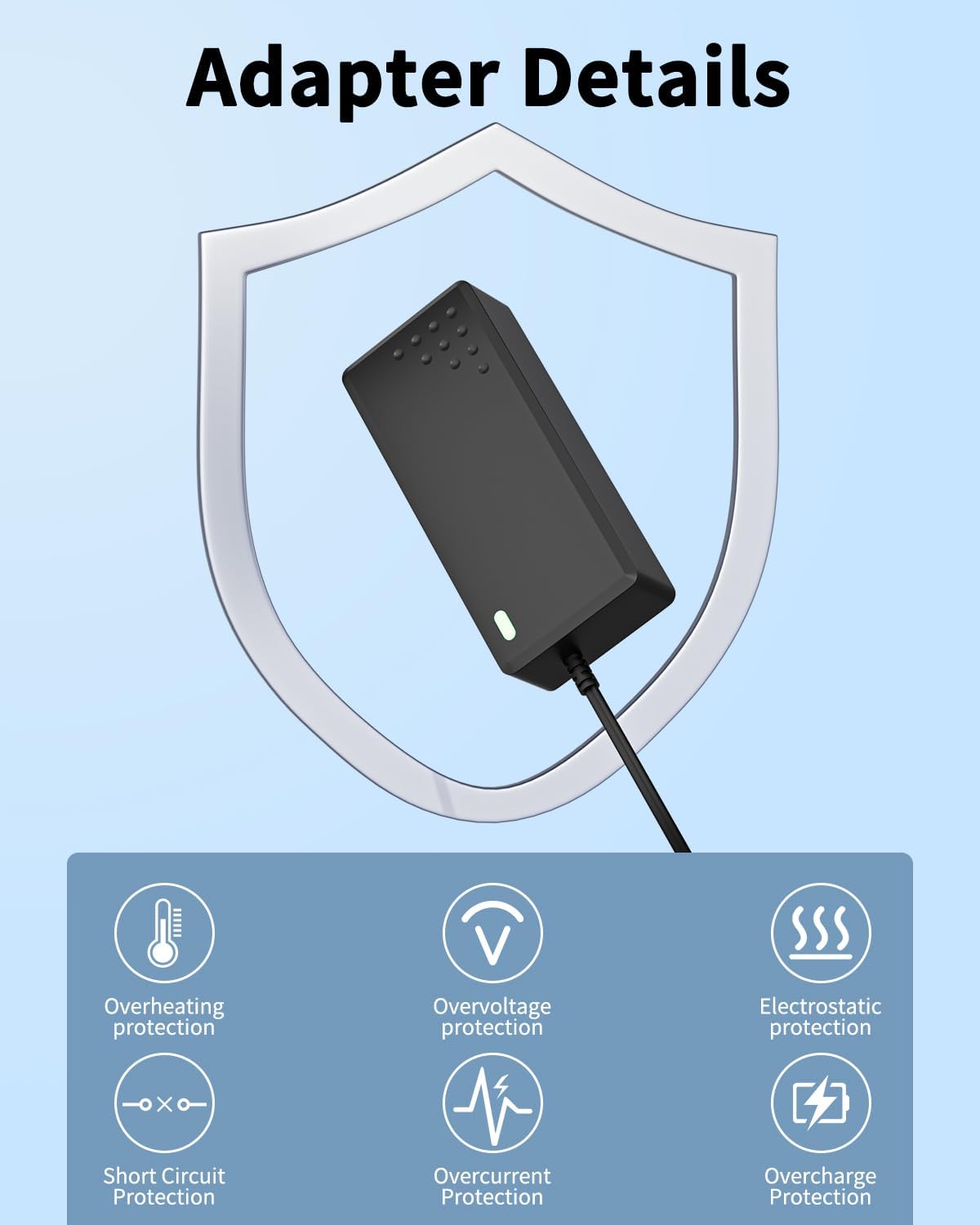
Image 3.1: Visual representation of the adapter's integrated safety features, including overheating, overvoltage, electrostatic, short circuit, overcurrent, and overcharge protection.
Always ensure the adapter is used in a well-ventilated area to prevent overheating. Avoid placing it on soft surfaces that may block ventilation.
4. Maintenance and Care
- Cleaning: Disconnect the adapter from the power source and device before cleaning. Use a dry, soft cloth to wipe the surface. Do not use liquid cleaners.
- Storage: When not in use, store the adapter in a cool, dry place, away from direct sunlight and extreme temperatures.
- Cable Care: Avoid bending or kinking the cables sharply. Do not place heavy objects on the cables.
- Ventilation: Ensure the adapter is placed in a location with adequate airflow, especially during prolonged use, to prevent overheating.
5. Troubleshooting
| Problem | Possible Cause | Solution |
|---|---|---|
| No power indicator light | Adapter not plugged in, faulty outlet, loose connection. | Check power outlet, ensure all cables are securely connected. Try a different outlet. |
| Device not charging/powering on | Incorrect adapter, faulty adapter, device issue. | Verify adapter compatibility with your device. Ensure the adapter is functioning (power light on). Test with another compatible device if possible. |
| Adapter feels hot | Normal operation, poor ventilation, excessive load. | Slight warmth is normal. Ensure adequate ventilation. If excessively hot, disconnect and contact support. |
6. Product Specifications
- Input: 100-240V AC, 50/60Hz
- Cable Length: Approximately 7 feet (2.1 meters)
- Connector Type: Round (5.5mm x 2.5mm, as per image)
- Product Dimensions: Approximately 4.96 x 1.95 x 1.20 inches (main adapter unit)
- Color: Black
- Special Features: Over Voltage Protection, Over Current Protection, Short Circuit Protection, Over Heat Protection, Electrostatic Protection, Overcharge Protection.
- Compatible Devices: NordicTrack Commercial S22i Studio Cycle Bike (NTEX02422, NTEX02422.0, NT-NTEX02422-INT), and other devices requiring compatible power.

Image 6.1: Detailed dimensions of the XWNV AC adapter unit, showing length, width, and height measurements.
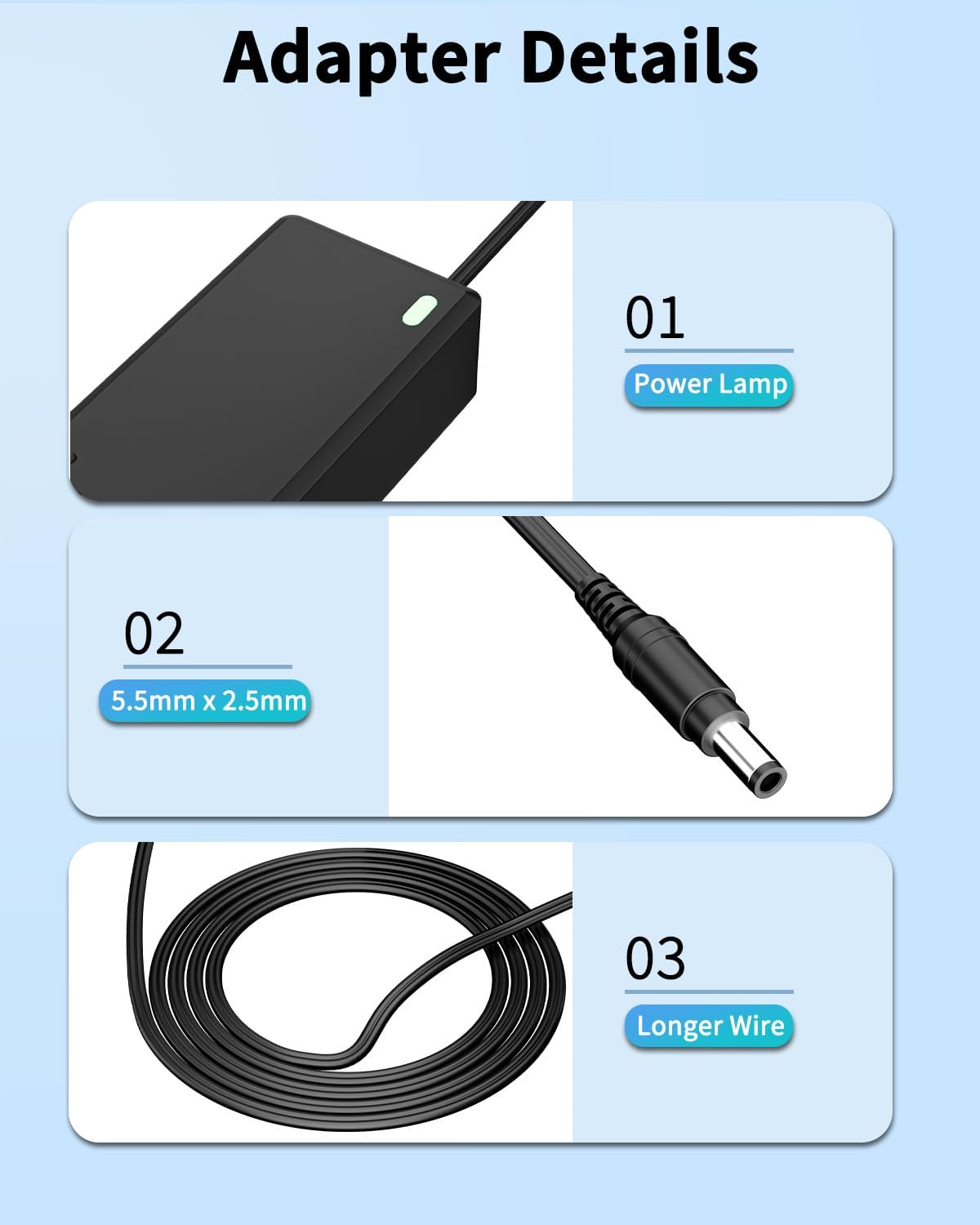
Image 6.2: Key features of the adapter, highlighting the power indicator lamp, the 5.5mm x 2.5mm DC connector, and the extended cable length.

Image 6.3: Illustrative examples of various electronic devices, such as laptops, monitors, and gaming consoles, that can be powered by this versatile AC adapter.
7. Warranty and Support
For any questions, concerns, or issues regarding your XWNV AC Adapter, please contact the seller directly through the platform where the purchase was made. They will be able to provide assistance and information regarding warranty coverage and troubleshooting.
Note: Always confirm the output and plug size before purchase to ensure compatibility with your specific device.


