
1. Setup and Installation
1.1 Package Contents
Verify all components are present in the package:
- 1x Car Radio
- 1x Camera Body
- 1x Power Cable
- 1x USB Cable
- 1x Reversing Line
- 1x RCA Cable
- 1x GPS Module
- 1x Crowbar

Image: Overview of all items included in the product package, such as the car radio, cables, and camera.
1.2 Installation Process
The following steps outline the general installation process. Professional installation is recommended.
- Remove Existing Head Unit: Carefully pry off the trim panels around the factory radio using the provided crowbar tool. Locate and remove the screws securing the original head unit. Disconnect all wiring harnesses and antenna cables.
- Connect New Wiring: Connect the provided power cable, USB cables, RCA cables, and GPS antenna to the new Jingelsye car radio. Ensure all connections are secure.
- Test Fit and Functionality: Before fully securing, temporarily connect the new unit and power on the vehicle to verify basic functionality (power, audio, touch screen response).
- Secure New Head Unit: Carefully slide the new car radio into the dashboard opening, aligning it with the mounting points. Secure it with screws.
- Reinstall Trim Panels: Reattach all removed trim panels, ensuring they snap securely into place.
Video: Installation guide for Hyundai Elantra Headunit (2011-2015), demonstrating removal of the old unit and fitting the new one.
Video: Wiring demonstration for the Jingelsye car radio, showing how to connect the various cables.

Image: Comparison of the Hyundai Elantra dashboard before and after the installation of the new 9-inch car radio stereo.
2. Operating Instructions
2.1 Basic Functions
The 9-inch HD 2.5D touchscreen provides intuitive control over all features. The system runs on Android, offering a familiar interface.

Image: Close-up of the 9-inch HD 2.5D touchscreen display, showing the main interface of the car radio.
2.2 Connectivity
- Bluetooth 5.0: Offers faster transmission speeds for hands-free calls, music streaming, and phonebook download.
- Wireless CarPlay & Android Auto: Connect your smartphone wirelessly via Bluetooth or using the original USB cable to access navigation, music, calls, and messages through voice control.
- 5G WiFi: Connect to WiFi for online maps, app updates, and internet browsing.
- GPS Navigation: Built-in GPS module supports both online and offline navigation applications.
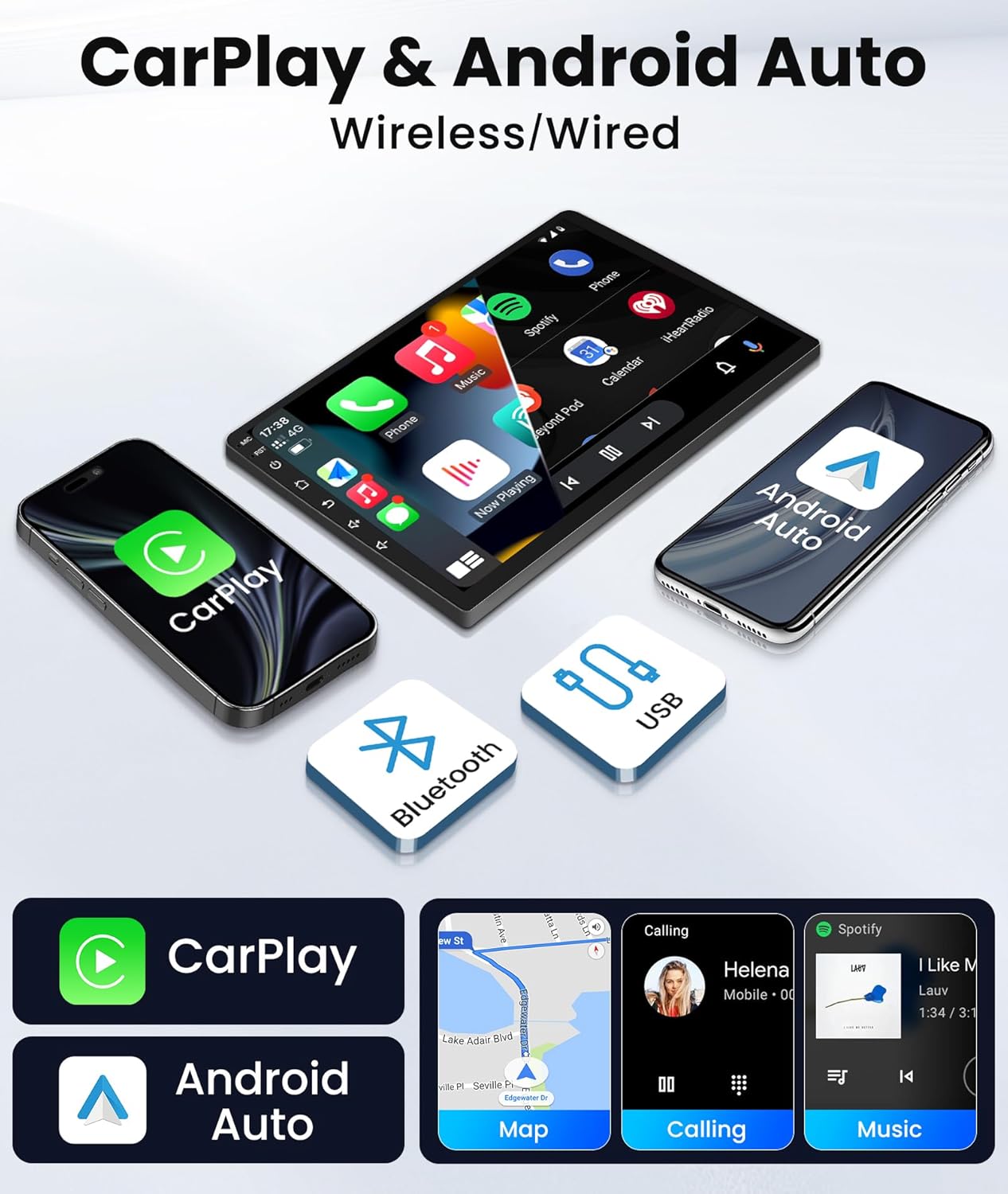
Image: The car radio screen showing both Apple CarPlay and Android Auto interfaces, highlighting smartphone integration.
Video: Demonstration of car radio features including CarPlay, Android Auto, GPS, and Bluetooth functionality.
2.3 Audio Settings (DSP)
The Digital Sound Processor (DSP) offers enhanced audio control:
- 15-Band EQ: Customize your audio experience with 15 preset EQ settings.
- Subwoofer Control: Adjust subwoofer output for optimal bass performance.
- FM/AM/RDS Radio: Enjoy your favorite radio stations with clear reception and RDS information.

Image: The car radio's audio settings interface, displaying the 15-band equalizer and subwoofer controls for sound customization.
2.4 Rear-view Camera
The included 1080P rear-view camera provides clear night vision and automatically displays the reverse image when the vehicle shifts into reverse, aiding in safe parking.

Image: A detailed view of the 1080P rear-view camera, emphasizing its waterproof design and night vision features.
2.5 Steering Wheel Control
Retain your factory steering wheel controls for convenient and safe operation of the car audio system while driving.
3. Maintenance
To ensure the longevity and optimal performance of your Jingelsye car radio stereo, follow these maintenance guidelines:
- Screen Cleaning: Use a soft, lint-free cloth to gently wipe the touchscreen. For stubborn smudges, slightly dampen the cloth with water or a screen-safe cleaner. Avoid abrasive materials or harsh chemicals.
- Software Updates: Periodically check for software updates via the 5G WiFi connection to ensure you have the latest features and security patches.
- Environmental Care: Avoid exposing the unit to extreme temperatures or direct sunlight for prolonged periods. Ensure proper ventilation around the unit.
4. Troubleshooting
If you encounter issues with your car radio, refer to these common troubleshooting steps:
- No Power: Check all power cable connections. Ensure the vehicle's ignition is on. Verify the fuse in the vehicle's fuse box.
- No Sound: Check speaker wiring connections. Ensure the volume is not muted or set to zero. Verify audio settings (EQ, balance).
- Bluetooth Connectivity Issues: Ensure Bluetooth is enabled on both the car radio and your smartphone. Delete previous pairings and attempt to reconnect.
- GPS Signal Loss: Ensure the GPS antenna is properly installed and has a clear line of sight to the sky. Check map application settings.
- Touchscreen Unresponsive: Perform a system reset (refer to the device settings for the reset option). If the issue persists, contact customer support.
5. Specifications
| Brand | Jingelsye |
|---|---|
| Model | 4 Core 2GB RAM+64GB ROM |
| Screen Size | 9 Inches |
| Resolution | 1280x800 |
| Operating System | Android, iOS (via CarPlay/Android Auto) |
| Memory (RAM) | 2GB |
| Storage (ROM) | 64GB |
| Connectivity | Bluetooth, USB, Wi-Fi (5G) |
| Special Features | Bluetooth, DSP, GPS Navigation, Touchscreen, Wi-Fi, Wireless CarPlay/Android Auto, 1080P Rear-view Camera, Steering Wheel Control |
| Compatible Vehicle Type | Hyundai Elantra 2011-2013 |
6. Warranty and Support
Jingelsye is committed to providing quality products and customer satisfaction.
- Return Policy: This product is eligible for a 30-day return/replacement policy.
- Technical Support: For any questions regarding the car radio, please contact our after-sales team. Good communication will help resolve any issues efficiently.
- Compatibility Check: If you are unsure about product compatibility with your vehicle, please send a photo of your car's dashboard to our support team for prompt assistance.