
Devoko Schwarz
Devoko Gaming Chair User Manual
Model: Schwarz
1. Introduction
Thank you for choosing the Devoko Gaming Chair. This manual provides detailed instructions for the assembly, operation, maintenance, and troubleshooting of your new chair. Please read this manual thoroughly before assembly and use to ensure proper function and safety. This chair is designed to provide maximum comfort and support for extended periods of gaming or work.

Image 1.1: The Devoko Gaming Chair in black, featuring a wide seat and comfortable design. A cat is shown resting on the seat, highlighting its soft fabric.
2. Safety Information
To prevent injury or damage to the chair, please observe the following safety guidelines:
- Weight Capacity: Do not exceed the maximum weight capacity of 200 kg (440 lbs).
- Proper Use: Use the chair only for its intended purpose as a seating device. Avoid standing on the chair or using it as a step stool.
- Stability: Ensure all bolts and screws are securely tightened before use. Periodically check and re-tighten connections.
- Children and Pets: Keep children and pets away from the chair during assembly.
- Moving Parts: Be cautious of moving parts during adjustment to avoid pinching.
- Floor Protection: While the wheels are designed to be silent and floor-friendly, consider using a chair mat on delicate flooring.
3. Package Contents
Before beginning assembly, please verify that all components are present and undamaged. If any parts are missing or damaged, contact customer support immediately.
- Backrest
- Seat Cushion
- Armrests (2)
- Star Base
- Casters (5)
- Gas Lift Cylinder
- Gas Lift Cover
- Mechanism Plate
- Lumbar Support Pillow (with massage function)
- Headrest Pillow
- Footrest Assembly
- Hardware Pack (screws, washers, Allen key)
4. Setup and Assembly
Follow these general steps to assemble your Devoko Gaming Chair. Refer to the included assembly diagram for specific bolt placements.
- Attach Casters to Base: Insert the five casters into the holes at the end of each leg of the star base until they click into place.
- Insert Gas Lift: Place the gas lift cylinder into the center hole of the star base. Cover it with the gas lift cover.
- Attach Mechanism Plate: Secure the mechanism plate to the underside of the seat cushion using the provided screws. Ensure the front of the mechanism faces the front of the seat.
- Attach Armrests: Fasten the armrests to the sides of the seat cushion using the designated screws.
- Connect Backrest to Seat: Align the backrest with the seat cushion and secure it using the remaining screws.
- Assemble Footrest: Attach the footrest assembly to the mechanism plate or designated slots under the seat.
- Place Seat Assembly on Gas Lift: Carefully place the assembled seat and backrest onto the gas lift cylinder, ensuring it is centered and stable.
- Attach Pillows: Secure the headrest and lumbar support pillows to the chair as desired. The lumbar pillow typically straps around the backrest.

Image 4.1: Detailed dimensions of the Devoko Gaming Chair, illustrating its generous size and capacity for users up to 200 kg.
5. Operating Instructions
Your Devoko Gaming Chair offers multiple adjustment options for personalized comfort.
5.1 Height Adjustment
To adjust the chair's height, locate the lever on the right side, under the seat. Pull the lever up while seated to lower the chair, or pull it up while standing to raise the chair. Release the lever at your desired height.

Image 5.1: Visual guide to the chair's versatile adjustments, including recline from 90° to 170°, 12cm height range, and full 360° rotation.
5.2 Backrest Recline
To recline the backrest, pull the recline lever located on the right side of the chair, near the seat. Lean back to your desired angle (between 90° and 170°) and release the lever to lock it in place. To return to an upright position, pull the lever and lean forward.
5.3 Armrest Adjustment
The armrests are adjustable. Locate the button or lever on the side of each armrest. Press or lift it to adjust the armrest height. Release to lock. The armrests also feature 60° left and right swivel for optimal positioning.

Image 5.2: Features of the adjustable armrests and the extendable footrest, along with a note on the silent, floor-friendly wheels.
5.4 Retractable Footrest
Pull the footrest out from underneath the seat. Extend it to your desired length. When not in use, push it back under the seat until it is fully retracted.
5.5 Lumbar Massage Function
The integrated lumbar support pillow features two massage points. Connect the USB cable from the pillow to a USB power source (e.g., computer, power bank, USB wall adapter). The massage function will activate, providing high-frequency vibrations to help relieve muscle tension.

Image 5.3: Close-up of the high-frequency lumbar massage feature, designed for effective muscle relaxation.
6. Features Overview
The Devoko Gaming Chair is engineered with several key features to enhance your experience:
- Maximum Comfort: Features a wider seat (10 cm larger than traditional chairs) and a thick 13 cm cushion for superior comfort, even for robust individuals.
- Versatile Adjustment: Equipped with a 30% longer footrest and a backrest reclinable from 90° to 170°, accommodating various heights and activities from working to relaxing.
- Integrated Massage: Two integrated massage points in the lumbar support pillow improve blood circulation and relieve muscle tension during long sessions.
- Robust and Secure Structure: Adjustable height (12 cm range) and a load capacity of up to 200 kg. The base design is BIFMA certified, ensuring stability and safety.
- Ergonomic Design: Designed to support the natural curve of your spine, protecting the cervical spine, shoulders, and lumbar region, reducing damage from prolonged sitting.
- High-Quality Fabric: Made from high-quality brushed velvet, offering a soft, delicate, non-sticky, and scratch-resistant touch.

Image 6.1: Illustration of the multi-layered, 13 cm thick high-elasticity cushions, designed for maximum comfort and support.
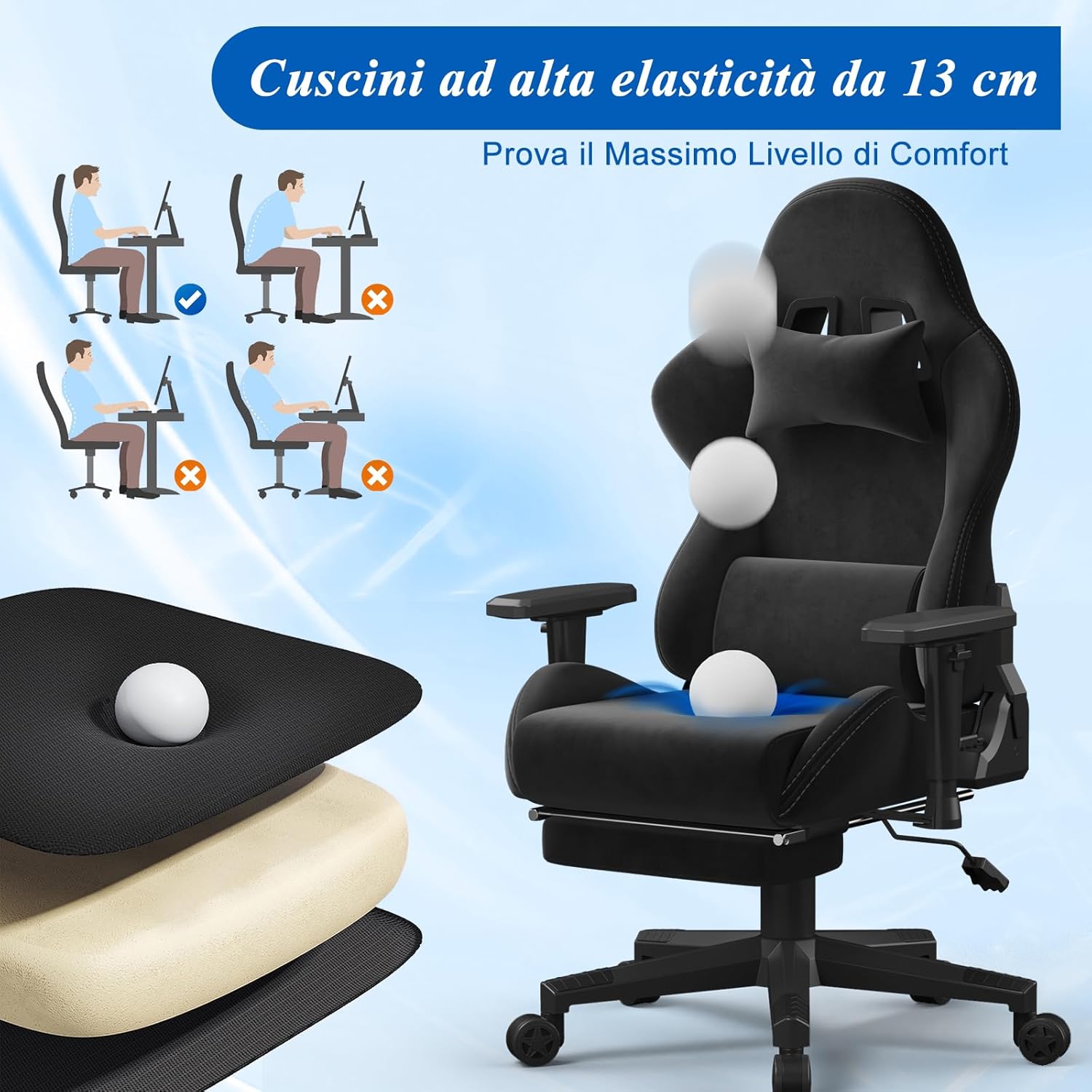
Image 6.2: Visual representation of the chair's ergonomic design, highlighting its support for the spine and shoulders to mitigate effects of prolonged sitting.

Image 6.3: Detailed view of the chair's fabric, emphasizing its soft, delicate, non-sticky, and scratch-resistant properties.
7. Maintenance
Regular maintenance will extend the life and appearance of your Devoko Gaming Chair.
- Cleaning: For general cleaning, wipe the fabric with a soft, damp cloth. For tougher stains, use a mild fabric cleaner and test on an inconspicuous area first. Avoid harsh chemicals or abrasive cleaners.
- Hardware Check: Periodically check all bolts and screws to ensure they are tight. Re-tighten as necessary to maintain stability and prevent squeaking.
- Caster Care: Keep the casters free of hair and debris to ensure smooth rolling.
- Avoid Direct Sunlight: Prolonged exposure to direct sunlight can fade the fabric.
8. Troubleshooting
If you encounter any issues with your chair, refer to the following common problems and solutions:
| Problem | Possible Cause | Solution |
|---|---|---|
| Chair wobbles or is unstable | Loose screws or uneven assembly. | Check and tighten all assembly screws. Ensure the base is level on the floor. |
| Chair does not adjust height | Gas lift malfunction or lever not engaged. | Ensure the height adjustment lever is fully engaged. If the issue persists, the gas lift may need replacement. Contact customer support. |
| Squeaking noises | Loose connections or friction between parts. | Tighten all screws. Apply a small amount of silicone lubricant to moving parts if necessary. |
| Footrest does not extend/retract smoothly | Obstruction or misalignment. | Check for any obstructions. Ensure the footrest rails are clean. |
| Lumbar massage not working | USB power issue or cable connection. | Ensure the USB cable is securely connected to a working power source. Try a different USB port or adapter. |
9. Specifications
| Attribute | Value |
|---|---|
| Brand | Devoko |
| Model | Schwarz |
| Color | Black |
| Product Dimensions | 59 x 65 x 130 cm (23.2 x 25.6 x 51.2 inches) |
| Item Weight | 20 Kilograms (44 lbs) |
| Maximum Load Capacity | 200 kg (440 lbs) |
| Special Features | Reclinable (90°-170°), Integrated Lumbar Massage, Retractable Footrest, Adjustable Armrests, BIFMA Certified Base |
10. Warranty and Support
Devoko stands behind the quality of its products. Your Devoko Gaming Chair comes with the following warranty and support:
- 3-Year Warranty: We offer a 3-year warranty for the Devoko Gaming Chair.
- 30-Day Quality Guarantee: If you encounter any quality issues within the first 30 days of purchase, you are entitled to free replacements or refunds.
- Customer Service: For any issues during use, please contact our customer service team promptly. We are committed to providing professional service to ensure your complete satisfaction.
For support, please visit the official Devoko website or contact your retailer.
Related documentsSchwarz


Ask a question about this manual
Ask about setup, troubleshooting, compatibility, parts, safety, or missing instructions. Manuals+ will review the question and use this page’s manual context to help answer it.