
BAOFENG UV26
Contents
Baofeng UV-26 Ham Radio Instruction Manual
Model: UV26
1. Introduction
The Baofeng UV-26 is a high-performance 10W ham handheld radio designed for reliable long-range communication. It features a 1.77-inch color screen, 999 channels, and supports various frequency bands including AM aviation band reception. This manual provides essential information for setting up, operating, and maintaining your UV-26 radio.

Image: Baofeng UV-26 Ham Radio, highlighting its features for adult users.
2. Key Features
- 10W Transmission Power: Ensures clear and stable communication over long distances.
- 1.77-inch Color Screen: Provides improved display clarity for frequencies and settings.
- Wide Frequency Range: Supports 136-174MHz, 220-260MHz, 400-480MHz for transmitting, and FM 76-108MHz, AM 108-136MHz, VHF 136-174MHz, 220-260MHz, UHF 350-390MHz, 400-520MHz for receiving.
- Frequency Copy Function: Allows instant synchronization with other compatible Baofeng walkie-talkies.
- 999 Channels: Ample memory for storing various frequencies.
- 2500mAh Battery with Type-C Charging: Provides extended operation time and convenient charging.
- NOAA Weather Alerts: Built-in feature for timely weather updates.
- Emergency Features: Includes a flashlight and alarm sound for critical situations.

Image: Overview of the Baofeng UV-26 Ham Radio's key features, including multi-band, frequency copy, large screen, AM aviation band, 2500mAh battery, Type-C charger, 999 channels, NOAA weather receiver, and 10 Watts power.
3. Package Contents
Upon unboxing your Baofeng UV-26 radio, please ensure all the following components are present:
- Baofeng UV-26 Radio Unit (2-Pack)
- 2500mAh Battery (2 included)
- Charger Base (2 included)
- Antenna (2 included, including tactical antenna)
- Belt Clip
- Hand Strap
- User Manual (this document)

Image: The complete package contents of the Baofeng UV-26 radio, including two radio units, two tactical antennas, two standard antennas, two batteries, two charging bases, two belt clips, and two hand straps.
4. Setup Guide
4.1 Battery Installation
- Align the battery pack with the grooves on the back of the radio.
- Slide the battery upwards until it clicks securely into place.
4.2 Antenna Attachment
- Screw the antenna clockwise into the connector on top of the radio until it is finger-tight. Do not overtighten.

Image: A detailed view of the 48cm/18.89in Tactical Antenna with SMA-Female connector, emphasizing its high gain and durability for clearer reception and long-range communication.
4.3 Initial Charging
Before first use, fully charge the battery. The UV-26 supports Type-C charging directly on the battery or via the charging base.
- Connect the Type-C cable to the battery's charging port or place the radio in the charging base.
- Connect the charger to a power outlet. The charging indicator will show the charging status.
- A full charge typically takes several hours.
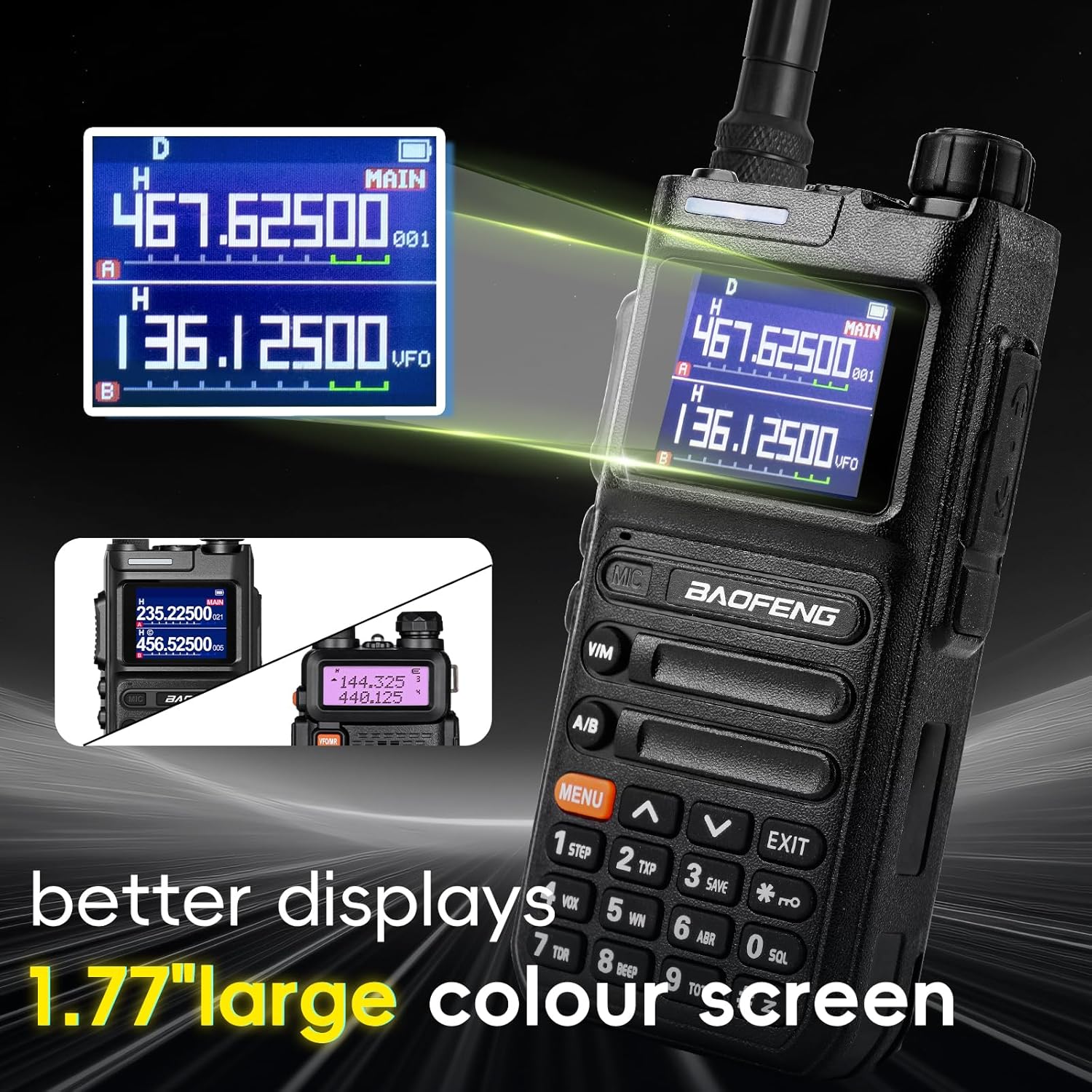
Image: The 2500mAh rechargeable battery for the Baofeng UV-26, highlighting its Type-C charging port and indicating a work time of 8-12 hours and standby time of 72-96 hours.
5. Operating Instructions
5.1 Power On/Off and Volume
- To power on, rotate the power/volume knob clockwise until you hear a click.
- To power off, rotate the knob counter-clockwise until it clicks.
- Adjust the volume by rotating the same knob.
5.2 Channel Selection and PTT
- Use the Up/Down arrow keys to navigate through channels or frequencies.
- Press the PTT (Push-To-Talk) button on the side of the radio to transmit. Release to receive.
5.3 Menu Navigation
The UV-26 features a 1.77-inch color screen for clear display of information.
- Press the [MENU] button to enter the main menu.
- Use the Up/Down arrow keys to scroll through menu options.
- Press [MENU] again to confirm a selection.
- Press [EXIT] to return to the previous screen or exit the menu.
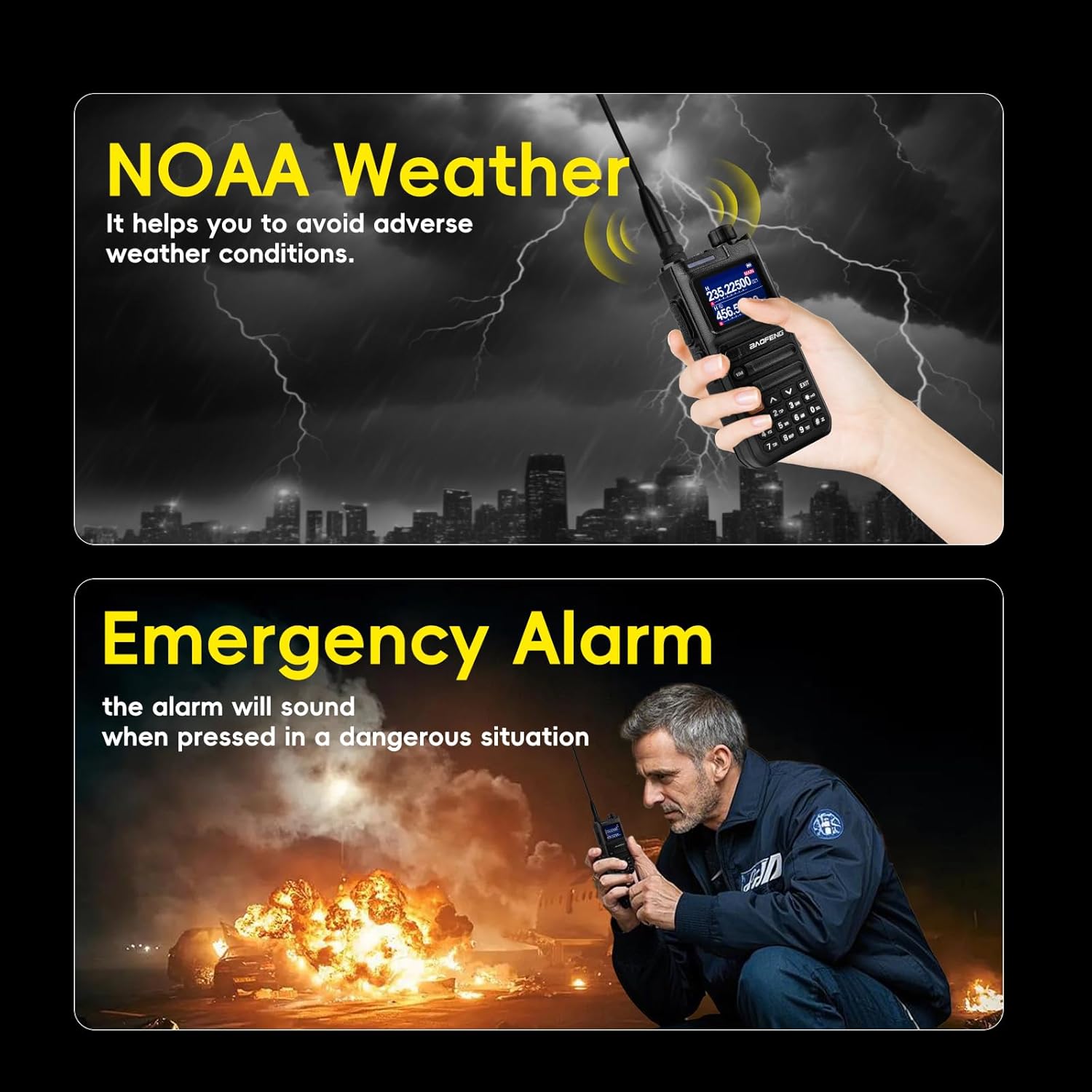
Image: The Baofeng UV-26 radio displaying its 1.77-inch large color screen, showing clear frequency information for both main and sub-channels.
6. Frequency Matching (Copy Function)
The UV-26's innovative Frequency Copy technology allows for quick synchronization with other compatible Baofeng radios, such as the AR-5RM or UV-5RH. This simplifies pairing, grouping, and channel sharing.
Steps to Copy Frequency:
- Initiate Scanning: Press and hold the [V/M] key. The screen will display "SEARCH". The radio will function as a receiver.
- Receive Frequency: Press and hold the PTT button on another walkie-talkie to transmit. The UV-26 will display the receiving frequency.
- Save Frequency: Press and hold the Orange [MENU] key to save the searched frequency.
Note: During frequency search, press the "#" key on the radio to switch between UHF or VHF bands.

Image: Step-by-step guide on how to copy frequencies using the Baofeng UV-26, illustrating the process of initiating scan, receiving frequency, and saving it.
7. NOAA Weather Alerts & Emergency Features
The Baofeng UV-26 is equipped with features to keep you informed and safe during emergencies.
7.1 NOAA Weather Receiver
Stay informed about severe weather conditions with the built-in NOAA weather alerts. This feature provides timely updates during events like hurricanes or fires, helping you prepare and react effectively.
7.2 Emergency Alarm and Flashlight
The radio includes a flashlight and an alarm sound function. These can be crucial tools for search, rescue, and survival situations, providing illumination and a way to signal for help.

Image: Demonstrates the NOAA Weather feature, showing the radio receiving weather signals, and the Emergency Alarm feature, depicting a user in a dangerous situation activating the alarm.
8. Battery & Charging
The UV-26 comes with a 2500mAh battery designed for extended use, lasting several days on a single charge. The Type-C charging capability offers convenience and portability.
- Battery Capacity: 2500mAh
- Charging Method: Direct Type-C port on the battery or via the included charging base.
- Usage Time: Approximately 8-12 hours of work time, 72-96 hours of standby time.
The Type-C charging eliminates the need for bulky charging bases when on the go, ensuring you stay connected without hassle.

Image: A close-up of the 2500mAh Li-ion battery, highlighting its Type-C charging capability.
9. Programming
The Baofeng UV-26 can be programmed using various methods, though some considerations apply.
9.1 Chirp Software Support
The UV-26 supports Chirp programming software. When programming, ensure you select the UV-5RM model within Chirp for compatibility. This allows for easier management of channels and settings via a computer.

Image: Illustrates the Baofeng UV-26 connected to a laptop via a CH340 USB Programming Cable, showing the Chirp software interface with the UV5RM model selected for programming.
9.2 Tidradio Wireless Programmer & Odmaster App
The UV-26 supports the Tidradio wireless programmer (Model No. BL-1) and the Odmaster app for convenient wireless programming. This method allows for programming directly from your smartphone (iOS or Android).
- Install the Odmaster App on your smartphone.
- Pair the Tidradio wireless programmer with your radio and smartphone.
- Choose the 5RM model within the app.
- Modify parameters and upload to the radio.

Image: Shows the Baofeng UV-26 radio with the Tidradio wireless programmer attached, demonstrating the steps to program the radio using the Odmaster app on a smartphone.
10. Specifications
| Feature | Detail |
|---|---|
| Model Number | UV26 |
| Item Weight | 2.92 pounds |
| Package Dimensions | 8.86 x 7.95 x 4.41 inches |
| Batteries | 2 P76 batteries required (included) |
| Color | Black |
| Number of Channels | 999 |
| Special Features | 10W output, Frequency copy, 999 channels, USB C charging, 1.77-inch color screen, NOAA Weather Receiver |
| Frequency Range (Receiving) | 108-136MHz (AM), 136-174MHz (VHF), 220-260MHz, 350-390MHz (UHF), 400-520MHz (UHF) |
| Frequency Range (Transmitting) | 144-148MHz (VHF), 420-450MHz (UHF) |
| Talking Range Maximum | 10 Kilometer (approx. 6.2 miles) |
| Tuner Technology | UHF/1.25M/VHF |
| Water Resistance Level | Not Water Resistant |
| Included Components | Battery, Charger, Antenna |
11. Troubleshooting
This section addresses common issues you might encounter with your Baofeng UV-26 radio.
11.1 Programming Difficulties
- Chirp Compatibility: Ensure you select the UV-5RM model in Chirp software for proper programming. The UV-26 does not have built-in Bluetooth for programming; a programming cable or wireless programmer is required.
- Settings Not Saving After Power Off: If programmed repeater settings are lost upon restarting the radio, try the following:
- When using computer software, always read the radio's current data first before entering new program data. Then, re-enter your desired data and write it back to the radio.
- Ensure the programming cable is securely connected and drivers are correctly installed.
- Verify that the offset and direction (plus or minus) for repeaters are correctly configured in the programming software.
- Keypad Programming: While possible, keypad programming can be cumbersome. For extensive channel management, computer or app-based programming is recommended.
11.2 Limited Range
- Obstructions: Dense foliage, buildings, and terrain can significantly reduce range. Try moving to a higher or more open location.
- Antenna Connection: Ensure the antenna is securely attached. A loose connection can impair performance.
- Power Level: Verify the radio is set to high power (10W) for maximum range when needed. Note that higher power consumes battery faster.
- Battery Level: Low battery can affect transmission power and range. Ensure the battery is adequately charged.
11.3 Screen Issues
- Scratched Screen: The screen does not come with a pre-applied protector. Handle with care to prevent scratches.
- Washed Out in Sunlight: The color screen may appear less vibrant in direct sunlight. Adjust viewing angle or seek shade for better visibility.
12. Warranty and Support
For detailed warranty information, please refer to the documentation provided at the time of purchase or contact your retailer. For technical support or further assistance, please visit the official BAOFENG website or contact their customer service.
An additional installation manual in PDF format is available for download: Download Installation Manual (PDF)
Documents and downloads
Ask a question about this manual
Ask about setup, troubleshooting, compatibility, parts, safety, or missing instructions. Manuals+ will review the question and use this page’s manual context to help answer it.