1. Product Overview
The Real HD 8 Port 2.5G Gigabit PoE Web Managed Switch is designed to enhance network performance for various applications, including WiFi6 APs, NAS devices, and PoE cameras. This switch features 8 x 2.5 Gigabit PoE ports and 1 x 10G SFP+ uplink port, providing high-speed data transfer and Power over Ethernet capabilities. Its robust metal casing and fanless design ensure stable and quiet operation.

Image: Front view of the Real HD 8 Port 2.5G Gigabit PoE Web Managed Switch, showing 8 Ethernet ports, 1 SFP+ port, LED indicators, and included rackmount ears.
2. Setup Instructions
Follow these steps to set up your Real HD 8 Port 2.5G Gigabit PoE Web Managed Switch:
- Unpack the Device: Carefully remove the switch and all accessories from the packaging.
- Power Connection: Connect the provided power adapter to the switch's power input and then to a power outlet. The PWR LED indicator on the front panel should illuminate.
- Network Connections:
- Connect your network devices (e.g., computers, NAS, WiFi6 APs, PoE cameras) to the 2.5Gb PoE ports (ports 1-8) using Cat6 or higher-level Ethernet cables for optimal performance.
- For uplink to your router or core network, use the 10G SFP+ port. An SFP+ module (not included) is required for this connection.
- Accessing Web Management:
- Ensure your computer is connected to one of the switch's Ethernet ports.
- Open a web browser and enter the default IP address: 192.168.2.1.
- Log in using the default credentials: Username: admin, Password: admin.
- It is recommended to change the default password immediately after the first login for security purposes.
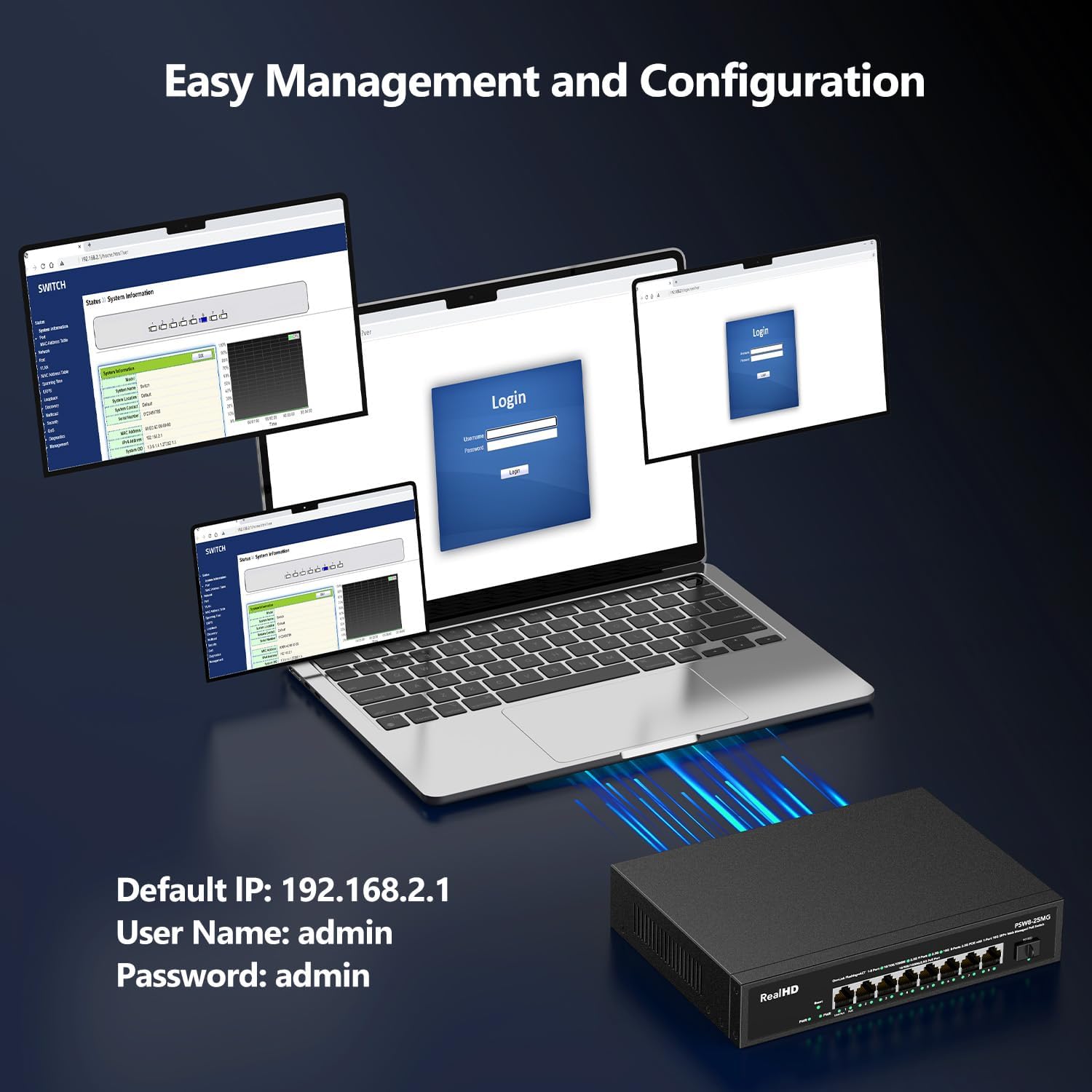
Image: A laptop screen displaying the login interface for the switch's web management, showing the default IP address, username, and password.
3. Operating the Switch
The Real HD switch is designed for straightforward operation, with advanced features accessible via its web management interface.
3.1 LED Indicators
- PWR: Green indicates the device is powered on.
- Link/Act (Ports 1-8): Green indicates a 2.5G link. Yellow indicates a 10/100/1000M link. Flashing indicates data transmission. Off means no link.
- PoE (Ports 1-8): Illuminates when Power over Ethernet is being supplied to a connected device.
- 9(10G) (SFP+ Port): Illuminates when a 10G SFP+ link is established.
3.2 Power over Ethernet (PoE)
The switch supports IEEE 802.3af/at standards, providing up to 30W per port with a total PoE power budget of 135W. This allows you to power compatible devices such as:
- 48V Access Points
- PoE IP Cameras
- VOIP Phones
Note: This switch does not support passive 24V PoE devices.
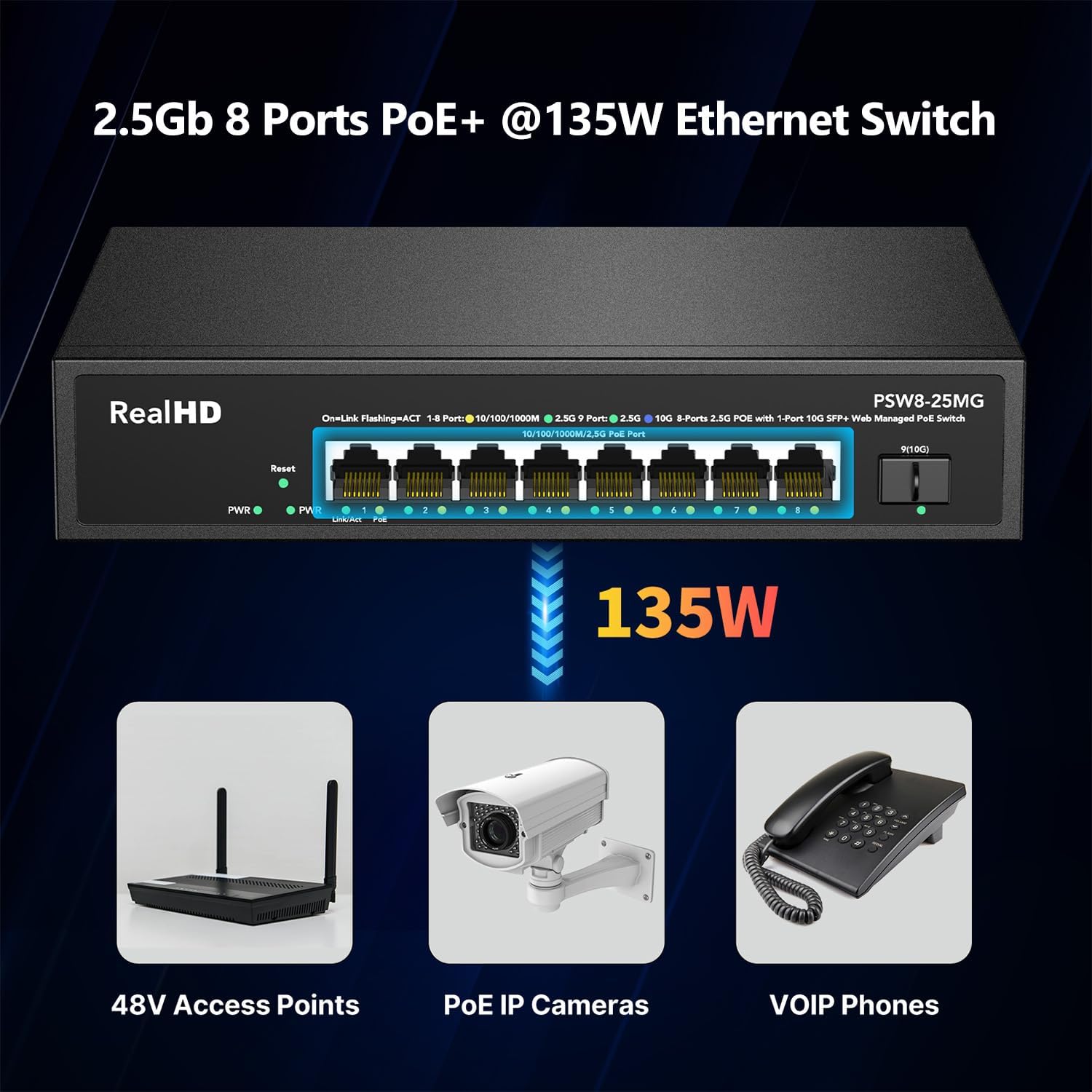
Image: Diagram illustrating the 135W PoE budget and examples of compatible devices like 48V Access Points, PoE IP Cameras, and VOIP Phones.
3.3 Web Management Features
The web-managed interface provides access to various network optimization features:
- VLAN: Configure Virtual Local Area Networks for network segmentation and enhanced security.
- QoS (Quality of Service): Prioritize network traffic to ensure critical applications (e.g., voice, video) receive sufficient bandwidth.
- Multicast: Manage multicast traffic efficiently.
- Jumbo Frame: Support for larger Ethernet frames to improve data transfer efficiency.
- LACP (Link Aggregation Control Protocol): Combine multiple physical links into a single logical link for increased bandwidth and redundancy.
- Port Statistics: Monitor real-time data for each port.
- Spanning Tree Protocol (STP): Prevent network loops.

Image: A visual representation of the switch's web management capabilities, including VLAN, QoS, Multicast, Jumbo Frame, LACP, Port Statistics, and Spanning Tree Protocol.
4. Key Features
- 9-Port Configuration: 8 x 2.5Gb PoE ports and 1 x 10G SFP+ uplink port.
- 2.5 Gigabit Ethernet: All 8 RJ45 ports support 10/100/1000M/2.5G adaptive speeds, compliant with IEEE802.3bz.
- 10G SFP+ Uplink: Provides high-speed connectivity to core networks or servers.
- PoE Power: IEEE 802.3af/at compliant with a total power budget of 135W, delivering up to 30W per port.
- High Bandwidth: 60Gbps backplane bandwidth for efficient data forwarding.
- Web Management: Easy configuration and monitoring of device/port status, VLAN, QoS, Multicast, MAC address table, and Jumbo Frame settings.
- Robust Design: Durable metal casing with 6KV lightning protection.
- Fanless Operation: Silent operation and energy efficiency, suitable for various environments.
- Wide Operating Temperature: Functions reliably from -10 to 50°C.
- Mounting Options: Supports desktop placement and includes rack-mounting ears for 19-inch rack installation.

Image: Illustration showing the dimensions of the switch (8.6 inches wide, 6.3 inches deep, 1.7 inches high) and its compatibility with 19-inch rack mounting.
5. Maintenance
To ensure optimal performance and longevity of your Real HD switch, consider the following maintenance guidelines:
- Environmental Conditions: Operate the switch within the specified temperature range (-10 to 50°C) and humidity levels. Avoid direct sunlight, excessive heat sources, and dusty environments.
- Ventilation: Although fanless, ensure the cooling vents on the sides of the switch are not obstructed to allow for proper heat dissipation.
- Cleaning: Periodically clean the exterior of the switch with a soft, dry cloth. Do not use liquid or aerosol cleaners.
- Firmware Updates: Check the manufacturer's website for any available firmware updates. Keeping the firmware current can improve performance, add features, and address security vulnerabilities.
- Cable Management: Ensure network cables are neatly organized and not under excessive strain to prevent damage to ports or cables.
6. Troubleshooting
If you encounter issues with your Real HD switch, refer to the following common problems and solutions:
- No Power:
- Ensure the power adapter is securely connected to the switch and a working power outlet.
- Verify the power outlet is functional.
- No Link/Activity on Port:
- Check if the Ethernet cable is properly connected at both ends.
- Verify the connected device is powered on and functioning correctly.
- Try a different Ethernet cable or port.
- Ensure you are using Cat6 or higher-level cables for 2.5G speeds.
- PoE Device Not Receiving Power:
- Confirm the connected device is PoE-compatible (IEEE 802.3af/at). This switch does not support passive 24V PoE.
- Check the PoE LED indicator for the respective port.
- Ensure the total PoE power budget (135W) is not exceeded by all connected devices.
- Cannot Access Web Management Interface:
- Verify your computer's IP address is in the same subnet as the switch (default: 192.168.2.x).
- Ensure you are using the correct default IP address (192.168.2.1) and credentials (admin/admin).
- If you have configured a static IP for the switch, ensure your computer can reach that IP.
- Important: Always save your settings in the web interface before rebooting the switch, as unsaved changes may be lost.
- 10G SFP+ Port Issues:
- Ensure the SFP+ module is correctly inserted and compatible with the switch.
- Verify the fiber optic cable is properly connected and undamaged.
- Some SFP+ modules may require specific configurations or drivers on the connected device.
7. Technical Specifications
| Feature | Specification |
|---|---|
| Model Number | 8 Port 2.5GB PoE Web Managed Switch |
| Number of Ports | 8 x 2.5G PoE Ports, 1 x 10G SFP+ Port |
| Interface Type | PoE, SFP+ |
| PoE Standard | IEEE 802.3af/at |
| Total PoE Power Budget | 135W |
| Data Transfer Rate | 60 Gigabits Per Second (Backplane Bandwidth) |
| Case Material | Metal |
| Cooling | Fanless |
| Operating Temperature | -10 to 50 Degrees Celsius |
| Item Weight | 3.08 pounds (1.4 Kilograms) |
| Package Dimensions | 12.48 x 8.62 x 3.31 inches |
| Compatible Devices | Camera, NAS, NVR, WiFi6 Router |
| Included Components | 8 Port 2.5G Web Managed PoE Switch |
8. Warranty and Support
For warranty information and technical support, please refer to the documentation included with your product or visit the official Real HD website. You may also contact Real HD customer service for assistance with product setup, configuration, or troubleshooting.


