
pecron E2400LFP
pecron E2400LFP Portable Power Station User Manual
Comprehensive guide for setup, operation, and maintenance of your pecron E2400LFP Portable Power Station.
1. Product Overview
The pecron E2400LFP is a high-capacity portable power station designed to provide reliable power for various applications, including home backup, outdoor activities, camping, and emergencies. It features a LiFePO4 battery, fast charging capabilities, and multiple output ports.
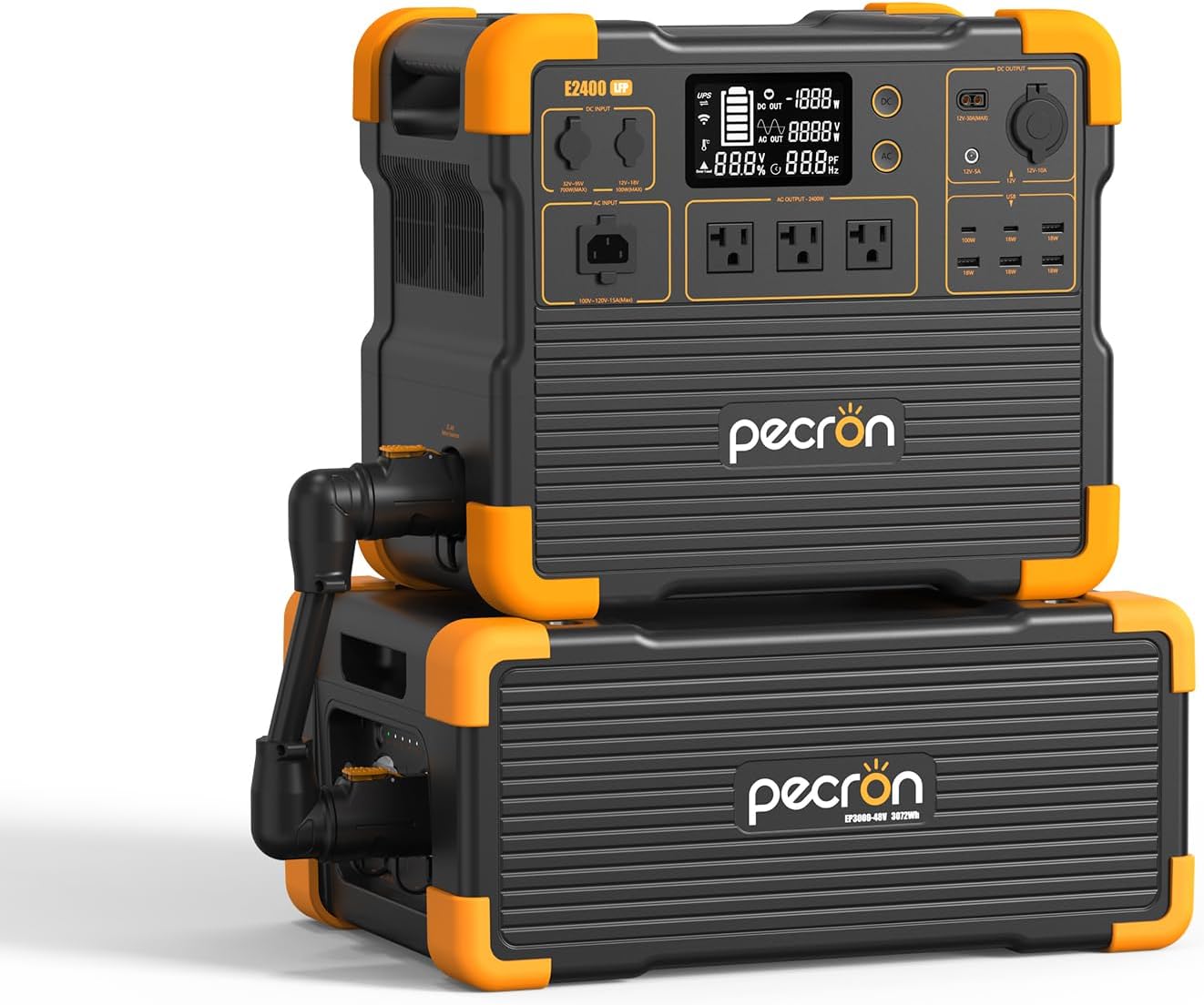
Image: The pecron E2400LFP Portable Power Station shown with its expandable extra battery unit. The main unit features a display screen and various output ports.
Key Features:
- High Capacity & Expansion: 2048Wh capacity, expandable up to 8192Wh with two EP3000-48V extra batteries.
- Powerful Performance: 2400W continuous power output, capable of running multiple devices simultaneously.
- Fast Charging: Recharges fully in approximately 90 minutes.
- Multiple Output Ports: 12 output ports including 3 AC, 2 USB-C, 4 USB-A, 1 XT60-F, 1 Cigar Port, and 1 DC 5525.
- LiFePO4 Battery: Durable and long-lasting with 3500 complete charge cycles.
- App Smart Control: Monitor status, view power levels, and customize charging via a mobile application.
- UPS Function: Provides fast and seamless switch supply power within 8-20ms.
2. What's Included
Upon unboxing your pecron E2400LFP Portable Power Station, please verify that all the following components are present:
- pecron E2400 LFP Power Station (x1)
- EP3000-48V Extra Battery (x1)
- AC Charging Cable (x1)
- Solar Charging Cable (x1)
- Car Charging Cable (x1)
- 12V Alligator Clips (x1)
- Accessory Pouch (x1)
- User Manual (x1)
3. Setup Guide
3.1 Initial Charge
Before first use, it is recommended to fully charge the pecron E2400LFP. Connect the provided AC charging cable to the AC input port on the power station and plug it into a standard wall outlet. The display will indicate charging status. A full charge takes approximately 90 minutes.

Image: The pecron E2400LFP connected to a wall outlet for fast charging, illustrating the 1.5-hour full charge time.
3.2 Connecting the Extra Battery (Optional)
To expand the capacity of your E2400LFP, connect the EP3000-48V extra battery. Ensure both units are powered off before connecting. Use the dedicated cable to link the main unit and the extra battery. Refer to the diagram below for proper connection.

Image: The pecron E2400LFP and its extra battery unit set up in an outdoor environment, demonstrating its scalable power solution.
4. Operating Instructions
4.1 Powering On/Off
To power on the unit, press and hold the main power button until the display illuminates. To power off, press and hold the same button until the display turns off.
4.2 Using Output Ports
The E2400LFP offers 12 output ports for various devices:
- AC Output (x3): For standard household appliances.
- USB-C (x2): For fast charging compatible smartphones, tablets, and laptops.
- USB-A (x4): For charging various USB-powered devices.
- XT60-F Output (x1): For specific DC devices.
- Cigar Port (x1): For 12V car appliances.
- DC 5525 Output (x1): For general DC devices.
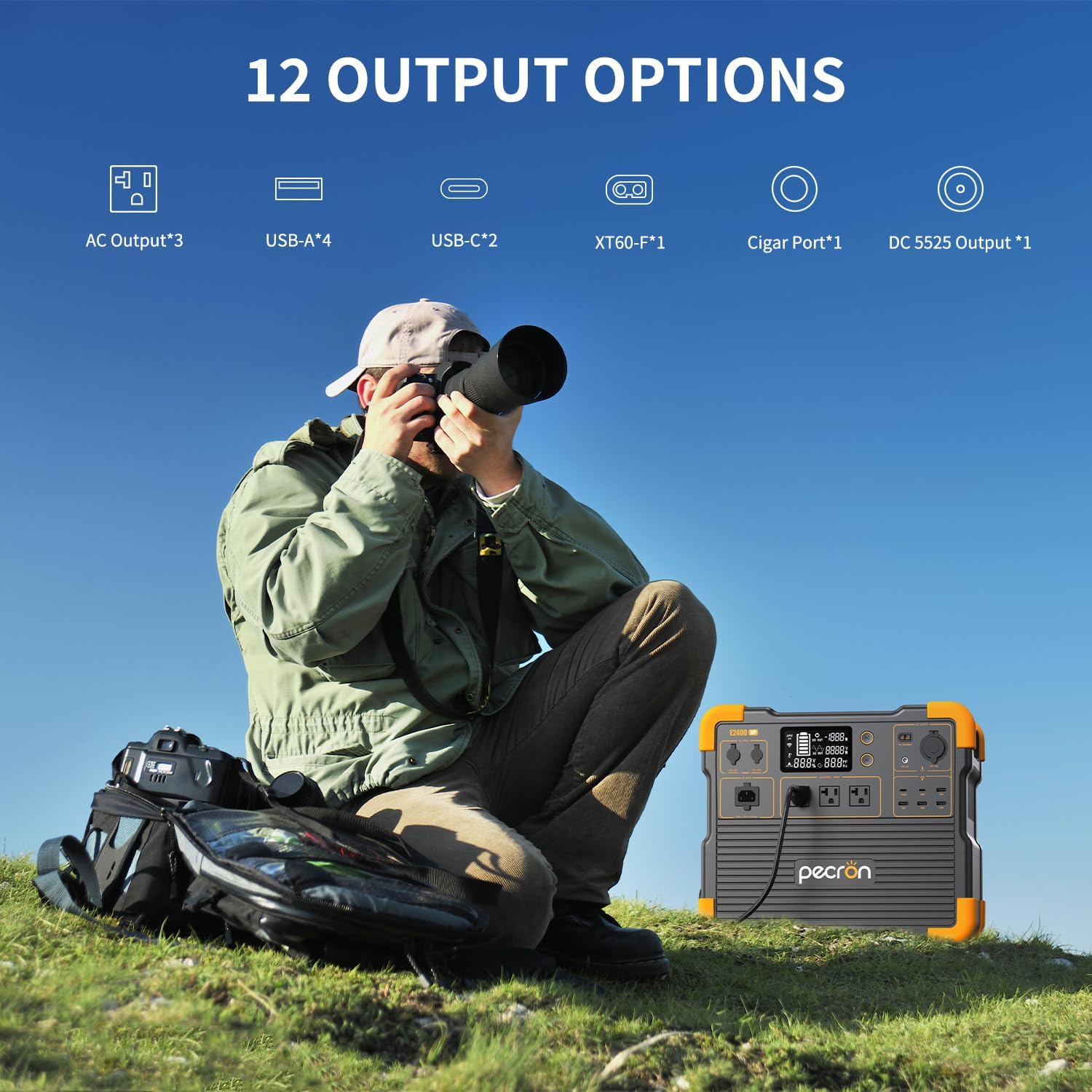
Image: A visual representation of the 12 distinct output options available on the pecron E2400LFP, including AC, USB-A, USB-C, XT60-F, Cigar Port, and DC 5525 outputs.
4.3 Charging the Power Station
The E2400LFP can be recharged using multiple methods:
- Wall Charging: Connect the AC charging cable to a standard wall outlet. Full charge in approximately 1.5 hours.
- Solar Panel Charging: Connect compatible solar panels (not included) to the solar input port. Charging time varies based on solar intensity and panel wattage.
- Car Charging: Use the provided car charging cable to recharge from your vehicle's 12V cigarette lighter port.

Image: Three scenarios demonstrating how the pecron E2400LFP can be recharged: from a wall outlet, using solar panels outdoors, and via a car charger inside a vehicle.
4.4 App Smart Control
Download the pecron mobile application to remotely monitor and control your E2400LFP. The app allows you to:
- Check machine status.
- View current power levels.
- Customize charging power settings.
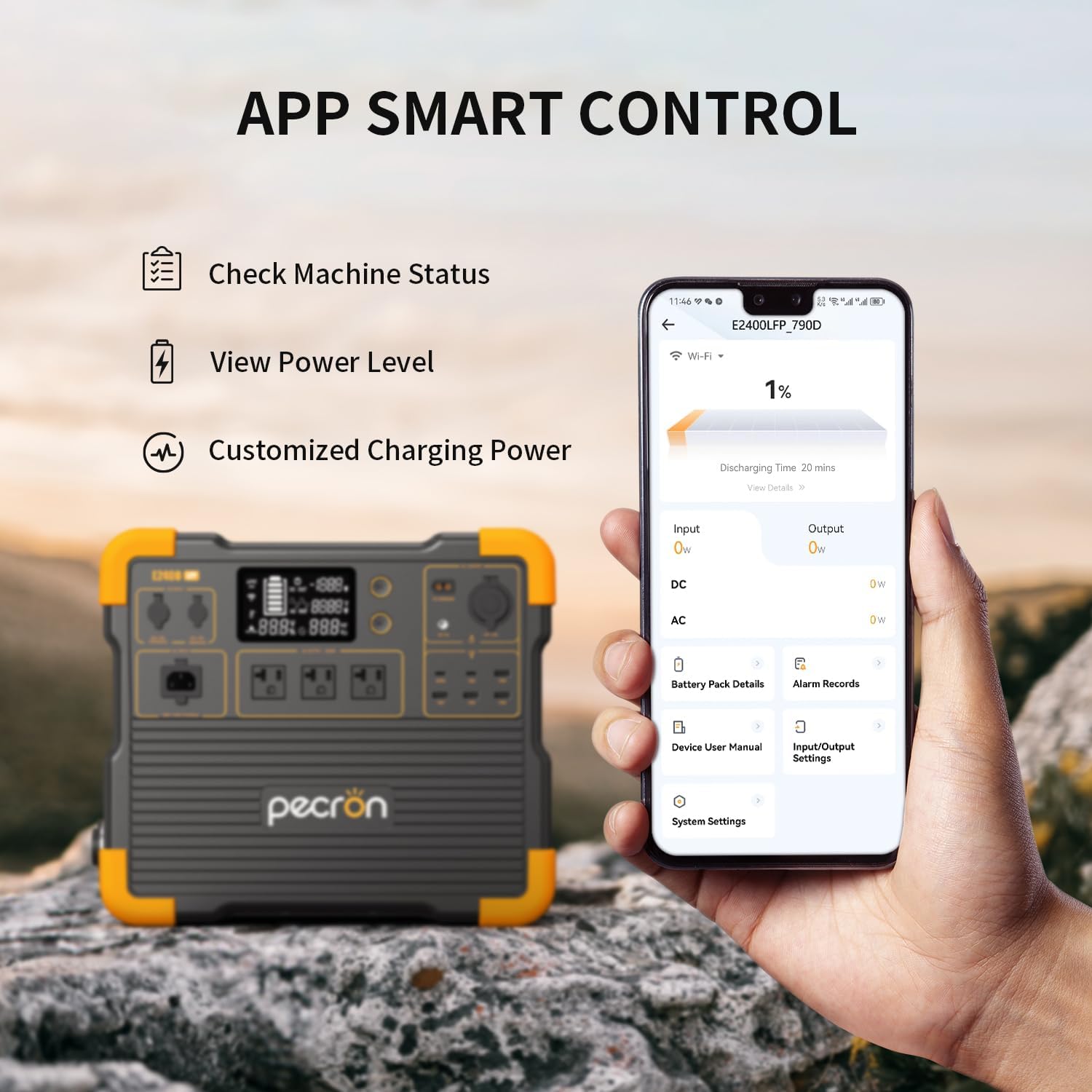
Image: A hand holding a smartphone displaying the pecron application interface, showing options to check machine status, view power level, and customize charging power, with the E2400LFP unit in the background.
5. Maintenance
5.1 Battery Care
The E2400LFP uses a durable LiFePO4 battery designed for 3500 complete charge cycles while retaining 80% of its original capacity. To maximize battery lifespan:
- Store the unit in a cool, dry place away from direct sunlight.
- Avoid fully discharging the battery frequently.
- Recharge the unit at least once every 3-6 months if not in regular use.

Image: An exploded view of the pecron E2400LFP, highlighting the internal LiFePO4 battery cells and emphasizing their 3500 complete charge cycles for long-term durability.
5.2 Cleaning
Wipe the exterior of the power station with a soft, dry cloth. Do not use abrasive cleaners or immerse the unit in water.
6. Troubleshooting
| Problem | Possible Cause | Solution |
|---|---|---|
| Unit not powering on | Battery is fully discharged. | Connect to AC power and charge for at least 30 minutes before attempting to power on. |
| AC output not working | AC output is not enabled; device draws too much power. | Ensure AC output button is pressed. Check if the device's wattage exceeds 2400W. |
| Slow charging via solar | Insufficient sunlight; solar panels not optimally positioned. | Ensure panels are in direct sunlight and angled correctly. Check cable connections. |
| App connection issues | Bluetooth/Wi-Fi disabled; app not updated. | Ensure Bluetooth/Wi-Fi is enabled on your device. Update the pecron app to the latest version. |
7. Specifications
| Attribute | Value |
|---|---|
| Model Name | E2400LFP |
| Capacity | 2048Wh (expandable to 8192Wh) |
| AC Output | 2400W (Continuous) |
| Battery Type | LiFePO4 |
| Charge Cycles | 3500+ cycles to 80% capacity |
| Fast Charging Time | Approx. 90 minutes (AC Wall) |
| Input Voltage | 120 Volts |
| Item Weight | 45 Pounds |
| Product Dimensions | 14.8"L x 9.3"W x 13"H |
| Special Features | Portable, Fast Charging, Large Capacity, Long Last, Safety, Smart Control, UPS |
8. Warranty and Support
The pecron E2400LFP Portable Power Station comes with a 2+1 years worry-free warranty. This includes a standard 2-year warranty, with an additional 1 year upon product registration or specific conditions.
For technical support, warranty claims, or any inquiries, please contact pecron customer service. They are available 24 hours a day, 7 days a week.
For more information, visit the official pecron store: pecron Official Store
Related documentsE2400LFP


Ask a question about this manual
Ask about setup, troubleshooting, compatibility, parts, safety, or missing instructions. Manuals+ will review the question and use this page’s manual context to help answer it.