
1. Introduction and Overview
The LiitoKala Lii-S12 is a versatile 12-slot smart battery charger designed for a wide range of rechargeable batteries. It features automatic polarity detection, allowing for flexible battery insertion. Each of the 12 slots operates independently, enabling simultaneous charging of various battery types and sizes. The charger automatically identifies 3.70V Li-ion and 1.20V NiMH/NiCd batteries, with manual selection available for 3.20V LiFePO4 and 3.80V Li-ion (IMR) cells. Equipped with multiple safety protections, the Lii-S12 ensures safe and efficient charging.
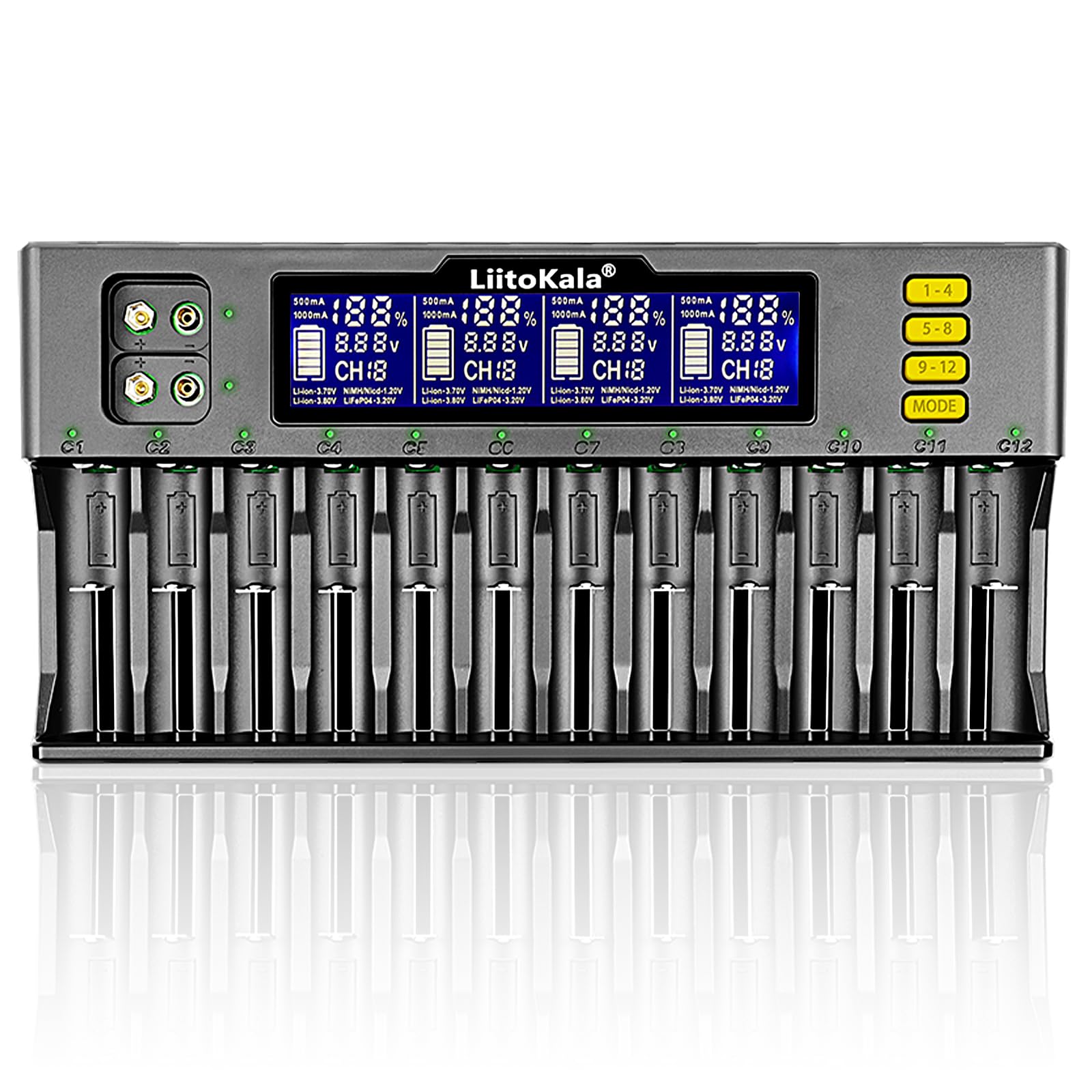
Image 1: The LiitoKala Lii-S12 Universal Smart Battery Charger.
2. Setup
- Connect Power Adapter: Connect the provided 12V/3.5A DC power adapter to the input port on the charger and then plug it into a suitable power outlet. The charger's display will illuminate.
- Insert Batteries: Insert one or more compatible rechargeable batteries into the charging slots. The charger features auto polarity detection, so batteries can be inserted in either direction. Ensure the battery makes proper contact with the terminals.

Image 2: Connecting the DC power adapter to the charger's input port.
3. Operating Instructions
3.1 Automatic Battery Recognition
Upon insertion, the charger will automatically detect 3.70V Li-ion and 1.20V NiMH/NiCd batteries. The display will show charging information for each slot.
3.2 Manual Mode Selection
For 3.20V LiFePO4 and 3.80V Li-ion (IMR) batteries, manual selection is required. Press the 'MODE' button to cycle through battery types until the correct type is displayed for the respective slot. If not manually set, the charger may default to 4.2V Li-ion, which can be dangerous for other battery chemistries.
3.3 Charging Current
The charger automatically identifies the charging current:
- 0.5A: When 12 cells are inserted.
- 1.0A: When 6 or fewer cells are inserted.
You can manually adjust the charging current for individual slots or all slots simultaneously. Refer to the video below for a demonstration.
3.4 Display Information
The LCD display provides real-time information for each slot, including voltage, charging current, battery percentage, and internal resistance. Note that 9V NiMH rechargeable batteries will not display data on the screen during charging.

Image 3: Overview of the charger's display and 12 independent slots.
3.5 9V Battery Charging
The charger includes dedicated slots for charging two 9V NiMH batteries simultaneously, with a charging current of approximately 85mA per battery.
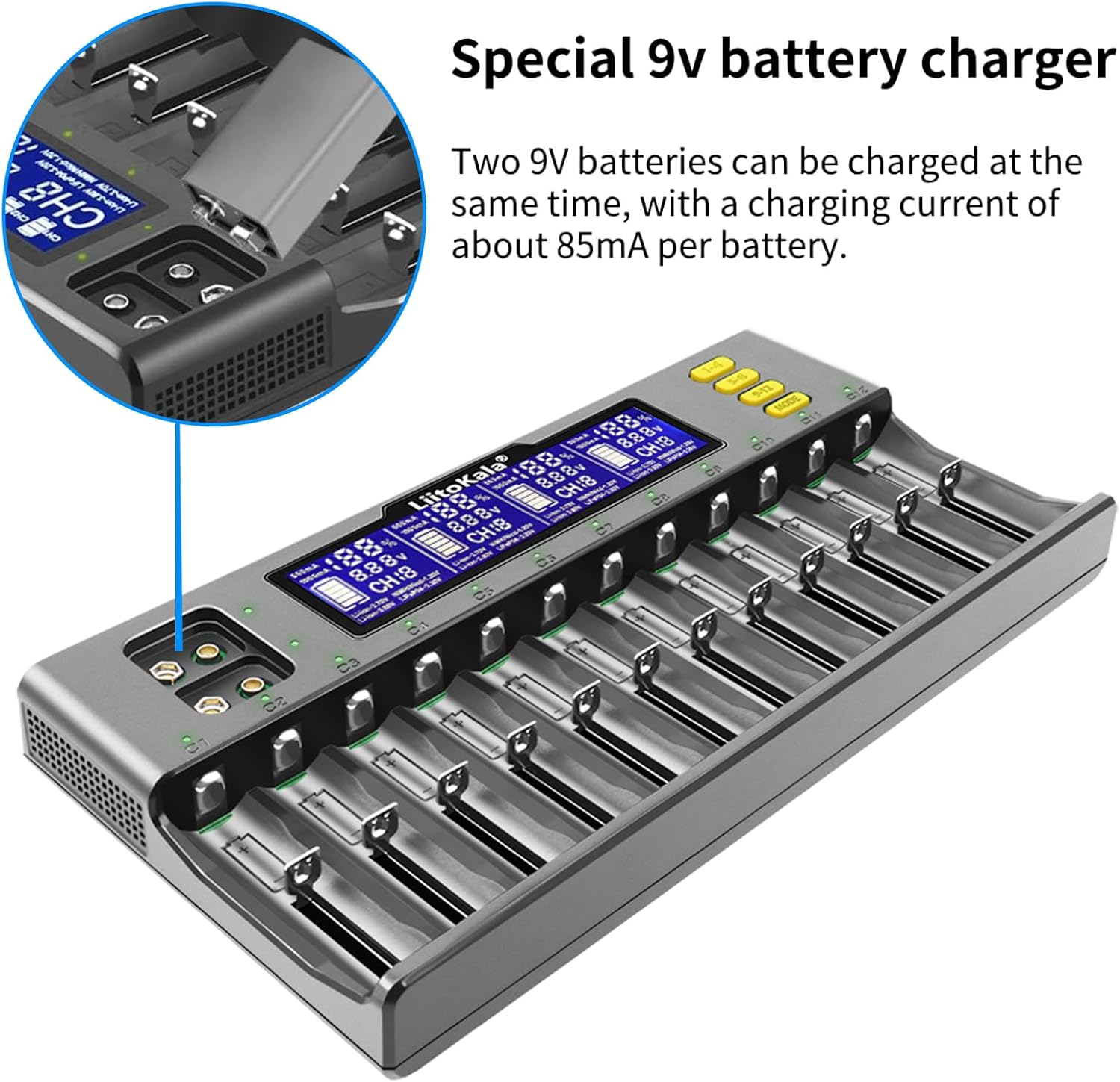
Image 4: Dedicated slots for 9V battery charging.
3.6 Compatible Battery Types
The LiitoKala Lii-S12 is compatible with a wide range of battery types and sizes:
- Li-ion (IMR/ICR/LiFePO4): 26650, 22650, 18650, 18490, 18350, 17670, 17500, 17355, 16340 (RCR123), 14500, 10440.
- Ni-MH / Ni-Cd: A, AA, AAA, SC, S.

Image 5: Visual representation of various compatible battery types.
3.7 Video Demonstration: Setting Charging Current and Auto-Detection
Video 1: This video demonstrates how to set the charging current manually and the automatic battery detection feature on a similar smart charger. This functionality is applicable to the LiitoKala Lii-S12.
4. Maintenance
- Cleaning: Regularly clean the charger's exterior and charging slots with a dry, soft cloth. Do not use liquid cleaners or solvents.
- Storage: Store the charger in a cool, dry place away from direct sunlight and extreme temperatures when not in use.
- Inspection: Periodically inspect the power adapter and cable for any signs of damage. Discontinue use if any damage is found.
5. Troubleshooting
The LiitoKala Lii-S12 incorporates multiple safety features to protect both the charger and your batteries. If you encounter issues, refer to the following:
- "Err" Display: If the display shows "Err" for a slot, it typically indicates a reverse polarity connection or a damaged/unrechargeable battery. Re-insert the battery correctly or remove the faulty battery.
- Charger Not Powering On: Ensure the power adapter is securely connected to both the charger and the power outlet. Verify the power outlet is functional.
- Battery Not Charging: Check that the battery is properly seated in the slot and making good contact. Confirm the battery type is compatible and, if necessary, manually select the correct battery type (e.g., LiFePO4).
- Overheat Protection: The charger has built-in overheat protection. If the charger becomes excessively hot, it may temporarily stop charging. Allow it to cool down in a well-ventilated area.

Image 6: The charger features a Built-in Multiple Protection Battery Management System (BMS).
5.1 Video Demonstration: Reverse Polarity Protection
Video 2: This video illustrates the reverse polarity protection feature, showing how the charger detects and indicates incorrect battery insertion, preventing damage.
6. Specifications
| Feature | Specification |
|---|---|
| Model Number | W-S12-001 |
| Input Voltage | DC 12V / 3.5A |
| Output Voltage | DC 4.2V (for Li-ion) |
| Rated Current | 2 Amperes (total) |
| Charging Current (12 cells) | 0.5A per slot |
| Charging Current (6 or fewer cells) | 1.0A per slot |
| Number of Ports | 12 independent slots |
| Compatible Battery Types | Li-ion, IMR, LiFePO4, NiMH, NiCd |
| Compatible Battery Sizes | 26650, 22650, 18650, 18490, 18350, 17670, 17500, 17355, 16340, 14500, 10440, AAA, AA, SC, S, 9V MH |
| Product Dimensions | 28.7 x 14.3 x 3.5 cm |
| Product Weight | 840 g |
| Color | Black |
| Compliance | CE, FCC, RoHS |
7. Safety Information
Please read and follow these safety guidelines to prevent injury or damage:
- Use only the provided power adapter.
- Do not attempt to charge non-rechargeable batteries.
- Do not disassemble, modify, or repair the charger.
- Keep the charger away from water, moisture, and high temperatures.
- Ensure proper ventilation during charging to prevent overheating.
- Supervise charging, especially for the first few times.
- Keep out of reach of children and pets.
8. Warranty and Support
This LiitoKala Lii-S12 charger comes with a 90-day warranty against manufacturer defects from the date of purchase. Please retain your proof of purchase for warranty claims.
For technical support, warranty inquiries, or any questions regarding the product, please contact the seller or manufacturer directly through your purchase platform. Provide your model number (W-S12-001) and a detailed description of the issue for faster assistance.


