1. Introduction
This manual provides essential information for the safe and effective operation, maintenance, and troubleshooting of your Goplus Walking Pad Under Desk Treadmill. Please read this manual thoroughly before first use and retain it for future reference.
The Goplus Walking Pad is designed to offer a convenient and comfortable exercise experience, whether for working, walking, or light jogging. Its compact design and quiet operation make it suitable for various environments, including home and office settings.
Key Features:
- 7-Layer Running Belt: Features a diamond-textured, shock-absorbing surface for reduced impact on joints and knees.
- Quiet 2.5 HP Brushless Motor: Operates at under 45 dB for minimal disturbance.
- Integrated LED Display: Shows real-time data including speed, distance, time, and calories burned.
- Remote Control: For convenient adjustment of speed and modes.
- Customizable Countdown Programs: Includes 3 preset modes for time (5-60 mins), distance (1-99 miles), and calories (20-990 cal).
- Compact & Portable: With a 4.7-inch thickness and built-in wheels for easy storage and movement.
- No Assembly Required: Ready for use right out of the box.
2. Safety Information
Before using the treadmill, ensure you have read and understood all safety warnings and instructions. Improper use can lead to injury or damage to the equipment.
- Place the treadmill on a flat, stable surface.
- Ensure adequate clearance around the treadmill (at least 2 feet on all sides).
- Do not allow children or pets near the treadmill during operation.
- Wear appropriate athletic footwear.
- Do not step on or off the treadmill while the belt is moving.
- If you feel dizzy, lightheaded, or experience pain, stop exercising immediately.
- Unplug the treadmill when not in use or before cleaning/maintenance.
- Maximum user weight capacity: 220 lbs (100 kg).
3. Setup
The Goplus Walking Pad is designed for immediate use with no assembly required. Simply unbox, place, and plug in.
- Unboxing: Carefully remove the treadmill from its packaging.
- Placement: Place the treadmill on a firm, level surface. Ensure there is sufficient space around the unit for safe operation. The base features soft rubber/silicone feet to prevent floor scratches.
- Power Connection: Plug the power cord into a standard 110V AC outlet.
- Remote Control: Ensure the remote control has working batteries.
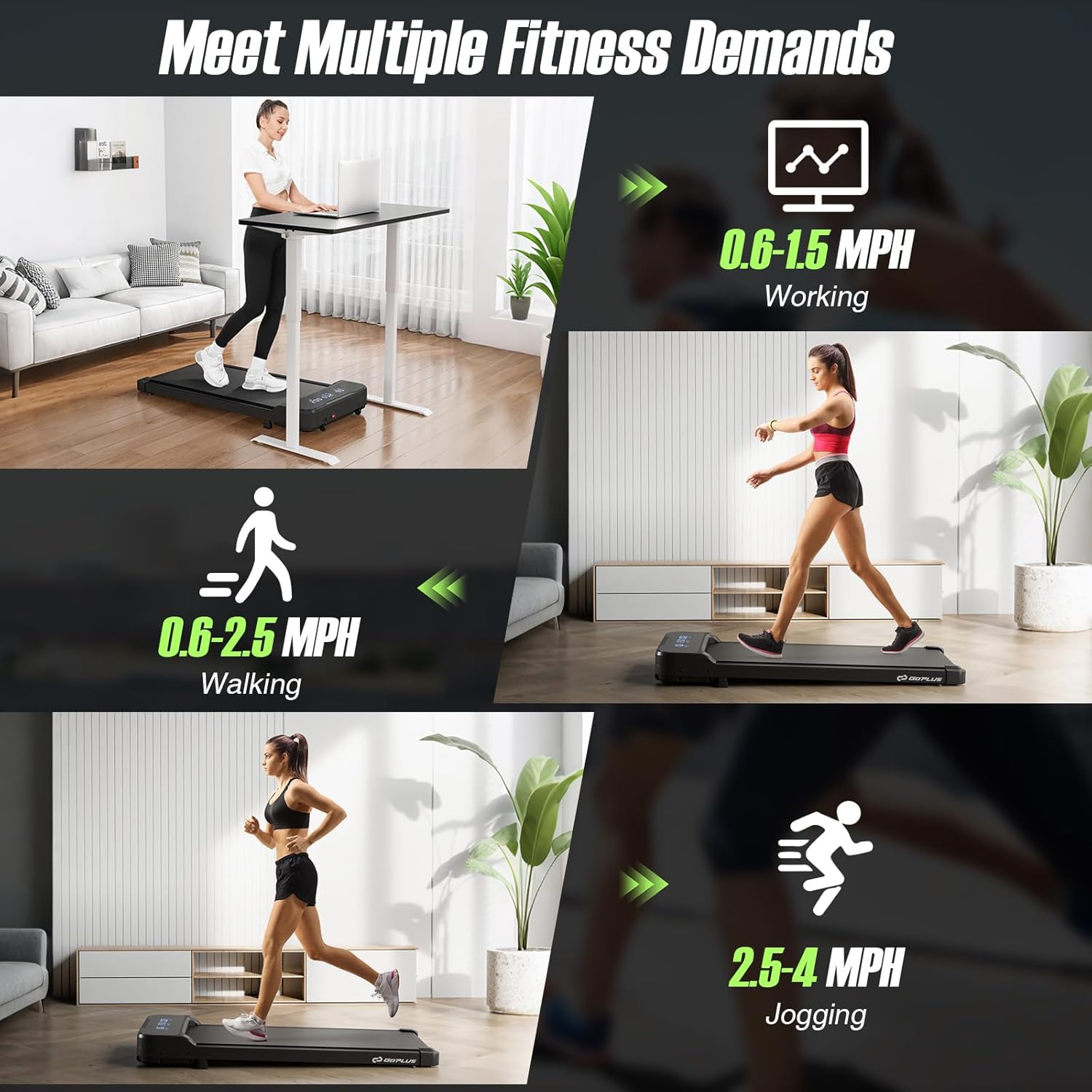
Figure 1: Goplus Walking Pad in various usage scenarios, illustrating speed ranges for working (0.6-1.5 MPH), walking (0.6-2.5 MPH), and jogging (2.5-4 MPH).
4. Operating Instructions
Your Goplus Walking Pad is controlled via the included remote. The LED display provides real-time feedback on your workout.
Remote Control Functions:
- Power Button (⏻): Turns the treadmill on/off.
- Play/Pause Button (⏸/⏸⏸): Starts or pauses the treadmill belt.
- Speed Up (+): Increases the belt speed.
- Speed Down (-): Decreases the belt speed.
- Mode Button (M): Cycles through different display modes (Time, Distance, Calories, Speed) and activates countdown programs.

Figure 2: The LED display shows real-time fitness data, including speed, time, distance, and calories. The remote control allows for easy adjustments.
Starting a Workout:
- Step onto the treadmill belt.
- Press the Power button (⏻) on the remote.
- Press the Play/Pause button (⏸) to start the belt. The treadmill will typically start at a low speed.
- Use the Speed Up (+) and Speed Down (-) buttons to adjust to your desired pace (0.6-4 MPH).
Using Countdown Modes:
The treadmill offers 3 customizable countdown programs:
- Time Countdown: Set a target workout duration (5-60 minutes).
- Distance Countdown: Set a target distance (1-99 miles).
- Calorie Countdown: Set a target for calories to burn (20-990 calories).
To activate a countdown mode, press the Mode (M) button until the desired metric (Time, Distance, or Calories) is highlighted or blinking. Use the Speed Up (+) and Speed Down (-) buttons to set your target value. Press Play/Pause (⏸) to begin the countdown workout. The treadmill will stop once the target is reached.
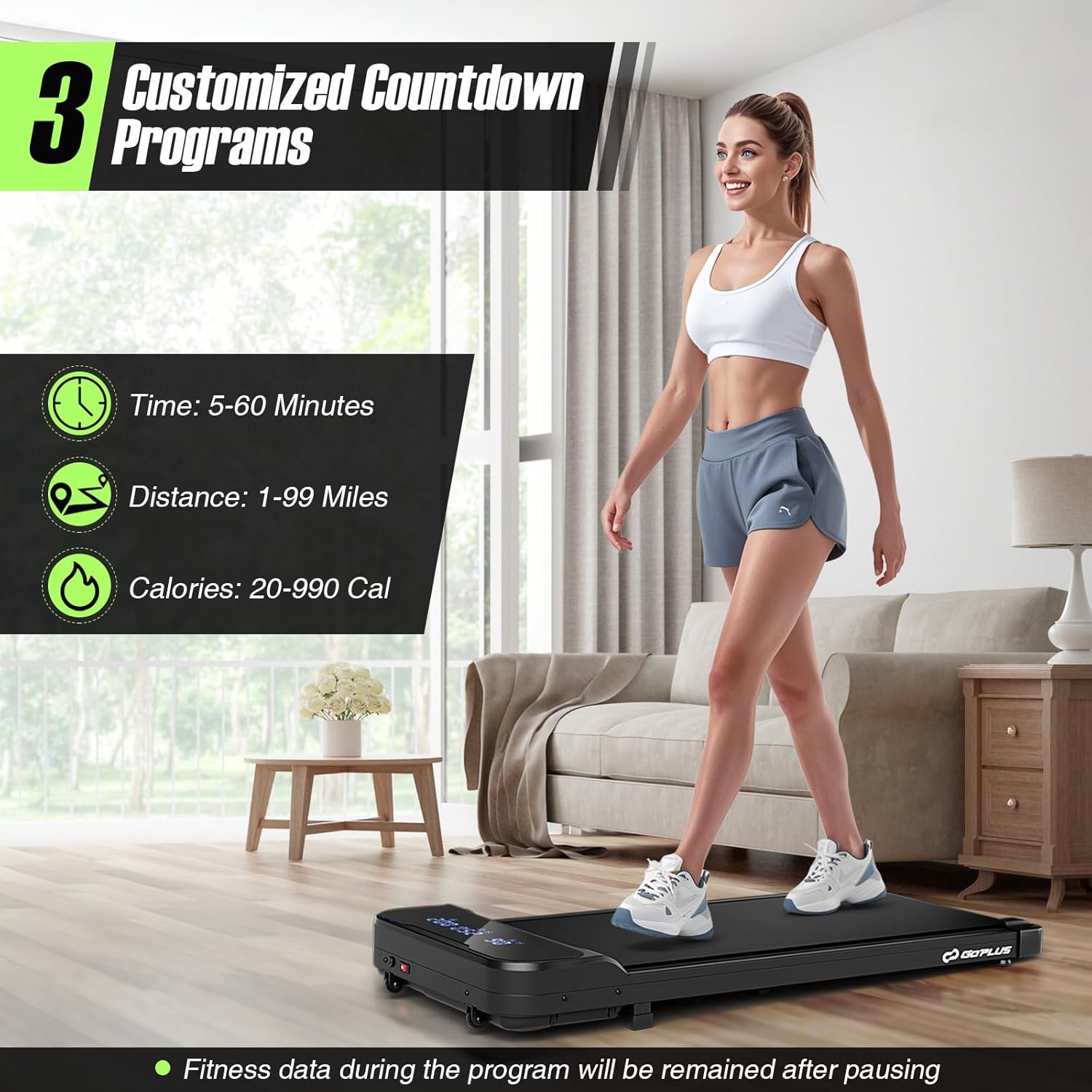
Figure 3: The Goplus Walking Pad features three customizable countdown programs for time, distance, and calories, allowing users to set specific fitness goals.
5. Maintenance
Regular maintenance ensures the longevity and optimal performance of your Goplus Walking Pad.
Cleaning:
- Always unplug the treadmill before cleaning.
- Wipe down the treadmill surface with a damp cloth. Avoid harsh chemicals.
- Keep the area around the treadmill clean and free of dust and debris.
Lubrication:
The treadmill belt requires periodic lubrication to reduce friction and extend its lifespan. A treadmill lubricant is included with your purchase.
- Unplug the treadmill.
- Loosen the belt tension by turning the rear rollers counter-clockwise (refer to the specific instructions in the included lubricant package for detailed steps).
- Apply a small amount of lubricant under the center of the running belt.
- Tighten the belt tension.
- Plug in the treadmill and run it at a low speed for 1-2 minutes to distribute the lubricant.
Frequency: Lubricate every 3-6 months, or after approximately 50 hours of use, depending on usage frequency.

Figure 4: The 7-layer running belt with a diamond-textured surface provides shock absorption and knee protection, requiring periodic lubrication for optimal performance.
6. Troubleshooting
If you encounter issues with your Goplus Walking Pad, refer to the following common problems and solutions:
| Problem | Possible Cause | Solution |
|---|---|---|
| Treadmill does not power on. | Power cord not properly connected; power switch off; circuit breaker tripped. | Check power cord connection; ensure power switch is on; reset circuit breaker. |
| Belt stops or slips during use. | Belt tension too loose; insufficient lubrication; motor overload. | Adjust belt tension (refer to maintenance); lubricate the belt; reduce user weight or speed. |
| Unusual noise during operation. | Loose parts; belt misalignment; motor issue. | Check for and tighten any loose screws; adjust belt alignment; contact customer support if motor noise persists. |
| Remote control not responding. | Dead batteries; remote out of range; interference. | Replace remote batteries; ensure remote is pointed at the treadmill's sensor; remove any obstructions. |
If the problem persists after attempting these solutions, please contact Goplus customer support for assistance.
7. Specifications
Detailed technical specifications for the Goplus Walking Pad Under Desk Treadmill (Model: SU-38253US-BK-PS).
| Feature | Specification |
|---|---|
| Model Number | SU-38253US-BK-PS |
| Color | Black |
| Material | Metal, ABS, PVC, MDF |
| Overall Dimensions (L x W x H) | 43" x 19" x 4.7" (109.22 x 48.26 x 11.94 cm) |
| Running Belt Size (L x W) | 36" x 15" |
| Net Weight | 36 lbs (20.01 kg) |
| Weight Capacity | 220 lbs |
| Motor Power | 2.5 HP (Brushless) |
| Speed Range | 0.6-4 MPH |
| Voltage | AC 110V |
| Frequency | 50/60Hz |
| Current | 5A |
| Display Type | LED (Time, Distance, Speed, Calories) |
| Number of Programs | 3 Countdown Modes |
| Included Components | 1 x Walking Pad, 1 x Remote Control, 1 x Treadmill Lubricant, 1 x Instruction Manual |
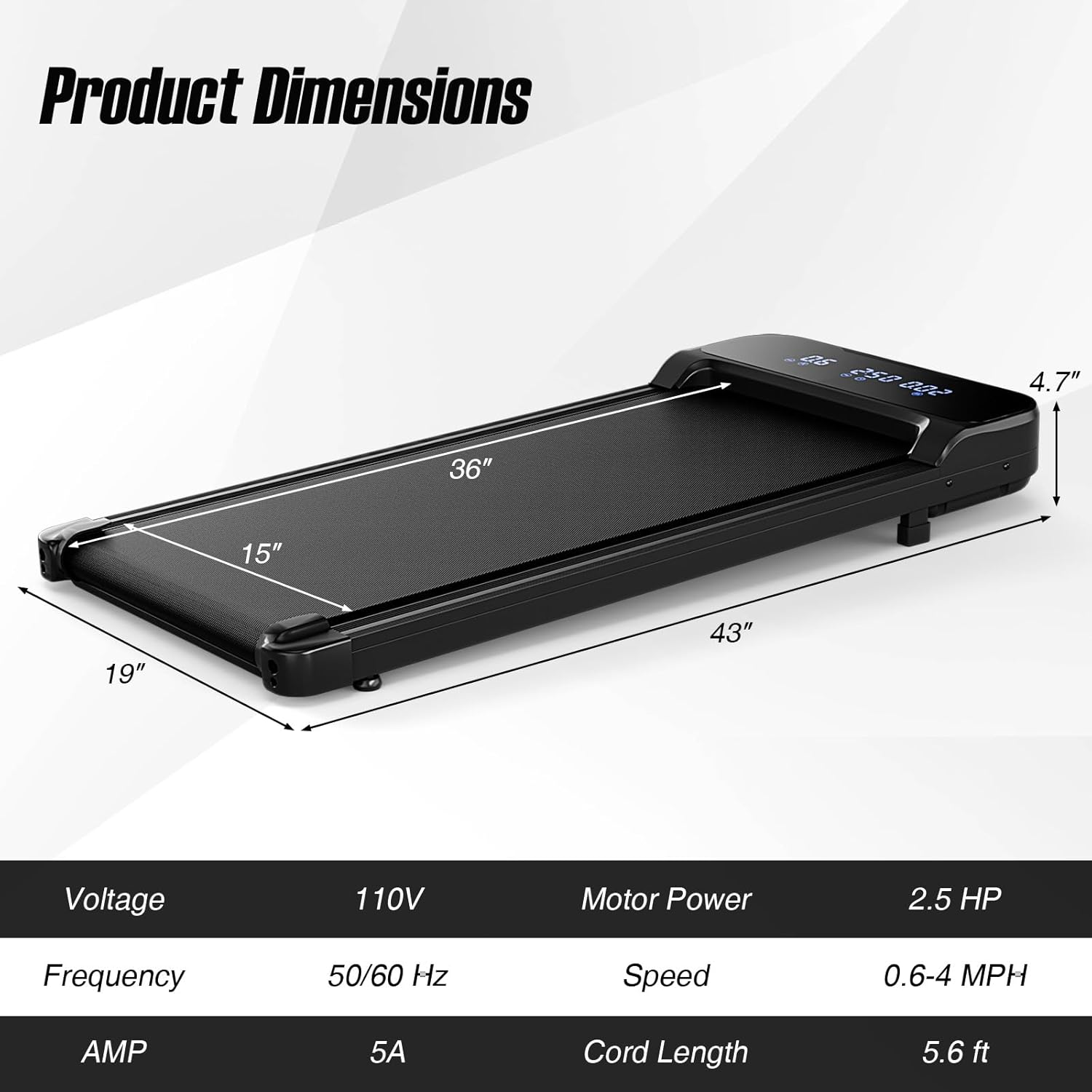
Figure 5: Visual representation of the Goplus Walking Pad's dimensions and key electrical specifications.
8. Storage and Portability
The Goplus Walking Pad is designed for easy storage and movement.
- Its slim 4.7-inch profile allows it to be stored under furniture or vertically against a wall.
- Two built-in wheels at the front of the treadmill facilitate easy relocation. Simply lift the rear end and roll the unit to your desired location.

Figure 6: The Goplus Walking Pad is easy to move and store thanks to its compact design and integrated wheels.
9. Warranty and Support
For warranty information or technical support, please refer to the documentation included with your purchase or contact Goplus customer service directly. Keep your purchase receipt as proof of purchase.


