
Introduction
Thank you for choosing the PEJE Smart Watch. This manual provides essential information for setting up, operating, and maintaining your device. Please read it carefully to ensure proper use and to fully utilize all features of your new smart watch.
Package Contents
Verify that all items listed below are present in your package:
- 1 x PEJE Smart Sports Watch
- 1 x USB Magnetic Charging Cable
- 1 x Instruction Manual (this document)
- 1 x Spare Watch Band

Image: What's inside the box? The image displays the PEJE Smart Watch, a spare watch band, and the USB magnetic charging cable.
Setup
1. Charging the Smart Watch
Before first use, fully charge your PEJE Smart Watch.
- Connect the USB magnetic charging cable to a power adapter (not included) or a computer's USB port.
- Attach the magnetic end of the cable to the charging contacts on the back of the watch. Ensure it snaps securely into place.
- The watch will display a charging indicator. A full charge typically takes approximately 2 hours.

Image: Ultra-long Battery Life. The watch is shown charging, indicating 2.5 hours for fast charging, 7 days of usage, and 15 days of standby time.
2. App Installation and Pairing
To unlock the full potential of your PEJE Smart Watch, download and install the companion app on your smartphone.
- Search for the 'PEJE' app in your smartphone's app store (Google Play Store for Android or Apple App Store for iOS).
- Download and install the app.
- Open the PEJE app and follow the on-screen instructions to create an account or log in.
- Enable Bluetooth on your smartphone.
- In the PEJE app, navigate to the device pairing section and select your PEJE Smart Watch from the list of available devices.
- Confirm the pairing request on both your smartphone and the watch.
Operating Instructions
Basic Navigation
The PEJE Smart Watch features a 1.83-inch HD full-color touchscreen and physical buttons for navigation.
- Touchscreen: Swipe up, down, left, or right to navigate through menus and notifications. Tap to select items.
- Side Button(s): Typically used to return to the home screen, power on/off, or access specific functions. Refer to the on-screen prompts for specific button actions.

Image: 1.82' HD full colour screen full touchscreen. The image shows the watch with multiple customizable watch faces and the process of changing them via the app.
Bluetooth Calling and Notifications
Once paired with your smartphone, the watch supports Bluetooth calling and message notifications.
- Making/Receiving Calls: You can answer, reject, or silence incoming calls directly from your watch. Use the built-in microphone and Hi-Fi loudspeaker for conversations.
- Message Notifications: Receive alerts for messages from various apps like Skype, WhatsApp, Facebook, Messenger, Twitter, LINE, and Instagram.
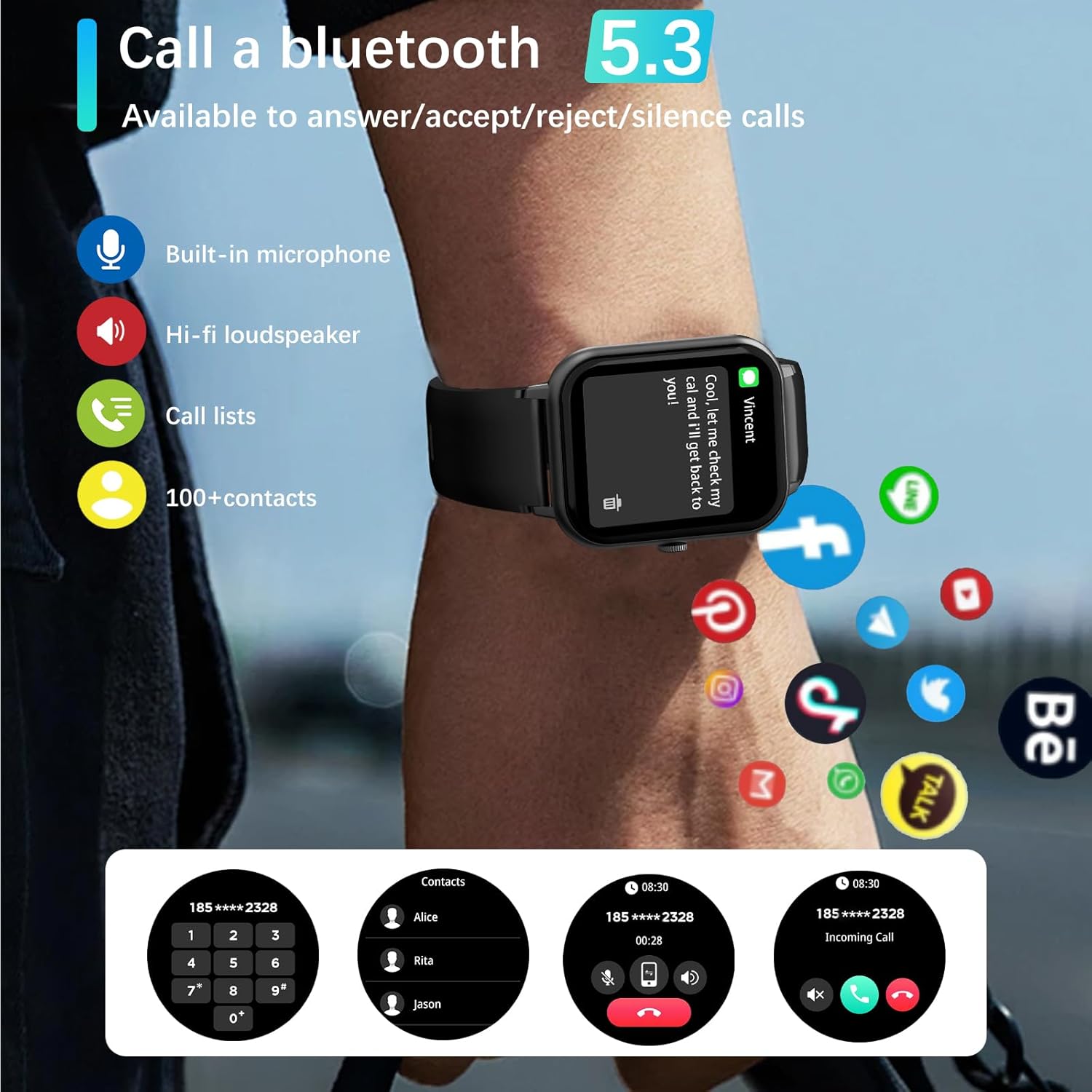
Image: Call a bluetooth 5.3. The image illustrates the watch's Bluetooth calling capability, showing an incoming call and options to answer or reject.
Health Monitoring
The PEJE Smart Watch provides comprehensive health tracking features.
- Heart Rate Monitoring: Continuous 24/7 heart rate tracking.
- Blood Oxygen Monitoring: Measures blood oxygen levels.
- Sleep Tracking: Analyzes sleep quality, including light sleep, deep sleep, and REM stages.
- Reminders: Sedentary reminder, water intake reminder, and female menstrual cycle reminder.
Note: The measurement data from this device is for reference only and should not be used for medical diagnosis or treatment.

Image: Improve your sleeping habits. The watch screen shows detailed sleep analysis, including total sleep duration and breakdown of sleep stages.
Workout Modes
The watch supports over 123 workout modes to track your fitness activities.
- Supported Modes: Includes running, walking, badminton, tennis, basketball, table tennis, cycling, yoga, rope skipping, rock climbing, elliptical machine, rowing machine, stationary bike, and many more.
- Automatic Tracking: During exercise, the watch automatically records daily steps, heart rate, and calories burned.
Attention: This device is for sports or aviation use only, not for medical use.

Image: Keep track of your health date. The watch face shows various health metrics such as calories burned, steps taken, time, distance, and heart rate.
Other Functions
Your PEJE Smart Watch offers a variety of additional features:
- Weather forecast
- NFC access control
- Music control
- Pedometer
- Find your phone function
- Timer and Stopwatch
- Siri voice assistant integration
- Remote photography control
Muslim and Arabic Features
The smartwatch includes specialized features for Muslim users:
- Prayer time alarm with automatic notifications for Fajr, Sunrise, Zuhr, Asr, Maghreb, and Isha.
- Adhan reminder.
- Qibla direction display.
- 99 names of Allah.
- Arabic language support.
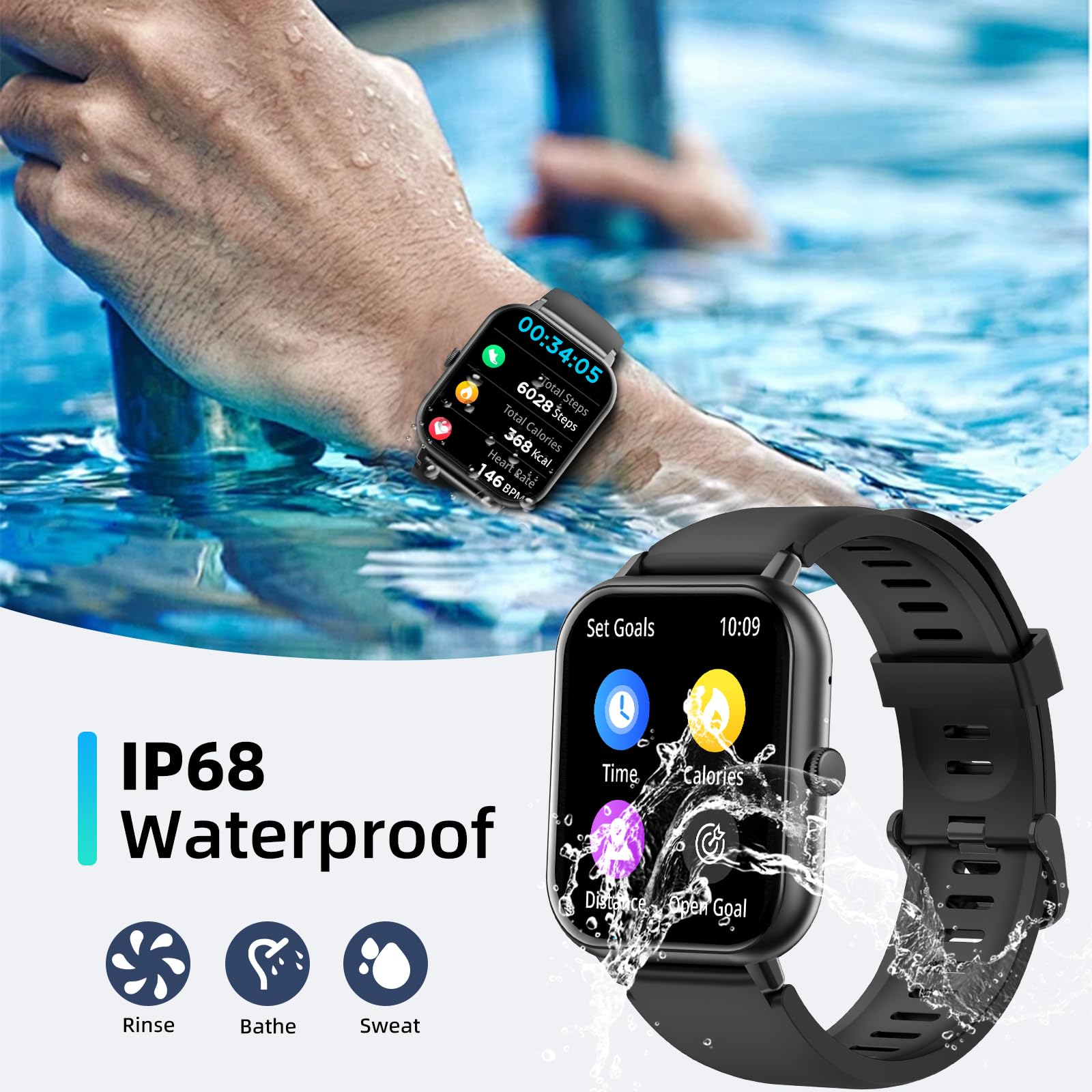
Image: Qibla Direction. The app interface displays the Qibla angle and the device's angle relative to the Qibla.
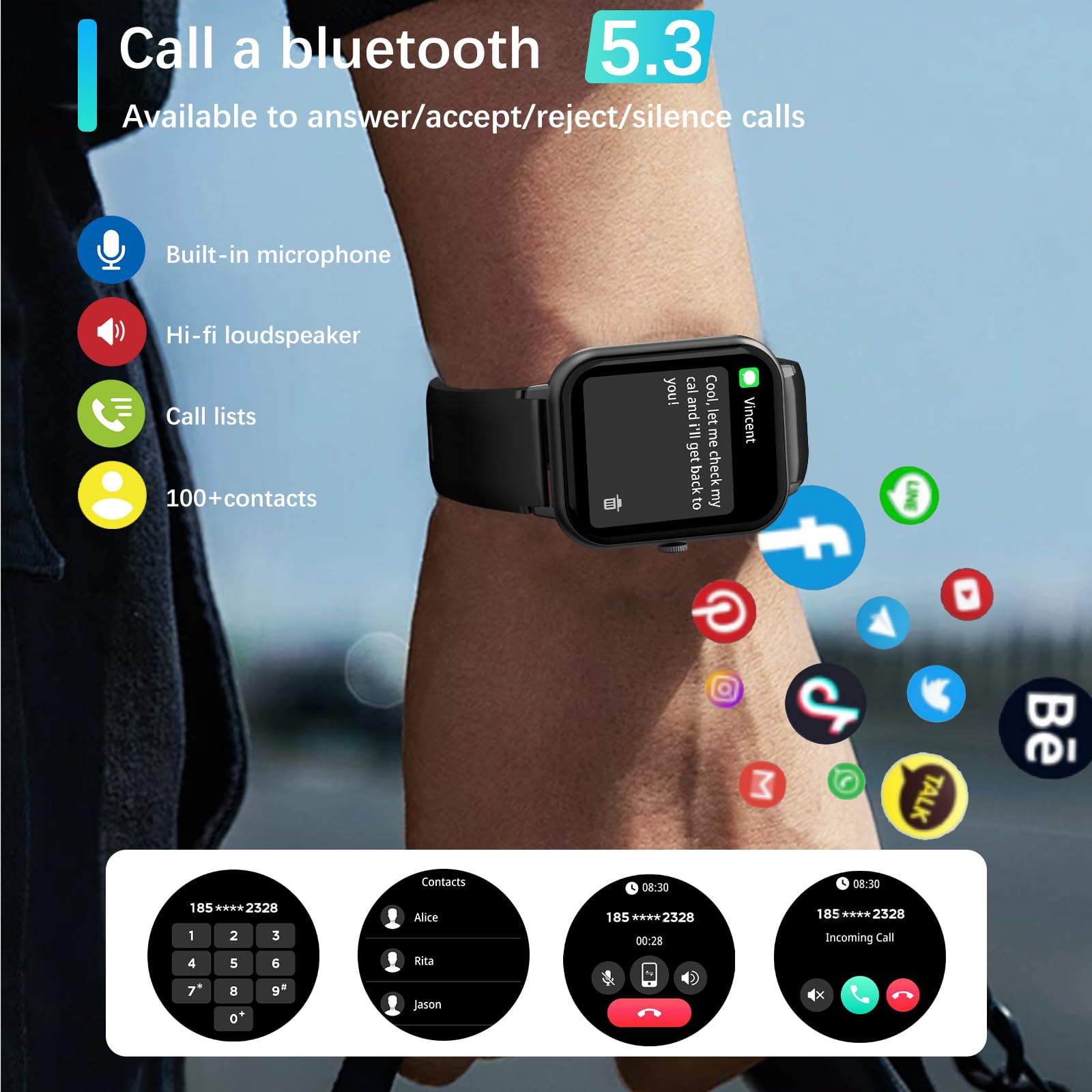
Image: Tasbih Reminder. The app interface shows options to set Tasbih reminders with customizable interval times and daily schedules.
Maintenance
Water Resistance
The PEJE Smart Watch is IP68 water-resistant.
- It is suitable for daily activities such as washing hands, doing dishes, and light rain exposure.
- Note: It is not recommended for use during diving, sauna, hot showers, or in environments with high-velocity water or steam, as this may compromise the water seal.
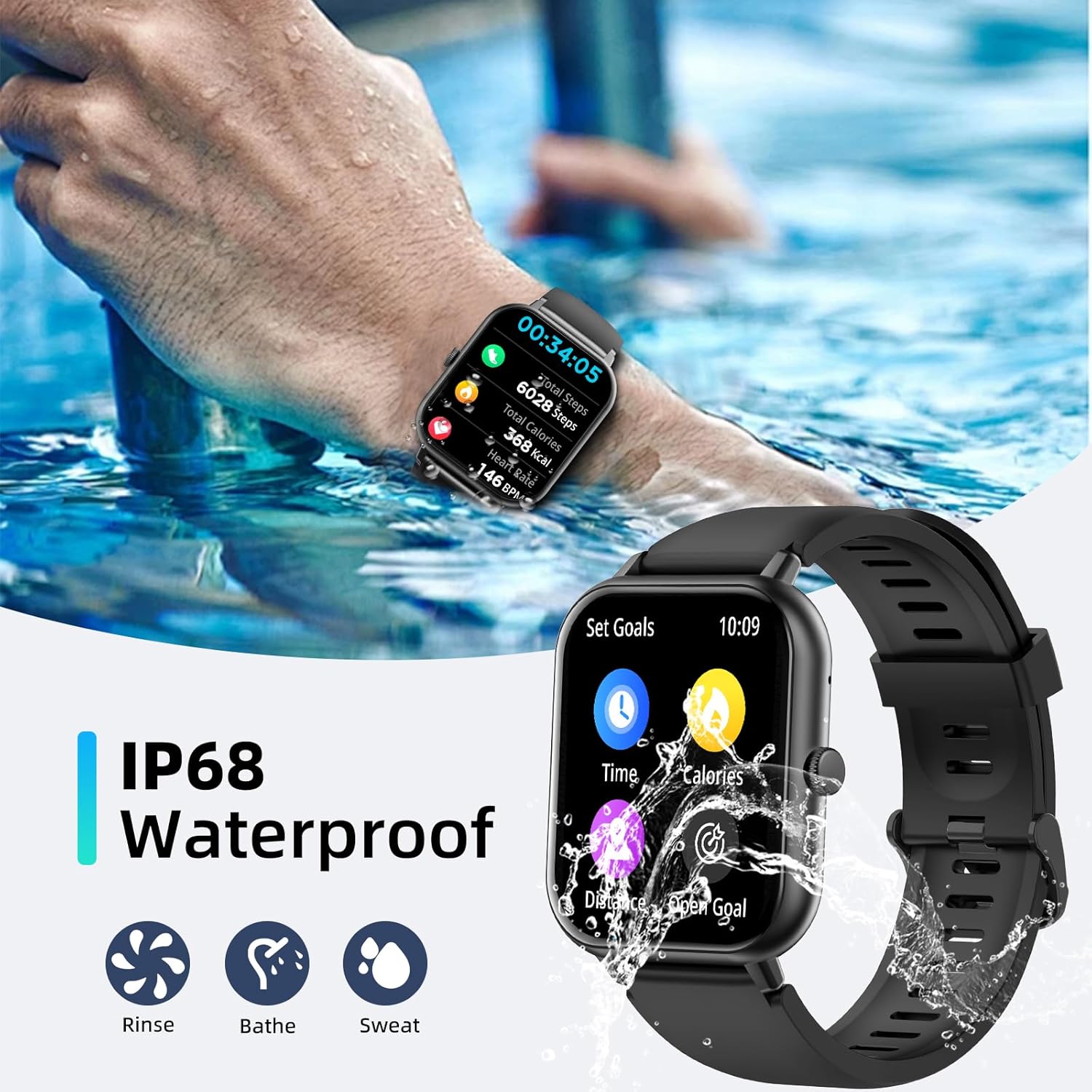
Image: IP68 Waterproof. The image shows the watch being exposed to water, indicating its suitability for rinsing, bathing, and sweating.
Cleaning
To keep your watch in good condition:
- Wipe the watch and strap regularly with a soft, dry cloth.
- If necessary, use a slightly damp cloth for cleaning, then dry thoroughly.
- Avoid using harsh chemicals or abrasive materials.
Battery Care
- Avoid fully discharging the battery frequently.
- Store the watch in a cool, dry place if not used for extended periods.
Troubleshooting
If you encounter issues with your PEJE Smart Watch, try the following solutions:
| Problem | Solution |
|---|---|
| Watch does not turn on | Ensure the watch is fully charged. Connect it to the charger for at least 30 minutes. |
| Cannot pair with smartphone | Ensure Bluetooth is enabled on your phone. Restart both the watch and your phone. Make sure the PEJE app is updated. |
| Inaccurate health data | Ensure the watch is worn snugly on your wrist, not too tight or too loose. Clean the sensor on the back of the watch. Remember, data is for reference only. |
| Notifications not received | Check app permissions on your phone to ensure the PEJE app has access to notifications. Verify that notifications are enabled within the PEJE app settings. |
| Short battery life | Reduce screen brightness. Disable unnecessary features like 'always-on display'. Limit frequent heart rate monitoring if not needed. |
Specifications
| Feature | Detail |
|---|---|
| Model | B0DNB19B6Z |
| Display | 1.83 Inches TFT Full Colour Touchscreen |
| Waterproof Rating | IP68 |
| Connectivity | Bluetooth |
| Battery Capacity | 230 mAh Lithium Polymer |
| Charging Time | Approx. 2 hours |
| Battery Life | 5-7 days (usage), 7-15 days (standby) |
| Memory Storage | 128 MB |
| Compatibility | iOS & Android |
| Metrics Measured | Calories burned, Heart Rate, Blood Oxygen, Steps, Sleep |
| Special Features | Sedentary Reminder, Bluetooth Calling, 123+ Workout Modes, Muslim/Arabic Features, Siri Voice Assistant |
| Colour | Silver |
Warranty and Support
Warranty Information
Your PEJE Smart Watch is covered by a standard manufacturer's warranty. Please refer to the warranty card included in your package or contact your retailer for specific terms and conditions regarding warranty coverage.
Customer Support
For further assistance, technical support, or inquiries not covered in this manual, please contact PEJE customer service through the contact information provided on the product packaging or the official PEJE website.