
PEJE PEJE Smart Watch (Model B0DNB17KKZ)
Contents
PEJE Smart Watch User Manual
Model: PEJE Smart Watch (B0DNB17KKZ)
Introduction
Welcome to the PEJE Smart Watch user manual. This guide provides detailed instructions on how to set up, operate, and maintain your PEJE Smart Watch. Designed for men, this smartwatch features a 1.83-inch TFT display, IP68 water resistance, Bluetooth calling, comprehensive fitness management, over 123 training modes, and an impressive 15-day battery life. It is compatible with both iOS and Android devices.

Image: The PEJE Smart Watch, showcasing its display with time, weather, and heart rate information.
What's in the Box
Upon opening the package, please ensure all the following components are present:
- PEJE Smart Sports Watch (1 unit)
- Magnetic Charging Cable (1 unit)
- User Manual (1 unit)
- One spare watch band (as per image)

Image: Illustration of the PEJE Smart Watch package contents, including the smartwatch, a spare watch band, and a USB magnetic fast charging cable.
Setup
1. Charging the Smart Watch
Before first use, fully charge your PEJE Smart Watch.
- Connect the magnetic charging cable to the charging points on the back of the watch.
- Plug the USB end of the cable into a standard USB power adapter (not included) or a computer's USB port.
- The watch will display a charging indicator. A full charge takes approximately 2.5 hours.
A full charge provides 5-7 days of typical use and up to 7-15 days of standby time.

Image: The PEJE Smart Watch being charged with its magnetic charging cable, illustrating the fast charging and long battery life capabilities.
2. App Installation and Pairing
To unlock the full potential of your PEJE Smart Watch, download and install the "PEJE" app on your smartphone.
- Scan the QR code in the watch's manual or search for "PEJE" in your smartphone's app store (Google Play Store for Android, Apple App Store for iOS).
- Install the app and open it.
- Enable Bluetooth on your smartphone.
- In the PEJE app, follow the on-screen instructions to search for and connect to your smartwatch. Ensure the watch is powered on and within Bluetooth range.
- Once paired, the watch will synchronize data with your phone, and you can customize settings through the app.
Operating Instructions
1. Display and Watch Faces
The PEJE Smart Watch features a 1.83-inch HD full-color touchscreen. You can customize your watch face to match your style or mood.
- Changing Watch Faces: Long-press the watch screen or use the PEJE app to browse and select from over 200 online watch faces.
- Navigation: Swipe left/right, up/down on the touchscreen to access different functions and menus.

Image: The PEJE Smart Watch showcasing its 1.82-inch HD full-color touchscreen with various customizable watch faces and the option to use a pointer for selection.
2. Bluetooth Calling and Notifications
With Bluetooth 5.3, the PEJE Smart Watch allows you to make and receive calls directly from your wrist.
- Making Calls: Once paired with your phone via the "PEJE" app, you can dial numbers or select contacts directly from the watch.
- Receiving Calls: Answer, reject, or silence incoming calls with a tap on the watch screen.
- Message Notifications: Receive alerts for messages from various apps like Skype, WhatsApp, Facebook, Messenger, Twitter, LINE, Instagram, etc., ensuring you don't miss important communications.
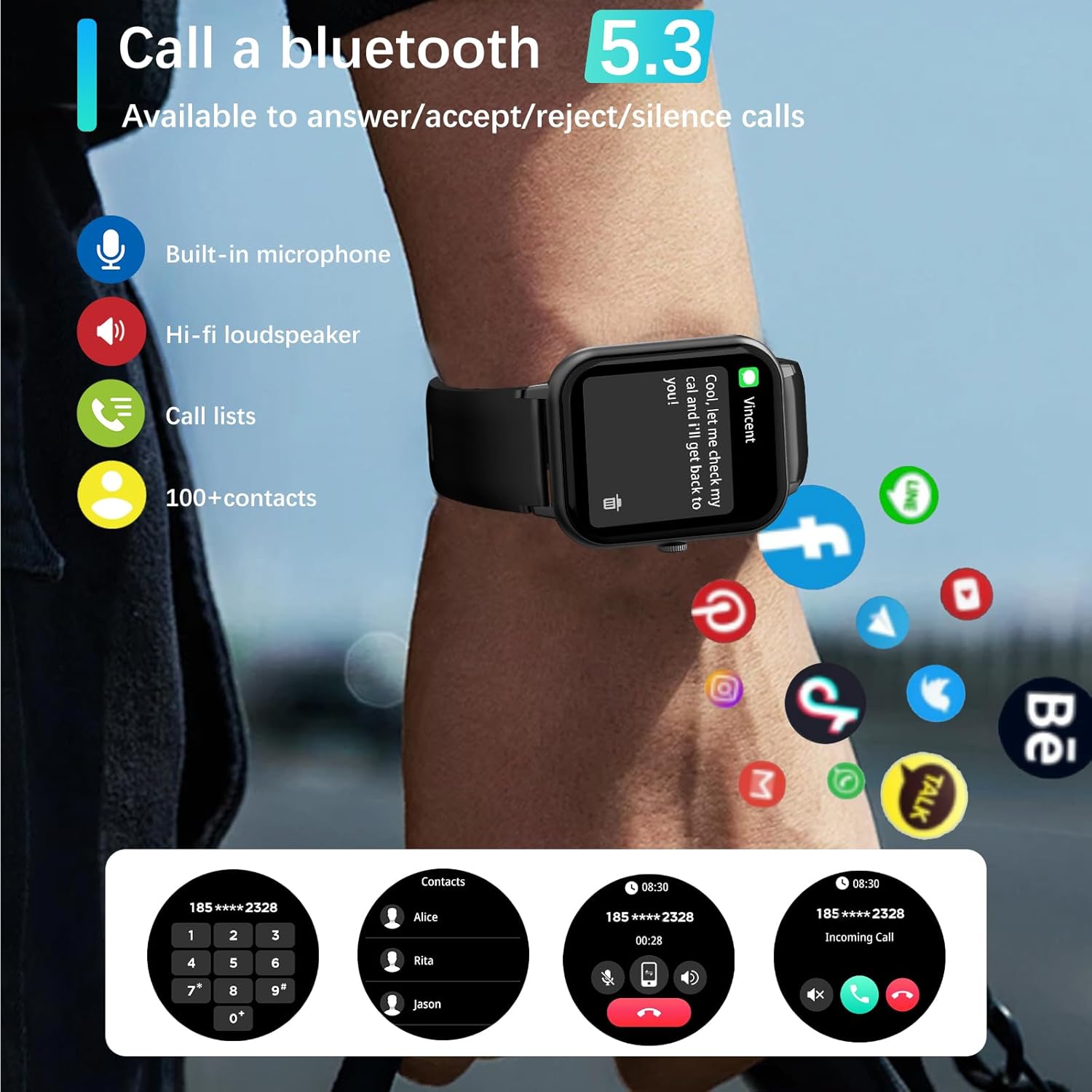
Image: A PEJE Smart Watch on a wrist, illustrating its Bluetooth 5.3 calling capabilities with icons for built-in microphone, hi-fi loudspeaker, call lists, and contact management.
3. Health Monitoring
The watch provides real-time health monitoring to help you understand your body's condition.
- Heart Rate Monitoring: 24/7 heart rate tracking.
- Blood Oxygen Monitoring: Monitor your blood oxygen levels.
- Sleep Tracking: Analyzes your sleep quality, including light sleep, deep sleep, and REM stages.
- Reminders: Includes sedentary reminders, water reminders, and female menstrual cycle reminders.
Note: The measurement data is for reference only and should not be used for medical purposes.

Image: The PEJE Smart Watch screen showing detailed sleep tracking data, including total sleep duration, breakdown of light, deep, and REM sleep, and wake-up times.

Image: The PEJE Smart Watch displaying health data such as calories burned, steps taken, activity time, distance covered, and heart rate, overlaid on an image of a person hiking.
4. Sports Modes
The PEJE Smart Watch supports over 20 sports modes to track your workouts effectively.
- Supported Modes: Running, walking, badminton, tennis, basketball, table tennis, cycling, yoga, rope skipping, rock climbing, elliptical machine, rowing machine, exercise bike, and more.
- Data Tracking: Automatically records daily steps, heart rate, and calories burned during exercise.
Note: This device is for sports or aviation use only, not for medical use.
5. Multifunctional Features
The PEJE Smart Watch offers a variety of features to simplify your daily life:
- Weather Forecast: Get real-time weather updates.
- NFC Access Control: For compatible access systems.
- Music Control: Control music playback on your smartphone.
- Pedometer: Tracks your daily steps.
- Find Your Phone: Helps locate your paired smartphone.
- Timer & Stopwatch: Essential timing tools.
- Siri Voice Assistant: Access your phone's voice assistant.
- Remote Photography: Control your phone's camera remotely.
- Muslim and Arabic Features: Includes prayer time alarms, automatic notifications for Fajr, Sunrise, Zuhr, Asr, Maghreb, and Isha, Adhan reminders, 99 names of Allah, and Qibla direction. The smartwatch also supports Arabic language.

Image: The PEJE Smart Watch interface showing Qibla direction (285 degrees) and device's angle to Qibla (-91 degrees), along with settings for Tasbih Reminder, including interval time and repeat schedule.
Maintenance
IP68 Water Resistance
The PEJE Smart Watch is IP68 water-resistant, meaning it can withstand splashes, hand washing, and light rain.
- You can wear it while washing your hands or doing dishes.
- It is resistant to sweat.
Note: It is not recommended to use the watch during diving, sauna, hot showers, or in environments with high water pressure or steam, as this may compromise the water resistance. Avoid prolonged submersion.

Image: A PEJE Smart Watch on a wrist submerged in water, illustrating its IP68 waterproof rating and suitability for rinsing, bathing (splashes), and sweating.
Cleaning
To clean your watch, wipe it with a soft, damp cloth. Avoid using harsh chemicals or abrasive materials.
Troubleshooting
If you encounter any issues with your PEJE Smart Watch, please refer to the following common solutions:
- Watch not turning on: Ensure the watch is fully charged. Connect it to the charger and wait a few minutes before attempting to power it on.
- Cannot pair with phone:
- Ensure Bluetooth is enabled on your phone and the watch.
- Make sure the watch is within the Bluetooth range of your phone.
- Restart both your phone and the watch.
- Clear the Bluetooth cache on your phone (if applicable) and try pairing again.
- Inaccurate health data: Ensure the watch is worn snugly on your wrist, not too tight or too loose. Clean the sensors regularly. Remember that data is for reference only.
- Notifications not appearing:
- Check notification permissions for the PEJE app in your phone's settings.
- Ensure the PEJE app is running in the background.
- Verify that notifications are enabled within the PEJE app for specific applications.
- Short battery life: Reduce screen brightness, disable unnecessary features, and limit continuous heart rate monitoring if not needed.
If the issue persists, please contact customer support for further assistance.
Specifications
| Feature | Detail |
|---|---|
| Brand | PEJE |
| Model | Smart Watch (B0DNB17KKZ) |
| Display Size | 1.83 Inch TFT |
| Operating System | AsteroidOS |
| Connectivity | Bluetooth 5.3 |
| Water Resistance | IP68 |
| Battery Capacity | 250 mAh Lithium-Polymer |
| Battery Life (Typical Use) | 5-7 days |
| Battery Life (Standby) | 7-15 days |
| Charging Time | Approx. 2.5 hours |
| Compatible Devices | Smartphone (iOS & Android) |
| Special Features | Sedentary reminder, Bluetooth calling, 20+ sports modes, 24/7 heart rate & blood oxygen monitoring, sleep tracking, NFC access control, Muslim & Arabic features |
| Included Components | Smart sports watch, magnetic charging cable, user manual, spare watch band |
| Product Dimensions | 16 x 10 x 3 cm; 180 g (Package) |
Warranty and Support
For warranty information and customer support, please refer to the warranty card included in your product packaging or visit the official PEJE website.
If you require technical assistance or have questions not covered in this manual, please contact PEJE customer service through the contact details provided on their official support channels.
Ask a question about this manual
Ask about setup, troubleshooting, compatibility, parts, safety, or missing instructions. Manuals+ will review the question and use this page’s manual context to help answer it.