1. Introduction
The HolyBro PM07 Power Management Module is designed to provide efficient and reliable power distribution and voltage regulation for advanced flight control systems. It is specifically compatible with Pixhawk 4 and PX4 flight controllers, making it an essential component for RC racing drones and other multirotor applications. This module supports a wide range of LiPo battery inputs, from 2S to 14S, and delivers a stable 5V output to power your flight electronics and peripherals.
This manual provides detailed instructions for the proper installation, operation, and maintenance of your PM07 module to ensure optimal performance and longevity.
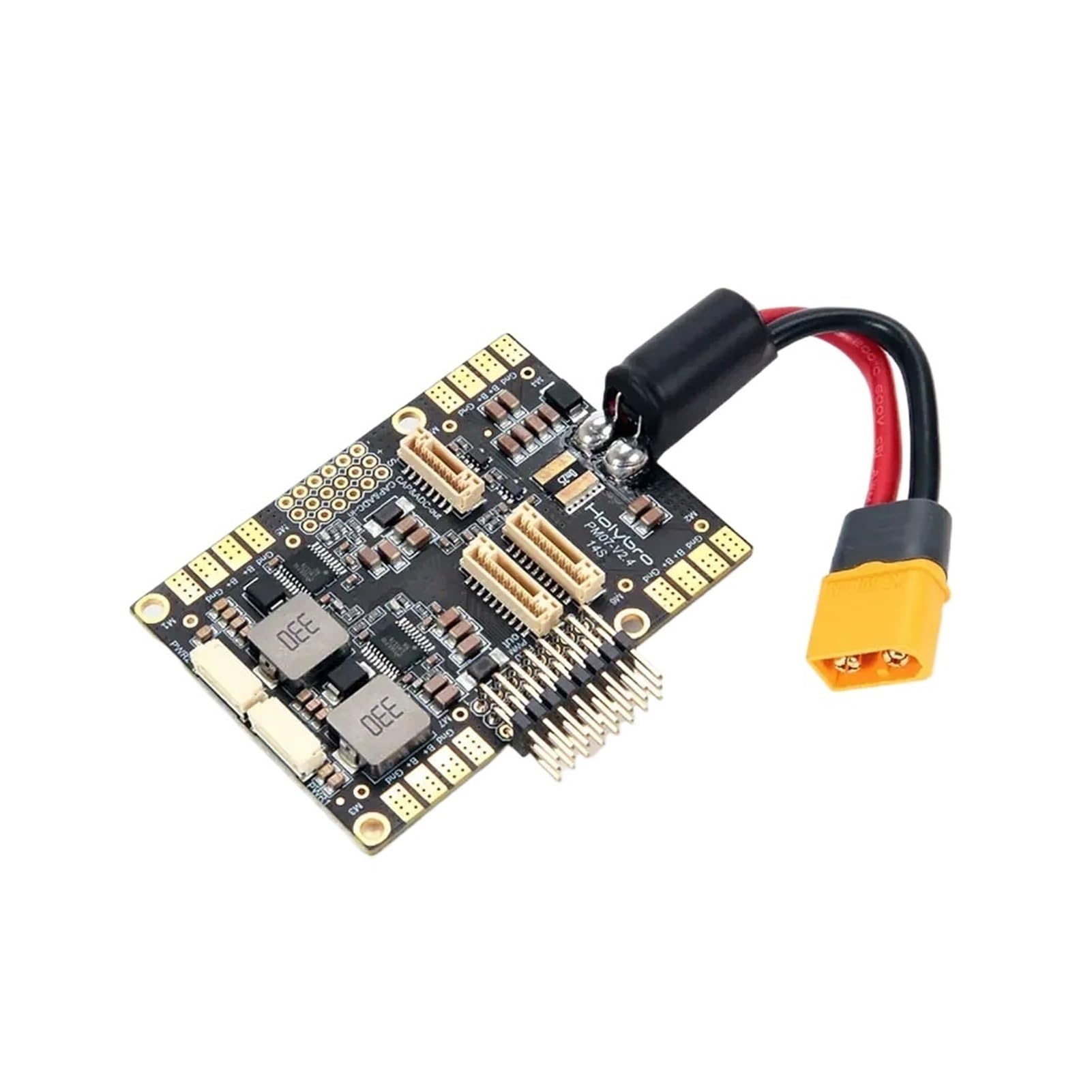
Figure 1: Overview of the HolyBro PM07 Power Management Module.
2. Package Contents
Verify that all items listed below are included in your package. If any components are missing or damaged, please contact your retailer.
- 1x PM07 board
- 1x 80mm XT60 connector wire (pre-installed)
- 1x Electrolytic capacitor: 220uF 63V (pre-installed)
- 2x JST GH 10P cables
- 1x JST GH 8P cable
- 2x JST GH 6P cables
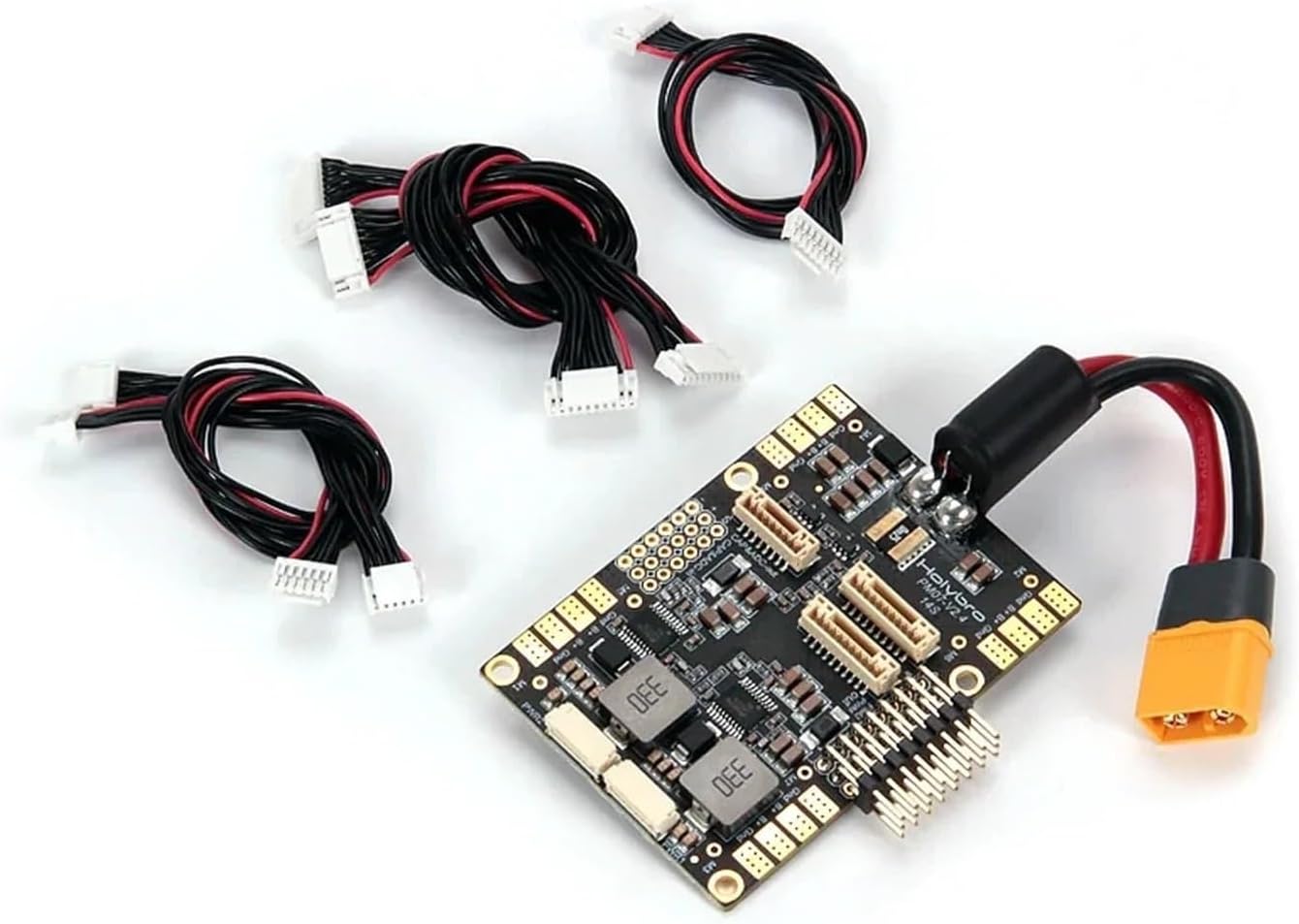
Figure 2: The PM07 module with its accompanying connection cables.
3. Features
The PM07 Power Management Module offers several key features designed for high-performance drone applications:
- Versatile Input: Supports a wide input voltage range from 2S to 14S LiPo batteries, accommodating various power setups.
- Stable Output: Delivers a regulated 5.2V output with a maximum current of 3A, ensuring stable power for flight controllers and sensitive electronics.
- High Current Handling: Capable of handling a continuous current rating of 90A and a burst current rating of 140A (for less than 60 seconds).
- Flight Controller Compatibility: Fully compatible with Pixhawk 4 and PX4 flight controllers, enhancing system integration.
- Durable Construction: Built to withstand the rigorous demands of RC flying environments.
- User-Friendly Design: Easy to install and integrate into existing drone systems.
4. Specifications
Detailed technical specifications for the HolyBro PM07 Power Management Module:
| Category | Specification |
|---|---|
| Input Voltage | 2S-14S LiPo |
| Continuous Current Rating | 90A |
| Burst Current Rating | 140A (<60 Sec) |
| Output Voltage | DC 5.2V |
| Output Current | 3A Max |
| Voltage Divider | 18.182 Amperes per Volt |
| Dimensions | 68mm x 50mm x 10mm |
| Mounting Holes | 45mm x 45mm |
| Weight | 43.8g |

Figure 3: The PM07 module's weight, 43.8 grams, as measured on a scale.
5. Setup and Installation
Proper installation is crucial for the safe and reliable operation of your PM07 module. Follow these steps carefully:
- Mounting: Secure the PM07 board to your drone frame using the 45x45mm mounting holes. Ensure it is positioned away from sources of electromagnetic interference (e.g., ESCs, motors).
- Battery Connection: Connect your LiPo battery (2S-14S) to the pre-installed XT60 connector on the PM07 module. Ensure correct polarity.
- Flight Controller Connection: Connect the appropriate JST GH cable from the PM07 module to the power input port of your Pixhawk 4 or PX4 flight controller. Refer to your flight controller's manual for the exact port location. The PM07 provides power and current/voltage sensing to the flight controller.
- ESC Connections: Connect your Electronic Speed Controllers (ESCs) to the designated output pads or connectors on the PM07 board. Ensure each ESC is connected to its corresponding motor output.
- Peripheral Connections: If using additional 5V peripherals, connect them to the available 5V output pins on the PM07, ensuring not to exceed the 3A maximum current rating.

Figure 4: Connectors and pads on the PM07 module for flight controller and ESC integration.
Warning: Always double-check all connections for correct polarity and secure fit before applying power. Incorrect wiring can cause severe damage to the module and connected components.
6. Operating Instructions
Once the PM07 module is correctly installed and connected, follow these steps for operation:
- Initial Power-Up: Connect the LiPo battery to the XT60 connector on the PM07. The flight controller and connected peripherals should power on.
- Flight Controller Configuration: Access your flight controller's ground station software (e.g., QGroundControl for Pixhawk/PX4). Navigate to the power settings.
- Voltage and Current Monitoring: Configure the voltage and current sensor settings according to the PM07's specifications. The voltage divider is 18.182 Amperes per Volt. Ensure the flight controller accurately reads battery voltage and current draw.
- Calibration: Perform any necessary power sensor calibration as recommended by your flight controller's documentation to ensure accurate readings.
- Pre-Flight Checks: Before each flight, verify that the PM07 module is securely mounted, all connections are firm, and the flight controller is receiving stable power. Monitor battery voltage and current during initial tests.
7. Maintenance
To ensure the longevity and reliable performance of your PM07 Power Management Module, observe the following maintenance guidelines:
- Regular Inspection: Periodically inspect the module for any signs of physical damage, loose connections, or burnt components.
- Cleaning: Keep the module free from dust, dirt, and moisture. Use a soft, dry brush or compressed air to gently clean the board. Avoid using liquid cleaners.
- Connection Integrity: Ensure all JST GH connectors and the XT60 connector remain securely seated. Vibrations during flight can sometimes loosen connections.
- Storage: When not in use, store the module in a dry, cool environment, away from direct sunlight and extreme temperatures.
8. Troubleshooting
If you encounter issues with your PM07 module, refer to the following troubleshooting tips:
| Problem | Possible Cause | Solution |
|---|---|---|
| No power to flight controller/peripherals |
|
|
| Incorrect voltage/current readings in flight controller |
|
|
| Module overheating |
|
|
9. Safety Information
Adhere to the following safety precautions to prevent injury and damage to equipment:
- Electrical Safety: Always disconnect the battery before performing any installation, maintenance, or troubleshooting.
- Polarity: Double-check all wiring for correct polarity. Reverse polarity can permanently damage the module and connected components.
- Battery Handling: Handle LiPo batteries with extreme care. Do not puncture, short-circuit, or overcharge them. Use appropriate LiPo chargers.
- Current Limits: Do not exceed the specified continuous or burst current ratings of the PM07 module.
- Environment: Operate the module in a dry environment, away from conductive materials, liquids, and extreme temperatures.
- Professional Installation: If you are unsure about any aspect of installation or wiring, seek assistance from an experienced professional.


