
1. Introduction
This manual provides essential information for the proper use and care of your Effireli COV31736202 replacement remote control. This remote is designed to be compatible with various LG DVD player models, including DP132-H, DP132H, DP132, and DP132NU. It requires no programming or setup and operates using infrared technology.
2. Setup
The Effireli COV31736202 remote control is designed for immediate use without any programming. Simply insert the required batteries, and it will be ready to operate your compatible LG DVD player.
2.1 Battery Installation
- Locate the battery compartment on the back of the remote control.
- Slide open the battery compartment cover.
- Insert two AAA batteries (not included), ensuring the positive (+) and negative (-) terminals align correctly with the markings inside the compartment.
- Close the battery compartment cover securely.
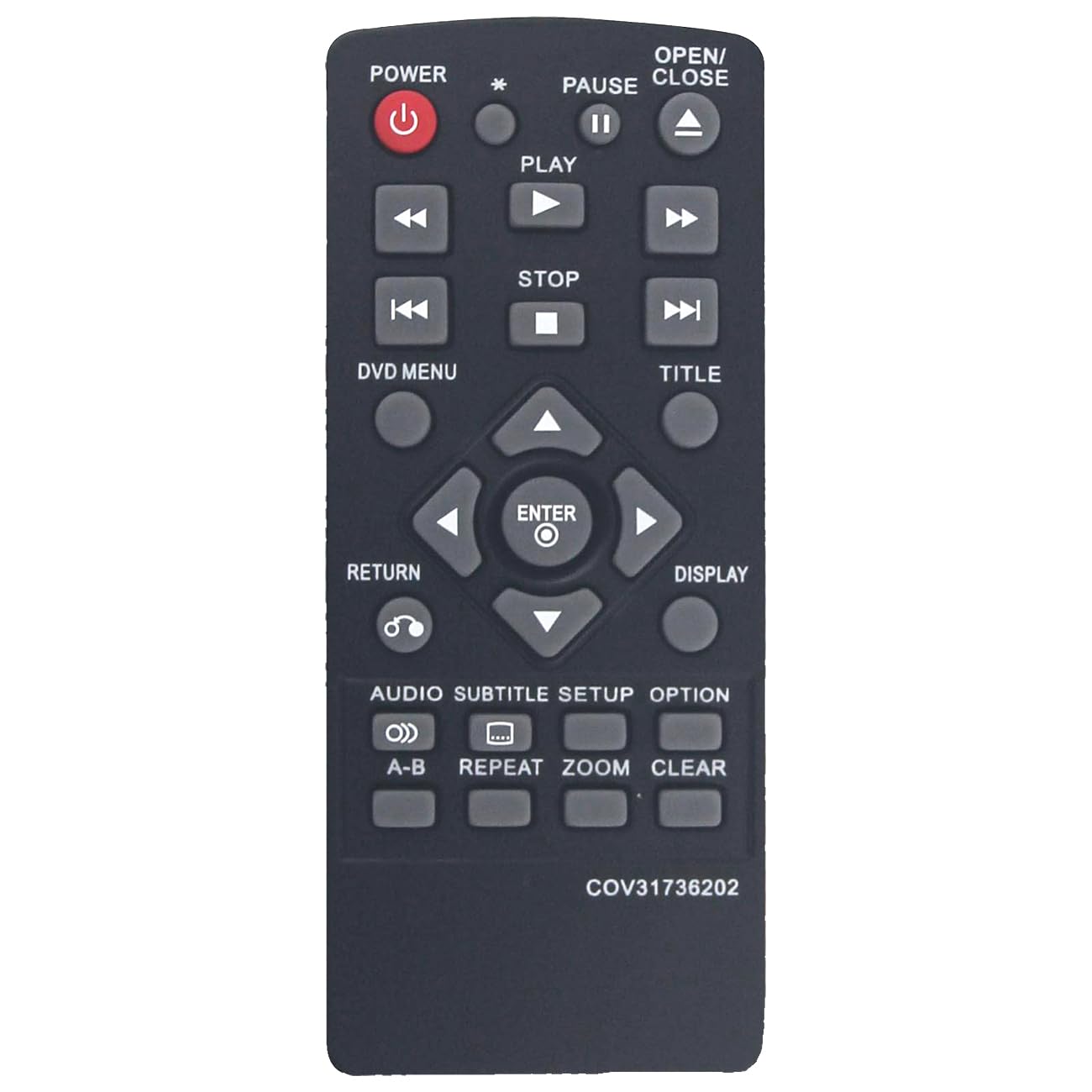
Image: The Effireli COV31736202 replacement remote control. This image shows the front of the remote with various buttons for DVD player operation.
3. Operating Instructions
Once batteries are installed, point the remote control directly at your LG DVD player. The remote operates using infrared signals.
3.1 Basic Functions
- Power: Turns the DVD player on or off.
- Play/Pause: Starts or pauses disc playback.
- Stop: Stops disc playback.
- Fast Forward/Rewind: Skips forward or backward through content.
- Next/Previous: Skips to the next or previous chapter/track.
- Volume Up/Down: Adjusts the audio volume (if supported by the DVD player and connected audio system).
- Menu: Accesses the disc menu or system settings.
- Navigation Buttons (Up, Down, Left, Right, Enter): Used to navigate menus and confirm selections.
Refer to your LG DVD player's original manual for specific functions and button layouts if you require advanced operations.
4. Maintenance
To ensure the longevity and proper functioning of your remote control, follow these maintenance guidelines:
- Cleaning: Wipe the remote with a soft, dry cloth. Do not use liquid cleaners or abrasive materials.
- Battery Replacement: Replace batteries when the remote's response becomes sluggish or stops working. Always replace both batteries at the same time.
- Storage: Store the remote in a dry place, away from direct sunlight and extreme temperatures. If storing for extended periods, remove the batteries to prevent leakage.
- Avoid Drops: Protect the remote from physical impact, as drops can damage internal components.
5. Troubleshooting
If you experience issues with your remote control, try the following troubleshooting steps:
| Problem | Solution |
|---|---|
| Remote is not responding. |
|
| Some buttons are not working. |
|
| Remote works intermittently. |
|
6. Specifications
- Model Number: YK-COV31736202
- Brand: Effireli
- Connectivity Technology: Infrared (IR)
- Special Feature: No Programming Required
- Compatible Devices: LG DVD/Blu-ray Players (specifically DP132-H, DP132H, DP132, DP132NU)
- Max Number of Supported Devices: 1
- Power Source: 2 x AAA Batteries (not included)
7. Warranty and Support
Your Effireli COV31736202 replacement remote control comes with the following:
- Money-Back Guarantee: A 30-day money-back guarantee from the date of purchase.
- Warranty: A 12-month warranty covering manufacturing defects.
- Returns and Exchanges: Accepted within the warranty period for manufacturing defects.
If your model number is not listed as compatible or if your original remote appears different, please contact the seller directly to confirm compatibility before purchase or for support inquiries.
For warranty claims or technical assistance, please contact your retailer or the manufacturer, Effireli, through their official support channels.