Takstar E300W Multifunctional Wireless Portable Voice Amplifier User Manual
Model: E300W
1. Introduction
The Takstar E300W Multifunctional Wireless Portable Voice Amplifier is designed to provide clear and powerful sound amplification for various applications. This manual provides detailed instructions for the proper use, setup, operation, and maintenance of your E300W amplifier.
2. Safety Information
- Do not expose the device to rain or moisture.
- Do not disassemble the device. Refer all servicing to qualified personnel.
- Keep the device away from heat sources and direct sunlight.
- Use only the specified charging cable and power adapter.
- Avoid dropping or subjecting the device to strong impacts.
- Clean the device with a soft, dry cloth. Do not use liquid cleaners.
3. Package Contents
Please check the package to ensure all items are present:
- E300W Voice Amplifier
- Headworn Microphone (Wireless)
- USB Charging Cable
- Strap
4. Product Overview
Familiarize yourself with the components of your E300W amplifier.
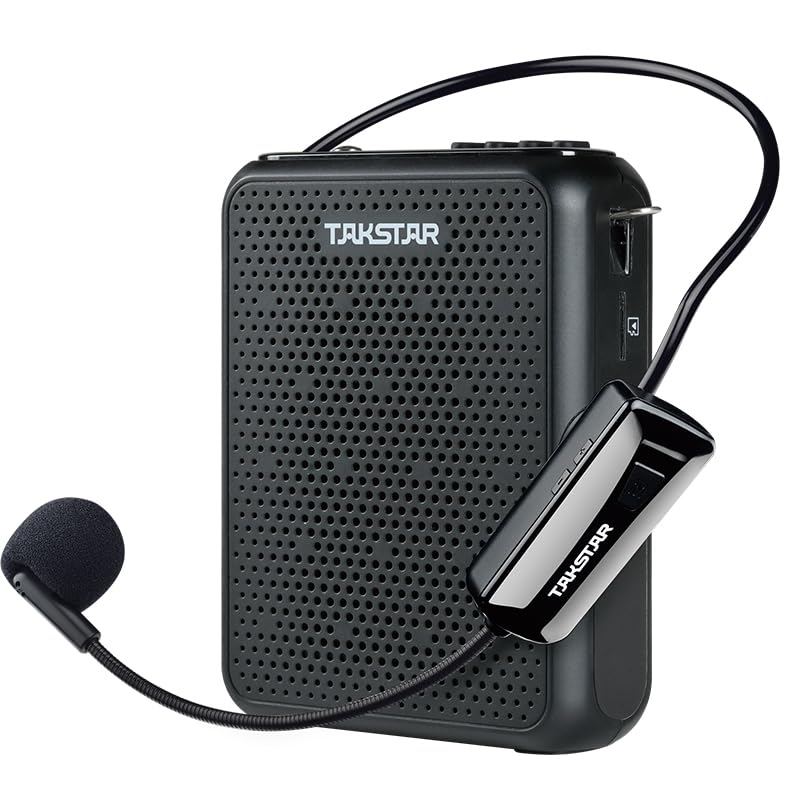
Figure 4.1: Takstar E300W Voice Amplifier with included wireless headworn microphone.
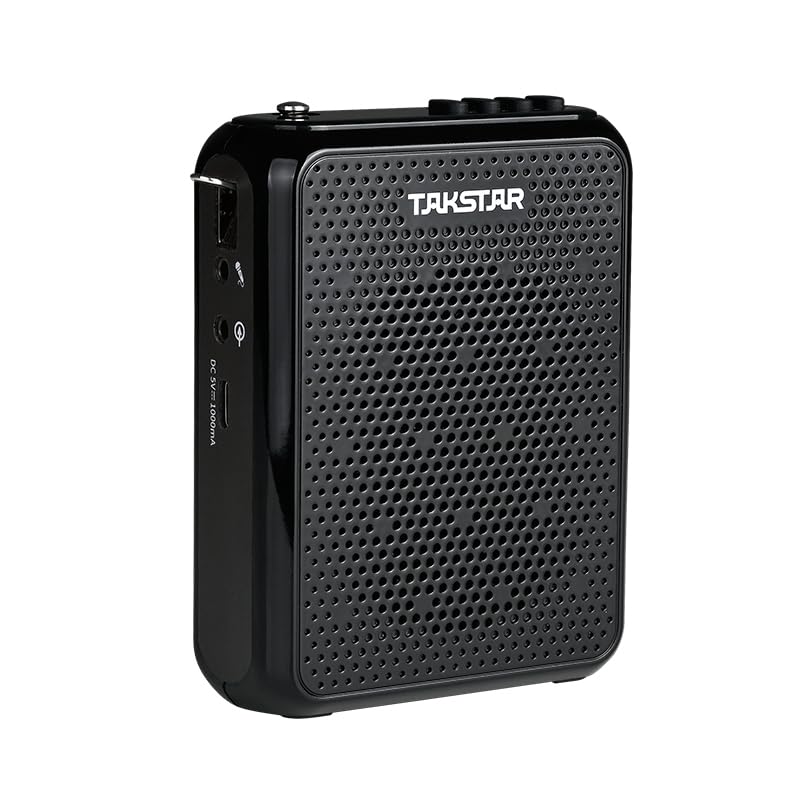
Figure 4.2: Side view of the E300W amplifier, highlighting the various ports and controls.
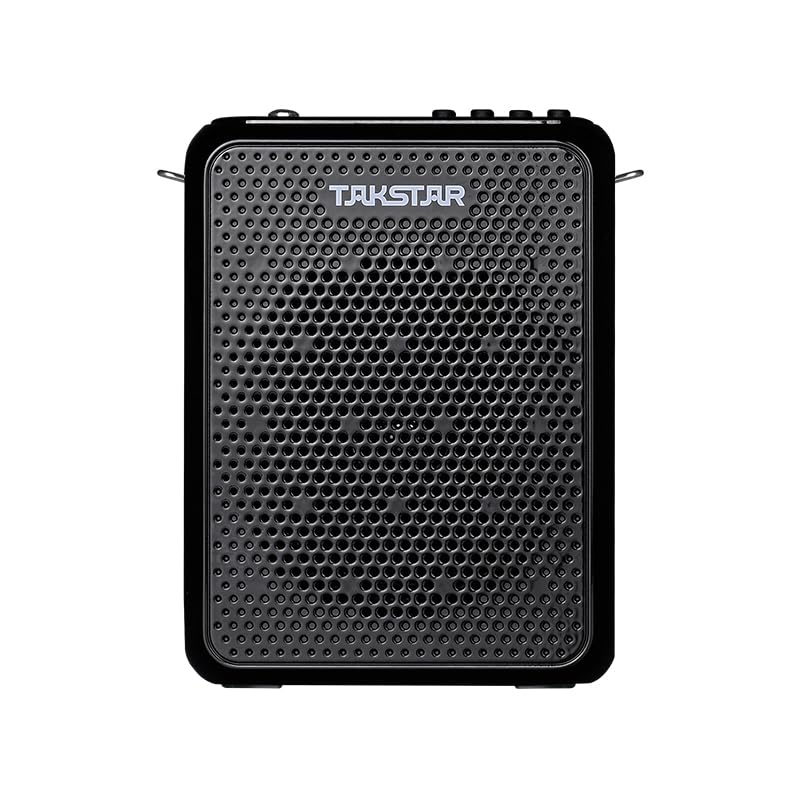
Figure 4.3: Front view of the E300W amplifier, showcasing the speaker grille.
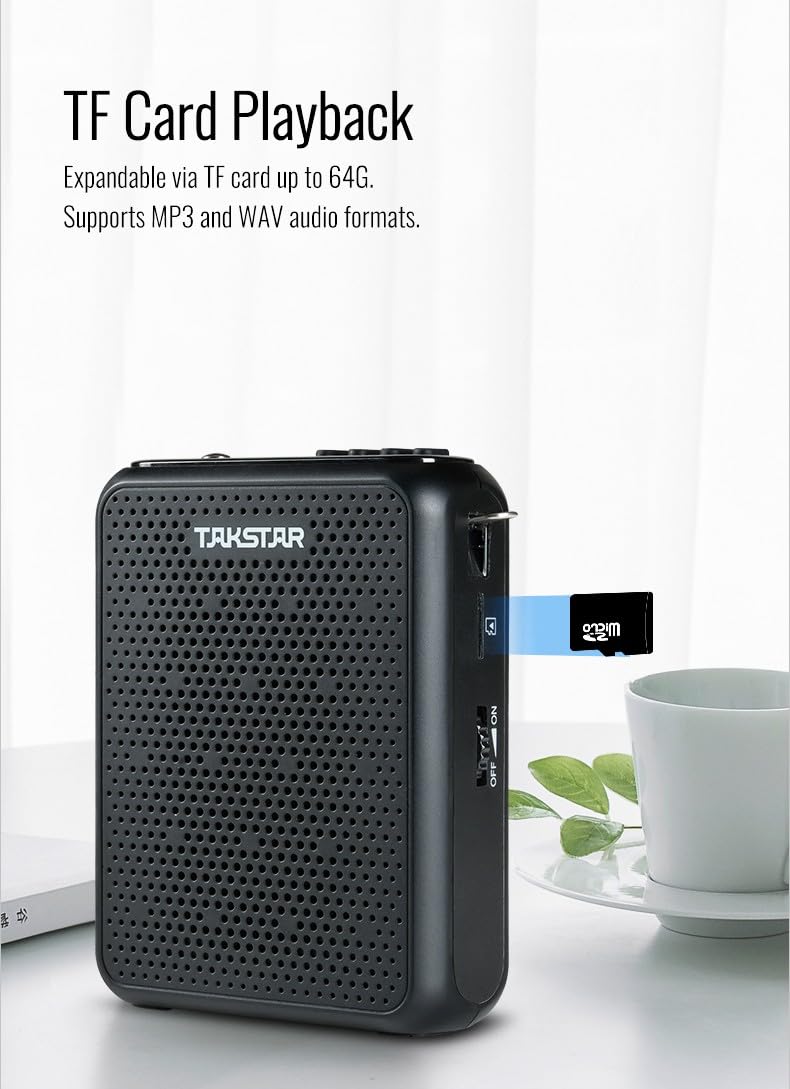
Figure 4.4: The E300W amplifier demonstrating the TF card slot for expandable memory.
4.1 Controls and Indicators
- Power Switch: Turns the amplifier on/off.
- Volume Control: Adjusts the amplification level.
- USB Charging Port: For charging the amplifier.
- TF Card Slot: For inserting a TF (microSD) card for playback and recording.
- Mode Button: Switches between different modes (UHF, FM Radio, Playback).
- Play/Pause Button: Controls audio playback.
- Next/Previous Track Buttons: Navigates through audio files.
- Display Screen: Shows current mode, frequency, and battery status.
5. Setup
5.1 Charging the Amplifier
- Connect the USB charging cable to the amplifier's charging port.
- Connect the other end of the USB cable to a compatible USB power adapter (not included) or a computer's USB port.
- The charging indicator will illuminate. Once fully charged, the indicator may change color or turn off.
5.2 Charging the Wireless Microphone Headset
The wireless microphone headset also has a built-in rechargeable battery. Charge it using its dedicated charging port and cable if provided, or as instructed in its separate manual if applicable.
5.3 Pairing the Wireless Microphone
- Turn on the E300W amplifier.
- Turn on the wireless microphone headset.
- The amplifier and microphone should automatically pair. If not, refer to the microphone's specific pairing instructions, usually involving a pairing button on both devices.
- Ensure the microphone is within the effective transmission range (up to 40 meters in an interference-free environment).
6. Operating Instructions
6.1 Voice Amplification
- Ensure the amplifier and wireless microphone are charged and paired.
- Wear the headworn microphone comfortably. Position the microphone close to your mouth for optimal sound pickup.
- Turn on the amplifier using the power switch.
- Adjust the volume control to your desired amplification level.
- The E300W uses UHF wireless transmission for stable and clear voice amplification.
6.2 Portable Speaker Function (Wireless Playback)
The E300W can function as a portable speaker, allowing wireless playback from other devices.
- Turn on the amplifier.
- Press the Mode button to switch to the wireless playback mode (e.g., Bluetooth or specific wireless input).
- On your mobile phone, computer, or PAD, search for and connect to the E300W amplifier in its Bluetooth or wireless settings.
- Once connected, you can play music or audio files from your device through the E300W.
6.3 TF Card Playback and Recording
The amplifier supports TF (microSD) cards up to 64GB and MP3/WAV audio formats.
- Insert a TF card into the designated slot on the amplifier.
- For Playback: The amplifier will automatically detect audio files (MP3, WAV) on the card. Use the Play/Pause and Next/Previous buttons to control playback.
- For Recording: Specific recording instructions may vary. Typically, there is a dedicated record button or a mode that enables recording. Ensure the TF card has sufficient free space.
6.4 FM Radio Mode
The E300W includes an FM radio function.
- Turn on the amplifier.
- Press the Mode button to switch to FM radio mode.
- To search for channels, press and hold the Play/Pause button (or specific scan button if available). The amplifier will automatically search and save more than 50 radio channels.
- Use the Next/Previous buttons to navigate between saved radio stations.
6.5 Multiple Microphone Connections (UHF Setting)
When in UHF setting, the E300W can connect simultaneously with multiple HM-200W wireless microphone headsets. It offers a wide range of 40 frequencies for this purpose.
- Ensure all HM-200W microphones are set to different frequencies within the available 40 channels to avoid interference.
- Refer to the HM-200W microphone manual for specific frequency setting instructions.
7. Maintenance
- Cleaning: Use a soft, dry cloth to clean the surface of the amplifier. Do not use abrasive cleaners or solvents.
- Storage: When not in use for extended periods, store the device in a cool, dry place.
- Battery Care: To prolong battery life, avoid fully discharging the battery frequently. Charge the device regularly, even if not in use.
8. Troubleshooting
| Problem | Possible Cause | Solution |
|---|---|---|
| No sound from amplifier. | Amplifier is off; low battery; microphone not paired; volume too low. | Turn on amplifier; charge battery; re-pair microphone; increase volume. |
| Distorted sound. | Volume too high; microphone too close to mouth; interference. | Reduce volume; adjust microphone position; move away from interference sources. |
| Wireless microphone not connecting. | Microphone off; out of range; battery low; pairing issue. | Turn on microphone; move closer to amplifier; charge microphone; re-initiate pairing. |
| Cannot play TF card audio. | Incorrect file format; TF card not inserted correctly; corrupted files. | Ensure files are MP3/WAV; reinsert TF card; try different TF card or files. |
| FM radio not finding channels. | Weak signal; not in scan mode. | Move to an area with better signal; ensure auto-scan function is activated. |
9. Specifications
| Feature | Detail |
|---|---|
| Model | E300W |
| Frequency Response | 80 Hz |
| Impedance | 4 Ohm |
| Product Dimensions (L x W x H) | 35 x 15 x 45 Millimeters (approx. 3.5 x 1.5 x 4.5 cm) |
| Item Weight | 400 g (0.4 Kilograms) |
| Battery Type | Lithium Ion (1 x 9V battery included) |
| Wireless Technology | UHF (Up to 40m transmission distance) |
| TF Card Support | Up to 64GB (MP3, WAV audio formats) |
| FM Radio | Automatic search and save for over 50 channels |
| Color | Black |
| Material | Plastic |
10. Warranty and Support
For warranty information and technical support, please refer to the official Takstar website or contact your local distributor. Keep your purchase receipt as proof of purchase for warranty claims.
Manufacturer: E300W
Importer: Takstar


