
1. Introduction
This manual provides comprehensive instructions for the setup, operation, and maintenance of your Alaga 1303A 2K Indoor Security Camera. Please read this manual thoroughly before using the device to ensure proper functionality and safety.

Figure 1: Alaga 1303A 2K Indoor Security Camera. This image shows the compact white camera with its stand, designed for indoor use.
2. Key Features
- 2K Resolution: Delivers sharp and detailed video footage.
- Dual-Band Wi-Fi: Supports both 5GHz and 2.4GHz networks for stable connectivity.
- AI Human Detection: Advanced motion sensing with intelligent alerts.
- Night Vision: Provides clear visibility in low-light conditions up to 30 feet.
- Two-Way Audio: Allows for real-time communication through the camera.
- Multiple Storage Options: Supports microSD card (up to 256GB) and optional cloud storage.
- Smart Home Compatibility: Works with Amazon Alexa and Google Home.
- Compact Design: Easy to install on flat surfaces, walls, or ceilings.
3. What's in the Box
- Alaga 1303A 2K Indoor Security Camera
- USB Type-C Power Cable
- Power Adapter
- Mounting Screws and Anchors
- Instruction Manual (this document)

Figure 2: Package contents including the camera, power adapter, USB cable, and mounting hardware.
4. Setup Guide
4.1. Powering On the Camera
- Connect the USB Type-C power cable to the camera's port.
- Plug the power adapter into a standard electrical outlet.
- The camera will power on, and an indicator light will show its status.
4.2. App Installation and Pairing
- Download the "CareCam Pro" app from the App Store (iOS) or Google Play Store (Android).
- Ensure your smartphone's Bluetooth is enabled.
- Open the app and follow the on-screen instructions to add a new device. The app will guide you through the pairing process using Bluetooth.
- Select your 5GHz or 2.4GHz Wi-Fi network and enter the password.
- Once connected, you can name your camera and assign it to a specific room.
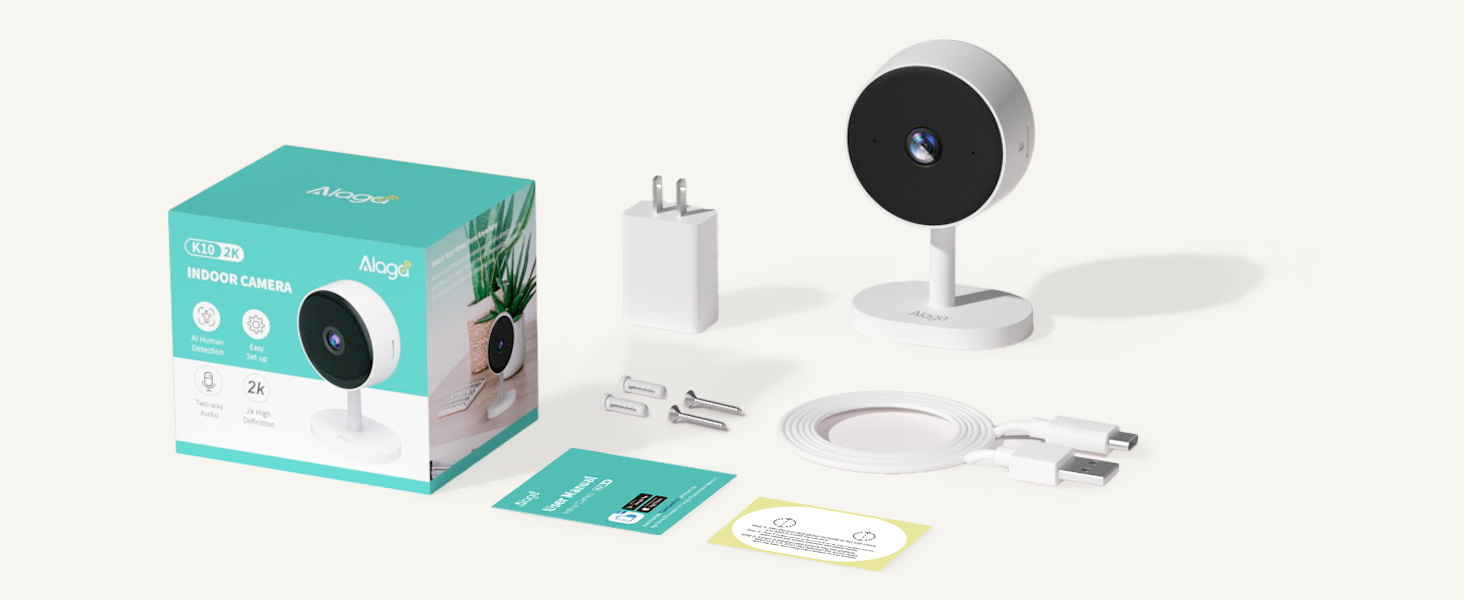
Figure 3: Visual guide for downloading the CareCam Pro app, enabling Bluetooth, and adding the device.
4.3. Mounting the Camera
The camera can be placed on a flat surface or mounted to a wall or ceiling. Mounting hardware (screws and anchors) is included.
- Choose a suitable location with a clear view and access to a power outlet.
- Use the provided template (if available) to mark drill holes for wall or ceiling mounting.
- Drill holes, insert anchors, and secure the camera's base using the screws.
- Adjust the camera head to your desired viewing angle.
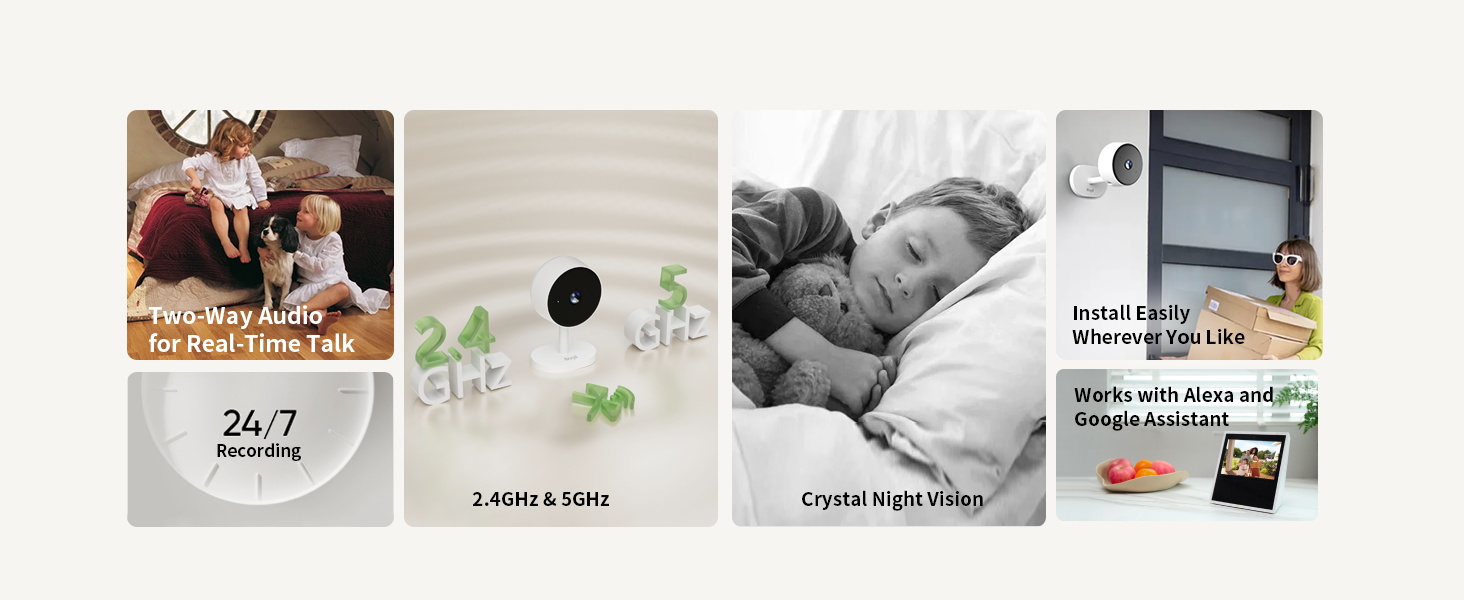
Figure 4: Examples of mounting the camera on a desk, wall, or ceiling.
5. Operating the Camera
5.1. Live View and Recording
- Open the CareCam Pro app and select your camera to view the live feed.
- Use the app interface to manually record video or capture snapshots.
- The camera supports continuous recording to a microSD card (not included) or event-based recording to cloud storage.
5.2. Two-Way Audio
- Tap the microphone icon in the app to speak through the camera's speaker.
- The camera's built-in microphone will transmit audio to your phone.
5.3. Night Vision
The camera automatically switches to night vision mode in low-light conditions, providing clear black and white footage. You can also manually control night vision settings within the app.

Figure 5: Illustrates the camera's 2K image quality and clear night vision capabilities.
5.4. AI Motion Detection and Alerts
- Enable AI Motion Detection in the app settings to receive instant push notifications on your phone when human motion is detected.
- An optional built-in siren can be activated to deter unwanted activity.
5.5. Smart Home Integration
- To connect with Amazon Alexa: Search for "Carecam pro" in the Alexa app, enable the skill, and link your account. You can then use voice commands like "Alexa, show me the living room camera."
- To connect with Google Home: Follow similar steps within the Google Home app to link the CareCam Pro service.
Video 1: Demonstrates the process of connecting the Alaga camera to Amazon Alexa for voice control and live viewing.
6. Maintenance
- Cleaning: Use a soft, dry cloth to clean the camera lens and body. Avoid harsh chemicals or abrasive materials.
- Software Updates: Regularly check the CareCam Pro app for firmware updates to ensure optimal performance and security.
- Storage Management: If using a microSD card, periodically review and delete old footage to free up space. Manage cloud storage subscriptions as needed.
7. Troubleshooting
| Problem | Solution |
|---|---|
| Camera not connecting to Wi-Fi. | Ensure your Wi-Fi password is correct and the camera is within range of your router. Try restarting your router and the camera. Verify that your Wi-Fi network supports both 5GHz and 2.4GHz. |
| Poor video quality. | Check your internet connection speed. Ensure the camera lens is clean. Adjust the camera's position for optimal lighting. |
| No motion detection alerts. | Verify that AI Motion Detection is enabled in the app settings. Check notification settings on your phone. Ensure the camera's view is not obstructed. |
| Two-way audio not working. | Check microphone and speaker settings in the app. Ensure your phone's volume is up. Test the feature in a quiet environment. |
8. Technical Specifications
| Feature | Detail |
|---|---|
| Model Number | 1303A |
| Video Resolution | 2K (2304p) |
| Connectivity | Dual-Band Wi-Fi (5GHz & 2.4GHz), Bluetooth |
| Night Vision Range | Up to 30 feet |
| Storage Options | microSD card (up to 256GB), Cloud Storage (optional) |
| Audio | Two-Way Audio |
| Power Source | Corded Electric (USB Type-C) |
| Dimensions (L x W x H) | 4.46 x 1.97 x 2.76 inches |
| Item Weight | 6.7 ounces (0.19 Kilograms) |
| Material | Plastic |
| Compatibility | Amazon Alexa, Google Home |
9. Warranty Information
Specific warranty details for the Alaga 1303A 2K Indoor Security Camera are typically provided with your purchase documentation or can be found on the official Alaga website. Please retain your proof of purchase for warranty claims.
10. Customer Support
For further assistance, technical support, or inquiries regarding your Alaga 1303A camera, please refer to the contact information provided in your product packaging or visit the official Alaga support website. You can also check the Alaga Brand Store for additional resources.