
1. Introduction
This manual provides detailed instructions for setting up and using your Eremolz RC73 Simple Infrared Learning Remote Control. This remote is designed for ease of use, featuring large buttons and a simplified layout, making it ideal for seniors or individuals who prefer a straightforward control experience. It is a learning remote, meaning it can replicate functions from your existing infrared remote controls for devices such as TVs, set-top boxes, and DVD players.
Please read this manual carefully before use to ensure proper operation and to maximize the benefits of your new remote control.
2. Important Safety Information
- Keep the remote control away from water and excessive moisture.
- Avoid dropping the remote control or subjecting it to strong impacts.
- Do not attempt to disassemble or modify the remote control. This will void the warranty.
- Dispose of used batteries responsibly according to local regulations.
- Ensure correct battery polarity when inserting new batteries.
- This remote operates using infrared (IR) technology. It is not compatible with Bluetooth, voice-controlled, or radio frequency (RF) devices.
3. Package Contents
- Eremolz RC73 Simple Infrared Learning Remote Control
- Instruction Manual (this document)
Note: 2x AAA batteries are required and are not included in the package.
4. Product Overview
The Eremolz RC73 remote control features a simplified layout with essential buttons for common functions. It is designed for comfortable grip and easy identification of buttons.

Image 4.1: Front and back view of the Eremolz RC73 remote control, showing the large, clearly labeled buttons on the front and the battery compartment on the back.
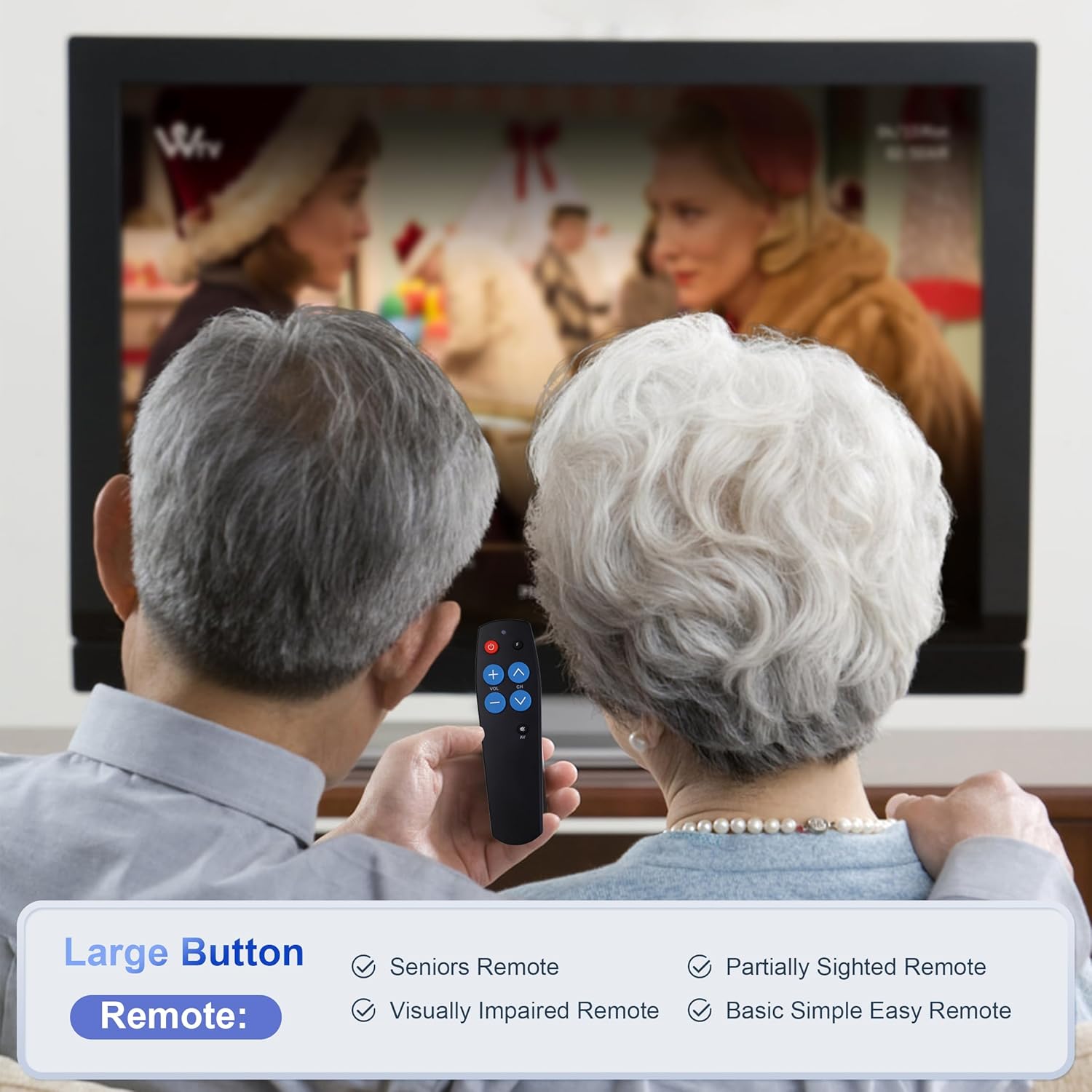
Image 4.2: Close-up of the Eremolz RC73 remote control highlighting its large, easy-to-press buttons for power, volume, and channel control.
Button Functions:
- Power Button (Red): Turns your device on or off.
- Volume Up/Down (+/- Blue): Adjusts the volume level.
- Channel Up/Down (Arrows Blue): Changes the channel.
- AV Button: Switches input sources (e.g., TV, HDMI 1, HDMI 2).
- F Button: (Function button, typically for learning an additional function if needed).
5. Setup and Learning Instructions
The Eremolz RC73 is a learning remote control. It needs to be programmed using your original infrared remote control. Ensure your original remote is functional and has working batteries.
5.1. Battery Installation
- Open the battery compartment cover on the back of the Eremolz RC73 remote.
- Insert 2x AAA batteries, ensuring correct polarity (+ and -).
- Close the battery compartment cover securely.
5.2. Learning Process (Programming Buttons)
This remote only works with infrared (IR) remotes. To confirm if your original remote is IR, point your phone camera at the remote's emitter and press a button. If you see a light flash on your screen, it's an IR remote.

Image 5.1: Illustration showing the alignment of two remote controls (original and learning remote) for infrared signal transfer during the learning process.
Follow these steps to program each button:
- Step 1: Prepare for Learning
Place the sending end (IR emitter) of your original remote control and the receiving end (IR receiver) of the Eremolz RC73 remote facing each other. The distance between them should be approximately 2-5 cm (0.8-2 inches).
- Step 2: Enter Learning Mode
Press and hold the POWER button and the CH (Channel Up) button on the Eremolz RC73 simultaneously for about 3 seconds. The LED indicator on the Eremolz RC73 will start blinking constantly, indicating it is in learning mode.
- Step 3: Select Button to Learn
Press the button on the Eremolz RC73 that you wish to program (e.g., the POWER button). The LED will stop blinking and remain lit, waiting for a signal.
- Step 4: Transmit Signal from Original Remote
While the Eremolz RC73's LED is lit, press and hold the corresponding button on your original remote control (e.g., the original POWER button) for about 3 seconds. The Eremolz RC73's LED will blink 3 times quickly, then turn into a constant blink, indicating successful learning for that button.
If the LED does not blink 3 times, adjust the distance or angle between the remotes and repeat Step 3 and Step 4.
- Step 5: Learn Other Buttons
To program other buttons (Volume Up, Volume Down, Channel Down, AV, F), repeat Step 3 and Step 4 for each desired button.
- Step 6: Exit Learning Mode
Once all desired buttons are programmed, press the POWER button and the CH (Channel Up) button on the Eremolz RC73 simultaneously again. The LED indicator will turn off, signifying that the remote has exited learning mode and saved the programmed functions.
Important Note: The learning remote control will automatically exit learning state if no button is pressed for 10 seconds.

Image 5.2: Visual guide illustrating the six steps of the learning process for the Eremolz RC73 remote control.
5.3. Official Setup Video Guide
Video 5.1: An official video guide demonstrating the step-by-step process of setting up and programming the Eremolz RC73 learning remote control. This video visually explains how to align the remotes and transfer infrared signals for each button.
6. Operating Instructions
Once programmed, the Eremolz RC73 remote control functions like your original remote for the learned buttons. Simply point the remote at your device (TV, set-top box, DVD player) and press the desired button.
- To turn your device on or off, press the POWER button.
- To increase volume, press the Volume Up (+) button. To decrease volume, press the Volume Down (-) button.
- To change to the next channel, press the Channel Up (^) button. To change to the previous channel, press the Channel Down (v) button.
- To switch input sources (e.g., between TV and HDMI), press the AV button.

Image 6.1: The Eremolz RC73 remote control in use, demonstrating its strong signal transmission for effective control of devices.
7. Maintenance
- Cleaning: Use a soft, dry cloth to clean the remote control. Do not use liquid cleaners or abrasive materials.
- Battery Replacement: When the remote control's performance degrades or the LED indicator does not light up, it's time to replace the batteries. Always replace both AAA batteries at the same time.
- Storage: If the remote control will not be used for an extended period, remove the batteries to prevent leakage and damage.
8. Troubleshooting
| Problem | Possible Cause | Solution |
|---|---|---|
| Remote does not respond. | Dead or incorrectly inserted batteries. | Replace batteries with new AAA batteries, ensuring correct polarity. |
| Some buttons do not work after learning. | Learning process was incomplete or unsuccessful for specific buttons. | Repeat the learning process (Section 5.2) specifically for the non-working buttons. Ensure proper alignment and distance during learning. |
| LED does not blink 3 times during learning. | Original remote signal not received correctly; distance/angle issue. | Adjust the distance (2-5 cm) and angle between the two remotes. Ensure the IR emitters are directly facing each other. Try again. |
| Remote does not control my device (e.g., Virgin TV box, Xfinity). | Device uses Bluetooth, RF, or voice control, not infrared. | This remote is only compatible with infrared (IR) remote controls. Verify your device's original remote uses IR technology. |
| Remote exits learning mode too quickly. | No button pressed within 10 seconds during learning. | Ensure you press a button on the Eremolz RC73 within 10 seconds of entering learning mode, and then press the corresponding button on the original remote promptly. |
9. Specifications
| Feature | Detail |
|---|---|
| Model Number | RC73 |
| Brand | Eremolz |
| Compatibility | Infrared (IR) remote controls for TV, Set-Top Box, DVD/Blu-ray Player |
| Power Source | 2x AAA Batteries (not included) |
| Dimensions | Approximately 3 x 1 x 2 inches |
| Item Weight | Approximately 2.11 ounces |
| Max Number of Supported Devices | 1 (Learns functions from one original remote at a time) |
| Special Feature | Learning Function for Infrared Remotes |
10. Warranty and Support
Eremolz provides a 360-day warranty return service for this product if you are not satisfied. For any inquiries or support needs, please contact Eremolz customer service. All customer inquiries are typically replied to within 12 hours.
For further assistance, please refer to the seller's contact information on the product purchase page.