
Introduction
Thank you for choosing the iKF Metal Wireless Bluetooth Over-Ear Headphones. These headphones are designed to provide a high-quality audio experience with advanced features such as Active Noise Cancellation (ANC), Hi-Res 40mm drivers, 5-Mic Environmental Noise Cancellation (ENC) for clear calls, and extended playback time. This manual will guide you through the setup, operation, and maintenance of your new headphones.
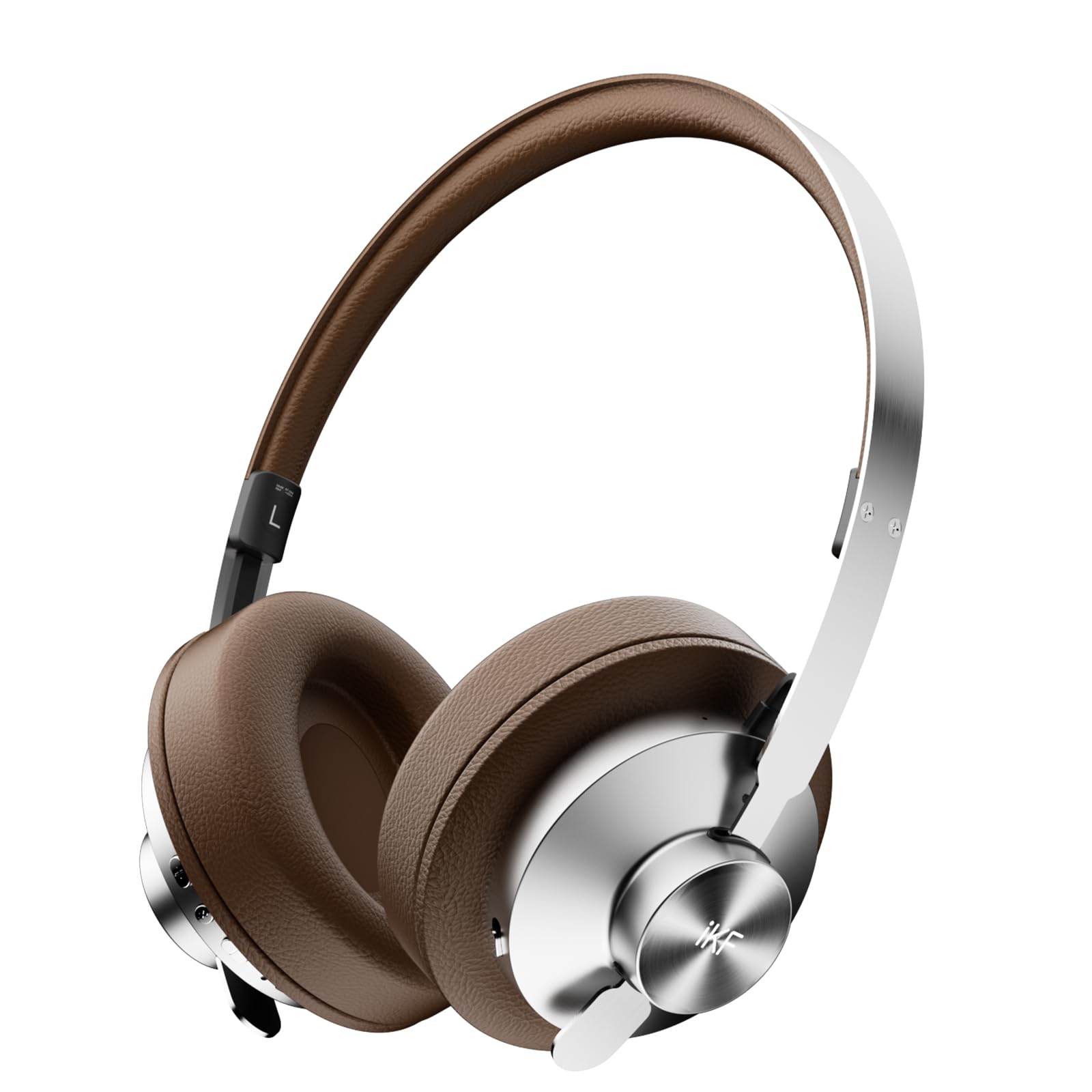
Image: iKF Metal Wireless Bluetooth Over-Ear Headphones, showcasing their design.
What's in the Box
- iKF Metal Wireless Bluetooth Over-Ear Headphones
- Charging Cable
- User Manual
Product Overview
Familiarize yourself with the various components and controls of your iKF Metal headphones.
Video: How to use iKF Metal Headphones. This video demonstrates the key display and functions of the headphones.
Controls and Ports:
- Power Button: Used to turn the headphones on/off.
- Aux-in Port: For wired audio connection using a 3.5mm cable.
- Charging Port: USB-C port for charging the headphones.
- MFB (Multi-Function Button): Controls playback, calls, and mode switching.
- '+' Button: Volume up, Next track.
- '-' Button: Volume down, Previous track.

Image: Close-up of the headphone earcup, highlighting the replaceable earcups and metal construction.
Setup
First-Time Bluetooth Pairing
- Ensure your headphones are charged.
- Slide the Power Button to the 'ON' position. You will hear an audible prompt indicating the headphones are powered on and ready for pairing.
- On your mobile device, navigate to the Bluetooth settings and enable Bluetooth.
- Search for available devices and select "iKF Metal" from the list.
- Once connected, you will hear a confirmation prompt.
For a visual guide on first-time pairing, refer to the video below (segment 0:08 - 0:22).
Video: Demonstrates the initial Bluetooth pairing process for the iKF Metal headphones.
Operating Instructions
Power On/Off
- Power On: Slide the Power Button to 'ON'.
- Power Off: Slide the Power Button to 'OFF'.
See the video for a demonstration (segment 0:23 - 0:34).
Media Functions
- Volume Up: Single tap the '+' button.
- Volume Down: Single tap the '-' button.
- Next Track: Long press the '+' button for 2 seconds.
- Previous Track: Long press the '-' button for 2 seconds.
- Play/Pause: Single tap the MFB.
Refer to the video for a visual guide on media controls (segment 0:35 - 0:51).
Call Functions
- Answer Incoming Call: Single tap the MFB.
- End Call: Single tap the MFB.
- Reject Call: Long press the MFB for 2 seconds.
The video demonstrates call functions (segment 0:52 - 1:05).
Mode Switching (Noise Reduction & Audio Modes)
- Noise Reduction Mode Cycle: Long press the MFB to cycle through ANC Mode, Transparent Mode, and Anti-wind Noise Mode.
- Adaptive Noise Reduction On/Off: Double-tap the MFB.
- Audio Mode Switching: Triple tap the MFB to loop switch between Movie Mode (2 prompt tones), Game Mode (3 prompt tones), and Music Mode (1 prompt tone).
Watch the video for a demonstration of mode switching (segment 1:06 - 1:31).
Video: Demonstrates various operating functions including power, media, calls, and mode switching.

Image: iKF Metal headphones with a smartphone displaying the companion app for personalized sound control.
Maintenance
- Cleaning: Use a soft, dry cloth to clean the headphones. Do not use abrasive cleaners or solvents.
- Storage: Store the headphones in a cool, dry place, away from direct sunlight and extreme temperatures.
- Battery Care: To prolong battery life, avoid fully discharging the headphones frequently. Charge them regularly.
- Water Resistance: These headphones are not water-resistant. Avoid exposure to liquids.
Troubleshooting
Common Issues and Solutions:
- Headphones not powering on: Ensure the headphones are charged. Connect them to a power source using the charging cable.
- Unable to pair via Bluetooth:
- Ensure Bluetooth is enabled on your device and the headphones are in pairing mode.
- Move the headphones closer to your device.
- Clear previous Bluetooth connections on your device and try again.
- Perform a reset operation (see below).
- No sound or low volume:
- Check the volume levels on both the headphones and your connected device.
- Ensure the headphones are properly connected via Bluetooth or AUX cable.
- Try playing audio from a different source or application.
- Poor call quality:
- Ensure the microphone is not obstructed.
- Move to an environment with less background noise.
- Check your device's call settings.
Reset Operation
If you experience persistent issues, you can reset the headphones to clear Bluetooth pairing information:
- In the power-on state, long press the '+' button and '-' button simultaneously for 5 seconds.
- The headphones will clear all previous Bluetooth pairing information and enter re-pairing state.
A visual demonstration of the reset operation is available in the video (segment 1:32 - 1:42).
Specifications
| Feature | Detail |
|---|---|
| Model Name | iKF Metal |
| Noise Control | Active Noise Cancellation, Sound Isolation |
| Connectivity Technology | Bluetooth, Wired (3.5 mm Jack) |
| Wireless Communication Technology | Bluetooth 5.4 |
| Audio Driver Size | 40 Millimeters |
| Battery Life | 75 Hours |
| Charging Time | 2 Hours |
| Control Type | Button Control/App Control |
| Microphone | 5-Mic Array with ENC |
| Material | Leather, Metal, Plastic |
| Item Weight | 1.6 Pounds |
| Water Resistance Level | Not Water Resistant |
| Special Features | Adjustable Headband, Detachable Cable, Microphone Included, Multipoint Pairing, Noise Cancellation |

Image: Illustrates the impressive battery life of the iKF Metal headphones, with 75 hours of playback (ANC off) and 40 hours (ANC on).
Warranty and Support
For warranty information and customer support, please refer to the documentation included with your product packaging or visit the official iKF website. The included user manual typically contains specific warranty terms and contact details for support.
You can also visit the iKF Official Store on Amazon for additional product information and support resources.