
Introduction
This Amico 52-inch Smart Ceiling Fan with Lights is designed for efficient air circulation and customizable lighting in various indoor and outdoor spaces, excluding direct rain exposure. It features a reversible DC motor, 6 adjustable fan speeds, and dimmable LED lighting with three color temperature options. Control is available via remote, mobile application, or voice commands through Alexa and Google Home.
The fan is energy-efficient, designed to reduce electricity consumption compared to traditional AC fans, and operates quietly for a comfortable environment.
Setup & Installation
Proper installation is crucial for the safe and efficient operation of your ceiling fan. Refer to the detailed instructions and diagrams provided in the user manual included with your product. Ensure all components are present before beginning installation.

Figure 1: Overview of the installation process, highlighting the availability of a manual and video for guidance.
The fan supports dual-mount types: downrod and angled (up to 15 degrees). Ensure your ceiling structure can support the fan's weight and chosen mounting style.

Figure 2: Visual guide for downrod and sloped ceiling mounting options.

Figure 3: Available downrod sizes for different ceiling heights.
App Download and Connection
To utilize smart features, download the Smart Life app. Ensure your Wi-Fi supports 2.4 GHz and Bluetooth is enabled on your device. The fan is not compatible with dimmer switches.
Video: Smart Life App Download Guide. This video demonstrates how to download the Smart Life application for controlling your fan.

Figure 4: Steps to download the Smart Life app and initiate device pairing. Scan the QR code for direct download: Smart Life App. For pairing, scan this QR code: Pairing QR Code.
Video: Smart Life App Setup Guide. This video illustrates the general setup process for connecting the fan to the Smart Life app.
Operating Instructions
Control Methods
Your Amico smart ceiling fan offers three convenient control options: remote control, mobile application (Joinin Home/Smart Life/Tuya Smart), and voice control (Alexa/Google Home).
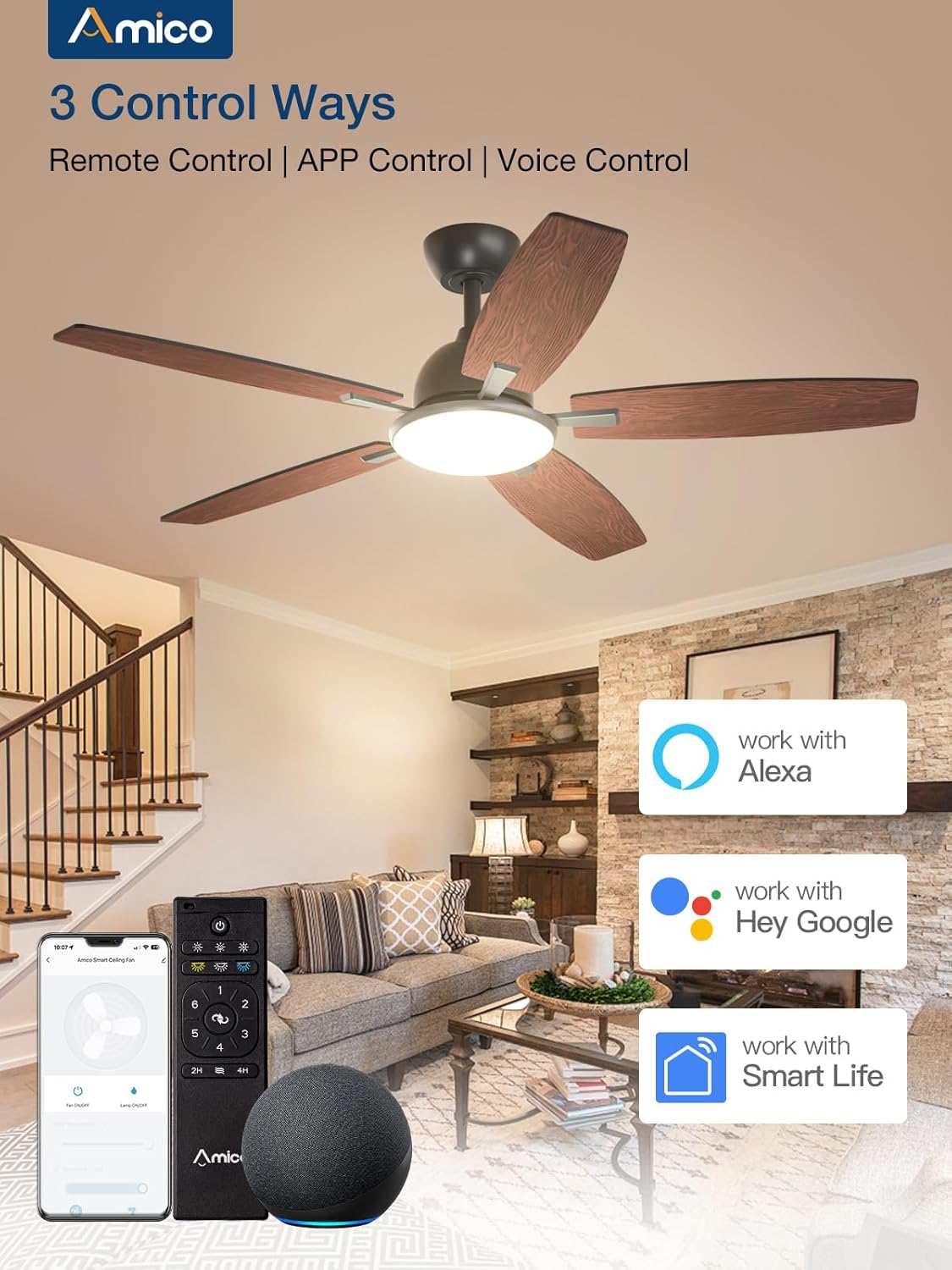
Figure 5: The three available control methods for the smart ceiling fan.

Figure 6: The remote control can be fixed and used as a wall switch.

Figure 7: Control your fan using the Smart Life mobile application.

Figure 8: Use voice commands with Alexa or Google Home for hands-free control.
Video: Alexa Connection Guide. This video demonstrates how to connect your fan to Alexa for voice control.
Fan Functions
The fan features a reversible DC motor and 6 adjustable speeds. You can select between comfortable wind, natural wind, and strong wind settings. The reversible function allows for downward airflow in summer for cooling and upward airflow in winter to circulate warm air.

Figure 9: Six adjustable fan speeds for various scenarios.

Figure 10: Reversible DC motor for year-round comfort.
A timer setting is available for 2 or 4 hours, allowing the fan to automatically shut off for convenience, especially during sleep.

Figure 11: Timer setting for automatic fan shutdown.
Light Functions
The integrated LED light is dimmable from 10% to 100% and offers three color temperature options: 3000K (warm white), 4000K (natural white), and 6000K (cold white). This allows you to customize the lighting to suit different activities and moods.

Figure 12: Customizable light with adjustable color temperature and dimming.

Figure 13: Visual representation of different light color temperatures and dimming capabilities.
The fan features a replaceable LED light kit and an ultra-large luminous surface for brighter, more even lighting.

Figure 14: Replaceable LED light kit for easy maintenance.

Figure 15: Ultra-large luminous surface for enhanced lighting.
Maintenance
To maintain optimal performance and appearance, regularly clean your ceiling fan. Ensure the power is turned off before cleaning. Use a soft, damp cloth to wipe down the blades and motor housing. Avoid using harsh chemicals or abrasive cleaners, as these can damage the finish. Periodically check all screws and connections to ensure they are secure.
The LED light kit is replaceable. If the light board is damaged or lost, please contact customer support for assistance.
Troubleshooting
If you encounter issues with your fan, such as the remote not working or app connectivity problems, try the following general steps:
- Remote Control Pairing: If the remote is unresponsive, ensure the fan is powered on. Within 10 seconds of turning on the light via the wall switch, press and hold the "Pairing" button on the remote for 5 seconds. The light will flash to indicate pairing mode.
- App Connectivity: Ensure your Wi-Fi network is 2.4 GHz and both Wi-Fi and Bluetooth are enabled on your mobile device. If the app fails to find the device, turn off the fan, wait 10 seconds, restart it, and try pairing again.
- Voice Control: For better Alexa or Google Home recognition, use clear, unique names for your fan and light (e.g., "Bedroom Fan," "Kitchen Light") to improve control accuracy.
For more detailed troubleshooting or persistent issues, please refer to the contact information in the Support section.
Specifications
| Brand | Amico |
| Model Name | KDM52PLY5B01S1 |
| Size | 52 inch |
| Color | Black |
| Electric Fan Design | Ceiling Fan |
| Power Source | DC |
| Motor Type | DC |
| Number of Power Levels | 6 |
| Special Feature | LED Light |
| Control Method | App, Remote, Voice |
| Noise Level | 20 Decibels |
| Voltage | 120 Volts |
| Wattage | 54 watts |
| Air Flow Capacity | 4869 Cubic Feet Per Minute |
| Item Weight | 13.57 pounds |
| Product Dimensions | 51.97"D x 51.97"W x 15.75"H |
| Indoor/Outdoor Usage | Indoor, Outdoor |
| Batteries | 2 AAA batteries required (included) |
Warranty & Support
Amico provides a 24-month worry-free warranty for the entire fan and a 10-year warranty for the motor. We also offer 24-hour technical support.

Figure 16: Warranty details for the fan and motor.
If you experience any issues while operating or installing your fan, you can reach out to our Customer Support via Amazon Orders or by contacting us directly:
- Email: support@amicolight.com
- Phone: +1 888-676-1042 (Monday - Friday from 9:00AM - 17:00PM ET)


