
SANSUI W26
SANSUI W26 Open-Ear Headphones User Manual
Model: W26
Introduction
Thank you for choosing SANSUI W26 Open-Ear Headphones. These true wireless Bluetooth 5.4 earphones are designed for comfort and high-quality audio, ideal for various activities including business, outdoor travel, and sports. This manual provides detailed instructions on how to set up, operate, and maintain your headphones to ensure optimal performance.
Package Contents
Please verify that all items listed below are included in your package:
- Open Ear Earbuds (2)
- Charging Case (1)
- Type-C Charging Cable (1)
- User Manual (1)

Image: Contents of the SANSUI W26 headphone package, including the earbuds, charging case, USB-C cable, and user manual.
Product Overview
The SANSUI W26 headphones feature an open-ear design for comfort and situational awareness. Familiarize yourself with the main components:

Image: The SANSUI W26 open-ear headphones resting in their transparent charging case.
Key features include:
- Open-Ear Design: Sits comfortably over the ear without entering the ear canal, allowing you to hear your surroundings.
- Earhook: Provides a secure and stable fit for various activities.
- Touch Control Button: Located on each earbud for managing playback, calls, and voice assistant.
- Charging Case: Protects and recharges the earbuds, extending battery life.
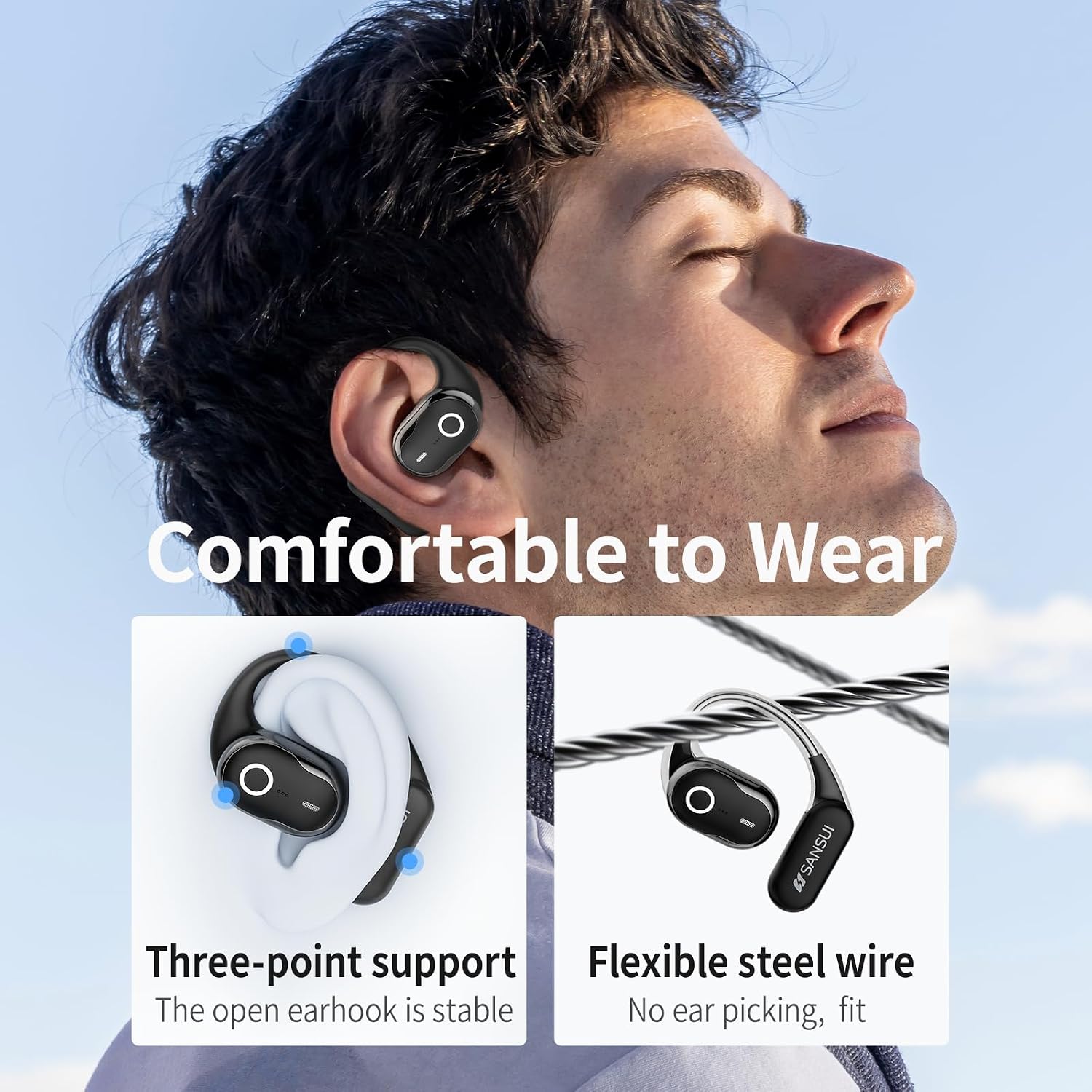
Image: A person wearing the SANSUI W26 headphones, highlighting the comfortable three-point support and flexible steel wire design.
Setup
1. Charging the Headphones and Case
Before first use, fully charge the headphones and the charging case.
- Connect the provided Type-C charging cable to the charging port on the case and a USB power source.
- The charging case takes approximately 2 hours to fully charge.
- A single charge of the earbuds provides up to 6 hours of playback. The charging case offers an additional 36 hours of power, totaling up to 48 hours of playtime.

Image: Visual representation of SANSUI W26 battery life: 6 hours single charge, 36 hours with charging case, 2 hours charging time.
2. Pairing with Your Device
The SANSUI W26 headphones utilize Bluetooth 5.4 for a stable and fast connection.
- Ensure your device's Bluetooth is turned on.
- Open the charging case. The earbuds will automatically enter pairing mode.
- On your device, search for "SANSUI W26" in the Bluetooth settings and select it to connect.
- Once paired, the earbuds will automatically connect to your device when taken out of the charging case for future use.

Image: Diagram illustrating the benefits of Wireless 5.4 technology in SANSUI W26 headphones: faster connection, lower power consumption, and stronger signal.
Operating Instructions
The SANSUI W26 headphones feature intuitive button controls on each earbud.
Music Playback Control
- Play/Pause: Double tap the function button on either earbud.
- Previous Track: Triple tap the Left function button.
- Next Track: Triple tap the Right function button.
- Volume +/-: Adjust volume directly from your connected device.
Call Management
- Answer/End Call: Double tap the function button on either earbud.
- Reject Call: Press and hold the function button for 2 seconds.
Voice Assistant
- Activate Voice Assistant: Press and hold the Left function button for 2 seconds.
Game/Music Mode
- Switch Mode: Press and hold the Right function button for 2 seconds.

Image: Diagram showing the various button controls for SANSUI W26 headphones, including play/pause, track skipping, call management, voice assistant, and game/music mode.
Sound Quality and Noise Cancelling
The SANSUI W26 features 14.2mm graphene drivers for clear, balanced sound and ENC noise cancelling for crystal clear calls.
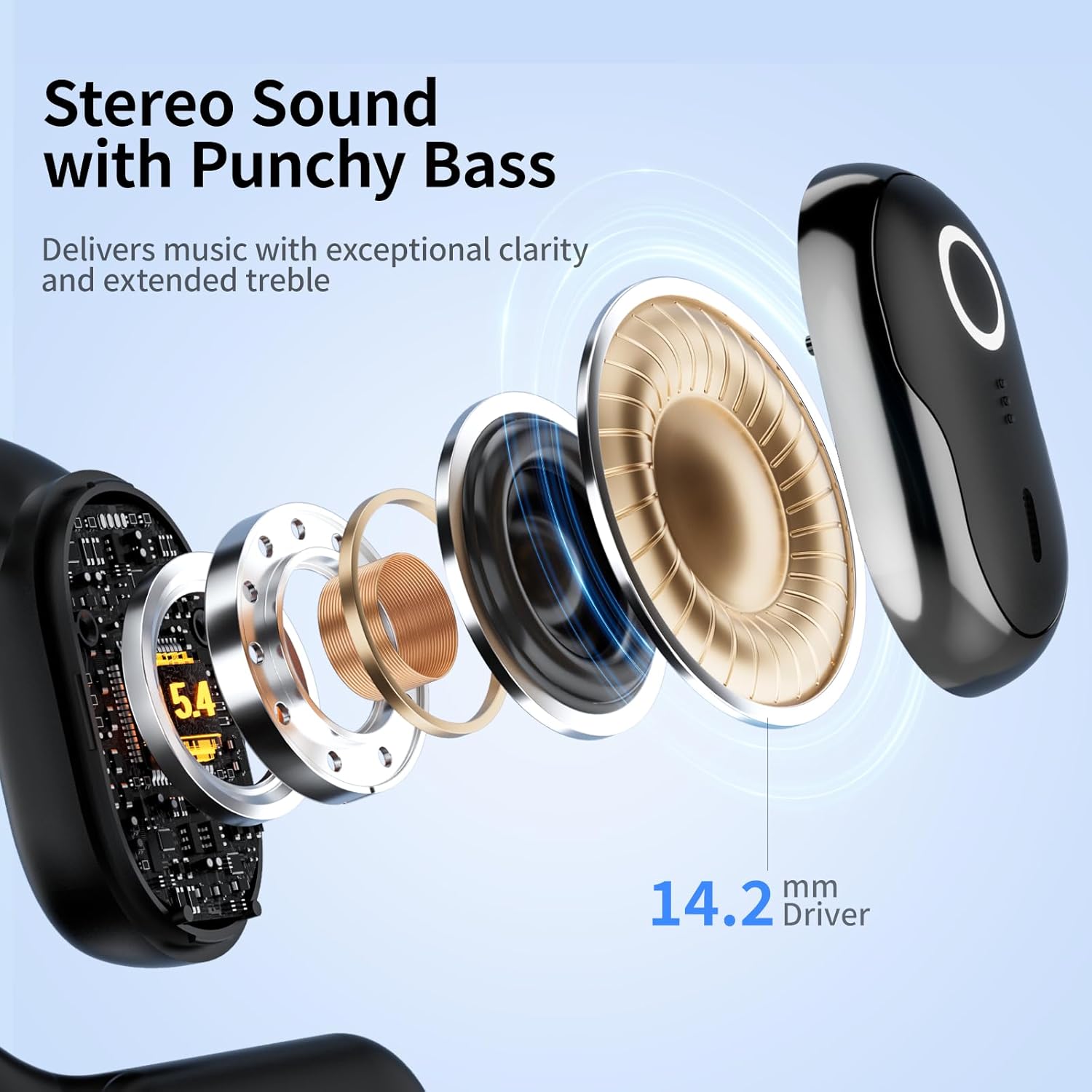
Image: Exploded view of the SANSUI W26 earbud highlighting the 14.2mm driver for stereo sound with punchy bass.
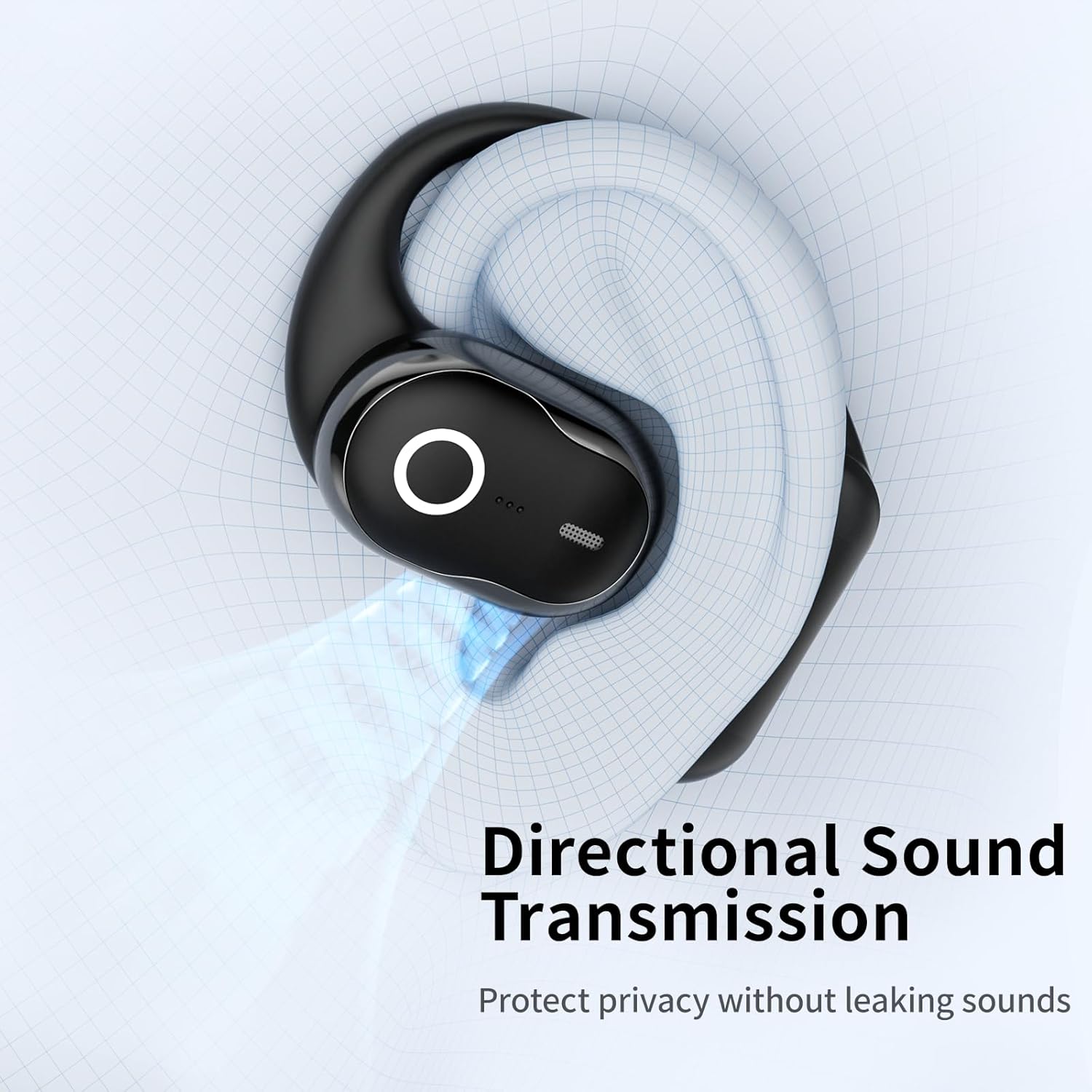
Image: Diagram showing directional sound transmission from the SANSUI W26 earbud, designed to protect privacy without leaking sounds.
Maintenance
Cleaning
- Wipe the earbuds and charging case with a soft, dry, lint-free cloth.
- Do not use abrasive cleaners, alcohol, or chemical sprays.
- Ensure the charging contacts on both the earbuds and the case are clean and dry.
Storage
- Store the headphones in their charging case when not in use to protect them and keep them charged.
- Avoid storing in extreme temperatures or high humidity.
Troubleshooting
If you encounter issues with your SANSUI W26 headphones, refer to the following common solutions:
| Problem | Solution |
|---|---|
| Headphones do not turn on. | Ensure the charging case and earbuds are fully charged. Place earbuds back in the case and remove them again. |
| Cannot pair with device. | Make sure Bluetooth is enabled on your device. Ensure earbuds are in pairing mode (open case). Forget "SANSUI W26" from your device's Bluetooth list and try pairing again. Move closer to your device. |
| No sound or low volume. | Check the volume level on both your device and the headphones. Ensure headphones are properly connected. Recharge the earbuds. |
| One earbud has no sound. | Place both earbuds back into the charging case, close the lid, wait a few seconds, then open and try again. Ensure both earbuds are charged. |
| Connection is unstable. | Move closer to your device and away from sources of interference (e.g., Wi-Fi routers, other Bluetooth devices). Recharge the earbuds. |
Specifications
Detailed technical specifications for the SANSUI W26 Open-Ear Headphones:
| Model Name | W26-Black |
| Connectivity Technology | Wireless (Bluetooth 5.4) |
| Bluetooth Range | 10 Meters |
| Audio Driver Size | 14.2 Millimeters |
| Frequency Response | 20 Hz - 20,000 Hz |
| Battery Life (Earbuds) | Up to 6 hours (single charge) |
| Total Playtime with Case | Up to 48 hours |
| Charging Time | 2 Hours (for case) |
| Charging Case Battery Capacity | 400 Milliamp Hours |
| Control Type | Touch Control |
| Water Resistance Level | Water Resistant |
| Item Weight | 5.9 ounces |
| Material | Silicone, Plastic, Acrylonitrile Butadiene Styrene (ABS) |
Warranty and Support
SANSUI products are designed for reliability and performance. For any questions, technical support, or warranty claims, please contact SANSUI customer service.
While specific warranty details are not provided in this manual, SANSUI offers quality support. Please refer to the product packaging or the official SANSUI website for the most up-to-date warranty information.
For further assistance, you may visit the SANSUI Store on Amazon.

Image: SANSUI customer support details, including 24/7 quick reply, free replacement, faster delivery, and lifetime quality support.
Related documentsW26

Ask a question about this manual
Ask about setup, troubleshooting, compatibility, parts, safety, or missing instructions. Manuals+ will review the question and use this page’s manual context to help answer it.