
Introduction
Thank you for choosing the LuminFan 46-inch Flush Mount Ceiling Fan. This manual provides essential information for the safe installation, operation, and maintenance of your new ceiling fan. Please read all instructions carefully before beginning installation and retain this manual for future reference.
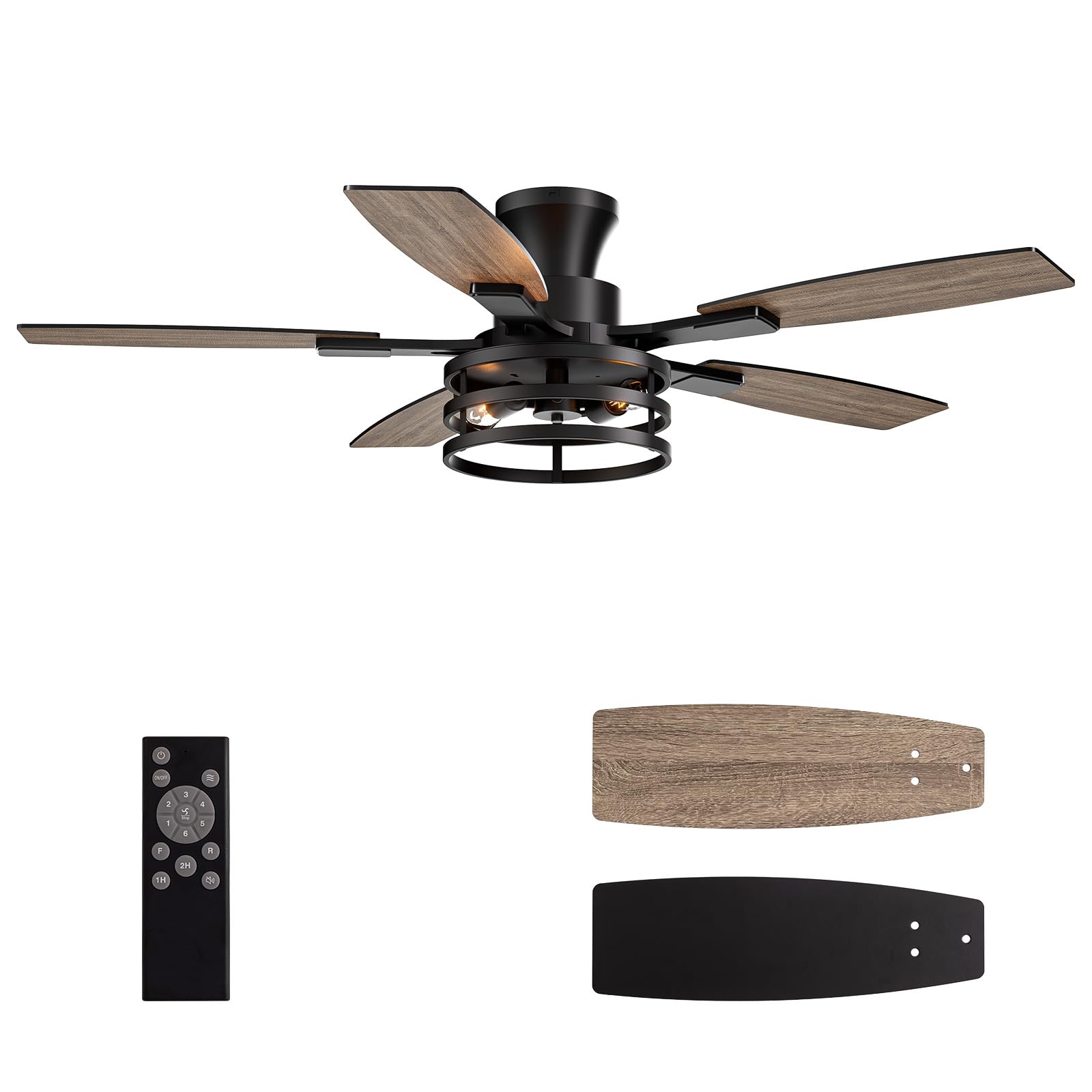
Image: The LuminFan 46-inch flush mount ceiling fan, featuring a black finish and wood-tone blades, designed for both air circulation and lighting.
Safety Information
To reduce the risk of electrical shock, fire, or personal injury, always follow these basic safety precautions:
- Read all instructions and safety information before installing your fan.
- All wiring must be in accordance with national and local electrical codes. Consult a qualified electrician if you are unsure about wiring procedures.
- Before installation, disconnect power by turning off the circuit breakers at the main fuse box.
- Ensure the installation site can support the fan's weight (approximately 12 pounds).
- Do not operate the fan with damaged blades or housing.
- Avoid placing objects in the path of the fan blades.
Setup and Installation
This section outlines the steps for installing your LuminFan ceiling fan. Professional installation is recommended for electrical work.
Package Contents
Verify that all components are present before beginning installation. Refer to the packing list provided with your fan.
Tools Required (Not Included)
- Phillips screwdriver
- Flathead screwdriver
- Adjustable wrench
- Wire strippers
- Electrical tape
- Ladder
Mounting Options and Dimensions
The fan supports both flush mount and downrod mount installations. Ensure your ceiling box is rated for ceiling fan support.

Image: Diagram showing the fan's dimensions (14 inches height, 50.4 inches width) and illustrating both angled and downrod mounting options. Suitable for rooms up to 400 sq. ft.
Wiring and Assembly
Follow the detailed wiring diagrams and assembly instructions provided in the separate installation guide included with your product. Ensure all electrical connections are secure and properly insulated.
Remote Control Pairing
After installation and power-up, pair the remote control with the fan. Typically, this involves pressing and holding a specific button on the remote within a short timeframe after restoring power to the fan. Refer to your specific remote control instructions for exact pairing steps.
Installation Video Guide
For a visual guide on the installation process, please refer to the official LuminFan installation video:
Video: Official LuminFan installation guide for the 46-inch flush mount caged ceiling fan (Model 8837X). This video demonstrates the step-by-step assembly and mounting process.
Operating Instructions
Your LuminFan ceiling fan is designed for ease of use with a multi-function remote control.
Remote Control Functions

Image: The remote control for the LuminFan ceiling fan, showing buttons for power, light, fan speed (1-6), forward/reverse, and timer settings.
- Power On/Off: Press the 'FAN ON/OFF' button to turn the fan on or off.
- Light On/Off: Press the 'LIGHT ON/OFF' button to control the integrated LED light.
- Fan Speed: Use buttons '1' through '6' to select desired fan speed. '1' is the lowest speed, '6' is the highest.
- Forward/Reverse: The 'F' button activates forward rotation (cooling breeze for summer), and the 'R' button activates reverse rotation (heat circulation for winter).
- Timer: Set the fan to turn off automatically after 1, 2, or 4 hours using the '1H', '2H', '4H' buttons.
- Natural Wind: Some models may feature a 'Natural Wind' mode (often indicated by a wave icon) which cycles through different speeds to simulate a natural breeze.
- Mute Mode: If available, a mute button can silence remote beeps.
Seasonal Operation
Optimize comfort year-round by utilizing the fan's reversible motor function:
- Summer Mode (Forward Rotation): Blades rotate counter-clockwise, pushing air downwards to create a cooling effect.
- Winter Mode (Reverse Rotation): Blades rotate clockwise, drawing air upwards to circulate warm air trapped near the ceiling.

Image: Illustration showing the fan's airflow direction for summer (cooling breeze) and winter (heat circulation) modes.
DC Motor Benefits
Your fan is equipped with a DC motor, offering several advantages:
- Quiet Operation: Significantly quieter than traditional AC motors, ideal for bedrooms and living areas.
- Energy Efficiency: Consumes less power, leading to lower electricity bills.
- Multiple Speeds: Provides a wider range of speed settings for precise control.

Image: Diagram illustrating the internal DC motor and its 6-speed settings, ranging from 'Sleep' to 'Full Throttle', highlighting silent and energy-saving operation.
Product Overview Video
Watch this video for a general overview of the LuminFan caged ceiling fan's features and operation:
Video: A brief overview of the LuminFan caged ceiling fan, showcasing its design and remote control functionality.
Maintenance
Regular maintenance ensures optimal performance and extends the lifespan of your ceiling fan.
- Cleaning: Periodically clean the fan blades and motor housing with a soft, damp cloth. Do not use abrasive cleaners or solvents. Ensure power is disconnected before cleaning.
- Blade Balance: If the fan wobbles excessively, check that all blade screws are tightened and blades are properly balanced. A balancing kit (often sold separately) can be used if needed.
- Light Source: The fan uses an integrated LED light kit. LED lights are long-lasting and generally do not require frequent replacement. If the light fails, contact customer support.
- Connections: Annually check all electrical connections and mounting hardware for tightness.
Troubleshooting
Before contacting customer support, try these common troubleshooting steps:
| Problem | Possible Cause | Solution |
|---|---|---|
| Fan does not start | No power to fan; Loose wire connections; Remote not paired or battery low. | Check circuit breaker; Verify all wire connections are secure; Replace remote battery or re-pair remote. |
| Light does not work | Loose wire connection; Faulty LED driver/module. | Check light kit wiring; Contact customer support for LED module replacement. |
| Fan wobbles excessively | Loose blade screws; Unbalanced blades; Loose mounting hardware. | Tighten all blade screws; Use a blade balancing kit; Ensure mounting bracket is secure. |
| Remote not responding | Low battery; Remote not paired; Obstruction between remote and receiver. | Replace remote battery; Re-pair remote control; Ensure clear line of sight to fan. |
Specifications
Key technical specifications for the LuminFan 46-inch Flush Mount Ceiling Fan (Model FS-8837X-46-01):
| Feature | Detail |
|---|---|
| Model Number | FS-8837X-46-01 |
| Brand | LuminFan |
| Size | 46 Inch |
| Product Dimensions (D x W x H) | 53"D x 52"W x 14"H |
| Item Weight | 12 Pounds |
| Color | Black - Flush Mount |
| Material | Metal, Wood |
| Blade Material | Wood |
| Number of Blades | 5 |
| Motor Type | DC Motor |
| Wattage | 60 watts |
| Light Type | LED |
| Control Method | Remote Control |
| Number of Power Levels | 6 (Fan Speeds) |
| Indoor/Outdoor Usage | Indoor (Suitable for covered outdoor areas like patios) |
| Recommended Room Type | Bedroom, Living Room |
| Mounting Type | Flush Mount, Downrod Mount |
Warranty Information
LuminFan products are manufactured to high-quality standards and are warranted against defects in materials and workmanship. The specific warranty period and terms may vary. Please refer to the warranty card included with your product or contact LuminFan customer support for detailed information.
Customer Support
If you encounter any issues or have questions not covered in this manual, please contact LuminFan customer support. Have your model number (FS-8837X-46-01) and purchase date ready when you call or email.
For further assistance, visit the official LuminFan store on Amazon: LuminFan Store