
1. Package Contents
Verify that all items are present in the package:
- 1Mii Y8+ Hybrid Active Noise Cancelling Over Ear Bluetooth Headphones
- AUX Cable
- USB-C Charging Cable
- Headphones Pouch
- User Manual (this document)
2. Product Overview
The 1Mii AI Y8+ headphones feature Active Noise Cancellation (ANC), Hi-Res Audio with LDAC support, and AI voice chat capabilities. They are designed for comfort and portability, offering both wireless Bluetooth 6.0 and wired 3.5mm AUX connectivity.
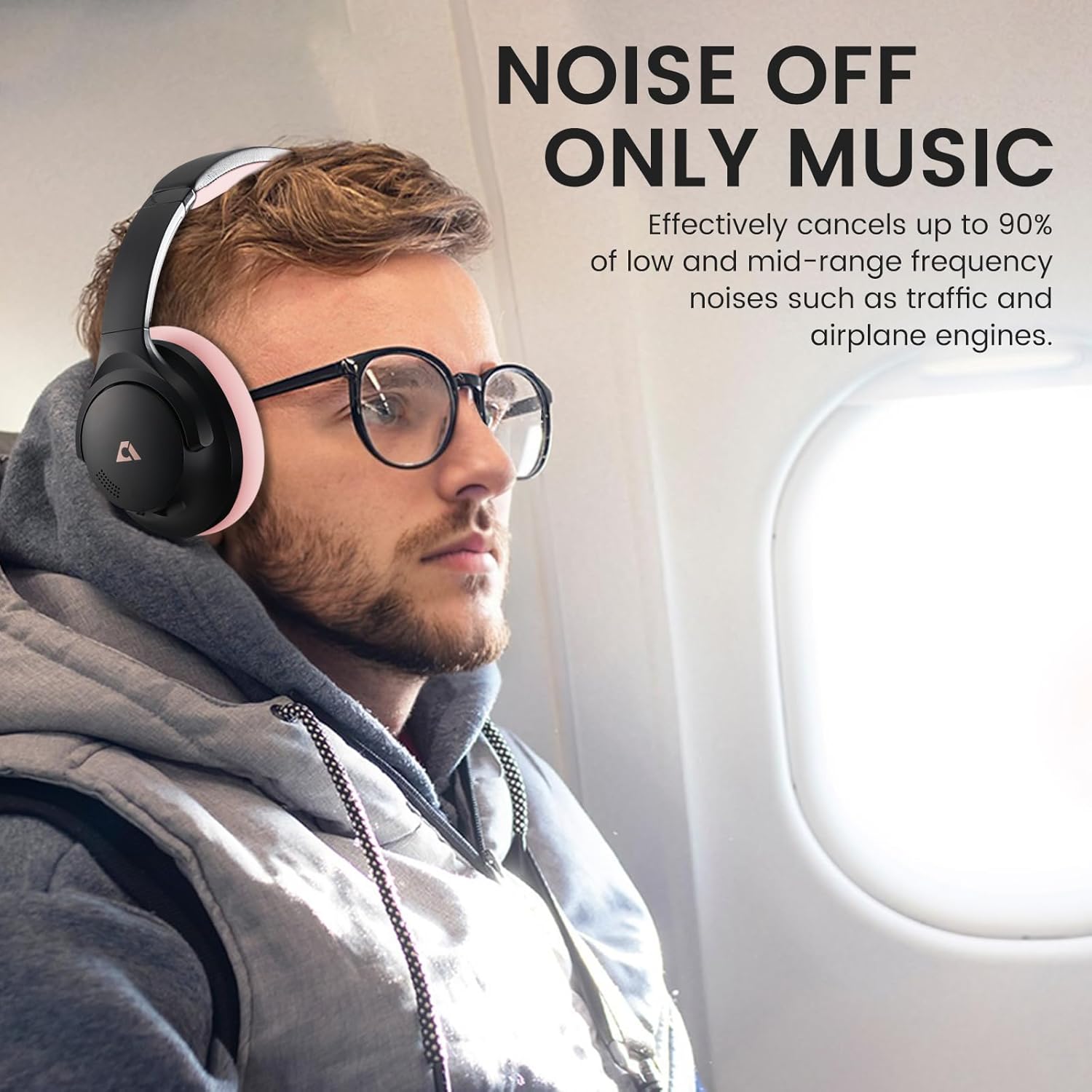
Image: 1Mii AI Y8+ Noise Cancelling Headphones, showcasing the black and pink design.
Controls and Ports:

Image: Detailed view of the headphone controls, including volume buttons, play/pause, and voice assistant activation.
- Power Button: Press and hold for 3 seconds to power ON/OFF. Hold for 5 seconds when off to enter pairing mode.
- ANC Button: Press once to cycle through Noise Cancelling, Normal, and Transparency modes. Hold for 2 seconds to switch between Noise Cancelling and Transparency modes directly.
- Volume Up (+): Press once for volume up. Hold for 1 second for next song.
- Multi-function Button (Play/Pause): Press once for Play/Pause. Press twice for Voice Assistant.
- Volume Down (-): Press once for volume down. Hold for 1 second for previous song.
- 3.5mm Audio Jack: For wired connection.
- USB-C Charging Port: For charging the headphones.
3. Setup
3.1 Charging the Headphones
Before first use, fully charge the headphones. Use the provided USB-C charging cable.
- Connect the USB-C end of the cable to the charging port on the headphones.
- Connect the USB-A end to a compatible USB power adapter (not included) or a computer's USB port.
- The LED indicator will show charging status. A full charge takes approximately 3.5 hours.

Image: The 1Mii Y8+ headphones connected to a USB-C charging cable.
Note: A 10-minute quick charge provides approximately 5 hours of playback.
3.2 Powering On/Off
- To Power On: Press and hold the Power button for 3 seconds until the LED indicator lights up.
- To Power Off: Press and hold the Power button for 3 seconds until the LED indicator turns off.
3.3 Bluetooth Pairing
- Ensure the headphones are powered off.
- Press and hold the Power button for 5 seconds until the LED indicator flashes blue and red, indicating pairing mode.
- On your device (smartphone, tablet, laptop), enable Bluetooth and search for available devices.
- Select "1Mii Y8+" from the list of devices.
- Once connected, the LED indicator will turn solid blue.
Note: For LDAC functionality, ensure your paired device supports LDAC.
3.4 Wired Connection
The headphones can also be used with a wired connection using the provided 3.5mm AUX cable.
- Plug one end of the 3.5mm AUX cable into the headphone's audio jack.
- Plug the other end into your audio source's 3.5mm port.
Important: Wired mode requires the headphones to have battery power for full functionality, including ANC. If the battery is completely dead, wired audio may not function.
4. Operation
4.1 Active Noise Cancellation (ANC) and Transparency Mode
The 1Mii Y8+ headphones feature hybrid ANC to reduce ambient noise and a Transparency mode to hear your surroundings.
Video: Demonstration of the 1Mii Y8+ Noise Cancelling Headphones' features, including ANC and sound quality.
- Press the ANC button once to cycle through:
- Noise Cancelling: Reduces external noise.
- Normal: ANC off.
- Transparency: Allows ambient sounds to pass through.
- Hold the ANC button for 2 seconds to quickly switch between Noise Cancelling and Transparency modes.
Image: A person wearing the 1Mii Y8+ headphones on an airplane, demonstrating the noise cancelling feature.
Note: While ANC significantly reduces noise, it may not completely eliminate all sounds, especially high-frequency human voices.
4.2 Music Playback and Calls
- Play/Pause: Press the Multi-function button once.
- Next Song: Hold the Volume Up (+) button for 1 second.
- Previous Song: Hold the Volume Down (-) button for 1 second.
- Volume Up: Press the Volume Up (+) button once.
- Volume Down: Press the Volume Down (-) button once.
- Answer/End Call: Press the Multi-function button once.
- Reject Call: Press and hold the Multi-function button for 2 seconds.
- Activate Voice Assistant: Press the Multi-function button twice.
4.3 AI Features (via App)
The 1Mii Y8+ headphones support AI features through a dedicated application. Download the "YeeMall" app from Google Play Store or Apple App Store.

Image: Screenshots of the YeeMall app, showing options for custom EQ, ambient sound control, and AI features.
The app enables:
- AI Voice Chat: Engage in voice conversations.
- English Practice: Utilize for language learning.
- Contextual Learning: Access learning resources.
- Real-time Translation: Supports translation across 103 languages.
- Custom EQ: Adjust sound profiles with 22 preset effects or personalized settings.
- Ambient Sound Control: Manage ANC and Transparency modes.
- Battery Level Monitoring: Check headphone battery status.
- Soothing Sleep Sounds: Access various calming sounds.
Note: Some AI features may require an active internet connection.
4.4 Dual-Device Pairing
The headphones support simultaneous connection to two Bluetooth devices.
- Ensure LDAC is turned off in the YeeMall app.
- Activate "Dual-Device Connection" within the YeeMall app settings.
- Pair the headphones with your first device.
- Put the headphones back into pairing mode and pair with the second device.
- The headphones will now be connected to both devices, allowing seamless switching.
5. Maintenance
- Cleaning: Wipe the headphones with a soft, dry cloth. Do not use abrasive cleaners or solvents.
- Storage: Store the headphones in the provided pouch when not in use to protect them from dust and scratches. Avoid extreme temperatures.
- Battery Care: To prolong battery life, avoid fully discharging the headphones frequently. Charge regularly, even if not used for extended periods.
- Water Resistance: These headphones are not water-resistant. Avoid exposure to liquids.
6. Troubleshooting
| Problem | Solution |
|---|---|
| Headphones do not power on. | Ensure the headphones are charged. Connect to a power source using the USB-C cable. |
| Cannot pair via Bluetooth. |
|
| No sound in wired mode. | Ensure the headphones have sufficient battery power. Wired mode requires power for audio output. Check cable connections. |
| ANC not effective. |
|
| Sound quality is poor. |
|
7. Specifications
| Feature | Detail |
|---|---|
| Model Name | Y8+ |
| Bluetooth Version | 6.0 |
| Bluetooth Range | 32.8 Feet (10 meters) |
| Noise Control | Active Noise Cancellation |
| Audio Driver Size | 40 mm Dynamic Drivers |
| Frequency Response | Up to 40 KHz (Hi-Res Audio) |
| Sensitivity | 105 dB |
| Impedance | 32 Ohms |
| Battery Life | Up to 100 hours (ANC off, 50% volume) / 75 hours (ANC on) |
| Charging Time | Approx. 3.5 hours |
| Charging Port | USB Type-C |
| Wired Connection | 3.5 mm Audio Jack |
| Item Weight | 268 Grams (9.5 ounces) |
| Dimensions | 7.87 x 6.42 x 3.31 inches |
| Material | Faux Leather, Memory Foam, Metal, Plastic |
8. Warranty and Support
For warranty information and technical support, please refer to the official 1Mii website or contact their customer service directly.
Online Support: Visit the 1Mii Store on Amazon for product information and support resources.
Please retain your proof of purchase for warranty claims.


