
1. Setup
1.1 Package Contents
- Smart Watch (1)
- Watch Band (1)
- Charging Cable (1)
1.2 Initial Charging
Before first use, fully charge your smart watch using the provided charging cable. Connect the magnetic end of the cable to the charging points on the back of the watch and the USB end to a compatible power adapter (not included).
1.3 App Installation and Pairing
To unlock the full functionality of your Rogbid Smart Watch, download the companion application on your iOS or Android phone. Refer to the quick start guide included in the packaging for the specific app name and QR code. Once installed, open the app and follow the on-screen instructions to pair your watch via Bluetooth 5.3 for a fast and stable connection.
2. Operating Instructions
2.1 Display and Customization
The Rogbid Smart Watch features a 2.01-inch AMOLED screen with a 380x454 resolution, offering clear and vibrant visuals. The display brightness is adjustable across 4 levels for optimal viewing in various lighting conditions. You can customize your watch face from over 200 options available in the companion app, or create personalized faces using images from your phone gallery.
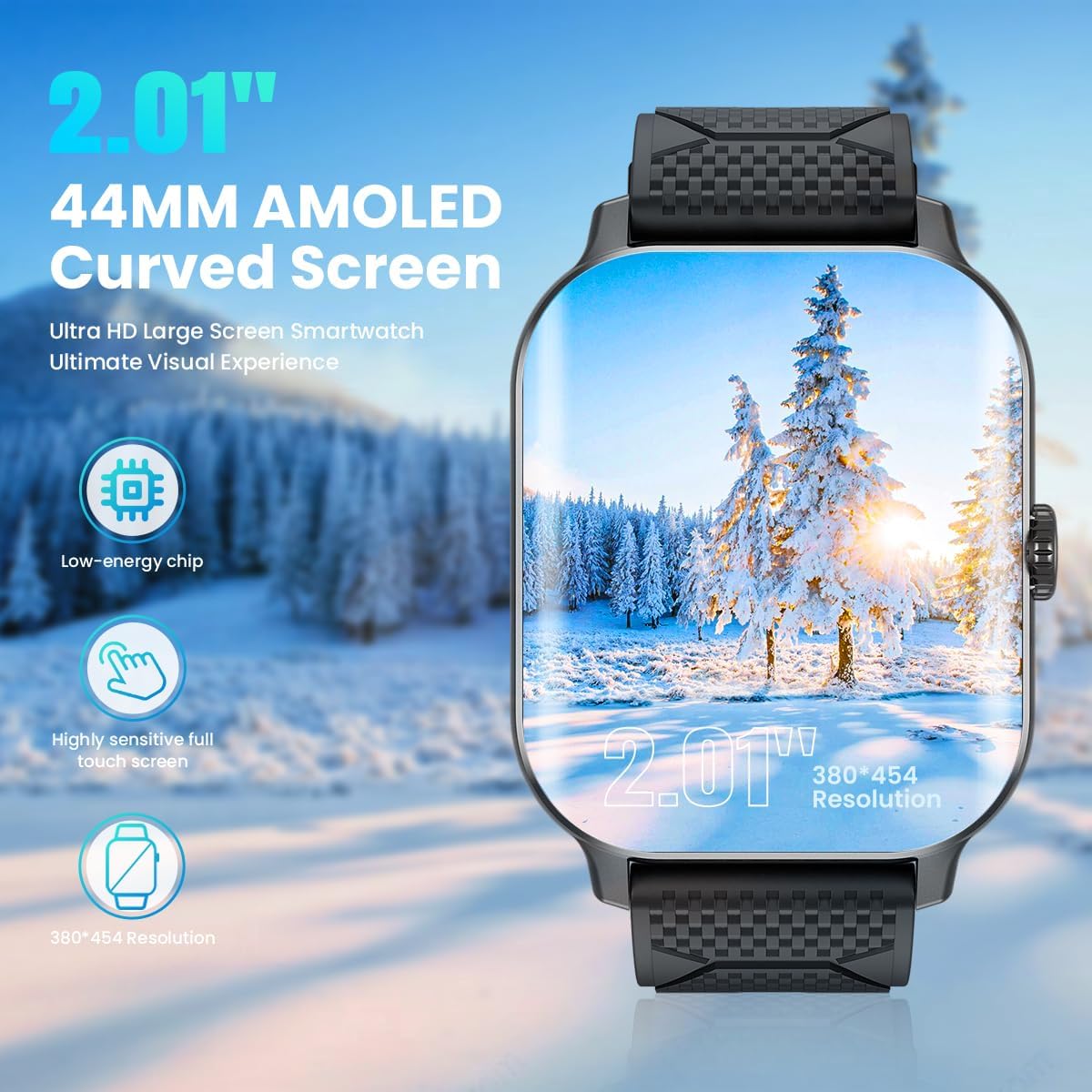
The watch features a 2.01-inch AMOLED curved screen for an enhanced visual experience.
2.2 Bluetooth Calling and Notifications
With Bluetooth 5.3, the smart watch allows you to answer and make calls directly from your wrist using its built-in microphone and HiFi speaker. You can also receive and read message notifications from various applications such as Facebook, Messenger, Instagram, Whatsapp, and Twitter. Simply raise your wrist to view incoming alerts.

The watch supports Bluetooth 5.3 for convenient call management and notification display.
2.3 Health Monitoring
The watch provides comprehensive health metrics monitoring, including 24/7 heart rate, blood oxygen (SpO2), and blood pressure. You can check these indicators at any time from your wrist. Detailed data records for the last three months are accessible within the companion app. Please note that all health data is for reference only and has no medical value.
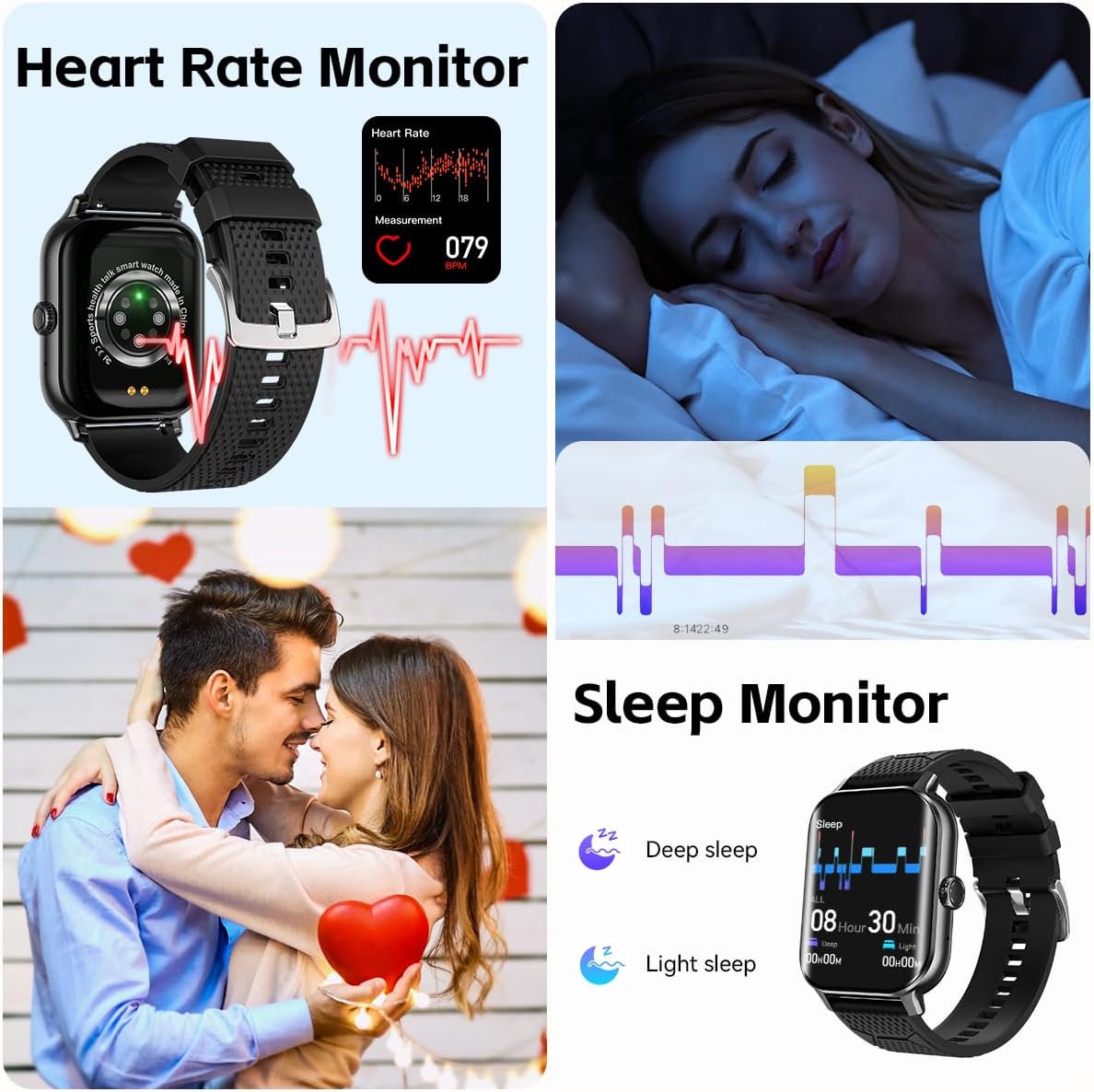
Monitor your heart rate and sleep patterns directly from your watch.
2.4 Activity Tracking and Sports Modes
The smart watch tracks your daily activity, including steps, distance, and calories burned. It supports over 120 sports modes, providing real-time data such as heart rate, steps, distance, calories burned, and duration. For outdoor activities, connect to your phone's GPS to map your workout route and pace in the app.

Track over 120 different sports activities with detailed metrics.
2.5 Convenient Life Assistant Features
The watch includes several features to assist your daily life:
- Real-time weather display
- Sedentary reminder
- Drinking water reminder
- Menstrual cycle reminder
- Remote camera control
- Flashlight function
- Calculator
- Find Phone feature
- Voice Assistant integration
You can also choose between 12-hour or 24-hour time display formats and Fahrenheit/Celsius temperature units.

The smart watch offers a variety of convenient features for daily use.
3. Maintenance
3.1 Waterproof Rating
The Rogbid Smart Watch is IP68 waterproof, meeting the requirements for most daily activities such as washing hands or exercising in the rain. However, it is important to note that it should not be used in water activities like saunas or prolonged soaking, as this may affect its waterproof integrity and lifespan.

The watch is IP68 waterproof, suitable for daily exposure to water like rinsing or sweating.
3.2 Battery Life
The watch is designed for long battery life, offering up to 14 days of daily use. Heavy use may result in approximately 7 days of battery life, while standby time can extend up to 30 days. Regular charging is recommended to maintain optimal performance.

Experience extended battery life with up to 14 days of daily use.
3.3 Cleaning and Care
To clean your smart watch, gently wipe the screen and body with a soft, dry cloth. For stubborn smudges, a slightly damp cloth can be used. Avoid using harsh chemicals or abrasive materials, as these can damage the watch's finish and components.
4. Troubleshooting
4.1 Connectivity Issues
- Watch not pairing: Ensure Bluetooth is enabled on your phone and the watch is within range. Restart both devices and try pairing again.
- Notifications not appearing: Check app permissions on your phone to ensure the companion app has access to notifications. Verify notification settings within the watch app.
4.2 Display Problems
- Screen unresponsive: Try restarting the watch. If the issue persists, ensure the screen is clean and dry.
- Display too dim/bright: Adjust the brightness settings in the watch's menu.
4.3 Health Data Inaccuracies
- Inaccurate readings: Ensure the watch is worn snugly on your wrist, not too loose or too tight. Clean the sensor on the back of the watch regularly.
- No data recorded: Verify that the specific health monitoring feature is enabled in the watch settings and the companion app.
5. Specifications
| Feature | Specification |
|---|---|
| Model Number | rowatch F12 |
| Screen Size | 2.01 Inches |
| Scanner Resolution | 380 x 454 |
| Connectivity Technology | Bluetooth 5.3 |
| Operating System | Android Wear 2.6 |
| Battery Capacity | 380 Milliamp Hours |
| Item Weight | 5.3 ounces |
| Waterproof Rating | IP68 |
| Memory Storage Capacity | 128 MB |
| RAM Memory Installed Size | 128 MB |
6. Warranty and Support
Rogbid stands behind the quality of its products. Your smart watch comes with the following:
- 2 Years Warranty: Covering manufacturing defects and malfunctions under normal use.
- 30 Days Refund Guarantee: For returns within 30 days of purchase, subject to terms and conditions.
- 24 Hours Customer Service: Dedicated support available to assist you with any inquiries or issues.

Rogbid offers comprehensive support and warranty for your product.
For further assistance, please contact our customer service team through the contact information provided in the companion app or on the official Rogbid website.


