
Strex SP298
Contents
Strex 14-in-1 Multigroomer User Manual
Model: SP298
1. Introduction
Welcome to your Strex 14-in-1 Multigroomer. This versatile grooming kit is designed for comprehensive personal care, offering solutions for beard trimming, body grooming, nose and ear hair removal, and general hair cutting. This manual provides essential information for safe operation, maintenance, and optimal performance of your device.

Image 1.1: The Strex 14-in-1 Multigroomer and its complete set of accessories, including various trimmer heads, comb attachments, charging cable, and cleaning brush.
The Strex Multigroomer is engineered for convenience and efficiency, featuring a cordless, waterproof design and a powerful motor. Its intuitive controls and informative LED display ensure a user-friendly experience. With self-sharpening stainless steel blades, it provides a smooth and precise trim.
2. Important Safety Instructions
Please read all instructions carefully before using the device for the first time. Keep this manual for future reference.
- Do not immerse the charging adapter or cable in water.
- Ensure the device is completely dry before connecting it to the charger.
- Keep the device away from children. This product is not a toy.
- Do not use the device if it is damaged or malfunctioning.
- Only use original Strex accessories and charging cables.
- Avoid exposing the device to extreme temperatures or direct sunlight.
- Do not attempt to disassemble or repair the device yourself. Contact customer support for assistance.
3. Package Contents and Components
Your Strex 14-in-1 Multigroomer package includes the following items:

Image 3.1: Overview of items included in the box: the main trimmer unit, a variety of interchangeable heads, multiple guide combs, a charging cable, a cleaning brush, a comb, and the user manual.
3.1 Main Unit
- Trimmer Body: The main handheld unit with integrated motor, battery, and LED display.
- Power Button: Located on the front for turning the device on/off and adjusting speed.
- LED Display: Shows battery percentage, usage time, charging status, cleaning reminder, and lock status.
- Charging Port: Located at the bottom for USB charging.
3.2 Included Attachments
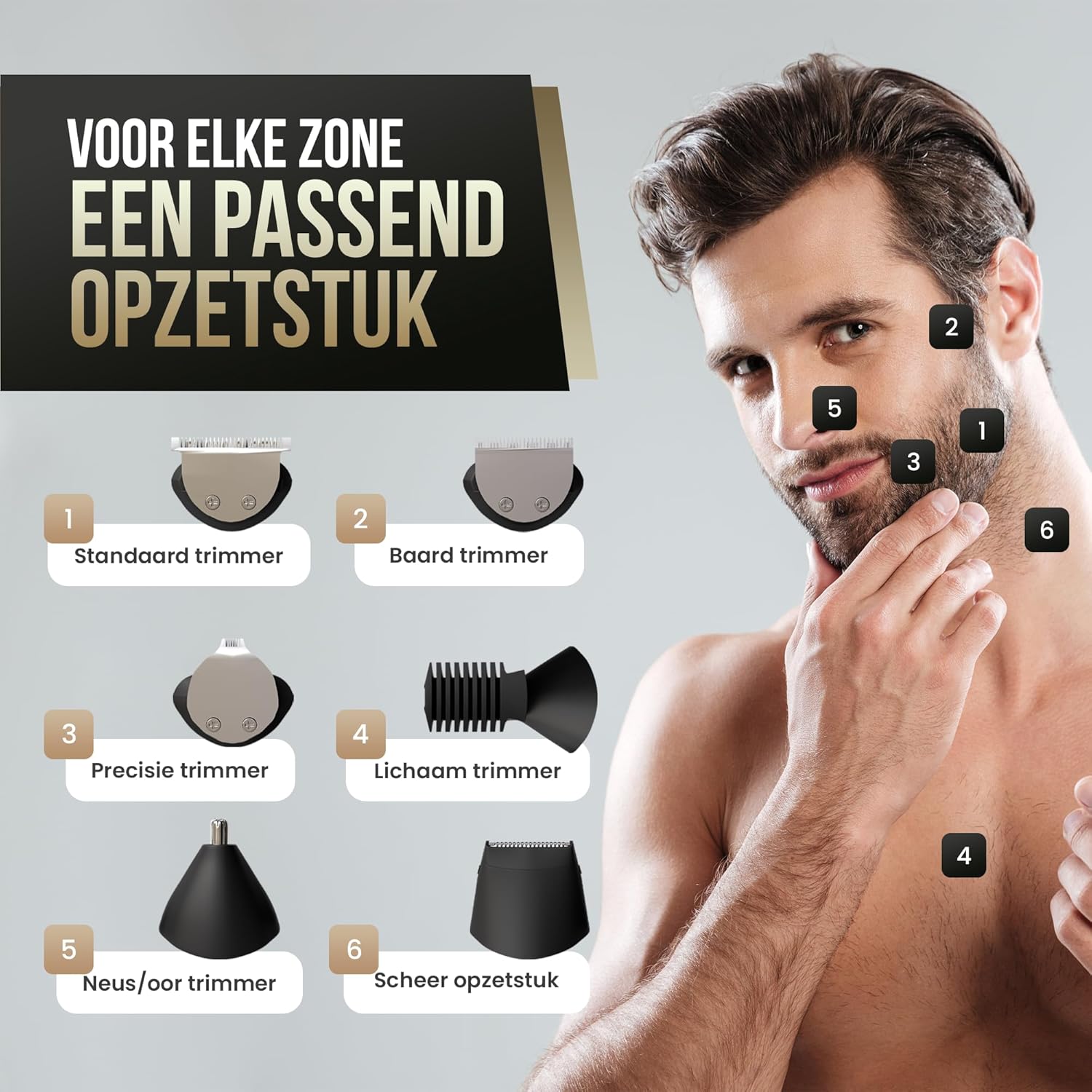
Image 3.2: Various attachments for different grooming needs, including standard trimmer, beard trimmer, precision trimmer, body trimmer, nose/ear trimmer, and shaving attachment.
- Standard Trimmer Head: For general hair cutting and shaping.
- Beard Trimmer Head: Specifically designed for beard and mustache grooming.
- Precision Trimmer Head: For detailed styling and sharp lines.
- Body Trimmer Head: For safe and comfortable body hair removal.
- Nose/Ear Trimmer Head: For gentle removal of unwanted nose and ear hair.
- Shaving Attachment: For a close, smooth finish.
- Guide Combs: 5 comb attachments (0mm, 3mm, 6mm, 9mm, 12mm) for various hair lengths.
4. Charging the Device
Before first use, fully charge your Strex Multigroomer. A full charge takes approximately 120 minutes and provides up to 90 minutes of cordless operation.
4.1 Charging Procedure
- Ensure the device is turned off.
- Insert the USB charging cable into the charging port at the bottom of the trimmer.
- Connect the other end of the USB cable to a compatible USB power source (e.g., computer, wall adapter, power bank).
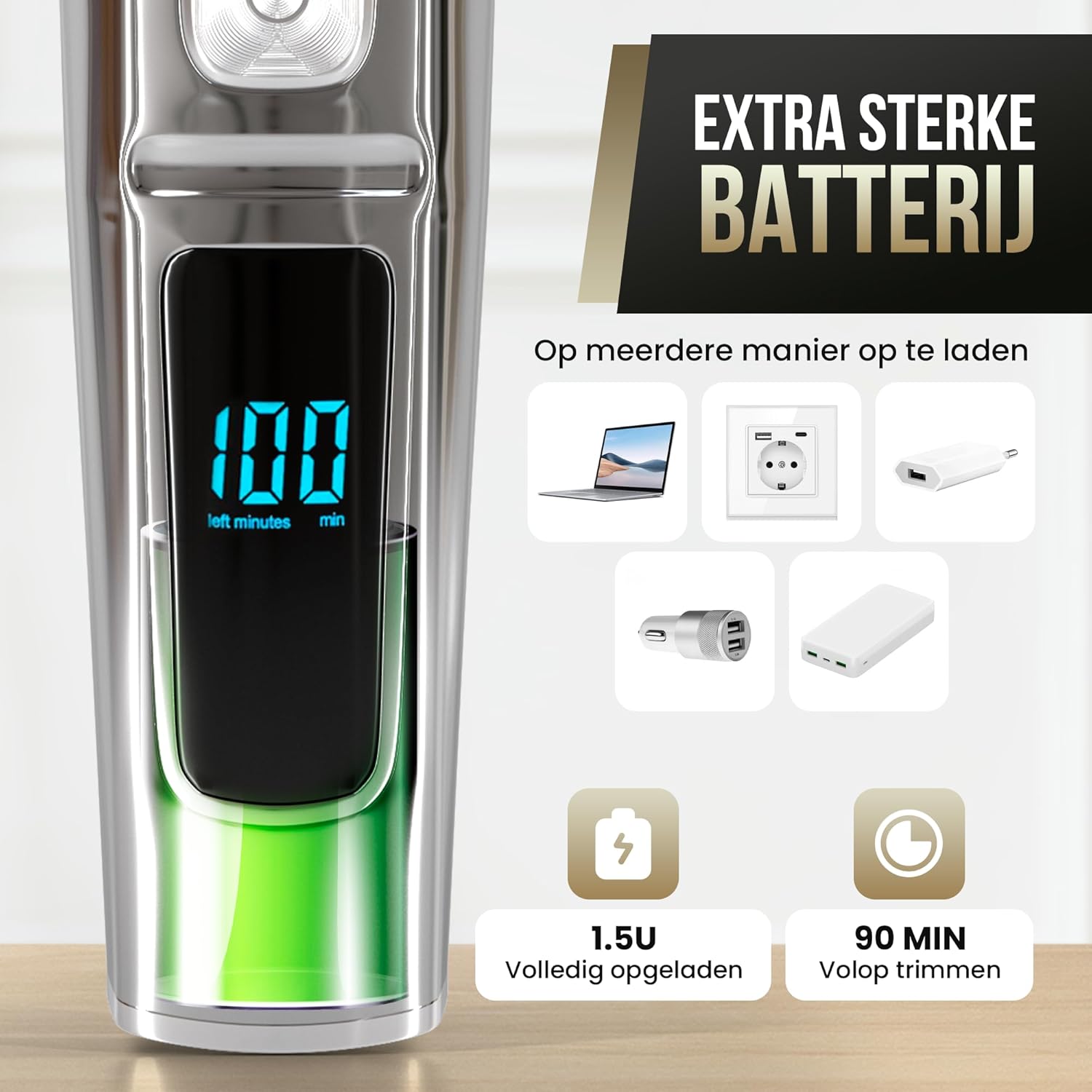
Image 4.1: The trimmer can be charged via various USB power sources, such as a laptop, a standard wall adapter, or a portable power bank.
4.2 LED Display Indicators During Charging

Image 4.2: The LED display provides real-time information, including battery percentage, charging status (chg), low battery warning, full battery indication, usage time, cleaning reminder (wash), and lock mode (lock).
- Battery Percentage: Displays the current charge level (e.g., "100" for full).
- Charging Indicator: A charging icon or
Documents and downloads
Ask a question about this manual
Ask about setup, troubleshooting, compatibility, parts, safety, or missing instructions. Manuals+ will review the question and use this page’s manual context to help answer it.