
1. Introduction
Thank you for choosing the Bextgoo 1440P Body Camera. This device is designed for reliable video and photo recording in various situations, including personal security, outdoor activities, and professional use. It features high-definition recording, enhanced night vision, and a long-lasting battery. Please read this manual carefully to ensure proper use and maintenance of your device.
2. Package Contents
Verify that all items are present in your package:
- Bextgoo Body Camera (x1)
- 64GB Memory Card (x1)
- Shoulder Clip (x1)
- USB Cable (x1)
- User Manual (x1)

Image: The Bextgoo Body Camera shown with a film strip graphic, illustrating the included 64GB memory card, loop storage, and timestamp features.
3. Product Overview
The Bextgoo Body Camera is designed for ease of use with a compact form factor and a portable clip. It features a 2-inch LCD screen for immediate playback and review of recorded footage.

Image: A police officer is shown reviewing footage on the 2-inch LCD screen of the Bextgoo Body Camera, demonstrating its immediate playback capability.
4. Setup
- Charging the Battery: Before first use, fully charge the camera using the provided USB cable. Connect the USB cable to the camera's USB-C port and a power source. The charging indicator will show the charging status.
- Inserting the Memory Card: The camera comes with a pre-installed 64GB memory card. If you need to replace it, ensure the camera is off, then open the memory card slot cover and insert a compatible micro SD card (up to 256GB, not included) with the contacts facing down.
- Attaching the Clip: Secure the shoulder clip to the back of the camera. This allows for easy attachment to clothing or gear.
5. Operating Instructions
5.1 Power On/Off
Press and hold the Power button for a few seconds to turn the camera on or off.
5.2 Recording Video
From the main screen, press the Video Record button to start recording. Press it again to stop. The camera records in 1440P HD resolution.

Image: The Bextgoo Body Camera's screen displays a 1440P video recording of a police interaction, showing the date, time, and storage information.
5.3 Taking Photos
From the main screen, press the Photo button to capture a 48MP still image.

Image: A police officer is shown wearing the Bextgoo Body Camera, highlighting its ability to capture 48MP photos.
5.4 Night Vision
The camera features enhanced IR cut night vision, providing clear images in low-light or dark conditions, up to 3 times clearer than standard night vision.
5.5 Loop Recording
When the memory card is full, the loop recording function automatically overwrites the oldest files, ensuring continuous recording without manual deletion.
5.6 Timestamp
The camera can embed a customizable timestamp (date and time) onto your recordings. This feature can be toggled on or off in the settings menu.
5.7 Flashlight and Alarm
In emergency situations, you can activate the red flashing lights and a loud alarm with a single touch. The camera also has a bright white light that can be used as a flashlight in dark environments.
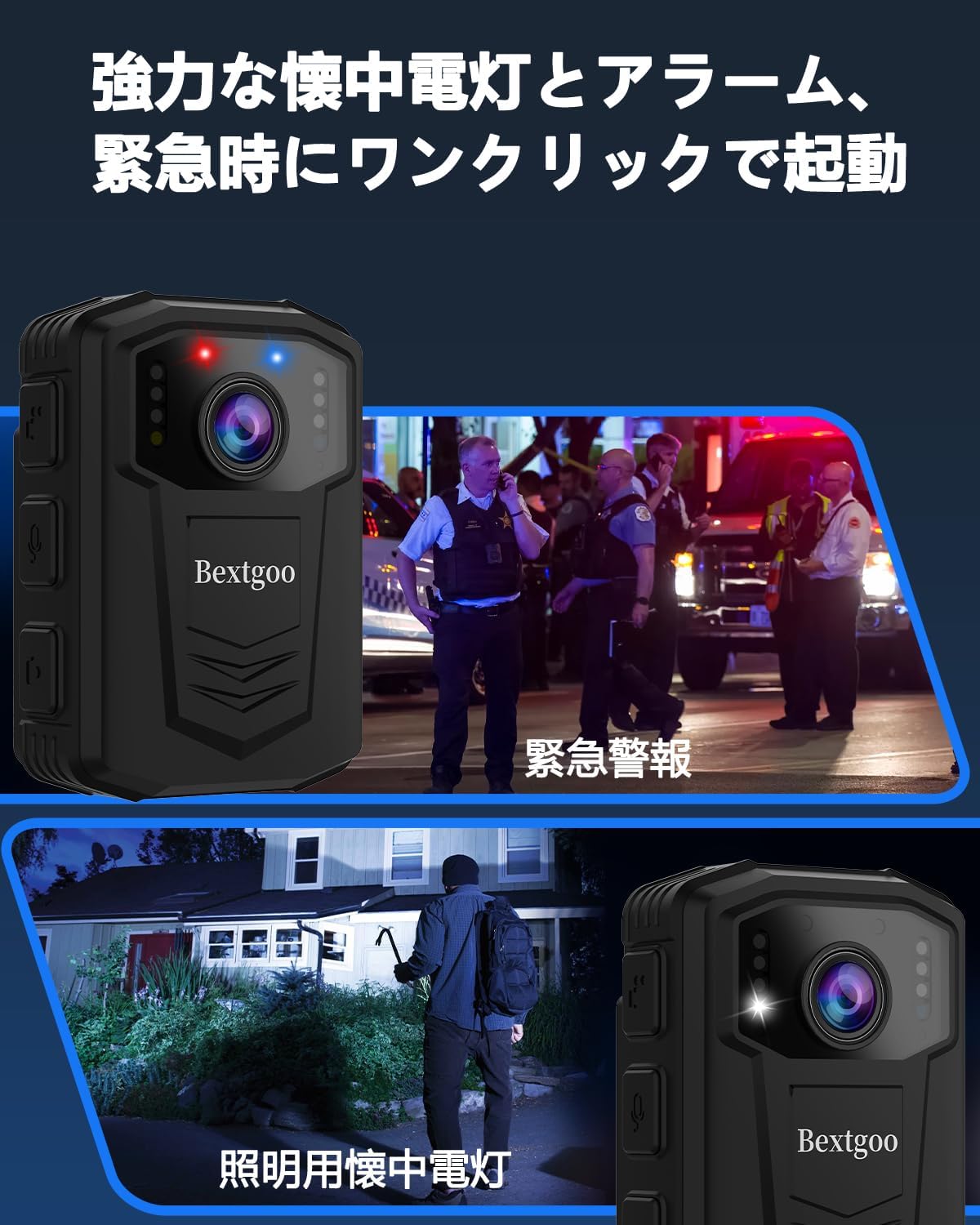
Image: The Bextgoo Body Camera is depicted with its emergency red and blue flashing lights activated, alongside an image demonstrating its use as a flashlight in a dark setting.
5.8 Viewing Footage
You can review recorded videos and photos directly on the 2-inch LCD screen. Navigate through your files using the control buttons.
6. Charging and Battery
The Bextgoo Body Camera is equipped with a powerful 3500mAh battery, providing extended usage times. A full charge takes approximately 4 hours. Once fully charged, the camera can record video for 8-10 hours or take photos for up to 15 hours.
The camera supports recording while charging, ensuring you don't miss critical moments due to low battery.

Image: The Bextgoo Body Camera is shown connected via its USB-C port for charging, with graphics indicating a 4-hour charge time, 8-10 hours of video recording, and 15 hours of photo time.
7. Maintenance
- Keep the camera clean and free from dust and debris. Use a soft, dry cloth for cleaning.
- Avoid exposing the camera to extreme temperatures or direct sunlight for prolonged periods.
- Ensure the USB-C port cover is securely closed when not charging to maintain waterproof integrity.
- Regularly back up your important recordings to a computer or external storage device.
8. Troubleshooting
| Problem | Possible Cause | Solution |
|---|---|---|
| Camera does not power on | Low battery; Device malfunction | Charge the battery fully; Contact customer support |
| Cannot record video/take photos | Memory card full; Memory card error; Incorrect mode | Check memory card storage or format; Ensure correct mode is selected |
| Poor night vision quality | Lens obstruction; Extreme darkness | Clean the lens; Ensure there is some ambient light if possible |
| Short battery life | Battery not fully charged; Frequent use of power-intensive features | Ensure full charge; Reduce use of flashlight/alarm if not needed |
9. Specifications
- Model: BF-A10
- Video Resolution: 1440p
- Still Image Resolution: 48 MP
- Photo Sensor Technology: CMOS
- Screen Size: 2 inches
- Battery Capacity: 3500mAh Lithium Ion
- Battery Life (Video): 8-10 hours
- Battery Life (Photo): Up to 15 hours
- Charging Time: Approximately 4 hours
- Memory Card: 64GB micro SD included (supports up to 256GB)
- Connectivity: No Wi-Fi required
- Waterproof: Yes
- File Format (Video): MOV
- File Format (Image): JPEG
- Color: Black
- Weight: Approximately 0.5 pounds
10. Warranty and Support
The Bextgoo Body Camera Model BF-A10 comes with a 1-year manufacturer's warranty from the date of purchase. This warranty covers defects in materials and workmanship under normal use.
For warranty claims, technical support, or any questions regarding your product, please contact Bextgoo customer service through the retailer where you purchased the product or visit the official Bextgoo website for contact information.
Please retain your proof of purchase for warranty validation.
