
AIRTHEREAL RH180B
Contents
AIRTHEREAL RH180B Rechargeable Portable Range Hood User Manual
Model: RH180B | Brand: AIRTHEREAL
Introduction
The AIRTHEREAL RH180B Rechargeable Portable Range Hood is designed to provide effective ventilation for your cooking area, capturing smoke, odors, and grease. Its portable and compact design makes it suitable for various environments, from home kitchens to outdoor cooking spaces. This manual provides essential information for the safe and efficient operation and maintenance of your device.
Important Safety Information
WARNING:
- Do not use near an open flame or gas stove. This device is intended for use with electric cooking surfaces or in situations where direct flame contact is avoided.
- Ensure the device is placed on a stable, flat surface during operation.
- Keep out of reach of children and pets.
- Do not immerse the main unit in water or other liquids.
- Only use the provided charging cable and adapter.
- Regularly clean the oil collection cup and filters to maintain optimal performance and prevent fire hazards.
What's in the Box
- 1 x RH180B Battery Powered Range Hood
- User Manual (this document)
Product Overview
Familiarize yourself with the main components of your AIRTHEREAL RH180B Portable Range Hood.
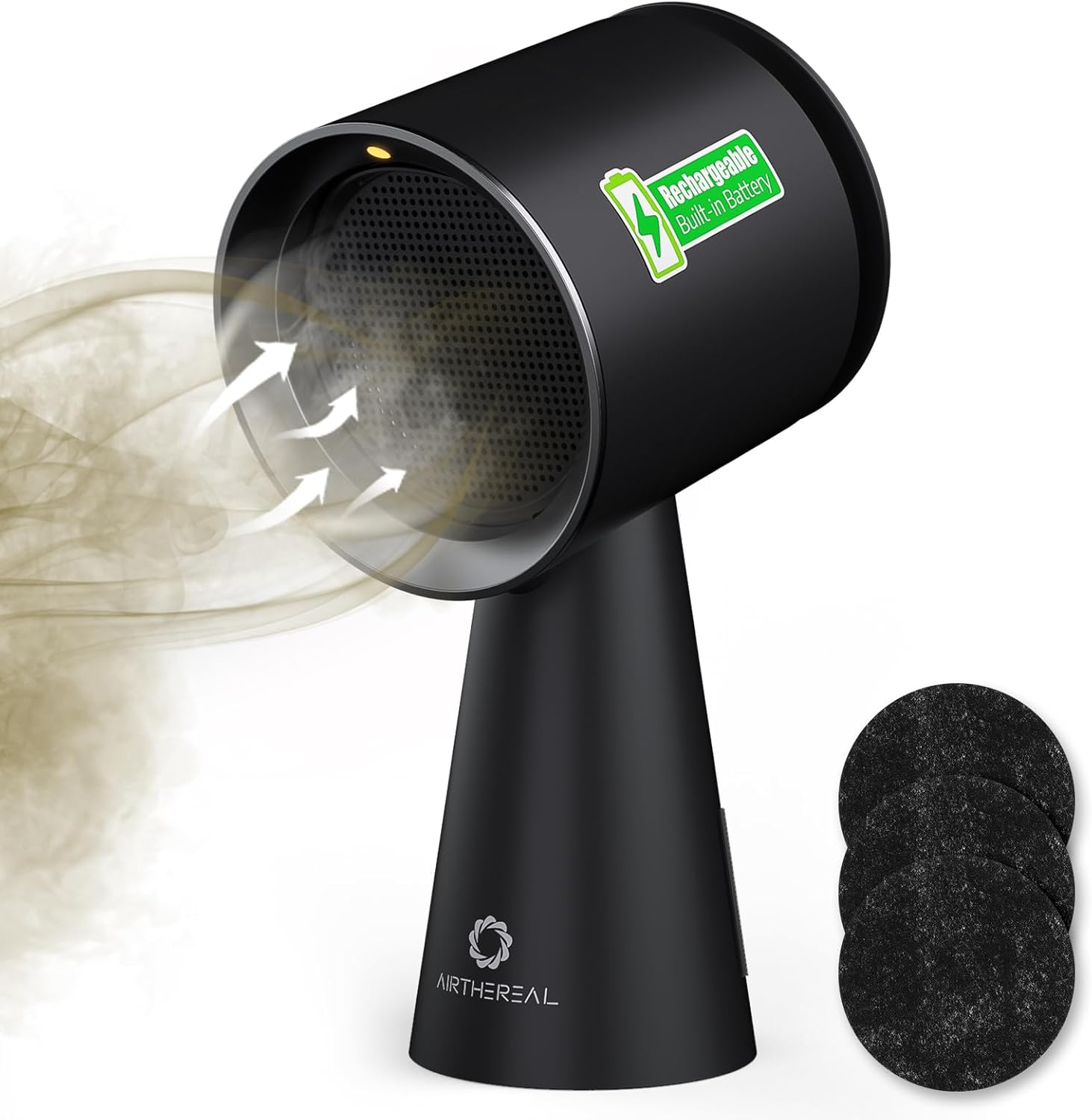
Figure 1: AIRTHEREAL RH180B Portable Range Hood with smoke intake illustration and included carbon filters.

Figure 2: Key components and control panel of the RH180B.
- Air Inlet: Where smoke and odors are drawn into the unit.
- Light: Provides illumination for your cooking area.
- Oil Collector Inlet: Channel for grease and oil to drain into the collection cup.
- Air Outlet: Where filtered air is expelled.
- ON/OFF/Light Button: Long press to power on/off; short press to toggle the light.
- Speed Button: Cycles through fan speeds (Low, Medium, Max).
Setup
- Unpack: Carefully remove all components from the packaging.
- Charge Battery: Before first use, fully charge the built-in Lithium Ion battery. Connect the charging cable to the unit and a suitable power source. The device features a low battery alert with alternating red and white lights.

Figure 3: Charging the RH180B for rechargeable convenience.
- Install Filters: Ensure the polymer filter, aluminum alloy condensation net, and carbon filter are correctly installed in the air inlet.

Figure 4: Triple filtration system for efficient fume filtering.
Operating Instructions
- Power On/Off: Long press the ON/OFF/Light button to turn the unit on or off.
- Adjust Fan Speed: Short press the Speed button to cycle through the 3 fan speed settings: Low, Medium, and Max.
- Note: Max mode will run for 5 minutes, then automatically return to the previous speed setting.

Figure 5: 3-Speed Control for various cooking needs.
- Activate Light: Short press the ON/OFF/Light button while the unit is on to toggle the integrated light.
- Positioning: Place the range hood near your cooking surface to effectively capture smoke and odors. Its portable design allows for use in various locations such as dormitories, BBQ areas, RV kitchens, and apartments.

Figure 6: Versatile use in various cooking environments.
Maintenance
Regular maintenance ensures the longevity and optimal performance of your range hood.
- Empty Oil Collection Cup: The sizable oil collection cup captures grease and oil particles. Regularly empty and clean the cup. It is removable for easy cleaning.

Figure 7: Easy maintenance with removable oil cup and filters.
- Clean Filters: The filters (polymer, aluminum alloy, carbon) should be cleaned or replaced periodically depending on usage. Refer to the product packaging for specific filter replacement guidelines.
Troubleshooting
| Problem | Possible Cause | Solution |
|---|---|---|
| Unit does not turn on. | Battery is depleted. | Charge the unit fully using the provided charging cable. |
| Reduced suction power. | Filters are clogged or oil cup is full. | Clean or replace the filters. Empty and clean the oil collection cup. |
| Unusual noise during operation. | Obstruction in the fan or loose component. | Turn off the unit and check for any obstructions. If the issue persists, contact customer support. |
Specifications
| Feature | Detail |
|---|---|
| Brand | AIRTHEREAL |
| Model | RH180B |
| Material | Aluminum |
| Noise Level | 50 dB |
| Mounting Type | Desktop |
| Included Components | 1 x RH180B Battery Powered Range Hood |
| Controls Type | Touch |
| Voltage | 120 Volts (AC) |
| Number of Speeds | 3 |
| Item Weight | 4.5 Pounds |
| Filter Type | Mesh |
| Item Form | Portable |
| Ventilation Type | Exhaust |
| Vent Hood Design | Downdraft Range Vent |
| Control Method | Touch |
| UPC | 816621028435 |
| Product Dimensions | 8.3 x 6.6 x 14.73 inches |
| Batteries | 1 Lithium Ion batteries required (included) |
| Annual Energy Consumption | 24 Watts |
| Special Features | Battery Operated, Portable, Large Oil Collection Cup, 3-speed Settings |
| Airflow Displacement | 106 Cubic Feet Per Minute |
| Color | Black |
| Finish Type | Lacquered |
Warranty and Support
For warranty information and customer support, please refer to the documentation included with your product packaging or visit the official AIRTHEREAL website. Keep your purchase receipt for warranty claims.
Ask a question about this manual
Ask about setup, troubleshooting, compatibility, parts, safety, or missing instructions. Manuals+ will review the question and use this page’s manual context to help answer it.