
iScooter iX3 with Seat
Contents
iScooter iX3 Electric Scooter User Manual
Model: iX3 with Seat
Brand: iScooter
Introduction
This user manual provides essential information for the safe operation, maintenance, and troubleshooting of your iScooter iX3 Electric Scooter. Please read this manual thoroughly before your first ride to ensure proper usage and to maximize the lifespan of your scooter. Retain this manual for future reference.
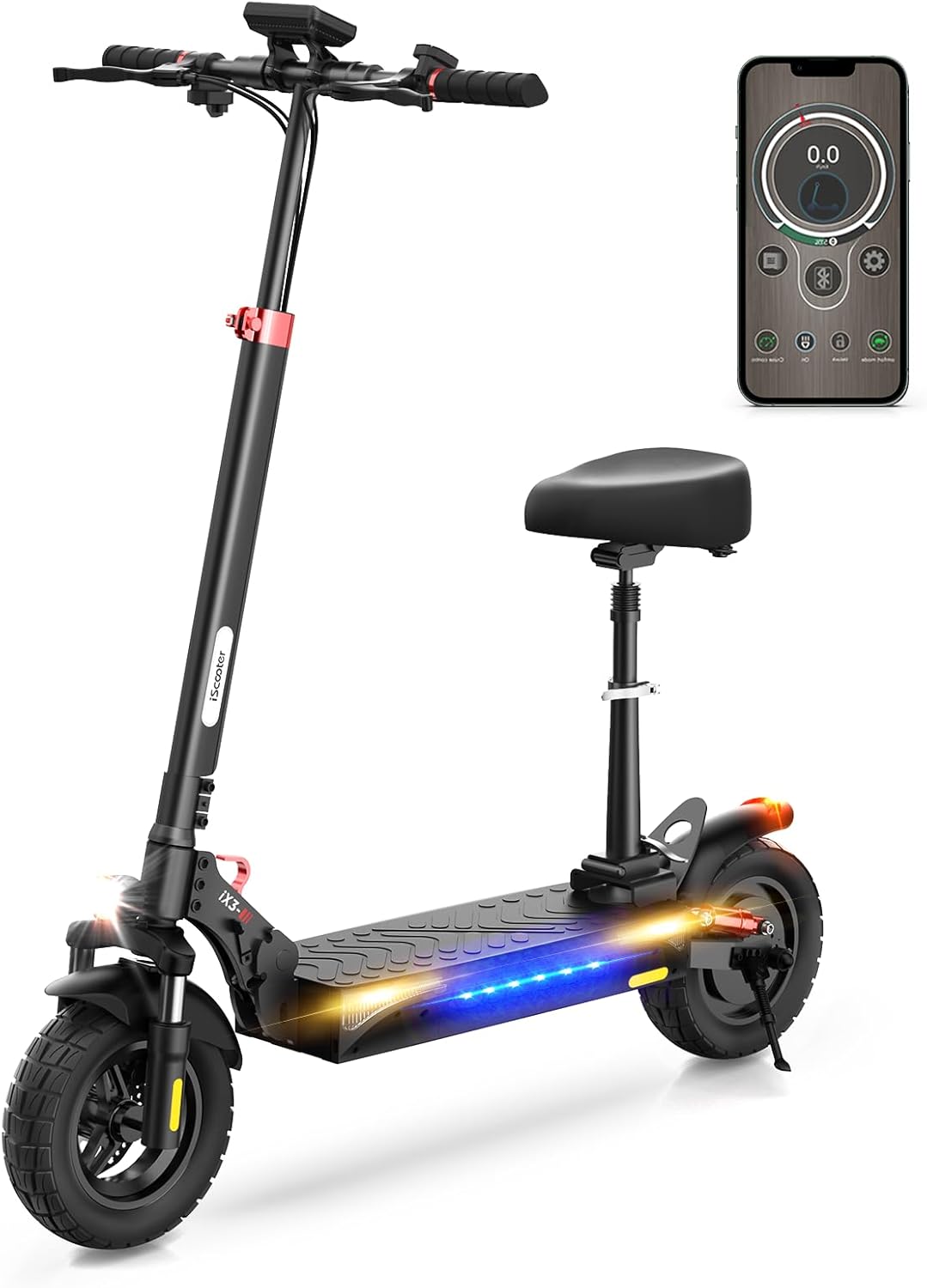
Image: The iScooter iX3 Electric Scooter, showcasing its design with an attached seat and a smartphone displaying the companion app interface.
Safety Guidelines
Your safety is paramount. Always adhere to the following guidelines:
- Always wear a helmet and appropriate protective gear (knee pads, elbow pads) when riding.
- Ensure all bolts and fasteners are tightened before each ride.
- Do not ride in heavy rain or through deep puddles. While the scooter has some water resistance, it is not fully waterproof.
- Observe local traffic laws and regulations.
- Avoid riding on slippery surfaces, steep inclines beyond the specified limit, or uneven terrain at high speeds.
- Do not allow children under the recommended age to operate the scooter.
- Maintain a safe distance from other vehicles and pedestrians.
- Familiarize yourself with the braking system and practice emergency stops in a safe area.

Image: A detailed view of the iX3's front and rear mechanical disc brakes and the dual suspension system, highlighting key safety features.
Setup and Initial Assembly
Unboxing and Initial Inspection
Carefully remove the scooter and all accessories from the packaging. Inspect for any visible damage during transit. Ensure all components listed in the packing list are present.
Handlebar Assembly and Adjustment
The iX3 features an adjustable handlebar for rider comfort. To adjust the height, locate the quick-release clamp on the stem. Open the clamp, adjust the handlebar to your desired height, and securely close the clamp. Ensure the handlebar is firmly locked in place before riding.
Folding and Unfolding Mechanism
The iX3 is designed for portability with a 3-step folding mechanism:
- Pull the locking pin and open the red lever.
- Fold the handlebars and tubes towards the rear.
- Press down the black folding lever to secure the folded position.
To unfold, reverse these steps, ensuring all locking mechanisms click into place securely.

Image: Visual guide demonstrating the three-step folding process of the iX3 scooter and its dimensions both unfolded and folded, illustrating its compact storage capability.

Image: A graphic illustrating the simple three-step folding design of the iScooter iX3, showing how it transforms from riding position to a compact, portable form.
Charging the Battery
Before first use, fully charge the scooter's battery. Connect the charger to the charging port on the scooter and then to a power outlet. The charging indicator on the charger will change color (typically red to green) when fully charged. A full charge takes approximately 6 hours.

Image: An internal view diagram of the iX3's high-energy lithium battery, detailing its 10Ah capacity and 48V charge system, which provides up to 25 miles of range.
Operating Instructions
Powering On/Off and Display Functions
Press and hold the power button on the display to turn the scooter on or off. The large LCD display provides real-time information:
- Battery Level: Indicates remaining battery charge.
- Current Speed: Displays your speed in MPH or Kilometers.
- Trip Distance: Shows the distance covered during the current ride.
- Temperature: Displays the ambient temperature.
- Cruise Control: Indicator for cruise control activation.
- Headlight Indicator: Shows if the headlight is on.
- Sport Mode: Indicates the current riding mode.

Image: A close-up of the iX3's large LCD display, clearly labeling indicators for cruise control, battery level, trip distance, temperature, headlight status, and sport mode.
Speed Modes
The iX3 offers three distinct speed modes to suit different riding conditions and preferences:
- ECO Mode: Approximately 10 MPH (16 km/h) - For energy efficiency and beginner riders.
- STD Mode: Approximately 18 MPH (29 km/h) - Standard mode for balanced performance.
- Turbo Mode: Approximately 25 MPH (40 km/h) - For maximum speed and performance.
Switch between modes using the designated button on the handlebar. The current mode will be displayed on the LCD screen.

Image: A visual representation of the iX3's powerful 800W brushless motor and its three speed modes: ECO (10 MPH), STD (18 MPH), and Turbo (25 MPH), demonstrating its versatility.
Braking System
The iX3 is equipped with a dual braking system for reliable stopping power:
- Front and Rear Disc Brakes: Operated by levers on the handlebars.
- Electronic Braking System (EBS): Provides additional stopping force and energy recovery.
Always apply both brakes smoothly to avoid sudden stops or loss of control. Practice braking at different speeds to understand the scooter's response.

Image: A close-up view of the iX3's rear wheel, highlighting its dual braking system for enhanced safety and control.
Lighting System and Signals
The iX3 features an intelligent lighting system for enhanced visibility and safety, especially during night rides:
- Bright Headlight: For illuminating the path ahead.
- LED Colorful Side Lights: Enhance side visibility.
- Left and Right Turn Signals: For indicating turns to others.
- Rear Brake Light: Illuminates when brakes are applied.
Always use appropriate lighting, especially in low-light conditions or at night. Utilize turn signals when changing direction.

Image: A visual breakdown of the iX3's LED intelligent lighting system, showcasing its bright headlight, side lights, and rear brake light for improved visibility and safety.

Image: The iScooter iX3 showcasing its full lighting system, including the bright headlight, left and right turn signals, LED colorful side lights, and taillight, designed for optimal visibility.
Smart App Control
Enhance your riding experience by connecting your iX3 to the MiniRobot app. The app allows you to:
- Adjust speed settings.
- Monitor battery status.
- Lock your scooter for added security.
Refer to the app's instructions for pairing and detailed feature usage.
Maintenance
Regular maintenance ensures the longevity and safe operation of your iScooter iX3.
Tire Pressure
The iX3 uses 10-inch off-road pneumatic tires. Check tire pressure regularly (at least once a month) and inflate to the recommended PSI (refer to the tire sidewall for specific pressure, typically 30-35 PSI). Proper tire pressure improves ride quality, range, and tire lifespan.

Image: A detailed view of the iX3's 10-inch off-road pneumatic tire, designed for comfortable and free riding across various terrains.

Image: The iScooter iX3 highlighting its multiple shock absorption system and 10-inch off-road pneumatic tires, which contribute to an excellent riding experience.
Cleaning
Clean your scooter with a damp cloth. Avoid using high-pressure water jets or harsh chemicals, as these can damage electronic components or paintwork. Ensure the charging port cover is securely closed before cleaning.
Brake Inspection
Periodically check the brake levers for proper tension and ensure the disc brakes are functioning effectively. If you notice reduced braking performance or unusual noises, have the brakes inspected by a qualified technician.
Battery Care
To prolong battery life:
- Avoid completely draining the battery before recharging.
- Store the scooter in a cool, dry place when not in use, ideally with the battery charged to 50-70%.
- Charge the battery at least once every three months if stored for extended periods.
Troubleshooting
This section addresses common issues you might encounter with your iScooter iX3.
| Problem | Possible Cause | Solution |
|---|---|---|
| Scooter does not power on. | Low or depleted battery. Loose battery connection. Faulty power button. | Charge the battery fully. Check battery connections. If issue persists, contact support. |
| Reduced range or speed. | Low tire pressure. Overloaded scooter. Battery degradation. Riding uphill frequently. | Check and inflate tires to recommended PSI. Ensure rider weight is within limits. Battery replacement may be needed over time. |
| Brakes feel weak or make noise. | Worn brake pads. Loose brake cable. Disc rotor issues. | Inspect brake pads for wear and replace if necessary. Adjust brake cable tension. Consult a technician for disc rotor issues. |
| Acceleration is "jumpy" or glitchy. | Loose electrical connection. Sensor malfunction. | Check all visible cable connections. If the problem persists, contact customer support for diagnosis. |
| Error messages on display. | System malfunction. Sensor error. | Note the error code and refer to the MiniRobot app or contact customer support for specific guidance. |
For issues not listed here or if solutions do not resolve the problem, please contact iScooter customer support.
Product Specifications
| Feature | Detail |
|---|---|
| Brand | iScooter |
| Model Name | iX3 |
| Motor Power | 800W |
| Top Speed | Up to 25 MPH (40 km/h) |
| Maximum Range | 20-25 Miles (32-40 km) |
| Battery | 48V 10Ah Lithium Battery |
| Tire Type | 10-inch Off-Road Pneumatic Tires |
| Brake Style | Double Braking Systems (Front & Rear Disc Brakes + Electronic Braking System) |
| Suspension Type | Dual Suspension |
| Frame Material | Aluminum Alloy |
| Weight Limit | 264 Pounds (120 kg) |
| Handlebar Type | Adjustable |
| Special Features | Includes Seat, LED Intelligent Lighting System (Headlight, Side Lights, Turn Signals, Brake Light), Smart App Control |
| Certifications | UL2272 & UL2271 Certified |
Warranty and Support
Warranty Information
The iScooter iX3 Electric Scooter comes with a 1-year limited warranty from the date of purchase. This warranty covers manufacturing defects in materials and workmanship. It does not cover damage caused by misuse, accidents, unauthorized modifications, or normal wear and tear. Please retain your proof of purchase for warranty claims.
Customer Support
For technical assistance, troubleshooting, warranty claims, or any other inquiries, please contact iScooter customer service:
- Call Center: +1 (855) 916-2366
- Live Chat/Email Support: support@iscooterglobal.com
Our support team is available to assist you with any product-related questions.

Image: iScooter customer service representatives ready to provide support, emphasizing the brand's commitment to after-sale service.
Ask a question about this manual
Ask about setup, troubleshooting, compatibility, parts, safety, or missing instructions. Manuals+ will review the question and use this page’s manual context to help answer it.