
JUXLamp SAD-DP
JUXLamp Bright Light Therapy Lamp SAD-DP User Manual
Model: SAD-DP | Brand: JUXLamp
Introduction
This manual provides detailed instructions for the JUXLamp Bright Light Therapy Lamp, Model SAD-DP. This device is designed to provide up to 12,000 lux of intense, UV-free light, mimicking natural sunlight. It features a sunrise alarm, dawn simulator, and can be controlled via a dedicated mobile application using Bluetooth. Please read this manual thoroughly before using the product to ensure safe and optimal operation.
Important Safety Information
- Read all instructions before use.
- Do not immerse the device or adapter in water or other liquids.
- Keep the device away from heat sources and direct sunlight.
- Use only the provided AC adapter. Using an unauthorized adapter may damage the device and void the warranty.
- Do not attempt to open or repair the device yourself. Contact qualified service personnel for any repairs.
- This device is for indoor use only.
- Consult a healthcare professional before using light therapy if you have any eye conditions, skin conditions, or are taking medications that increase light sensitivity.
- Keep out of reach of children.
Package Contents
Please check the package for the following items:
- 1 x JUXLamp Bright Light Therapy Lamp (Model SAD-DP)
- 1 x 18W AC to DC Adapter (5 feet cable length)
- 1 x Product Instructions Manual
Product Overview
The JUXLamp Bright Light Therapy Lamp is designed to provide a high-intensity light experience, simulating natural sunlight to support well-being and regulate sleep patterns. It delivers up to 12,000 lux of UV-free light, making it suitable for daily use when natural light exposure is limited.
Key features include:
- 12,000 Lux Light Intensity: Provides powerful, UV-free light therapy.
- Sunrise Wake-Up Light: Gradually brightens to simulate a natural sunrise, promoting a gentle awakening.
- APP Control via Bluetooth: Manage all functions and customize settings through a user-friendly mobile application.
- Three Color Temperatures: Offers cool white (6000K), warm white (3000K), and natural white (4500K) options for various modes.
- Assisted Natural Sounds: Features 10 built-in natural sounds for use as an alarm or sleep aid.
- High-Quality LED Source: Utilizes 132 uniformly distributed full-spectrum LEDs (CRI>95) for eye comfort.

Image: The JUXLamp Bright Light Therapy Lamp, Model SAD-DP, shown in a typical home setting.

Image: The lamp providing bright light during indoor activities like yoga.
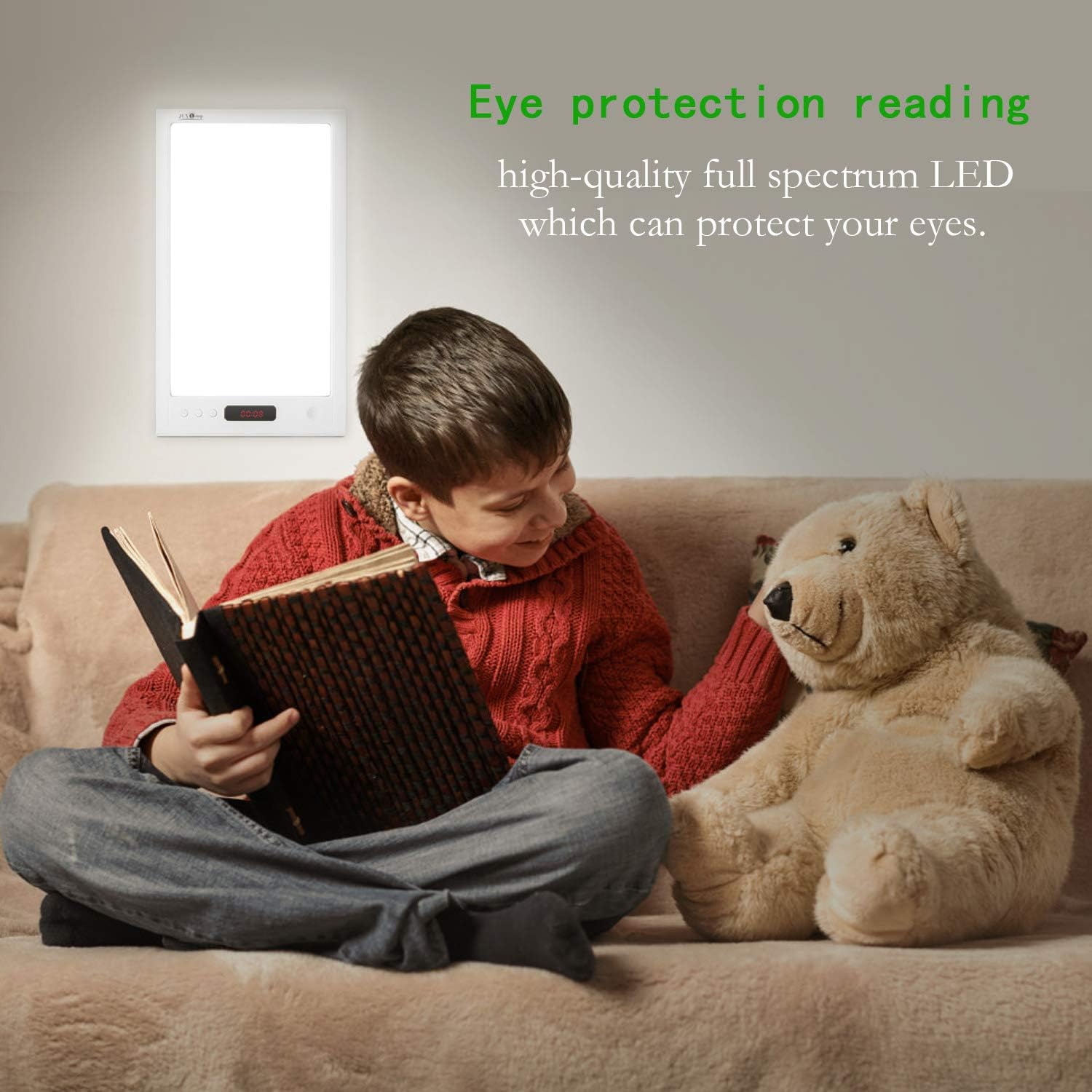
Image: The lamp providing eye-protective, full-spectrum light for reading.
Setup
- Unpack the Device: Carefully remove the light therapy lamp and all accessories from the packaging.
- Position the Lamp: Place the lamp on a stable, flat surface where you intend to use it. Ensure it is within reach of a power outlet. The lamp can be used on a desk, bedside table, or other suitable locations.
- Connect Power: Insert the DC plug of the provided 18W AC to DC adapter into the power input port on the lamp. Plug the AC adapter into a standard electrical outlet (100-240V, 50/60Hz).
- Download the APP: Search for the "Bioset Lamp" application on your smartphone's app store (iOS or Android) and install it.
- Pair with Bluetooth:
- Ensure Bluetooth is enabled on your smartphone.
- Open the "Bioset Lamp" APP.
- The APP will guide you through the pairing process to connect to your JUXLamp device.

Image: Product dimensions and rear view, illustrating the power input port.
Operating Instructions
The JUXLamp Bright Light Therapy Lamp is primarily controlled through its dedicated mobile application, "Bioset Lamp". The device also features touch controls on its front panel for basic functions.
Basic Touch Controls
The front panel includes touch-sensitive buttons for quick adjustments:
- Power Button: Tap to turn the lamp on or off.
- Brightness Adjustment: Use the '+' and '-' buttons to increase or decrease light intensity.
- Color Temperature: Cycle through cool white, warm white, and natural white settings.
APP Control (Bioset Lamp)
The "Bioset Lamp" APP offers comprehensive control and customization options for your device. Ensure your lamp is paired via Bluetooth before proceeding.

Image: Overview of the "Bioset Lamp" mobile application interface, demonstrating different function modes.
Function Modes via APP:
- Desktop Light Mode: Adjust brightness and color temperature for general illumination. This mode is suitable for reading or working.

Image: The lamp providing bright light for a user at a desk.
- Timer Mode: Set a specific duration for the light to remain on. You can customize light and sound settings for this timer.
- Sunrise Wake-Up Mode: Program the lamp to gradually increase light intensity, simulating a sunrise at your desired wake-up time. You can adjust the light intensity and duration of the sunrise simulation. Cool white (6000K) is recommended for this mode to promote alertness.

Image: The lamp providing light, simulating sunlight even on overcast days.
- Assisted Alarm Mode: Combine light and one of the 10 built-in natural sounds to create a personalized alarm. Options include meditation, birdsong, crystal sound, little stream, light rain, morning beach, water drops, silent night, alarm clock, and music box.
- Sunset Mode: Program the lamp to gradually dim, simulating a sunset, to help you wind down before sleep. You can set the duration and light characteristics for this mode.
Customization Options:
- Light Color Temperature: Select from cool white (6000K), warm white (3000K), and natural white (4500K) for different modes.
- Brightness Levels: Adjust the light intensity from 0 to 12,000 lux.
- Sound Selection & Volume: Choose from 10 natural sounds and set their volume.
- Weekday/Weekend Settings: Customize schedules for different days of the week.
Maintenance
- Cleaning: Disconnect the power adapter before cleaning. Use a soft, dry cloth to wipe the surface of the lamp. Do not use abrasive cleaners, solvents, or harsh chemicals, as these may damage the finish.
- Storage: When not in use for extended periods, store the lamp in a cool, dry place, away from direct sunlight and moisture.
- LED Lifespan: The integrated LED light source has a lifespan of over 50,000 hours, meaning it does not require replacement under normal use.
Troubleshooting
- Problem: APP operation is abnormal or device fails to connect.
- Solution: This issue may be due to device compatibility. Try the following steps:
- Turn off your mobile phone's Bluetooth and then reconnect it.
- Disconnect the lamp's power supply, wait a few seconds, and then reconnect it.
- Problem: Lamp does not turn on.
- Solution:
- Ensure the power adapter is securely plugged into both the lamp and a working electrical outlet.
- Verify that the power outlet is functional by plugging in another device.
- Check for any visible damage to the power cable or adapter.
- Problem: Light intensity is too low or too high.
- Solution: Adjust the brightness using the '+' and '-' touch buttons on the lamp's front panel or through the "Bioset Lamp" APP.
Specifications
| Model Name | SAD-DP |
| AC Input | 100~240V, 50/60Hz |
| DC Input | 12V/1.5A |
| Illumination Intensity | 0~12000 Lux |
| Color Rendering Index (CRI) | >95 |
| LED Life Cycle | >50,000 hours (Brightness decrease less than 30%) |
| Product Dimensions (D x W x H) | 0.7" x 6.3" x 10.8" (17.8mm x 160mm x 274mm approx.) |
| Item Weight | 1 Pound (0.45 kg approx.) |
| Material | Plastic |
| Power Source | Corded Electric |
| Wattage | 18 Watts |
| Light Source Type | LED |
| Switch Type | Touch |
| Connectivity | Bluetooth (APP Control) |
Warranty and Support
For warranty information and customer support, please refer to the warranty card included with your product or contact JUXLamp customer service through the retailer where the product was purchased. Please retain your proof of purchase for warranty claims.
For technical assistance or further inquiries, please visit the official JUXLamp website or contact their support team.
Related documentsSAD-DP

Ask a question about this manual
Ask about setup, troubleshooting, compatibility, parts, safety, or missing instructions. Manuals+ will review the question and use this page’s manual context to help answer it.