
Picun PC-B8 PRO
Picun B8 Bluetooth Headphones User Manual
Model: PC-B8 PRO
Introduction
This manual provides detailed instructions for the safe and effective use of your Picun B8 Bluetooth Headphones. Please read this manual thoroughly before using the product and retain it for future reference.

Image: Picun B8 Bluetooth Headphones, showcasing their sleek black over-ear design with metallic earcups and a visible blue indicator light.
What's in the Box
- 1 x Picun B8 Headphone
- 1 x 3.5mm Audio Cable
- 1 x USB Charging Cable
- 1 x User Manual
Product Features
- Ultra-Long Battery Life: Equipped with a 1000mAh battery, providing up to 120 hours of playtime on a single charge. Supports wired mode via 3.5mm audio cable for continuous use.

Image: Headphones next to a smartphone, highlighting the 120-hour battery life for extended music, movie, and meeting playback.
- Hi-Fi Sound & 3 EQ Modes: Features 40mm dynamic drivers for high-resolution stereo sound. Includes Pop, Rock, and Bass Boost EQ modes for customized audio experience.

Image: A woman enjoying music with the headphones, demonstrating the availability of Pop, Bass-Boost, and Rock equalizer modes.
- All-Day Comfort & Foldable Design: Constructed with skin-friendly PU leather and high-elastic memory cotton for breathable comfort. Adjustable headband and ergonomic design ensure a pressure-free fit. Foldable for easy storage.

Image: Detailed view of the headphones' comfort features, including 60-degree adjustable earcups, an adjustable headband, and a foldable design for portability.
- Bluetooth 5.4 & Smart Control: Equipped with a Bluetooth 5.4 chip for fast and stable connections up to 33 feet. Features touch controls and a built-in microphone for hands-free calls and voice assistant activation. Supports dual-device connectivity.

Image: A visual representation of the advanced Bluetooth 5.4 chip, highlighting its benefits of lower latency and extended battery life.
- Built-in Microphone: Enables clear hands-free communication.
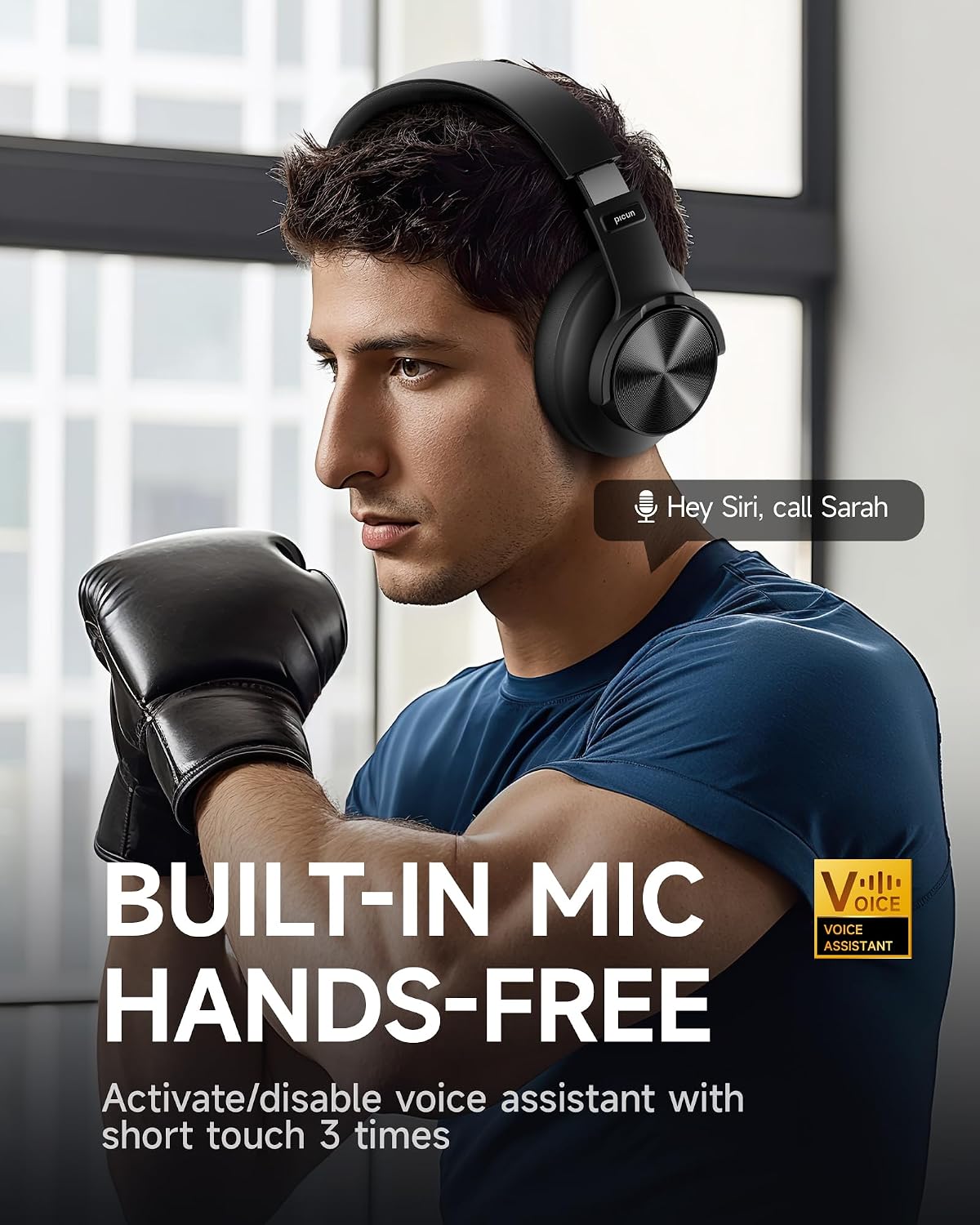
Image: A man using the headphones, demonstrating the built-in microphone and hands-free voice assistant capabilities.
- Low Latency Mode: Offers 50ms ultra-low latency for a smoother gaming and video experience.

Image: Headphones depicted with a gaming theme, emphasizing the 50ms ultra-low latency for an enhanced gaming and video experience.
Setup
1. Charging the Headphones
Before first use, fully charge your Picun B8 headphones. Connect the provided USB charging cable to the USB-C charging port on the headphones and the other end to a compatible USB power source (e.g., computer USB port, wall adapter). The indicator light will show charging status and turn off when fully charged.
2. Powering On/Off
- Power On: Press and hold the Power/EQ button for approximately 3 seconds until the indicator light illuminates.
- Power Off: Press and hold the Power/EQ button for approximately 3 seconds until the indicator light turns off.
3. Bluetooth Pairing
- Ensure the headphones are powered off.
- Press and hold the Power/EQ button for approximately 5 seconds until the indicator light flashes blue and red, indicating pairing mode.
- On your device (smartphone, tablet, laptop), enable Bluetooth and search for available devices.
- Select "Picun B8" from the list of found devices.
- Once connected, the indicator light on the headphones will turn solid blue.
4. Wired Connection
To use the headphones in wired mode, connect one end of the provided 3.5mm audio cable to the 3.5mm audio port on the headphones and the other end to the audio output jack of your device. The headphones will automatically switch to wired mode, and Bluetooth will be disabled.
Operating Instructions

Image: A detailed diagram illustrating the location and function of all controls on the Picun B8 headphones, including touch controls, ports, and buttons.
Music Playback Controls
- Play/Pause: Tap the Touch Area once.
- Next Song: Swipe forward on the Touch Area or press the 'Next Song' button.
- Previous Song: Swipe backward on the Touch Area or press the 'Previous Song' button.
- Volume Up: Press the Volume + button.
- Volume Down: Press the Volume - button.
Call Management
- Answer/End Call: Tap the Touch Area once.
- Reject Call: Press and hold the Touch Area for 3 seconds.
EQ Mode Switching
Double-tap the Power/EQ button to cycle through the 3 available EQ modes: Pop, Rock, and Bass Boost. Select the mode that best suits your audio preference.
Voice Assistant Activation
Triple-tap the Touch Area to activate your device's voice assistant (e.g., Siri, Google Assistant).
Dual-Device Connectivity
The Picun B8 headphones can connect to two Bluetooth devices simultaneously. After pairing with the first device, put the headphones back into pairing mode and connect to the second device. The headphones will intelligently switch between devices for calls and audio playback.

Image: Headphones shown connected to both a smartphone and a tablet, illustrating simultaneous Bluetooth connectivity.
Maintenance
- Cleaning: Use a soft, dry cloth to clean the headphones. Do not use abrasive cleaners or solvents.
- Storage: When not in use, store the headphones in a cool, dry place, away from direct sunlight and extreme temperatures. Utilize the foldable design for compact storage.
- Battery Care: To prolong battery life, avoid fully discharging the headphones frequently. Charge them regularly, even if not in constant use.
- Avoid Moisture: The headphones are not water-resistant. Avoid exposure to water, rain, or excessive humidity.
Troubleshooting
| Problem | Possible Cause | Solution |
|---|---|---|
| Headphones do not power on. | Low battery. | Charge the headphones fully. |
| Cannot pair with device. | Headphones not in pairing mode; Bluetooth off on device; device too far. | Ensure headphones are in pairing mode (flashing blue/red). Turn on Bluetooth on your device. Move device closer to headphones (within 33 feet). |
| No sound or low volume. | Volume too low; incorrect audio source; headphones not connected. | Increase volume on headphones and connected device. Ensure headphones are properly paired or 3.5mm cable is fully inserted. Check audio output settings on your device. |
| Poor call quality. | Weak signal; microphone obstruction. | Move closer to your connected device. Ensure the microphone is not covered. |
Specifications
| Feature | Detail |
|---|---|
| Model Name | PC-B8 PRO |
| Connectivity Technology | Wired, Wireless (Bluetooth) |
| Bluetooth Version | 5.4 |
| Bluetooth Range | 33 Feet (approx. 10 meters) |
| Battery Life | 120 Hours |
| Battery Capacity | 1000mAh |
| Audio Driver Size | 40mm Dynamic Drivers |
| Frequency Response | 20 Hz - 20000 Hz (20 KHz) |
| Sensitivity | 42 dB |
| Impedance | 32 Ohm |
| Headphones Jack | 3.5 mm Jack |
| Noise Control | Sound Isolation |
| Control Type | Volume Control, Touch Control |
| Material | Acrylonitrile Butadiene Styrene (ABS), Stainless Steel, PU Leather, Memory Cotton |
| Item Weight | 0.34 Kilograms (12 ounces) |
| Water Resistance Level | Not Water Resistant |
Warranty and Support
Picun offers the following support for your B8 Bluetooth Headphones:
- 30-Day Return Policy: For returns within 30 days of purchase.
- 1-Year Warranty: Covers manufacturing defects for one year from the date of purchase.
- Lifetime Worry-Free User Support: For any product-related questions or assistance, please contact Picun customer service. They aim to reply within 12 hours.
For support, please refer to the contact information provided in the packaging or visit the official Picun website.
Related documentsPC-B8 PRO


Ask a question about this manual
Ask about setup, troubleshooting, compatibility, parts, safety, or missing instructions. Manuals+ will review the question and use this page’s manual context to help answer it.