
Java Wellness 629480
Java Wellness® Foldable Neck Massager User Manual
Model: 629480
1. Introduction
Thank you for choosing the Java Wellness® Foldable Neck Massager. This innovative device is designed to provide effective relief from neck and shoulder pain and tension, offering a quick and simple solution for relaxation after long workdays or stressful periods. Its ergonomic design, multiple massage techniques, and adjustable intensity levels ensure a personalized and soothing experience.
Please read this manual thoroughly before using the device to ensure safe and optimal operation.
2. Safety Instructions
To ensure safe operation and prevent damage, please observe the following safety precautions:
- Do not use the device if you have a pacemaker, artificial limbs, or other implanted medical devices.
- Consult a physician before use if you are pregnant, have skin conditions, heart disease, epilepsy, or any other serious medical condition.
- Do not use the device on open wounds, swollen areas, or inflamed skin.
- Keep the device dry. Do not use it in wet environments or immerse it in water.
- Do not disassemble, repair, or modify the device yourself. Contact qualified service personnel for repairs.
- Keep out of reach of children. This device is not a toy.
- Use only the provided USB cable for charging.
- Do not use the device while driving or operating heavy machinery.
- If you experience any discomfort or pain during use, stop immediately.
3. Package Contents
Please check the package for the following items:
- 1 x Java Wellness® Foldable Neck Massager
- 1 x USB Charging Cable
- 1 x User Manual (this document)
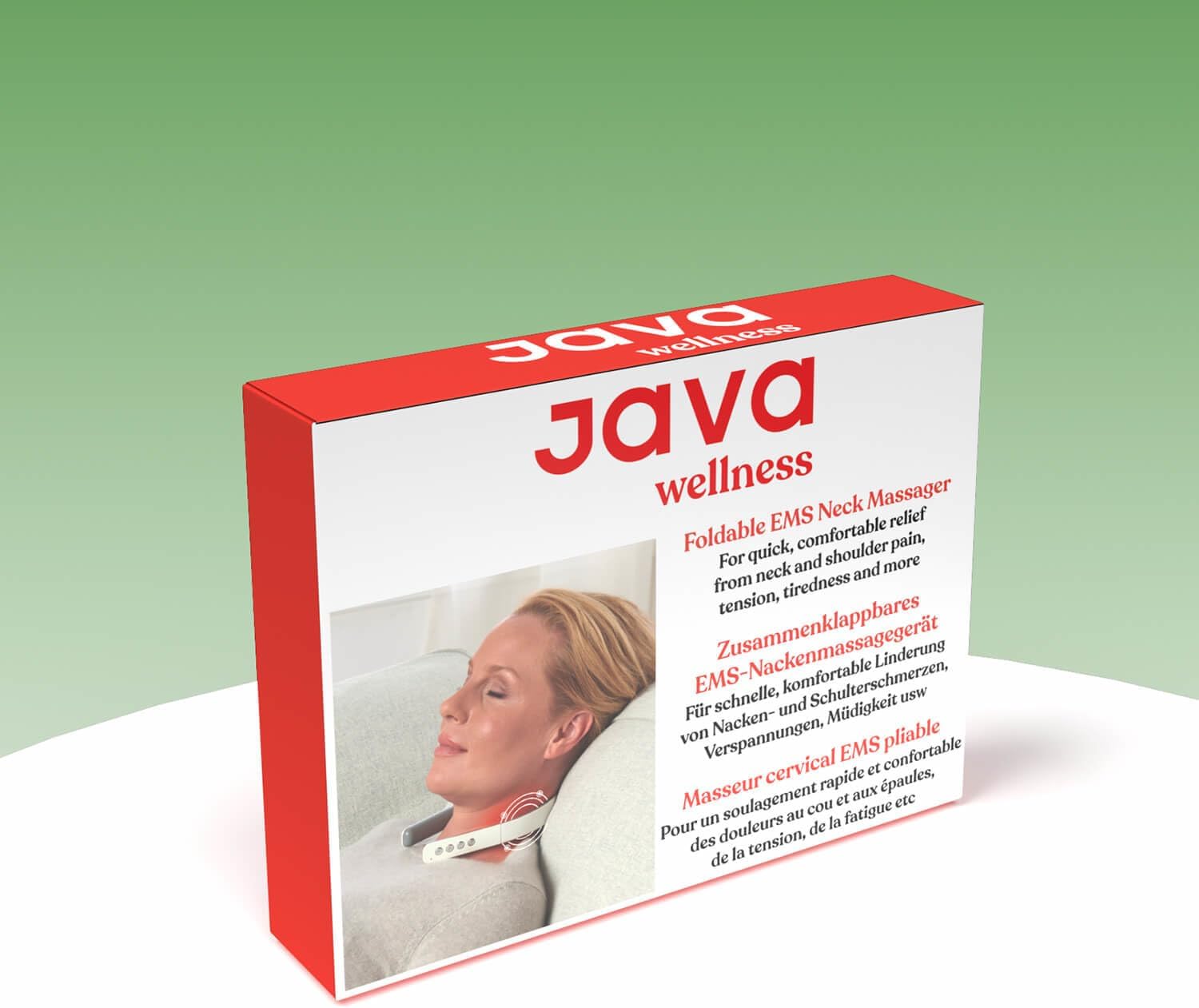
Image: The Java Wellness Foldable Neck Massager packaging box, indicating the product and its accessories.
4. Product Overview
Familiarize yourself with the components of your Java Wellness® Neck Massager:

Image: The Java Wellness Foldable Neck Massager, highlighting its ergonomic shape and control panel.
- Power Button: Turns the device on/off.
- Mode Button (M): Cycles through the 6 massage modes.
- Intensity Increase Button (+): Increases massage intensity (9 levels).
- Intensity Decrease Button (-): Decreases massage intensity.
- Massage Electrodes: Two metallic pads that deliver the massage impulses.
- Heat Plates: Integrated plates that provide soothing heat.
- USB Charging Port: Located on the side for charging the internal battery.
5. Setup
5.1 Charging the Device
Before first use, fully charge the massager. The device is equipped with a 700 mAh lithium battery.
- Connect the small end of the USB charging cable to the charging port on the massager.
- Connect the larger end of the USB cable to a standard USB power adapter (not included) or a computer USB port.
- The indicator light will show charging status (e.g., blinking while charging, solid when fully charged).
- Once fully charged, disconnect the cable.
5.2 Positioning the Massager
The massager is designed to fit comfortably around your neck.
- Unfold the massager gently.
- Place the device around your neck, ensuring the two metallic massage electrodes make good contact with the skin on the back of your neck.
- Adjust the position for maximum comfort and effectiveness.

Image: A user demonstrating the correct placement of the Java Wellness Foldable Neck Massager for optimal contact and comfort.
6. Operating Instructions
6.1 Power On/Off
- To turn on: Press and hold the Power button (⏻) for a few seconds until the indicator light illuminates.
- To turn off: Press and hold the Power button (⏻) again until the indicator light turns off.
6.2 Selecting Massage Mode
The device offers six different massage techniques:
- Acupuncture
- Acupressure
- Cupping
- Kneading
- Tapping
- Pressure
Press the Mode button (M) repeatedly to cycle through the available massage modes. Each press will switch to the next mode.
6.3 Adjusting Intensity
The massager features nine intensity levels, allowing you to customize the strength of the massage.
- To increase intensity: Press the Intensity Increase button (+).
- To decrease intensity: Press the Intensity Decrease button (-).
Start with a lower intensity and gradually increase it until you find a comfortable and effective level.
6.4 Heat Function
The device includes a thermal stimulation feature that heats to a comfortable 42°C to promote blood circulation and deeper muscle relaxation. The heat function typically activates automatically when the device is turned on. Refer to the device's indicator lights for heat status.
6.5 Recommended Usage
For optimal results, use the massager for sessions of 15-20 minutes. Avoid continuous use for extended periods to prevent overheating and ensure device longevity. It is recommended to use the device 1-2 times per day.
7. Maintenance
7.1 Cleaning
- Before cleaning, ensure the device is turned off and disconnected from any power source.
- Wipe the surface of the massager with a soft, slightly damp cloth.
- Do not use abrasive cleaners, alcohol, or corrosive liquids.
- Ensure the device is completely dry before storing or recharging.
7.2 Storage
- Store the massager in a cool, dry place, away from direct sunlight and extreme temperatures.
- When not in use, fold the device for compact storage.
- Keep the device away from sharp objects that could scratch or damage it.
8. Troubleshooting
| Problem | Possible Cause | Solution |
|---|---|---|
| Device does not turn on. | Battery is low or depleted. | Charge the device fully using the provided USB cable. |
| No massage sensation or weak intensity. | Poor contact with skin; Intensity level too low. | Ensure electrodes are firmly against the skin. Increase intensity using the '+' button. Ensure skin is clean and moisturized for better conductivity. |
| Heat function not working. | Device not powered on; Malfunction. | Ensure the device is powered on. If the issue persists, contact customer support. |
| Device suddenly turns off. | Battery depleted; Automatic shut-off. | Recharge the device. The device may have an automatic shut-off timer for safety and battery conservation. |
9. Specifications
| Model Number | 629480 |
| Brand | Java Wellness |
| Dimensions (L x W x H) | 15.5 x 1.9 x 14.5 cm (folded) |
| Weight | 211 Grams |
| Material | Acrylonitrile Butadiene Styrene (ABS), Stainless Steel |
| Power Source | Battery Powered (USB Rechargeable) |
| Battery Capacity | 700 mAh Lithium Battery |
| Massage Modes | 6 (Acupuncture, Acupressure, Cupping, Kneading, Tapping, Pressure) |
| Intensity Levels | 9 |
| Heat Temperature | 42°C |
10. Warranty and Support
Java Wellness products are manufactured with high-quality materials and undergo strict quality control. While specific warranty details are not provided in this manual, please retain your proof of purchase for any warranty claims.
For technical support, troubleshooting assistance, or warranty inquiries, please contact your retailer or visit the official Java Wellness website for contact information.
We are committed to providing you with the best possible experience with your neck massager.
Related documents629480

Ask a question about this manual
Ask about setup, troubleshooting, compatibility, parts, safety, or missing instructions. Manuals+ will review the question and use this page’s manual context to help answer it.