
Introduction
Welcome to the user manual for your new DOOGEE S119 Rugged Smartphone. This device is engineered for durability and high performance, featuring a robust design, powerful processing capabilities, and advanced camera systems. This manual provides essential information on setting up, operating, maintaining, and troubleshooting your smartphone to ensure optimal performance and longevity.

Image: The DOOGEE S119 Rugged Smartphone, showcasing its durable build and the unique rear display, alongside its main screen.
Setup
1. Unboxing and Initial Inspection
Carefully remove all components from the packaging. Verify that all items listed in the product packaging are present and undamaged. These typically include the DOOGEE S119 smartphone, a USB-C charging cable, a power adapter, and a SIM ejector tool.
2. SIM Card and MicroSD Card Installation
- Locate the SIM card tray on the side of the phone.
- Insert the SIM ejector tool into the small hole on the tray and press gently until the tray pops out.
- Place your Nano-SIM card(s) and/or MicroSD card into the designated slots on the tray. Ensure the gold contacts face downwards. The DOOGEE S119 supports up to two SIM cards or one SIM card and one MicroSD card (up to 2TB).
- Carefully push the tray back into the phone until it is flush with the device body.
3. Initial Power On and Setup Wizard
Press and hold the Power button (located on the right side of the phone) until the DOOGEE logo appears. Follow the on-screen instructions to complete the initial setup, which includes selecting your language, connecting to Wi-Fi, setting up your Google account, and configuring security features like Face ID or fingerprint recognition.
Operating Instructions
1. Rear Multifunction Display (1.32'')
The DOOGEE S119 features a 1.32-inch secondary display on the rear. This display provides quick access to various functions without needing to activate the main screen. Functions include displaying time, notifications, battery status, compass, music controls, and acting as a viewfinder for the main camera for selfies.

Image: The 1.32-inch rear display of the DOOGEE S119, illustrating its various functions such as call management, camera control, calendar, message viewing, music playback, and alarm display.
2. Main Display (6.72'' FHD+ IPS)
The primary display is a 6.72-inch FHD+ IPS screen with a resolution of 1080*2408. It offers vibrant colors and wide viewing angles, ideal for multimedia consumption and daily use. The IPS technology ensures clear visuals from various perspectives.

Image: The 6.72-inch FHD+ IPS main display of the DOOGEE S119, demonstrating its high resolution and vibrant color reproduction with an image of a car.
3. Camera System (100MP Main + 20MP Night Vision)
The DOOGEE S119 is equipped with a powerful camera setup:
- 100MP Main Camera: Captures high-resolution photos with rich detail.
- 20MP Night Vision Camera: Allows for clear photography in low-light or complete darkness.
- 16MP Front Camera: For high-quality selfies and video calls.
- 5MP Wide-angle Camera: For capturing broader scenes.

Image: An overview of the DOOGEE S119's camera system, highlighting the 100MP main camera, 20MP night vision camera, and 16MP front camera, with sample images demonstrating their capabilities in various lighting conditions.
4. Battery and Charging (10200mAh, 33W Fast Charge)
The device features a large 10200mAh battery, providing extended usage time. It supports 33W fast charging, allowing for quick replenishment of the battery. The phone also supports OTG reverse charging, enabling it to act as a power bank for other devices.

Image: Visual representation of the DOOGEE S119's 10200mAh mega battery and its 33W fast charging capability, along with OTG reverse charging support.
5. Performance and Storage (MT8788 Octa-Core, 24GB RAM, 512GB ROM)
Powered by an MT8788 octa-core processor, the S119 delivers efficient performance for multitasking and demanding applications. It comes with 24GB of RAM (8GB physical + up to 16GB extended) and 512GB of internal storage, expandable up to 2TB via a MicroSD card.

Image: Diagram illustrating the DOOGEE S119's memory configuration, including 24GB RAM (8GB base + 16GB extended) and 512GB ROM, with support for up to 2TB expansion.

Image: A visual representation of the MediaTek MT8788 octa-core processor, highlighting its LPDDR4 flash memory, 12nm manufacturing process, and 2.0GHz operating frequency.
6. Operating System (Android 14)
The DOOGEE S119 runs on the latest Android 14 operating system, offering an optimized and secure user experience with enhanced system performance and battery efficiency.
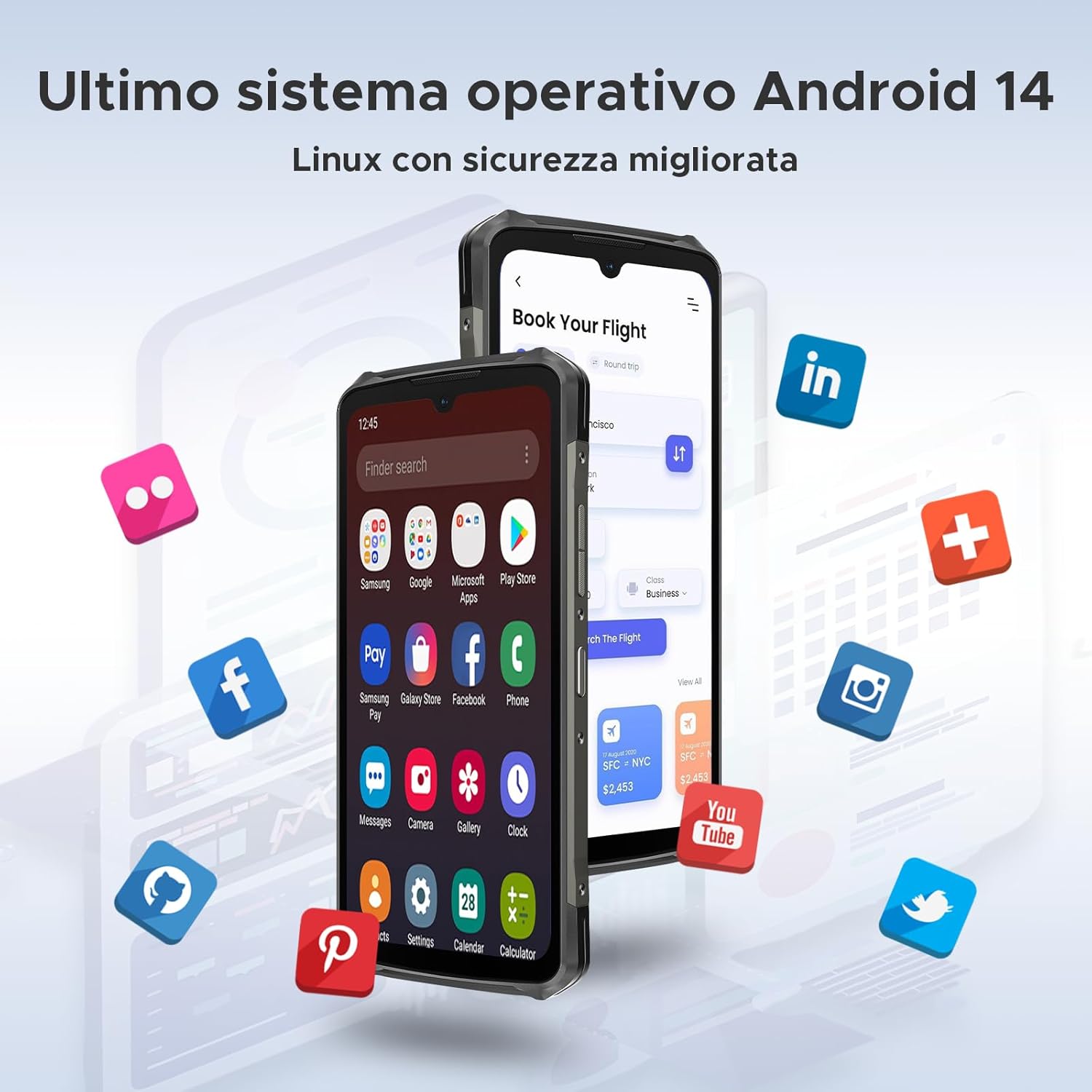
Image: The DOOGEE S119 displaying the Android 14 operating system interface, surrounded by various application icons.
7. Connectivity and Security
The smartphone supports 4G LTE and 5G connectivity, NFC for convenient payments and data transfer, and Face ID for secure and quick unlocking. It also features a side-mounted fingerprint sensor for alternative unlocking.

Image: Illustrations of the DOOGEE S119's security and connectivity features, including facial recognition, side fingerprint unlocking, and NFC for effortless connectivity.
Maintenance
- Cleaning: Use a soft, lint-free cloth to clean the screen and body. Avoid abrasive materials or harsh chemicals. For stubborn dirt, a slightly damp cloth with water can be used.
- Water Resistance: While the DOOGEE S119 is rugged and water-resistant (IP68/IP69K rated), ensure all port covers are securely closed before exposing it to water. Do not intentionally submerge the device in water for extended periods or expose it to high-pressure water jets.
- Temperature: Avoid exposing the phone to extreme temperatures (very hot or very cold) as this can affect battery life and internal components.
- Software Updates: Regularly check for and install software updates to ensure optimal performance, security, and access to new features.
- Storage Management: Periodically clear unnecessary files and apps to maintain smooth operation. Utilize the expandable storage for large media files.
Troubleshooting
| Problem | Possible Solution |
|---|---|
| Phone does not power on. | Ensure the battery is charged. Connect the phone to the charger and wait a few minutes before attempting to power on again. If unresponsive, try holding the Power button for 10-15 seconds for a forced restart. |
| Battery drains quickly. | Check for background apps consuming power. Reduce screen brightness, disable unused features like Wi-Fi, Bluetooth, GPS when not needed. Consider a factory reset if the issue persists after checking app usage. |
| Cannot connect to Wi-Fi/Mobile Data. | Restart the phone and the router (for Wi-Fi). Check if Airplane Mode is off. Verify SIM card is correctly inserted and mobile data is enabled in settings. Contact your network provider if mobile data issues persist. |
| Apps are crashing or freezing. | Clear the cache and data for the problematic app in Settings > Apps. Ensure the app is updated to the latest version. If the issue continues, uninstall and reinstall the app. |
| Fingerprint sensor/Face ID not working. | Ensure your finger/face is clean and dry. Re-register your fingerprint/face in the security settings. Ensure there is adequate lighting for Face ID. |
Specifications
| Feature | Detail |
|---|---|
| Brand | DOOGEE |
| Model Name | S119 |
| Operating System | Android 14 |
| Main Display | 6.72 inches FHD+ IPS (1080 x 2408) |
| Rear Display | 1.32 inches Multifunction |
| Processor | Octa-Core MediaTek MT8788 |
| RAM | 24GB (8GB physical + up to 16GB extended) |
| Internal Storage | 512GB |
| Expandable Storage | Up to 2TB via MicroSD card |
| Main Camera | 100 Megapixels |
| Night Vision Camera | 20 Megapixels |
| Front Camera | 16 Megapixels |
| Battery Capacity | 10200mAh Lithium-ion Polymer |
| Charging | 33W Fast Charge, OTG Reverse Charging |
| Connectivity | 4G LTE, 5G, Wi-Fi, Bluetooth 5.2, NFC, GPS |
| SIM Card Support | Dual SIM (Nano-SIM) |
| Security Features | Face ID, Side Fingerprint Sensor |
| Durability | IP68/IP69K Water/Dust Resistant, MIL-STD-810H Drop Protection |
| Dimensions (Thickness) | 15.7 mm (Ultra-thin) |
Warranty and Support
DOOGEE products typically come with a standard manufacturer's warranty. Please refer to the warranty card included in your product packaging for specific terms and conditions, including warranty period and coverage details. For technical support, service, or further inquiries, please visit the official DOOGEE website or contact their customer service through the contact information provided in your product documentation.
Note: Information regarding software updates and spare parts availability was not provided in the product specifications. Please check the official DOOGEE website for the most current information.


