Introduction
Thank you for choosing Tulbeys Smart Sunglasses GS01. These smart audio glasses combine UV400 polarized lens protection with advanced Bluetooth 5.3 technology, allowing for hands-free calling, music playback, and voice assistant access. This manual provides essential information for setup, operation, maintenance, and troubleshooting to ensure optimal performance and longevity of your device.
Product Overview
The Tulbeys GS01 Smart Sunglasses are designed for comfort and functionality, featuring an open-ear sound experience and durable construction. Key components and features are outlined below.
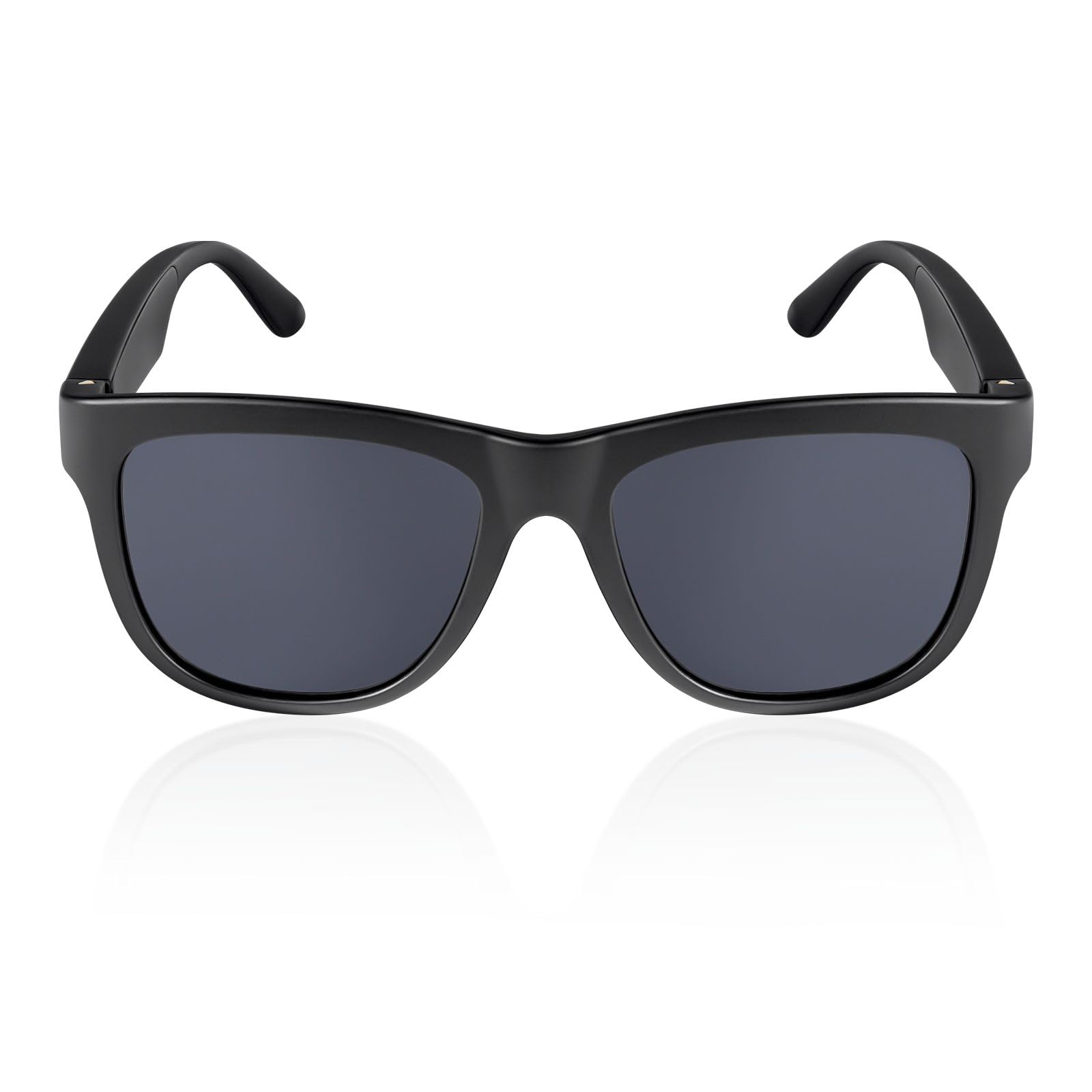
Image: Tulbeys Smart Sunglasses GS01, front view.
Key Features
- UV400 Polarized Lenses: Reduces glare and blocks 90% of UV rays for eye protection.
- Bluetooth 5.3 Connectivity: Ensures stable and efficient wireless connection to your devices.
- Open-Ear Audio: Directional speakers provide clear sound while maintaining environmental awareness.
- Built-in Microphone: High-sensitivity microphone with noise reduction for clear calls.
- Voice Assistant Compatible: Access your smartphone's voice assistant with a simple command.
- Multi-function Button (MFB): Controls power, calls, music, and voice assistant.
- Long Battery Life: Up to 5 hours of call time, 4 hours of music playback, and 200 hours of standby.
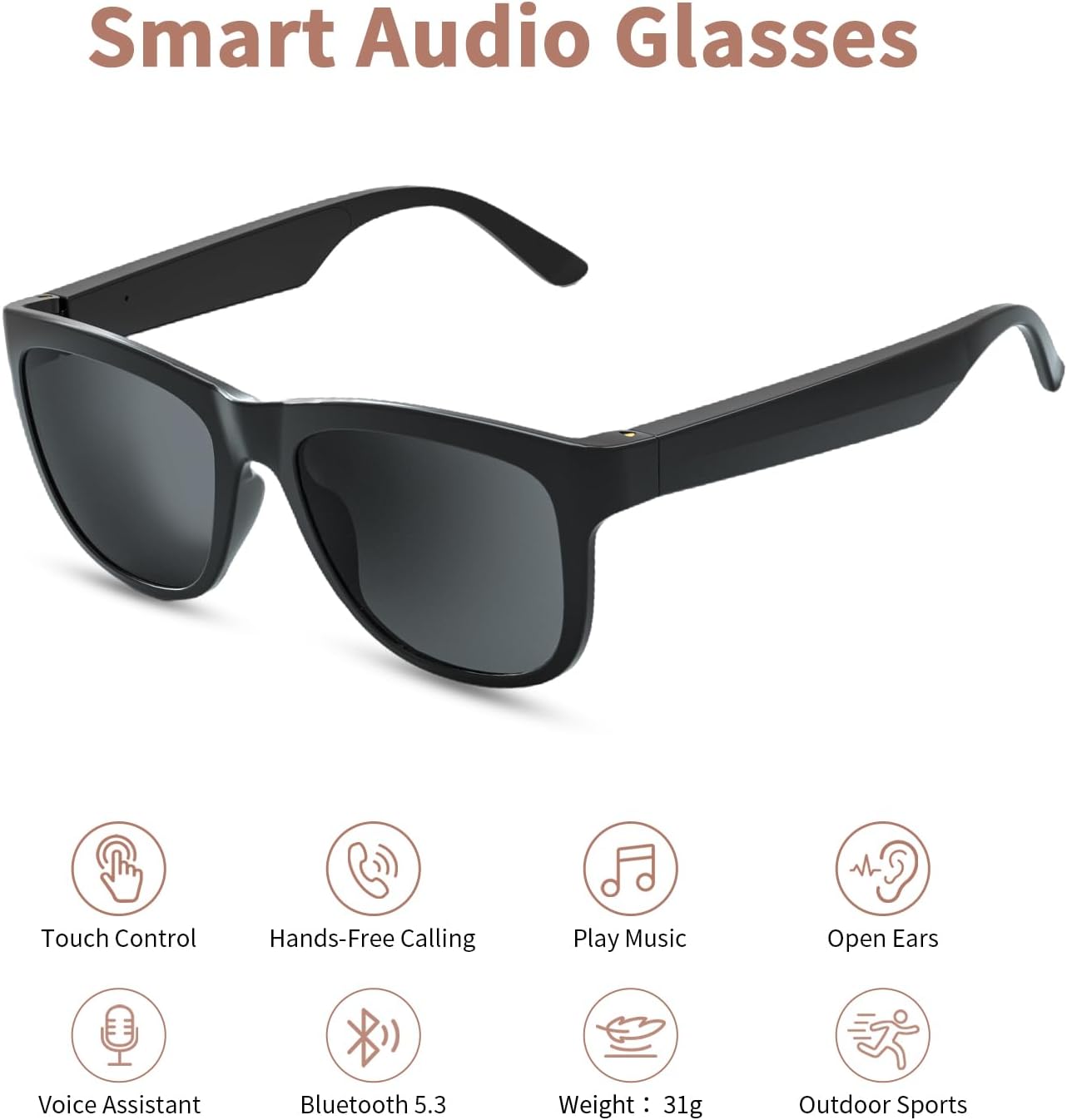
Image: Overview of Smart Audio Glasses features.
Component Identification
Familiarize yourself with the various parts of your smart sunglasses:

Image: Detailed structure of the smart sunglasses, highlighting the MFB, microphone, speaker, and charging port.
- UV400 Polarized Lens: Front lenses providing eye protection.
- Digital Microphone: For clear voice input during calls and voice assistant commands.
- Directional Audio Speaker: Delivers sound directly to your ears without blocking ambient noise.
- MFB (Multi-Function Button): Primary control button for various operations.
- Micro USB Charging Port: For connecting the charging cable.
- Touch Operation Button: Integrated touch-sensitive area for volume control and other functions.
Setup
Charging the Device
Before first use, fully charge your smart sunglasses.
- Connect the provided Micro USB charging cable to the charging port on the glasses.
- Connect the other end of the cable to a USB power source (e.g., computer, wall adapter).
- A full charge takes approximately 1.5 hours. The indicator light will change to show charging status (refer to LED indicator section in full manual for details).
Bluetooth Pairing
To connect your smart sunglasses to your smartphone or other Bluetooth-enabled device:
- Ensure the glasses are charged and powered off.
- Press and hold the MFB button for 2 seconds until the indicator light flashes, indicating pairing mode.
- On your smartphone, go to Bluetooth settings and turn Bluetooth on.
- Search for available devices and select "GS01" from the list.
- Once connected, the indicator light will change (refer to LED indicator section in full manual).

Image: Bluetooth pairing process with a smartphone, showing the device name 'GS01'.
Operating Instructions
Power On/Off
- Power On: Long press the MFB button for 2 seconds.
- Power Off: Long press the MFB button for 2 seconds. The glasses will also auto power off if not paired within 5 minutes.
Call Management

Image: Multi-function MFB Key operations for calls and power.
- Answer Call: Click the MFB key.
- Reject Call: Click the touch-tone area.
- Hang Up Call: Click the MFB key.
Music Playback
Once paired, music from your device will play through the open-ear speakers.
- Play/Pause: Click the MFB key.
- Next Track: Double-click the MFB key.
- Previous Track: Triple-click the MFB key.
Volume Adjustment

Image: Instructions for adjusting volume using the touch area.
- Volume Up: Click the touch area. (A beep will sound at maximum volume).
- Volume Down: Long press the touch area.
Voice Assistant
Activate your smartphone's voice assistant (e.g., Siri, Google Assistant) for hands-free commands.

Image: Activating voice assistant by double-tapping the MFB button.
- Activate Voice Assistant: Double-click the MFB key.
Maintenance
Proper care ensures the longevity and performance of your smart sunglasses.
Cleaning
- Use the provided cleaning cloth to gently wipe the lenses and frame.
- For stubborn smudges, use a lens cleaning solution specifically designed for polarized lenses and a microfiber cloth.
- Avoid using abrasive cleaners or paper towels, which can scratch the lenses.
Water Resistance
The GS01 Smart Sunglasses are IPX5 waterproof, meaning they are resistant to sweat and light rain. They are not designed for submersion in water.

Image: IPX5 Waterproof feature, showing resistance to sweat and rain.
- Do not immerse the glasses in water.
- If exposed to heavy rain or splashes, wipe them dry immediately.
Storage
- Store the glasses in the provided case when not in use to protect them from scratches and damage.
- Avoid exposing the glasses to extreme temperatures (hot or cold) or direct sunlight for extended periods.
Troubleshooting
If you encounter issues with your Tulbeys Smart Sunglasses GS01, refer to the following common solutions:
| Problem | Possible Cause | Solution |
|---|---|---|
| Cannot power on | Low battery | Charge the glasses for at least 1.5 hours. |
| Cannot pair with device | Bluetooth off on device; glasses not in pairing mode; too far from device | Ensure Bluetooth is enabled on your device. Put glasses in pairing mode (long press MFB). Keep glasses within 33ft (10m) of your device. Try restarting both devices. |
| No sound or low volume | Volume too low; not connected; media source issue | Increase volume using the touch area on the glasses and on your connected device. Ensure glasses are properly paired. Check if media is playing on your device. |
| Call quality is poor | Microphone obstructed; environmental noise; weak Bluetooth connection | Ensure the microphone is not covered. Move to a quieter environment. Stay within Bluetooth range. |
| Voice assistant not responding | Not activated; phone's voice assistant not enabled | Double-click the MFB button to activate. Ensure your phone's voice assistant is enabled and configured. |
Specifications
Detailed technical specifications for the Tulbeys Smart Sunglasses GS01:
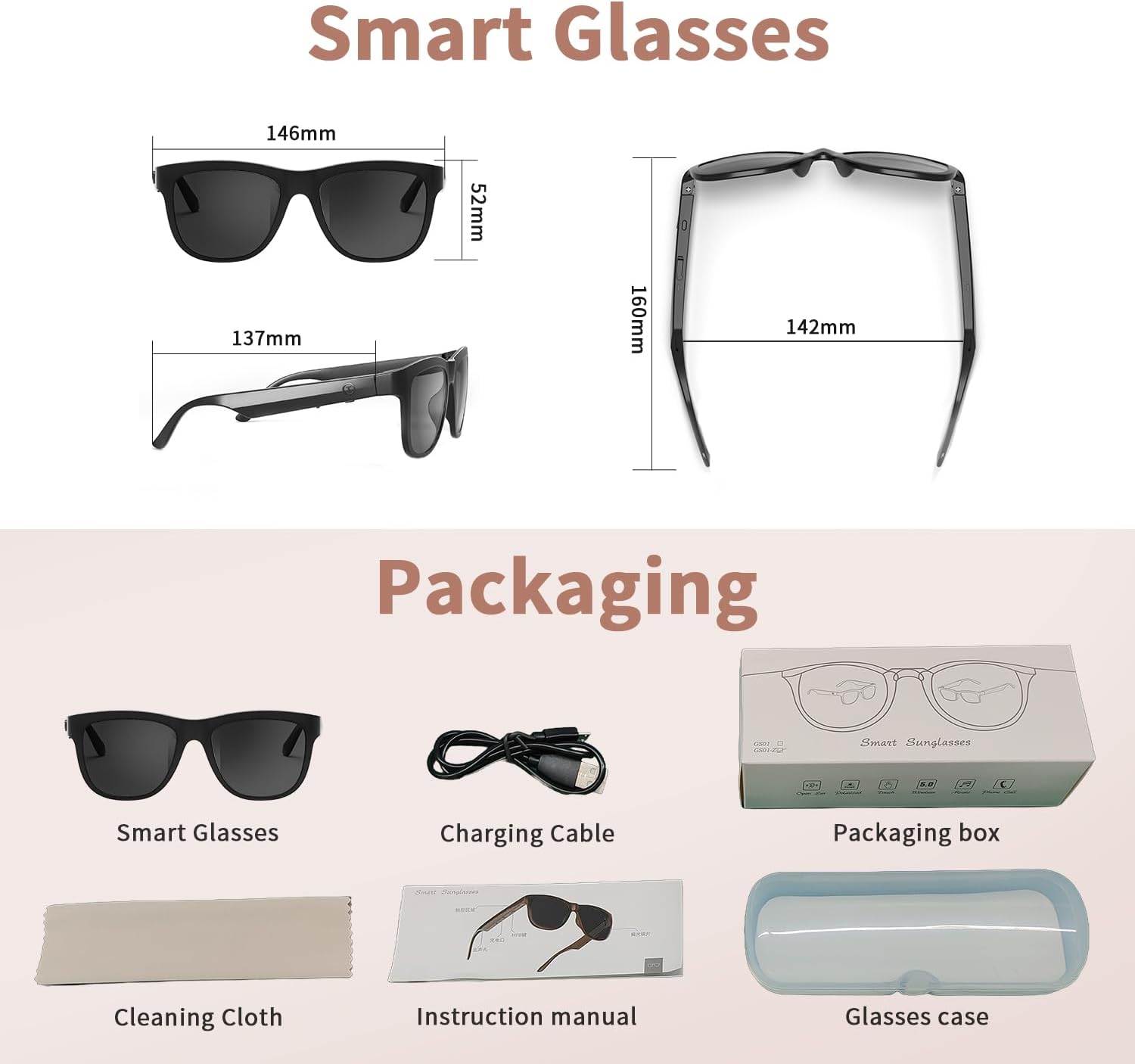
Image: Dimensions and packaging contents of the smart sunglasses.
- Model Number: GS01
- Bluetooth Version: 5.3
- Battery Capacity: 120mAh * 2 (Lithium Polymer)
- Charging Time: Approximately 1.5 hours
- Music Playback Time: Up to 4 hours
- Call Time: Up to 5 hours
- Standby Time: Up to 200 hours
- Water Resistance: IPX5 (sweat and splash resistant)
- Lens Type: UV400 Polarized
- Item Weight: 105 Grams (approx. 3.7 ounces)
- Dimensions (approx.): Frame Width 146mm, Lens Height 52mm, Temple Length 137mm
- Operating System Compatibility: iOS, Android, Windows
Warranty and Support
For warranty information and customer support, please refer to the documentation included in your product packaging or contact Tulbeys customer service directly. Keep your purchase receipt as proof of purchase.
Manufacturer: Tulbeys


