
Introduction
Thank you for choosing the VONLUCE 36 Inch Ceiling Fan with Lights. This modern ceiling fan is designed to provide efficient airflow and customizable lighting for your living space. Please read this manual thoroughly before installation and operation to ensure safe and optimal performance of your fan.

Image: The VONLUCE 36 Inch Ceiling Fan with Lights, showcasing its sleek design and integrated light.
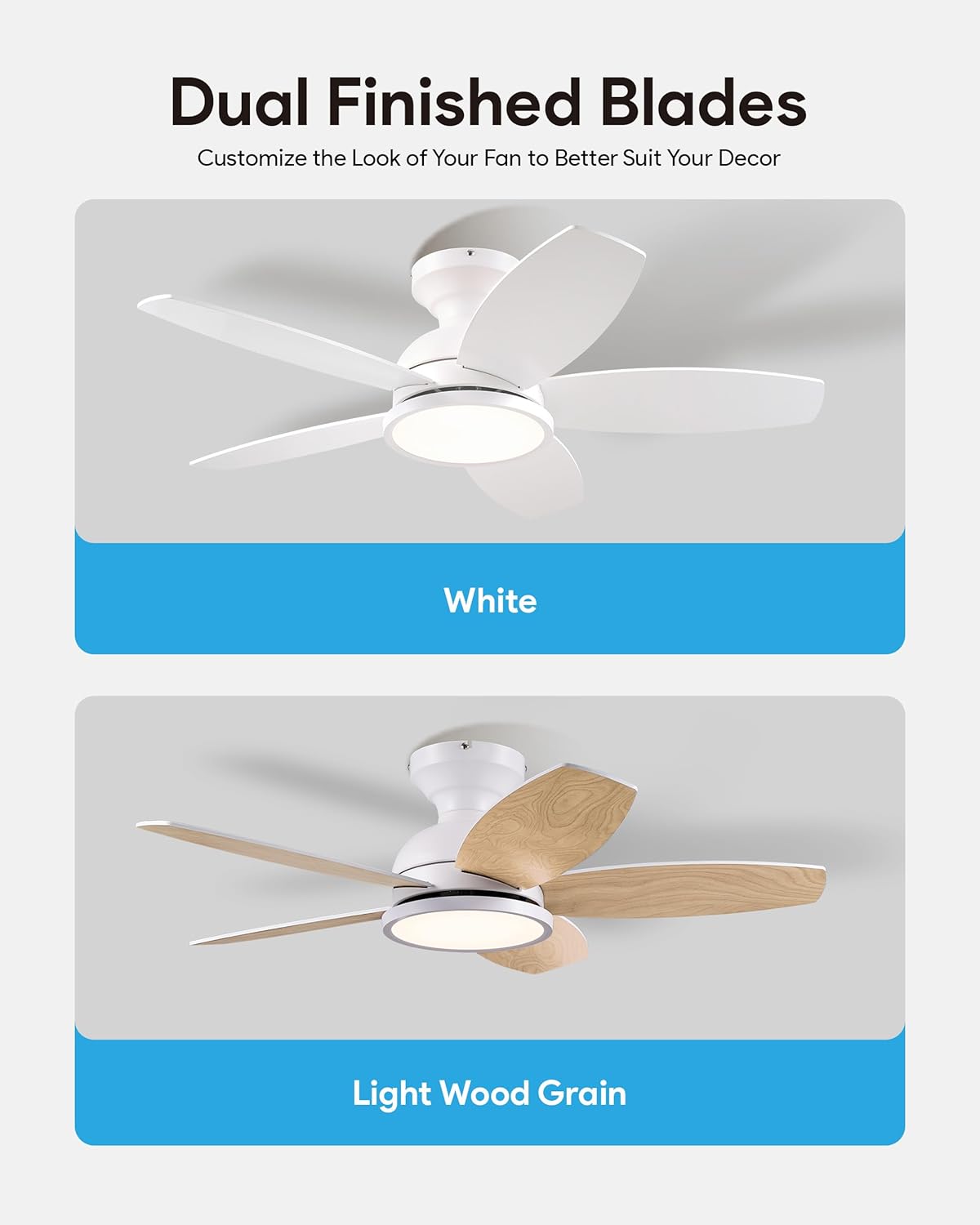
Image: The fan featuring dual-finished blades, offering customizable aesthetics.
Important Safety Information
Always follow basic safety precautions when installing and operating this appliance to reduce the risk of fire, electric shock, and personal injury.
- Read all instructions carefully before beginning installation.
- Ensure the power is turned off at the circuit breaker before installation or servicing.
- All wiring must be in accordance with national and local electrical codes. If you are unfamiliar with wiring, consult a qualified electrician.
- The mounting structure must be capable of supporting the weight of the fan (at least 35 lbs).
- Do not operate the fan with damaged blades or housing.
- Keep hands, clothing, and other objects clear of the fan blades when the fan is in operation.
- This fan is for indoor use only.
Package Contents
Verify that all components are present before beginning installation. If any parts are missing or damaged, contact VONLUCE customer support.
- Ceiling Fan Motor Assembly
- Fan Blades (5x)
- LED Light Kit
- Remote Control
- Mounting Hardware (Bracket, Screws, Wire Nuts, etc.)
- User Manual

Image: An illustration detailing the main components and a simplified overview of the installation process.
Setup and Installation
This section provides a general guide for installing your VONLUCE ceiling fan. For detailed visual instructions, please refer to the official installation video.
- Turn off Power: Before starting, ensure the power supply to the fan location is turned off at the circuit breaker.
- Mounting Bracket Installation: Secure the mounting bracket to the ceiling junction box. Ensure the bracket is firmly attached and can support the fan's weight.
- Wiring Connections: Connect the fan's electrical wires to the household wiring according to the provided wiring diagram in the manual. Use appropriate wire nuts.
- Attach Fan Body: Carefully lift and attach the fan motor assembly to the mounting bracket.
- Blade Installation: Attach the fan blades to the motor assembly using the provided screws. Ensure all screws are tightened securely.
- Light Kit Installation: Connect the LED light kit wiring and secure the light kit to the bottom of the fan motor assembly.
- Canopy Installation: Install the canopy to cover the wiring and mounting bracket.
Installation Video:
Video: Official VONLUCE guide on how to install the ceiling fan, covering step-by-step assembly and wiring.
Operating Instructions
Your VONLUCE ceiling fan is controlled by the included remote. Familiarize yourself with its functions for optimal use.
Remote Control Functions:
- Power On/Off: Press the power button to turn the fan and light on or off.
- Fan Speed Control: Select from 6 adjustable fan speeds (1-6) to achieve your desired airflow.
- Light On/Off & Color Temperature (3CCT): Turn the light on or off. Cycle through 3 color temperatures (3000K Warm White, 4500K Neutral White, 6000K Cool White).
- Reversible Airflow (Summer/Winter Mode): Use the reverse button to change the direction of the fan blades. Downward airflow (summer) creates a cooling breeze. Upward airflow (winter) circulates warm air.
- Timer Function: Set the fan to turn off automatically after 1, 2, 4, or 8 hours.
- Memory Function: The fan remembers the last light setting and fan speed if turned off for more than 10 seconds, resuming these settings when powered on again.
- Mute/Unmute Fan: Hold the silent button for 5 seconds to mute fan operation sounds.

Image: The remote control for the VONLUCE ceiling fan, showing buttons for speed, light, timer, and reverse functions.
Fan Speed Settings:
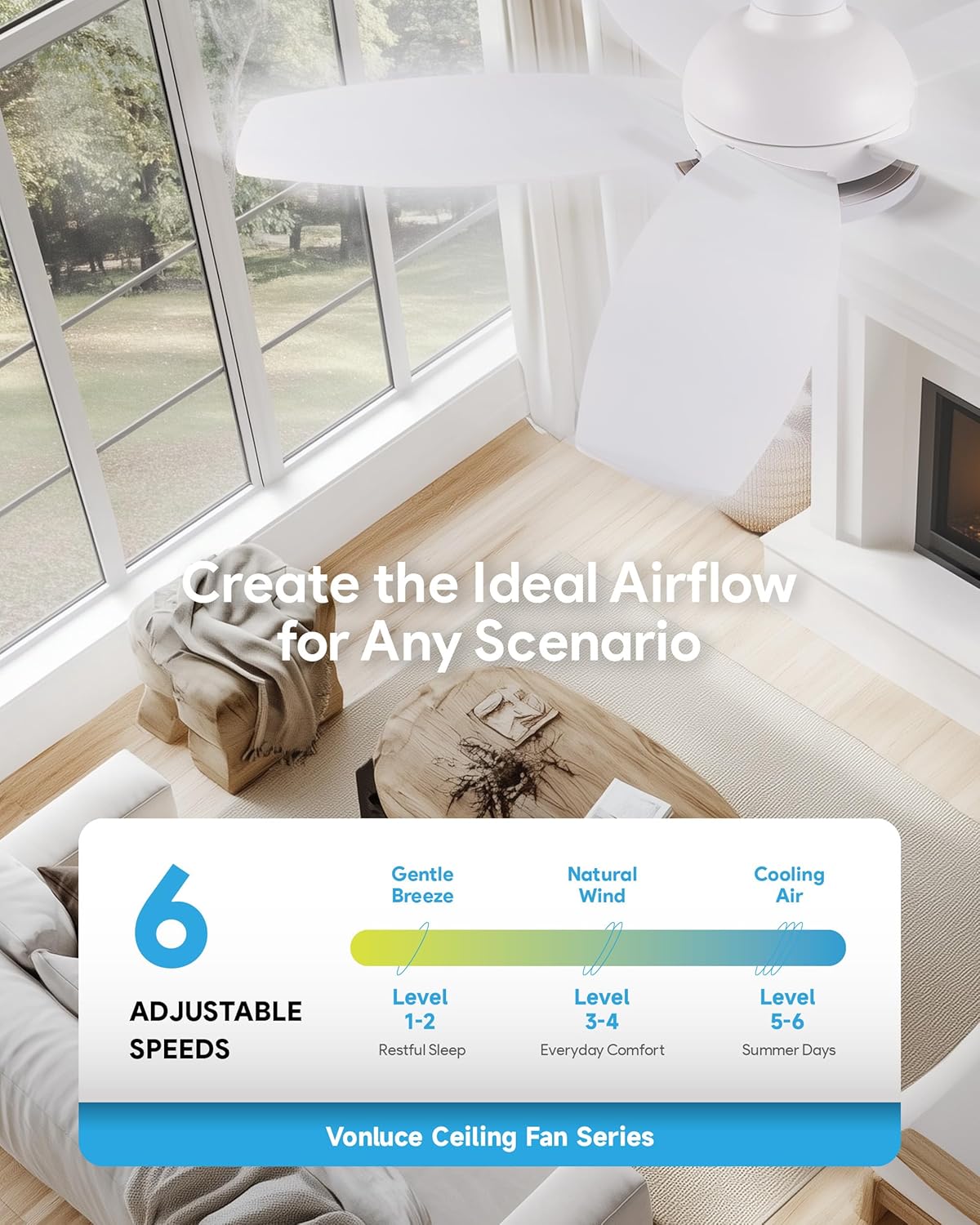
Image: Visual guide to the 6 adjustable fan speeds, ranging from gentle breeze for restful sleep to strong cooling air for summer days.
Customizable Light:

Image: Examples of the 3 CCT (Correlated Color Temperature) options: 3000K Warm White, 4500K Neutral White, and 6000K Cool White.
Reversible Airflow:

Image: Visual representation of summer mode (downward airflow for cooling) and winter mode (upward airflow for heat circulation).
Ultra-Quiet Operation:

Image: A graph demonstrating the fan's low noise level, operating at less than 35dB for a quiet experience.
Product Overview Video:
Video: A brief overview of the VONLUCE 36 Inch Ceiling Fan with Light, highlighting its key functionalities.
Maintenance
Regular maintenance ensures the longevity and optimal performance of your ceiling fan.
- Cleaning: Periodically clean the fan blades and motor housing with a soft, damp cloth. Do not use abrasive cleaners or solvents. Ensure power is off before cleaning.
- Tighten Fasteners: Check all screws and fasteners on the fan blades and mounting hardware annually. Tighten any loose connections.
- Lubrication: The fan's DC motor is permanently lubricated and does not require additional oiling.
- Light Source: The integrated LED light source is designed for long life and is not user-replaceable.
Troubleshooting
If you experience issues with your fan, refer to the following common problems and solutions:
| Problem | Possible Cause | Solution |
|---|---|---|
| Fan does not start | No power to the fan; Loose wire connections; Remote control battery low. | Check circuit breaker; Ensure all wires are securely connected; Replace remote control batteries. |
| Light does not work | Loose wire connection in light kit; Remote control battery low; Light kit malfunction. | Check light kit wiring; Replace remote control batteries; Contact customer support if light kit is faulty. |
| Fan wobbles | Loose fan blades; Unevenly tightened blade screws; Improper mounting. | Ensure all blade screws are tight; Check mounting bracket for secure installation; Use a balancing kit if necessary. |
| Remote control not working | Low battery; Remote not paired with fan; Obstruction between remote and receiver. | Replace batteries; Refer to remote pairing instructions in the full manual; Ensure clear line of sight. |
| Excessive noise | Loose screws; Fan blades hitting an obstruction; Motor issue. | Check and tighten all screws; Ensure nothing is obstructing the blades; Contact customer support if motor noise persists. |
Specifications
| Feature | Detail |
|---|---|
| Brand | VONLUCE |
| Model Number | CFN-3SMD-WH |
| Size | 36 inch |
| Color | White |
| Power Source | DC |
| Motor Type | DC Motor |
| Number of Speeds | 6 |
| Noise Level | <35 dB |
| Light Type | Full Spectrum LED |
| Color Temperature (CCT) | 3000K/4500K/6000K |
| Control Method | Remote Control |
| Mounting Type | Flush Mount |
| Product Dimensions (D x W x H) | 36"D x 36"W x 10"H |
| Recommended Room Size | 8 x 8 ft. - 12 x 12 ft. |
| Recommended Ceiling Height | 8-10 ft. |
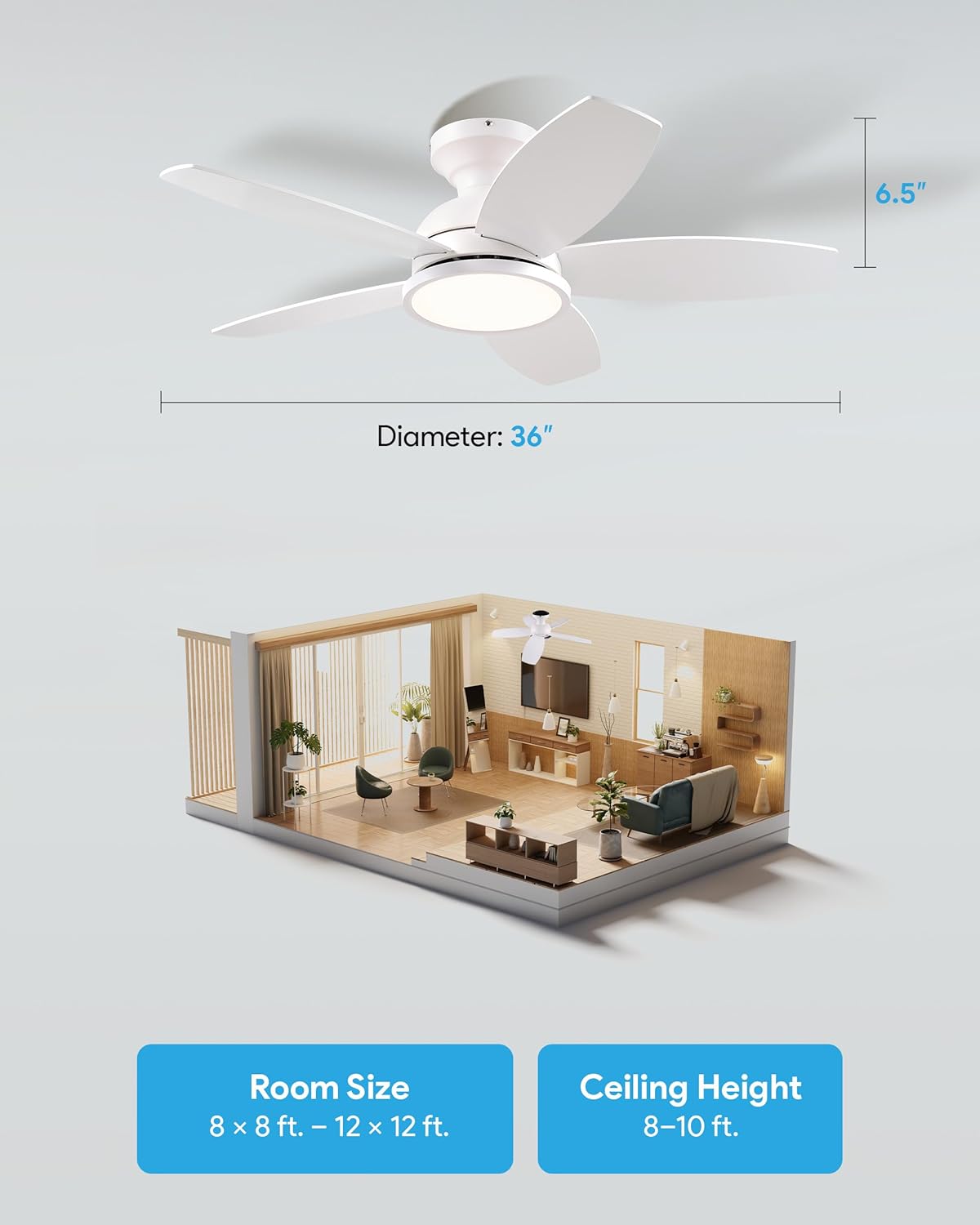
Image: Visual guide for the 36-inch fan's dimensions and suitable room sizes/ceiling heights.
Warranty and Customer Support
VONLUCE products are designed for quality and reliability. For specific warranty details, please refer to the warranty card included with your product or visit the official VONLUCE website.
If you encounter any issues or have questions regarding your VONLUCE 36 Inch Ceiling Fan with Lights, please contact our customer support team:
- Online Support: Visit the VONLUCE Store on Amazon for FAQs and contact information.
- Email Support: Refer to your product packaging or official website for the customer service email address.
Please have your model number (CFN-3SMD-WH) and purchase date ready when contacting support.
