
Arikasen A6
Arikasen A6 Bluetooth Headset User Manual
Model: A6 | Wireless On-Ear Earphones
Introduction
Welcome to the user manual for your Arikasen A6 Bluetooth On-Ear Headset. This manual provides detailed instructions on how to set up, operate, maintain, and troubleshoot your new wireless earphones. Designed for comfort and superior sound, the A6 headset features Bluetooth 5.0 for stable connections, deep bass, and 3D stereo sound. Please read this manual carefully to ensure optimal performance and longevity of your device.
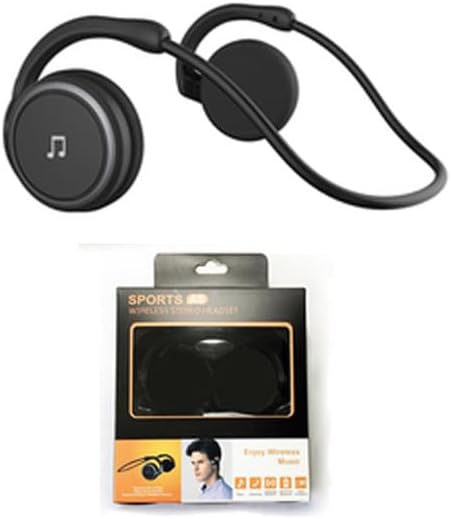
Figure 1: Arikasen A6 Bluetooth Headset. This image displays the overall design of the black on-ear headset, highlighting its lightweight and ergonomic form factor.
Setup and First Use
1. Charging the Headset
Before first use, fully charge your Arikasen A6 headset. The headset charges via a cable connection.
- Connect the charging cable to the headset's charging port.
- Connect the other end of the cable to a USB power source (e.g., computer USB port, wall adapter).
- The indicator light will show charging status (refer to device for specific light behavior).
- A full charge provides approximately 11 hours of music playback time.
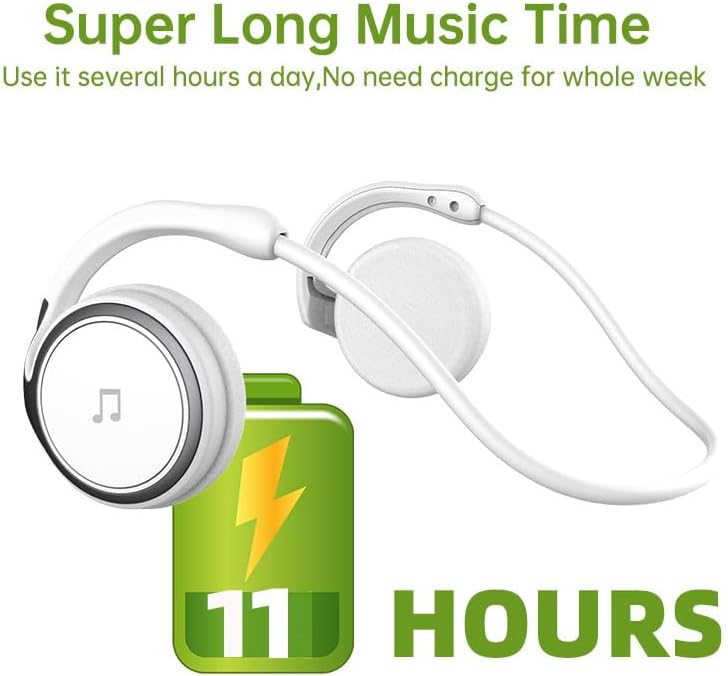
Figure 2: Battery Life Indication. This image illustrates the headset's capability to provide up to 11 hours of continuous music playback on a single charge.
2. Bluetooth Pairing
To connect your headset to a device (smartphone, tablet, computer), follow these steps:
- Ensure the headset is charged and turned off.
- Press and hold the power button on the headset until the indicator light flashes, indicating pairing mode.
- On your device, go to Bluetooth settings and turn Bluetooth on.
- Search for available devices. The headset should appear as "Arikasen A6" or similar.
- Select "Arikasen A6" to connect. Once connected, the indicator light will change (e.g., solid blue or off).
- If prompted for a password, enter "0000".

Figure 3: Bluetooth 5.0 Connectivity. This image highlights the headset's Bluetooth 5.0 capabilities, ensuring stable and swift connections for both audio and voice calls.
Operating Instructions
Controls Overview
The Arikasen A6 headset features intuitive controls located on the earcup. Familiarize yourself with these buttons for easy operation.
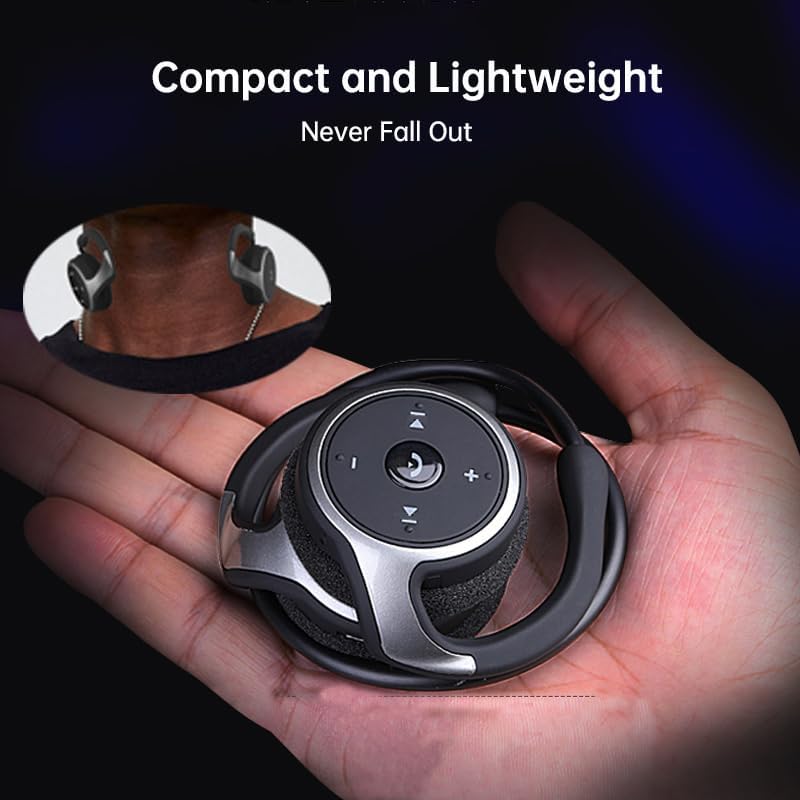
Figure 4: Headset Controls. This image provides a close-up view of the control panel on the headset's earcup, detailing the button layout for music and call management.
- Power Button (Multi-function Button):
- Press and hold to Power ON/OFF.
- Press once to Play/Pause music.
- Press once to Answer/End calls.
- Press and hold to Reject calls.
- Volume Up (+): Press to increase volume.
- Volume Down (-): Press to decrease volume.
- Next Track (>>|): Press to skip to the next song.
- Previous Track (|<<): Press to go to the previous song.
Wearing the Headset
The Arikasen A6 is designed for ultra-comfort, balancing stress on the ear. Its lightweight and compact design ensures it stays securely in place.

Figure 5: Ultra Comfort Design. This image demonstrates the ergonomic design of the headset, emphasizing its comfortable fit for extended wear, particularly beneficial for sensitive ears.
Maintenance and Care
Proper maintenance ensures the longevity and optimal performance of your Arikasen A6 headset.
- Cleaning: Use a soft, dry cloth to wipe the headset. Do not use abrasive cleaners, solvents, or strong chemicals.
- Storage: When not in use, store the headset in a cool, dry place, away from direct sunlight and extreme temperatures.
- Avoid Moisture: Do not expose the headset to water or excessive moisture. It is not waterproof.
- Handle with Care: Avoid dropping the headset or subjecting it to strong impacts.
- Charging: Only use the provided charging cable or a certified equivalent. Do not overcharge the battery.
Troubleshooting
If you encounter issues with your Arikasen A6 headset, refer to the following common problems and solutions:
| Problem | Possible Cause | Solution |
|---|---|---|
| Headset does not turn on. | Low battery. | Charge the headset fully. |
| Cannot pair with device. | Headset not in pairing mode; Bluetooth off on device; device too far. | Ensure headset is in pairing mode (flashing light). Turn on Bluetooth on your device. Move headset closer to device (within 10 meters). |
| No sound or low volume. | Volume too low on headset or device; headset not connected properly. | Increase volume on both headset and connected device. Re-pair the headset. |
| Intermittent connection. | Interference; device too far; low battery. | Move away from other wireless devices. Ensure headset is within range. Charge the headset. |
If the problem persists, please refer to the Warranty and Support section for further assistance.
Specifications
The following are the technical specifications for the Arikasen A6 Bluetooth Headset:
- Model: A6
- Brand: Generic (Arikasen)
- Connectivity: Bluetooth 5.0
- Earcups Type: Semi-open
- Sound Isolating: No
- Output Power: 50mW
- Number of Drivers: 2
- Driver Size: 18mm (for superior sound and deeper bass)
- Charging Method: Cable
- Headphone Pads Material: Soft Foam
- Magnet Type: Neodymium
- Material: Plastic
- Color: Black (without box)
- Approximate Music Playback Time: 11 hours

Figure 6: Driver Technology. This image illustrates the internal components of the earcup, highlighting the 18mm driver responsible for delivering superior sound quality and deep bass.
Warranty and Support
Your Arikasen A6 headset comes with dedicated customer support.
If you encounter any issues with your product, such as a damaged product or receiving incorrect items, please contact us directly through the Amazon platform. We are committed to providing the best solution to resolve any issues promptly.
For further assistance or inquiries, please reach out to our customer service team via the Amazon messaging system.
Related documentsA6


Ask a question about this manual
Ask about setup, troubleshooting, compatibility, parts, safety, or missing instructions. Manuals+ will review the question and use this page’s manual context to help answer it.