1. Introduction
Thank you for choosing the KAIY Bluetooth Transmitter Receiver. This versatile 2-in-1 device allows you to wirelessly transmit audio from non-Bluetooth devices (like TVs, PCs, or in-flight entertainment systems) to your Bluetooth headphones or speakers (TX Mode), or receive audio wirelessly from your smartphone or tablet to wired speakers or car stereos (RX Mode). Featuring Bluetooth 5.4 technology, it ensures stable connections and high-quality audio.

Image 1: KAIY Bluetooth Transmitter Receiver. This image shows the compact, black device with a flexible 3.5mm audio jack, indicating its portability and primary function.
2. Package Contents
Please check the box for the following items:
- KAIY Bluetooth Transmitter Receiver Adapter
- Power Cable (USB-C)
3. Product Overview
Familiarize yourself with the device's components and indicators:

Image 2: Product Diagram. This diagram highlights key features including the AUX Interface, Device Connection Lights (1 & 2), RX Mode Light, TX Mode Light, Charging Indicator, On/Off Button/Handsfree Button/Play/Pause Button, Next Song/Volume + button, Previous Song/Volume - button, Microphone, and TX/RX Switch Button.
- AUX Interface: 3.5mm audio jack for connecting to audio sources or output devices.
- Device Connection Light 1 & 2: Indicate successful pairing with Bluetooth devices.
- RX Mode Light: Illuminates when the device is in Receiver mode.
- TX Mode Light: Illuminates when the device is in Transmitter mode.
- Charging Indicator: Shows charging status.
- On/Off Button / Handsfree Button / Play/Pause Button: Multi-function button for power, call management, and media playback.
- Next Song / Volume + Button: Controls track skipping and volume increase.
- Previous Song / Volume - Button: Controls track skipping and volume decrease.
- Microphone: For hands-free calling in RX mode.
- TX/RX Switch Button: Toggles between Transmitter and Receiver modes.
- Charging Port: USB-C port for charging the device.
4. Setup
4.1 Charging the Device
Before first use, fully charge the KAIY Bluetooth Transmitter Receiver. Connect the provided power cable to the device's charging port and a USB power source (e.g., computer USB port, USB wall adapter). The Charging Indicator will show the charging status.
4.2 Switching Between TX and RX Modes
The device supports both Transmitter (TX) and Receiver (RX) modes. Use the TX/RX Switch Button on the side of the device to toggle between these modes. The corresponding TX or RX light will illuminate to indicate the current mode.

Image 3: 2-in-1 Functionality. This diagram illustrates how the device functions as both a Transmitter (TX) for TVs, PCs, airplanes, and projectors to Bluetooth headphones/speakers, and as a Receiver (RX) for phones/tablets/laptops to home stereos, car stereos, or old headphones.
5. Operating Instructions
5.1 Transmitter (TX) Mode
In TX mode, the device transmits audio from a non-Bluetooth source to Bluetooth headphones or speakers.
- Switch to TX Mode: Ensure the device is set to TX mode using the TX/RX switch. The TX light will be on.
- Connect to Audio Source: Plug the 3.5mm AUX interface of the KAIY adapter into the audio output jack of your device (e.g., TV, PC, airplane entertainment system, gym equipment).
- Enter Pairing Mode on Headphones/Speakers: Put your Bluetooth headphones or speakers into pairing mode. Refer to your headphone/speaker manual for specific instructions.
- Pairing: The KAIY adapter will automatically search for nearby Bluetooth devices. Once found, the Device Connection Light(s) on the adapter will illuminate, indicating a successful connection.

Image 4: Airplane Use. A man is shown enjoying in-flight entertainment wirelessly using the KAIY adapter connected to the airplane's audio jack and paired with his Bluetooth headphones.
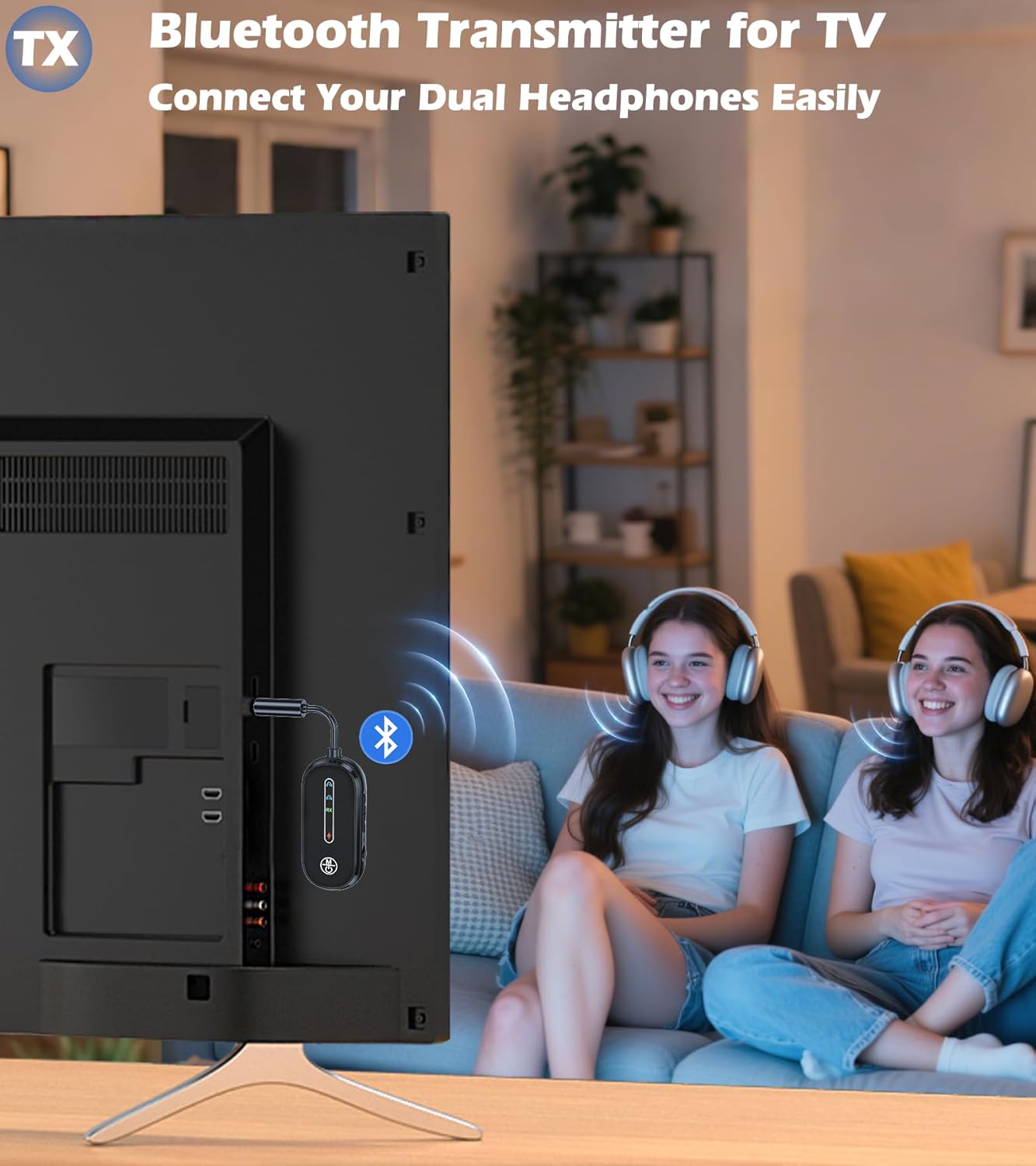
Image 5: TV Connection. Two individuals are comfortably watching television, each wearing Bluetooth headphones, with the KAIY adapter plugged into the TV's audio output, enabling private listening for both.

Image 6: Gym Equipment Use. A woman is running on a treadmill, wirelessly connected to the machine's audio output via the KAIY adapter and her Bluetooth earbuds, demonstrating cord-free exercise.
Dual Headphone Streaming (TX Mode)
The KAIY adapter supports connecting to two Bluetooth headphones simultaneously, allowing you to share audio with a friend or family member.
- Connect the first pair of headphones as described above.
- Once the first pair is connected (Device Connection Light 1 on), put the second pair of Bluetooth headphones into pairing mode.
- The adapter will automatically search and connect to the second pair. Device Connection Light 2 will illuminate upon successful connection.

Image 7: Dual Pairing. A man and a woman are shown sharing audio from a laptop using two separate Bluetooth headphones connected simultaneously to the KAIY adapter, illustrating its dual-link capability.
5.2 Receiver (RX) Mode
In RX mode, the device receives audio wirelessly from your Bluetooth-enabled smartphone or tablet and outputs it to a wired audio system.
- Switch to RX Mode: Ensure the device is set to RX mode using the TX/RX switch. The RX light will be on.
- Connect to Audio Output Device: Plug the 3.5mm AUX interface of the KAIY adapter into the audio input jack of your wired speaker, car stereo, or vintage amplifier.
- Enable Bluetooth on Your Phone/Tablet: Turn on Bluetooth on your smartphone or tablet.
- Pairing: Search for "C83Pro" (or similar name) in your device's Bluetooth settings and select it to pair. The Device Connection Light 1 will illuminate upon successful connection.
- Hands-Free Car Kit: When connected to a car stereo in RX mode, the built-in microphone with CVC noise cancellation allows for crystal-clear calls. Use the multi-function button to answer/end calls.

Image 8: Car Use. The KAIY adapter is shown plugged into a car's AUX input, wirelessly streaming music from a smartphone and enabling hands-free calls, demonstrating its utility in vehicles.
6. Bluetooth 5.4 Technology
The KAIY Bluetooth Transmitter Receiver utilizes advanced Bluetooth 5.4 technology, offering several advantages:
- Zero Audio Delay: Ideal for gaming, movies, and calls, ensuring synchronized audio.
- 33ft Stable Range: Provides a reliable connection without signal drops in open spaces.
- Faster Pairing & Stronger Connections: Improved connectivity compared to older Bluetooth versions.
- Enhanced Security: Incorporates advanced encryption for secure connections.

Image 9: Bluetooth 5.4 Chip. A stylized image of a microchip labeled '5.4 Bluetooth' highlighting the advanced technology integrated into the device for stable connection, quality sound, and fast transmission.
7. Universal Compatibility
The KAIY Bluetooth Transmitter Receiver is designed for broad compatibility:
- AUX Bluetooth adapter works with Airplanes: All 3.5mm in-flight jacks.
- Bluetooth adapter for headphones: AirPods (Pro/Max), Bose, Sony, Sennheiser, and many more.
- Bluetooth transmitter for devices: TVs, cars, gym machines, projectors, and vintage stereos.
8. Safety Information
Please observe the following safety precautions:
- Battery Handling: Do not disassemble, crush, or expose the device to extreme temperatures. Dispose of batteries according to local regulations.
- Interference: This device may cause interference with other electronic devices. Maintain a safe distance from medical devices (e.g., pacemakers) and other wireless equipment.
- Water Exposure: Do not expose the device to water or excessive moisture.
- Cleaning: Use a soft, dry cloth for cleaning. Avoid harsh chemicals.
9. Troubleshooting
If you encounter issues, please refer to the following common solutions:
| Problem | Possible Cause / Solution |
|---|---|
| Device does not power on. | Battery may be depleted. Charge the device fully. |
| Cannot pair with Bluetooth headphones/device. |
|
| No audio or poor audio quality. |
|
| Hands-free calling not working in RX mode. | Ensure the adapter is properly connected to your phone via Bluetooth and that your phone's audio output is set to the adapter. Check microphone permissions on your phone if applicable. |
10. Specifications
| Feature | Detail |
|---|---|
| Model Number | C83Pro |
| Product Dimensions | 1.12 x 0.5 x 5.11 inches |
| Item Weight | 4 ounces |
| Connectivity Technology | AUX, Bluetooth 5.4 |
| Power Source | Battery Powered (1 9V battery included) |
| Material | Metal, Plastic |
| Manufacturer | Dongguan Jieshengda Intelligent Technology Co., Ltd. |
11. Maintenance
To ensure the longevity and optimal performance of your KAIY Bluetooth Transmitter Receiver, follow these maintenance guidelines:
- Keep the device dry. Avoid exposure to humidity, rain, or liquids.
- Do not store the device in extremely hot or cold temperatures.
- Clean the device with a soft, dry cloth. Do not use harsh chemicals, cleaning solvents, or strong detergents.
- Handle the device gently. Do not drop, knock, or shake it.
12. Warranty and Support
For warranty information and customer support, please refer to the product packaging or contact KAIY customer service through the retailer's platform where the product was purchased. Keep your purchase receipt as proof of purchase.