
iKF iKF Solo
iKF Solo Wireless Over-Ear Headphones User Manual
Model: iKF Solo
Brand: iKF
Introduction
Thank you for choosing the iKF Solo Wireless Over-Ear Headphones. These headphones are designed to provide a superior audio experience with advanced features such as Active Noise Cancellation (ANC), HiFi stereo sound, and extended playback time. This manual will guide you through the setup, operation, and maintenance of your new headphones to ensure optimal performance and longevity.

Image: iKF Solo Wireless Over-Ear Headphones, showcasing the sleek design and over-ear form factor.
Package Contents
Please check the box for the following items:
- iKF Solo Wireless Over-Ear Headphones
- Charging Cable (Type-C)
- User Manual
- Detachable External Microphone
- Storage Bag
Product Overview
Controls and Indicators

Image: Side view of the iKF Solo headphones, highlighting the location of the control buttons for volume, power, and mode selection.
Familiarize yourself with the buttons and indicators on your iKF Solo headphones:
- Power Button: Press and hold to power on/off. Short press for play/pause.
- Volume Up (+): Increase volume.
- Volume Down (-): Decrease volume.
- ANC/Transparency Mode Button: Toggle between Active Noise Cancellation, Transparency Mode, and Normal Mode.
- LED Indicator: Displays power status, pairing status, and charging status.
- Type-C Port: For charging and wired audio connection.
- Microphone Jack: For connecting the detachable external microphone.
Setup
Charging the Headphones
Before first use, fully charge your iKF Solo headphones. A full charge takes approximately 2 hours.
- Connect the provided Type-C charging cable to the charging port on the headphones.
- Connect the other end of the cable to a USB power source (e.g., computer USB port, wall adapter).
- The LED indicator will show red during charging and turn off when fully charged.
Note: Avoid using chargers with power exceeding 24 watts or fast chargers unless verified compatible, as this may damage the headphones.

Image: Graphic illustrating the impressive battery life of the iKF Solo headphones, up to 130 hours in normal mode and 95 hours with ANC enabled.
Bluetooth Pairing
Pair your iKF Solo headphones with your Bluetooth-enabled device (smartphone, tablet, laptop).
- Ensure the headphones are powered off.
- Press and hold the Power Button for approximately 3-5 seconds until the LED indicator flashes blue and red, indicating pairing mode.
- On your device, go to Bluetooth settings and enable Bluetooth.
- Select "iKF Solo" from the list of available devices.
- Once connected, the LED indicator will turn solid blue or flash slowly.
The headphones will automatically reconnect to the last paired device when powered on, if the device's Bluetooth is active and within range.
Operating Instructions
Active Noise Cancellation (ANC) and Transparency Mode
The iKF Solo headphones feature hybrid ANC technology to reduce ambient noise and a Transparency Mode to hear your surroundings.
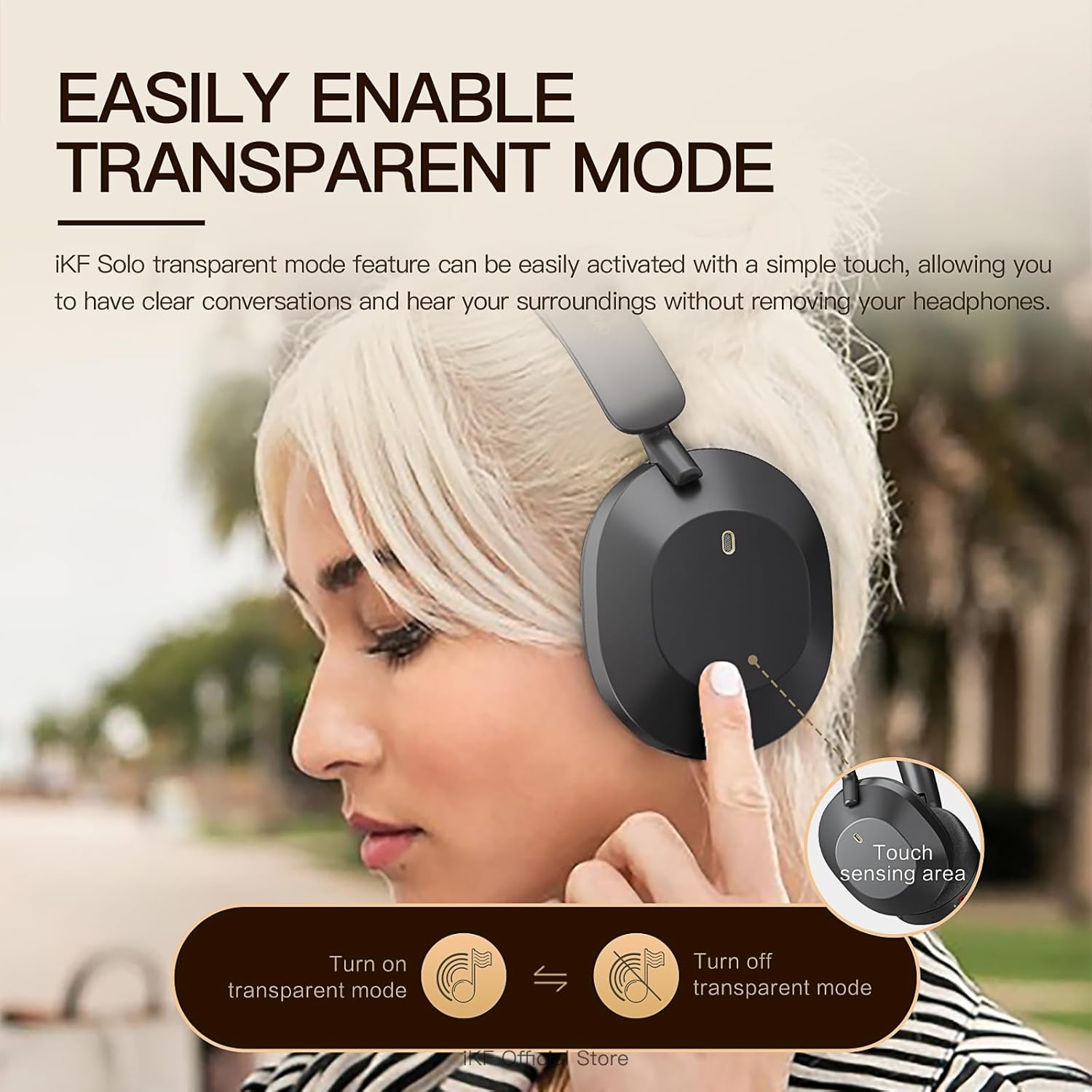
Image: A user demonstrating the activation of the transparent mode by touching the sensing area on the headphone.
- Press the ANC/Transparency Mode Button to cycle through:
- Active Noise Cancellation (ANC) On: Reduces external noise by up to 52dB. Ideal for travel or noisy environments.
- Transparency Mode: Allows you to hear your surroundings clearly without removing the headphones. Useful for conversations or announcements.
- Normal Mode (ANC Off): Standard audio playback without noise cancellation or transparency.
Audio Modes (Movie and Game)
The headphones offer specialized audio modes for an enhanced experience.

Image: Depiction of users enjoying the iKF Solo headphones in various scenarios, illustrating the multi-mode functionality including noise reduction, transparent, and movie modes.
- Movie Mode: Provides immersive 3D surround sound, enhancing the cinematic experience.
- Game Mode: Offers ultra-low latency (35ms) for competitive gaming, ensuring synchronized audio and visuals.
- Refer to the iKF App for specific controls to switch between these modes.
Music Playback and Calls
- Play/Pause: Short press the Power Button.
- Volume Control: Use the Volume Up (+) and Volume Down (-) buttons.
- Next Track: Double-press the Volume Up (+) button.
- Previous Track: Double-press the Volume Down (-) button.
- Answer/End Call: Short press the Power Button.
- Reject Call: Press and hold the Power Button for 2 seconds.
- Activate Voice Assistant: Triple-press the Power Button.
The detachable microphone ensures clear voice pickup during calls and gaming.
iKF App Customization
Enhance your experience by downloading the iKF app. The app allows you to:
- Adjust ANC strength.
- Switch between listening modes (e.g., Movie, Game).
- Control Equalizer (EQ) settings.
- Enable dual device pairing for seamless switching between devices.
Maintenance
Proper care will extend the life of your iKF Solo headphones.
- Cleaning: Use a soft, dry cloth to clean the headphones. Do not use harsh chemicals or abrasive materials.
- Storage: When not in use, store the headphones in the provided storage bag to protect them from dust and scratches. The foldable design makes them compact for storage.
- Battery Care: Avoid exposing the headphones to extreme temperatures. For long-term storage, charge the battery to about 50% every few months to prevent deep discharge.
- Water Exposure: These headphones are not waterproof. Avoid exposure to water or excessive moisture.

Image: The iKF Solo headphones in their folded position, demonstrating their portable and travel-friendly design.
Troubleshooting
If you encounter issues with your headphones, refer to the following table for common solutions.
| Problem | Possible Cause | Solution |
|---|---|---|
| Headphones do not power on. | Low battery. | Charge the headphones fully. |
| Cannot pair via Bluetooth. | Headphones not in pairing mode; Device Bluetooth off; Too far from device. | Ensure headphones are in pairing mode (flashing blue/red LED). Turn on device Bluetooth. Move headphones closer to device. Forget "iKF Solo" on device and re-pair. |
| No sound or choppy sound. | Not connected; Volume too low; Interference. | Ensure headphones are connected. Increase volume on headphones and device. Move away from other wireless devices. Try restarting both headphones and device. |
| ANC not working effectively. | ANC not activated; Improper fit. | Press the ANC button to activate. Adjust headphones for a snug fit over your ears. |
| Microphone not working. | Microphone not properly connected; Device settings. | Ensure the detachable microphone is securely plugged in. Check microphone input settings on your device. |
Specifications
Detailed technical specifications for the iKF Solo Wireless Over-Ear Headphones:
| Feature | Description |
|---|---|
| Model Name | iKF Solo |
| Noise Control | Active Noise Cancellation, Sound Isolation |
| Connectivity Technology | Bluetooth, Wired (Type-C) |
| Wireless Communication | Bluetooth |
| Audio Driver Size | 40 Millimeters |
| Impedance | 32 Ohm |
| Charging Time | Approximately 2 Hours |
| Playback Time (Normal) | Up to 130 Hours |
| Playback Time (ANC On) | Up to 95 Hours |
| Form Factor | Over Ear |
| Material | Plastic |
| Control Type | Button Control |
| Compatible Devices | Tablets, Cellphones/iPhone, Smart Watch, Laptops/iPad/Macbook |

Image: An exploded view diagram showcasing the 40mm speaker drivers and internal components responsible for the HiFi audio quality.
Warranty and Support
iKF provides a standard warranty for its products. For detailed warranty information, please refer to the warranty card included in your package or visit the official iKF website.
If you require further assistance, technical support, or have questions not covered in this manual, please contact iKF customer service through their official channels. Contact information can typically be found on the product packaging or the brand's official website.
Related documentsiKF Solo


Ask a question about this manual
Ask about setup, troubleshooting, compatibility, parts, safety, or missing instructions. Manuals+ will review the question and use this page’s manual context to help answer it.