
Important Safeguards
Please read all instructions carefully before using this humidifier. Failure to follow these instructions may result in electric shock, fire, or serious injury.
- Always place the humidifier on a firm, flat, and level surface.
- Do not place the humidifier near heat sources such as stoves, radiators, or direct sunlight.
- Keep the power cord away from heated surfaces and areas where it might be walked on or tripped over.
- Do not operate the humidifier with a damaged cord or plug. If the cord or plug is damaged, contact customer support.
- Unplug the humidifier from the power outlet before filling, cleaning, or moving it.
- Do not immerse the humidifier in water or other liquids.
- This appliance is not intended for use by persons (including children) with reduced physical, sensory, or mental capabilities, or lack of experience and knowledge, unless they have been given supervision or instruction concerning use of the appliance by a person responsible for their safety.
- Only use clean, cool tap water in the water tank. Do not add essential oils or other additives to the water tank.
- Ensure the air inlet and outlet are not blocked during operation.
Product Overview
The EdenPURE Mist-Free Humidifier A6073 utilizes advanced nanoscale evaporative humidification technology to add moisture to the air without producing a visible mist. This design prevents wet floors and furniture residue, ensuring a clean and comfortable environment.

Front view of the EdenPURE Mist-Free Humidifier A6073, displaying the current humidity level on its digital screen.
Key Features:
- Mist-Free Evaporative Humidification: Adds moisture to the air without producing a visible mist, preventing wet surfaces.
- 4.5 Liter Water Tank: Provides extended operation time.
- Energy Efficient: Designed for low power consumption.
- Quiet Operation: Operates at a low noise level of 35 dB(A).
- Adjustable Humidity Control: Allows users to set desired humidity levels.
- Dual Control Modes: Features both touch screen and remote control for convenience.
Setup
1. Unpacking and Placement:
- Carefully remove the humidifier from its packaging. Retain packaging for future storage or transport.
- Place the humidifier on a firm, flat, and level surface, at least 6 inches (15 cm) away from walls and furniture to ensure proper airflow.
2. Filling the Water Tank:
- Ensure the humidifier is unplugged from the power outlet.
- Remove the top cover of the humidifier to access the water tank.
- Fill the water tank with clean, cool tap water. Do not exceed the maximum fill line.

A user pouring water into the humidifier's water tank. Ensure the unit is unplugged before filling.
- Replace the top cover securely.
3. Connecting Power:
- Plug the power cord into a standard 110V AC electrical outlet.

Side view of the humidifier with the power cord properly connected.
Operating Instructions
1. Power On/Off:
- Once plugged in, press the Power button on the touch screen control panel or the remote control to turn the humidifier on. The digital display will illuminate.
- To turn off, press the Power button again.
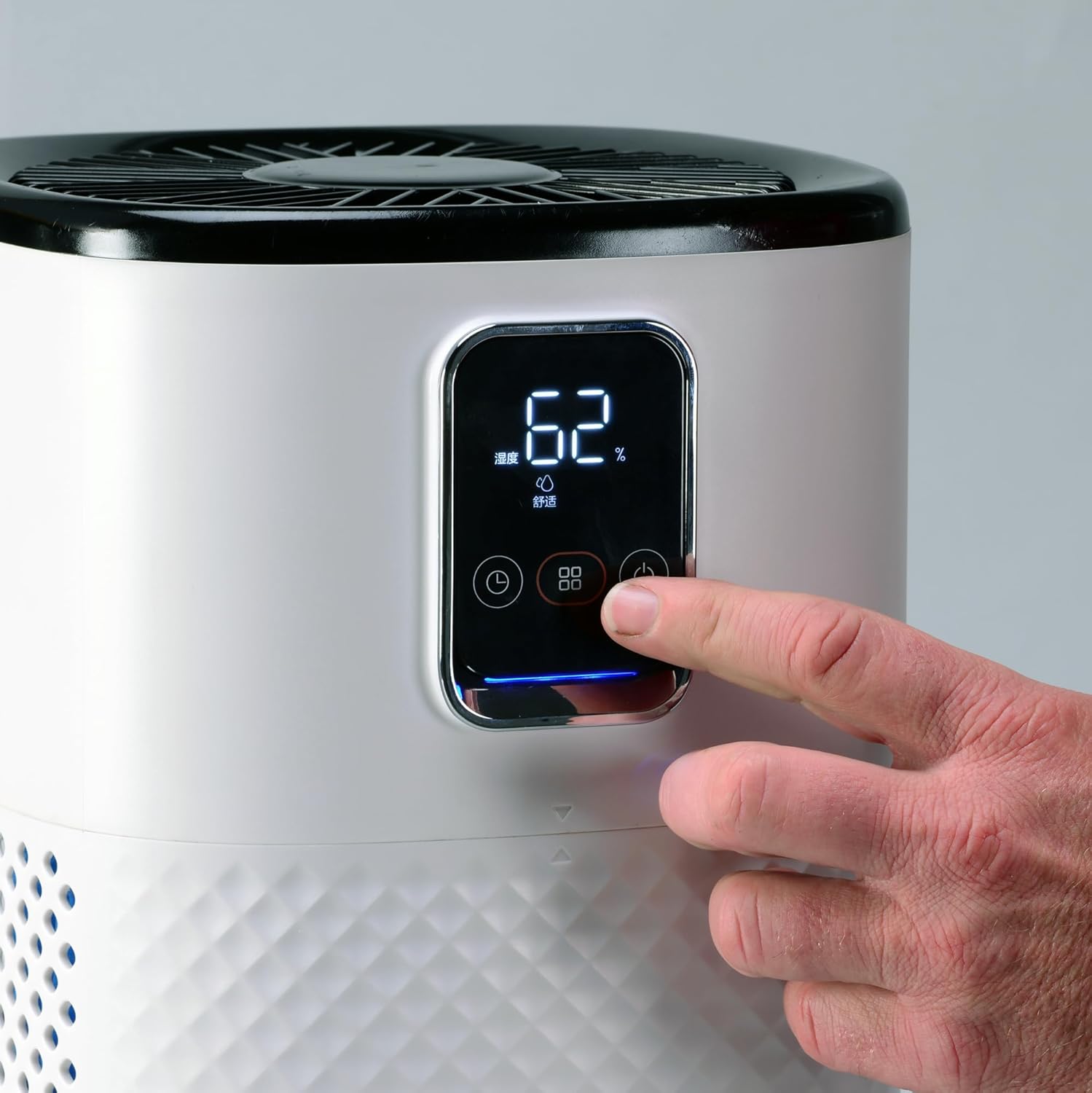
A user's finger pressing the power button on the humidifier's control panel.
2. Adjusting Humidity:
The humidifier features adjustable humidity control. Use the dedicated buttons on the control panel or remote to set your desired humidity level. The display will show the current and target humidity levels.
3. Control Modes:
- Touch Screen: Operate the humidifier directly using the intuitive touch-sensitive buttons on the front panel.
- Remote Control: For convenience, use the included remote control to adjust settings from a distance.
Maintenance
Regular maintenance ensures optimal performance and extends the lifespan of your humidifier.
1. Daily Maintenance:
- Refill the water tank with fresh, cool water daily.
- Wipe down the exterior of the humidifier with a soft, damp cloth.
2. Weekly Cleaning:
- Unplug the humidifier from the power outlet.
- Remove the top cover and empty any remaining water from the tank.
- Clean the water tank with a soft brush or sponge and a mild detergent. Rinse thoroughly to remove all soap residue.
- Wipe down the base unit with a damp cloth. Do not immerse the base in water.
- Allow all parts to air dry completely before reassembling.
3. Filter Maintenance:
The humidifier includes a filter that requires regular cleaning or replacement depending on water quality and usage. Refer to the filter's specific instructions for cleaning frequency and replacement guidelines. Typically, filters should be rinsed under cool water every 2-4 weeks and replaced every 3-6 months.
4. Storage:
If the humidifier will not be used for an extended period, clean all parts thoroughly, ensure they are completely dry, and store the unit in a cool, dry place away from direct sunlight.
Troubleshooting
If you encounter issues with your humidifier, please refer to the following common problems and solutions:
| Problem | Possible Cause | Solution |
|---|---|---|
| Humidifier does not turn on. | No power supply. | Ensure the power cord is securely plugged into a working electrical outlet. Check the circuit breaker. |
| No humidification. | Water tank is empty. | Refill the water tank. |
| Filter is clogged or dirty. | Clean or replace the filter as per maintenance instructions. | |
| Unusual noise during operation. | Humidifier not on a level surface. | Place the humidifier on a firm, flat, and level surface. |
| Obstruction in air inlet/outlet. | Check for and remove any obstructions. |
If the problem persists after trying these solutions, please contact EdenPURE customer support.
Specifications
| Feature | Detail |
|---|---|
| Model Number | A6073 |
| Dimensions (D x W x H) | 9.84" x 9.84" x 15" |
| Coverage Area | 250-300 square feet |
| Voltage | 110 Volts, 50-60 Hz |
| Power Consumption | 9 Watts |
| Rated Humidification | 300 ML/h |
| Water Tank Capacity | 4.5 Liters |
| Noise Level | 35 dB(A) |
| Operation Mode | Evaporative |
| Control Mode | Remote Control, Touch Screen |
| Included Components | Filter |
| Item Weight | 6 pounds |
| UPC | 827463006345 |
Warranty and Support
For warranty information, product registration, or technical support, please refer to the documentation included with your purchase or visit the official EdenPURE website. This manual does not contain specific warranty details.
Manufacturer: EdenPURE
