
Introduction
Thank you for choosing the Luqeeg Cordless LED Table Lamp. This manual provides essential information for the safe and efficient use of your new lamp. Please read it thoroughly before operation and retain it for future reference.

Image: Front view of the Luqeeg Cordless LED Table Lamp, showcasing its minimalist design with a white conical shade and cylindrical base.
Package Contents
Please check the package for the following items:
- 1 x Luqeeg Cordless LED Table Lamp
- 1 x USB Charging Cable
- 1 x Instruction Manual (this document)
Product Features
- Adjustable Brightness: Stepless dimming allows for precise brightness control from 10% to 100%.
- 360-Degree Illumination: Circular design provides soft, ambient lighting suitable for various settings.
- Stylish Design: Modern aesthetic that complements diverse interior styles.
- Extended Usage Time: Built-in rechargeable battery offers 10 to 40 hours of operation on a single charge, depending on brightness settings.
- Flexible Placement: Cordless design enables easy portability and placement anywhere without power outlet restrictions.
- Multiple Light Sources: Features White Light (6000K), Warm Light (3000K), and Neutral Light (4000K) options.

Image: The Luqeeg lamp placed on a dining table at night, demonstrating its ambient lighting for a romantic setting.
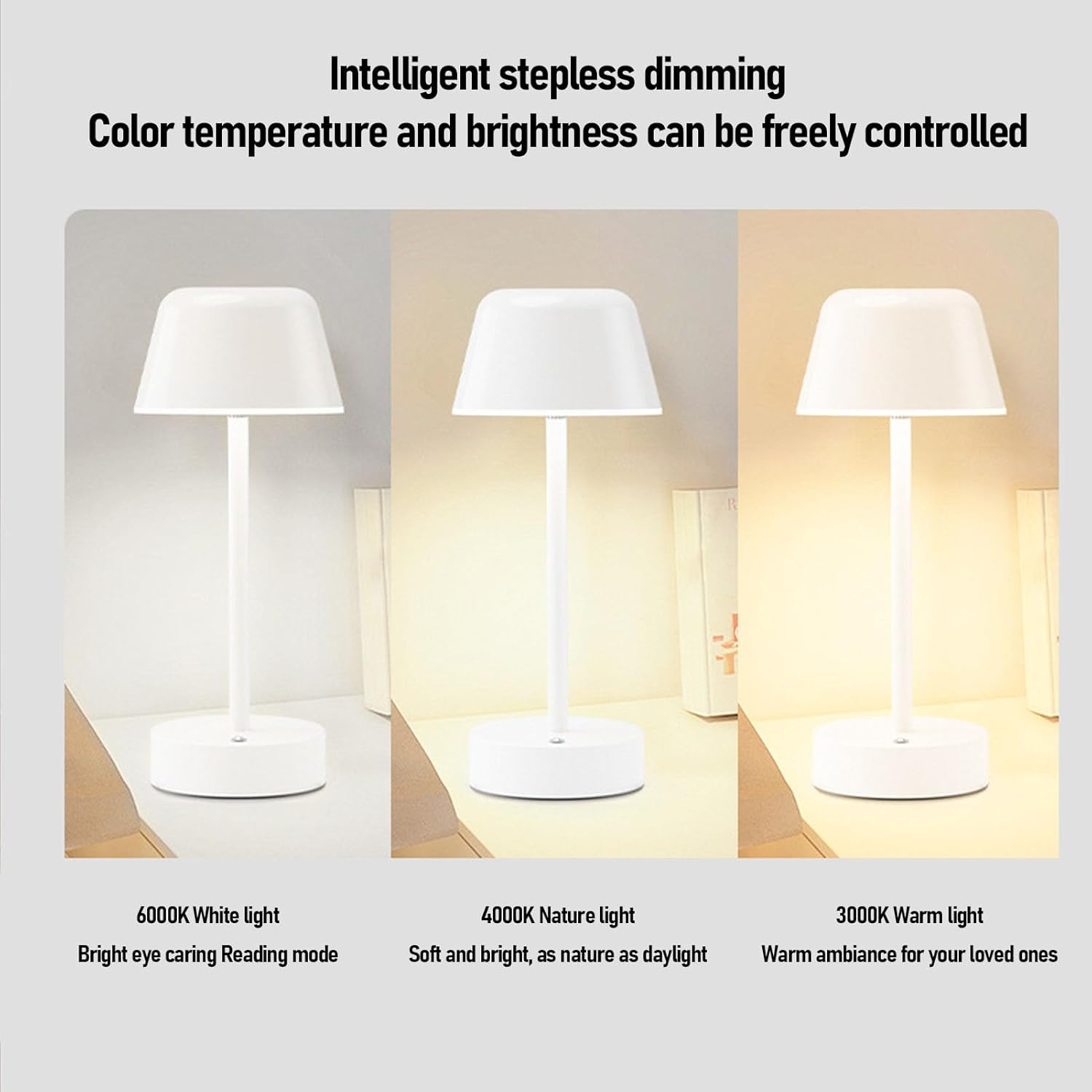
Image: Three lamps side-by-side illustrating the different color temperatures: 6000K White light, 4000K Nature light, and 3000K Warm light.
Setup
Charging the Lamp
Before first use, fully charge the lamp. Connect the provided USB charging cable to the charging port on the lamp's base and to a standard USB power adapter (not included).
- The charging indicator light (if present) will show charging status.
- A full charge typically takes approximately 3-4 hours.
- Avoid using the lamp while charging for optimal battery life.

Image: A detailed view of the lamp's base, highlighting the USB charging port for connecting the charging cable.
Operation
Touch Control
The Luqeeg Cordless LED Table Lamp features intuitive touch control located on its base.
- Power On/Off: Lightly touch the control area once to turn the lamp on or off.
- Change Light Color Temperature: With the lamp on, short touch the control area to cycle through White Light, Warm Light, and Neutral Light modes.
- Stepless Dimming: With the lamp on, press and hold the control area to smoothly adjust the brightness. Release when the desired brightness level is reached.

Image: A close-up of the lamp's base, clearly showing the circular touch control button.
Maintenance
Cleaning
- Ensure the lamp is turned off and unplugged before cleaning.
- Wipe the lamp with a soft, dry cloth.
- Do not use abrasive cleaners, solvents, or harsh chemicals, as these may damage the finish.
Battery Care
- To prolong battery life, avoid fully discharging the lamp frequently.
- Charge the lamp regularly, even if not in constant use, to maintain battery health.
- Store the lamp in a cool, dry place if not used for extended periods.
Troubleshooting
| Problem | Possible Cause | Solution |
|---|---|---|
| Lamp does not turn on. | Battery is depleted. | Charge the lamp using the provided USB cable. |
| Lamp does not dim or change color. | Incorrect operation. | Ensure you are pressing and holding the touch control area for stepless dimming. A short touch changes color temperature. |
| Short battery life. | Lamp used at high brightness; battery not fully charged; aging battery. | Reduce brightness for longer usage. Ensure full charge before use. If battery life significantly degrades, contact customer support. |
Specifications
| Model Name | Luqeegn8k36o2sva |
| Brand | Luqeeg |
| Item Type | Desk Lamp |
| Material | Iron Art |
| Weight | Approx. 512g / 1.13 lbs |
| Battery | Li Battery 2000mAh (Built-in) |
| Light Source | LED (White Light, Warm Light, Neutral Light) |
| Control Method | Touch Control |
| Brightness Adjustment | Long Press Stepless Dimming |
| Product Dimensions | 12.2"D x 5.11"W x 5.11"H (approx. 31cm x 13cm x 13cm) |
| Usage Time | 10-40 hours (depending on brightness) |
Warranty and Support
Luqeeg products are designed for quality and reliability. For warranty information or technical support, please refer to the purchase platform or contact Luqeeg customer service directly.
Please retain your proof of purchase for any warranty claims.