
1. Introduction
The hygger Upgrade Ceramic Aquarium Heater is designed to maintain a stable water temperature in freshwater and saltwater aquariums. This manual provides instructions for the safe installation, operation, and maintenance of your 100W heater. Please read this manual thoroughly before use to ensure proper function and safety.
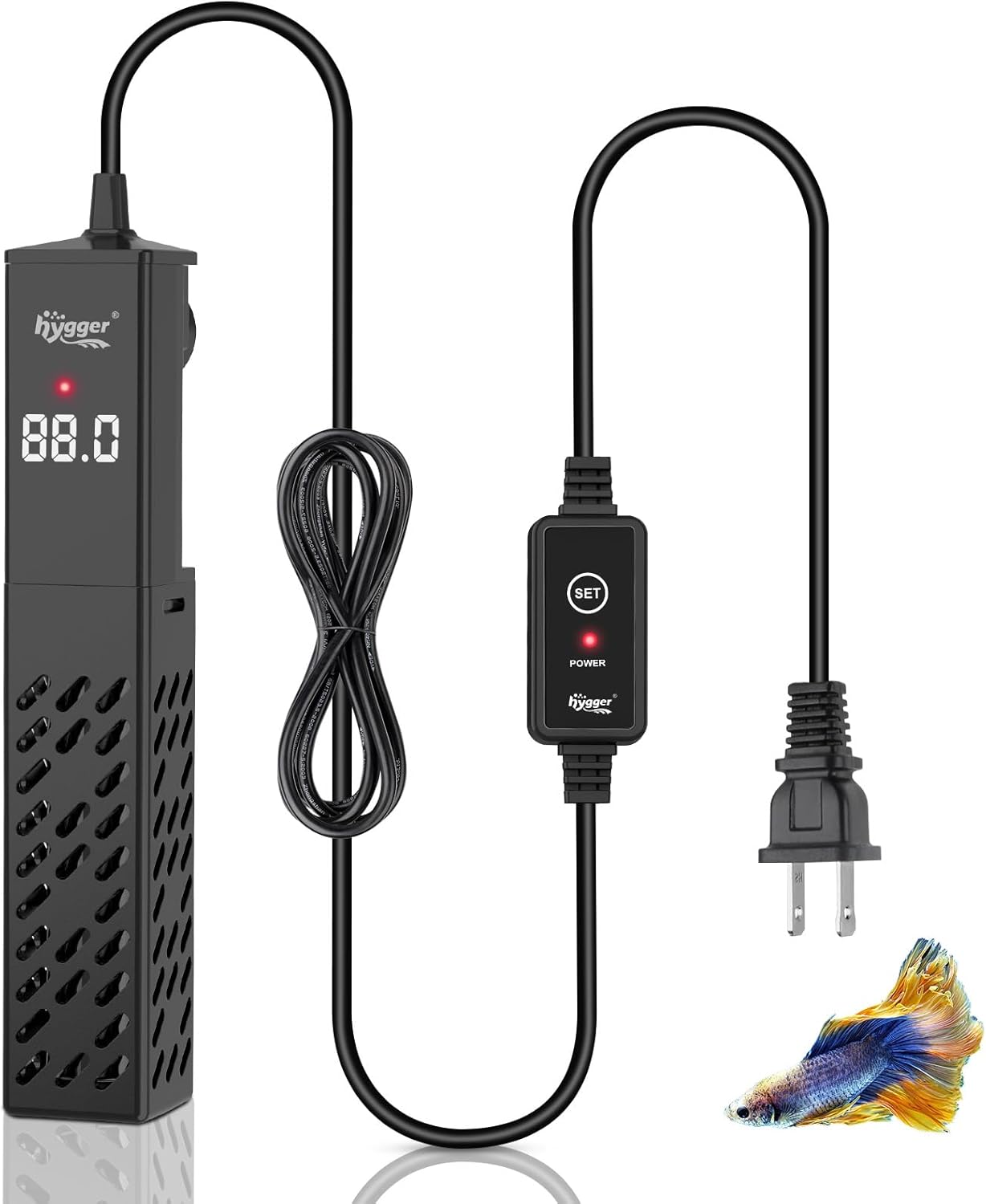
Image 1.1: Overview of the hygger 100W Ceramic Aquarium Heater and its components.
2. Product Features
- Durable Ceramic Construction: Made from explosion-proof ceramic material and high-temperature resistant nickel-chromium heating wire, ensuring thermal stability and a long service life. Features a high-temperature resistant ABS shell to protect aquatic life.
- Automatic Constant Temperature: Maintains water temperature with 1°F accuracy. The heater stops heating when the set temperature is reached and restarts if the temperature drops by 1°F.
- Memory Function: Retains the last set temperature after a power interruption, eliminating the need for manual reset.
- Safety Protections:
- Out of Water Protection: Automatically stops heating and displays "E01" if the heater is not fully submerged.
- Overheating Protection: Automatically stops heating and displays "HH" if the water temperature exceeds 95°F.
- Digital LED Display & External Controller: Features a built-in temperature sensor for real-time water temperature display. An external controller allows temperature adjustment from 64°F to 95°F without immersing hands in the water. An indicator light shows heating status (red for heating, off for constant temperature).
- Versatile Application: The 100W model is suitable for 5-20 gallon freshwater or saltwater tanks, including fish tanks, turtle tanks, and small ponds.
- Secure Mounting: Equipped with strong suction cups for stable placement within the aquarium.

Image 2.1: Benefits of the ceramic heating material, highlighting efficiency, safety, and durability.
3. Safety Instructions
Read all safety warnings and instructions before using this product to prevent injury or damage.
- Always ensure the heater is fully submerged in water before connecting it to power. Operating the heater out of water will trigger the "E01" error and can cause damage.
- Do not place the heater directly in sand or mud, as this can lead to inaccurate temperature readings and inefficient heating.
- Before performing any water changes or cleaning the aquarium, always unplug the heater from the power source.
- Allow the heater to cool down for at least 15-30 minutes after unplugging before removing it from the water. This prevents thermal shock and potential burns.
- Do not operate the heater if the power cord or plug is damaged. Contact customer support for assistance.
- Keep the external controller dry and away from water splashes.
- Ensure the heater's wattage is appropriate for your tank size. The 100W model is suitable for 5-20 gallon tanks.
- This appliance is intended for indoor use only.

Image 3.1: Visual representation of the anti-dry burning (E01) and over-temperature (HH) protection features.
4. Package Contents
Verify that all items are present and in good condition upon opening the package:
- 1x hygger Ceramic Aquarium Heater (100W)
- 1x External Temperature Controller
- 2x Suction Cups
5. Setup
- Unpack: Carefully remove all components from the packaging.
- Placement: Position the heater vertically or horizontally inside the aquarium. Ensure it is fully submerged in water. Avoid placing it directly in sand or mud, as this can affect temperature accuracy.
- Secure: Use the provided suction cups to firmly attach the heater to the inner wall of the aquarium. Ensure it is stable and will not float or move.
- Connect: Plug the heater's power cord into a suitable electrical outlet.

Image 5.1: Heater placement options: vertically or horizontally, always fully submerged.
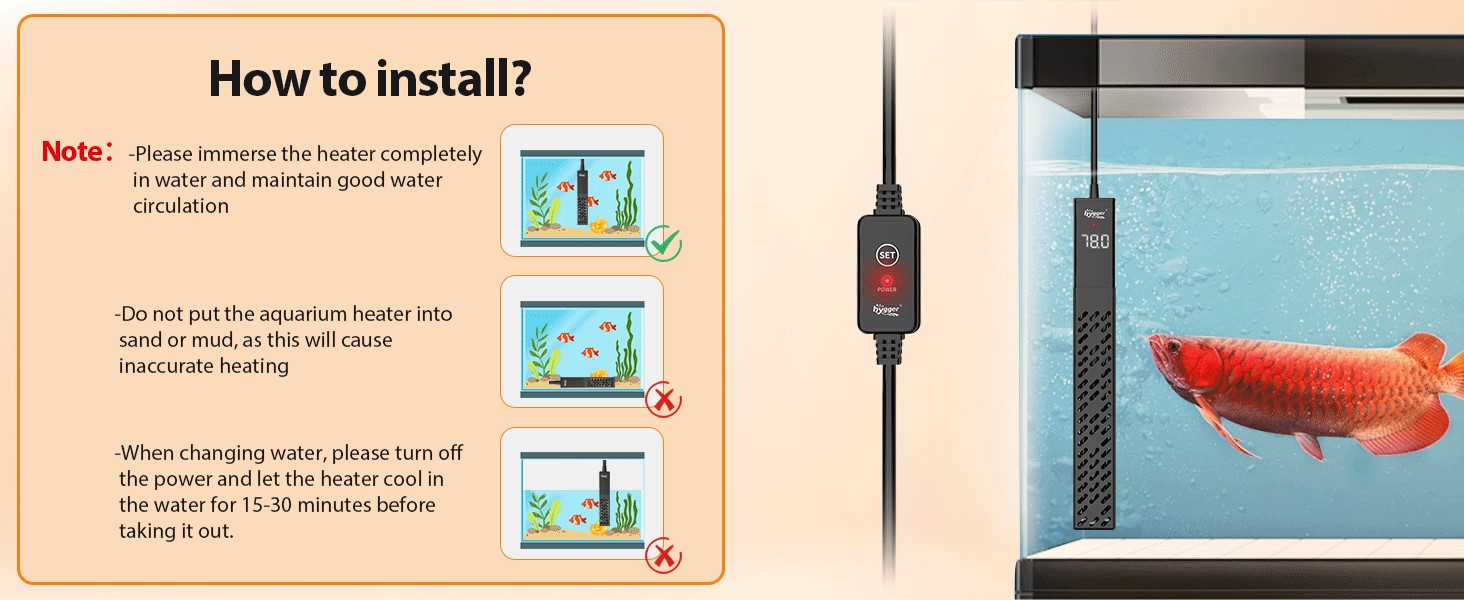
Image 5.2: Important installation notes: fully submerge, avoid sand/mud, and cool down before removal.
6. Operating Instructions
- Power On: Once plugged in, the heater's LED display will show the current real-time water temperature.
- Set Temperature:
- Press the "SET" button on the external controller. The display will flash the current set temperature.
- Press the "SET" button repeatedly to adjust the desired temperature. The temperature range is 64°F to 95°F (18°C to 35°C). Each press increases the temperature by 1°F.
- After selecting the desired temperature, stop pressing the button. The display will flash a few times and then return to showing the real-time water temperature. The new setting is saved automatically.
- Heating Indicator: A red indicator light on the heater will illuminate when the unit is actively heating. The light will turn off when the set temperature is reached and maintained.
- Monitoring: The digital LED display continuously shows the real-time water temperature, allowing for easy monitoring.
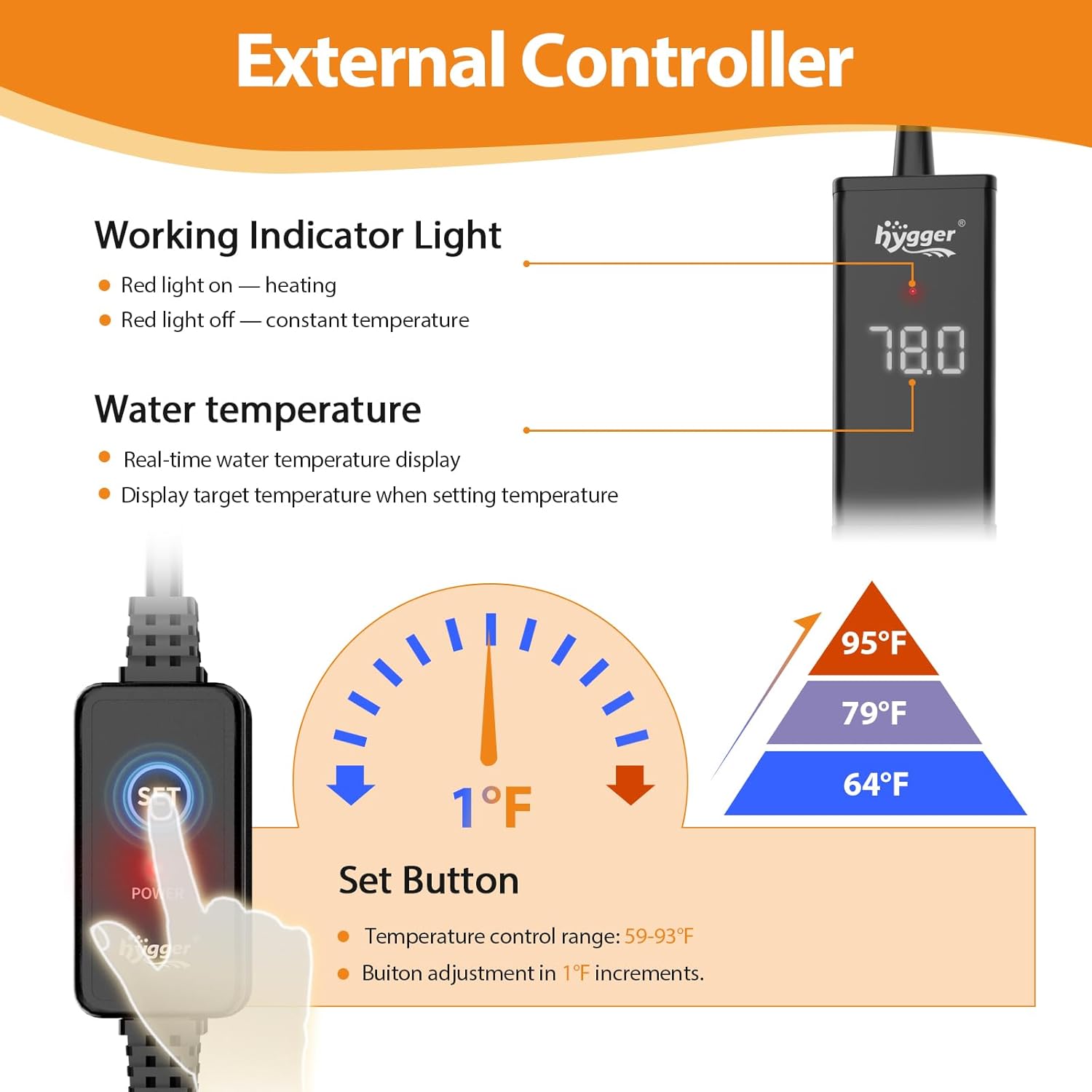
Image 6.1: Details of the external controller and temperature setting mechanism.
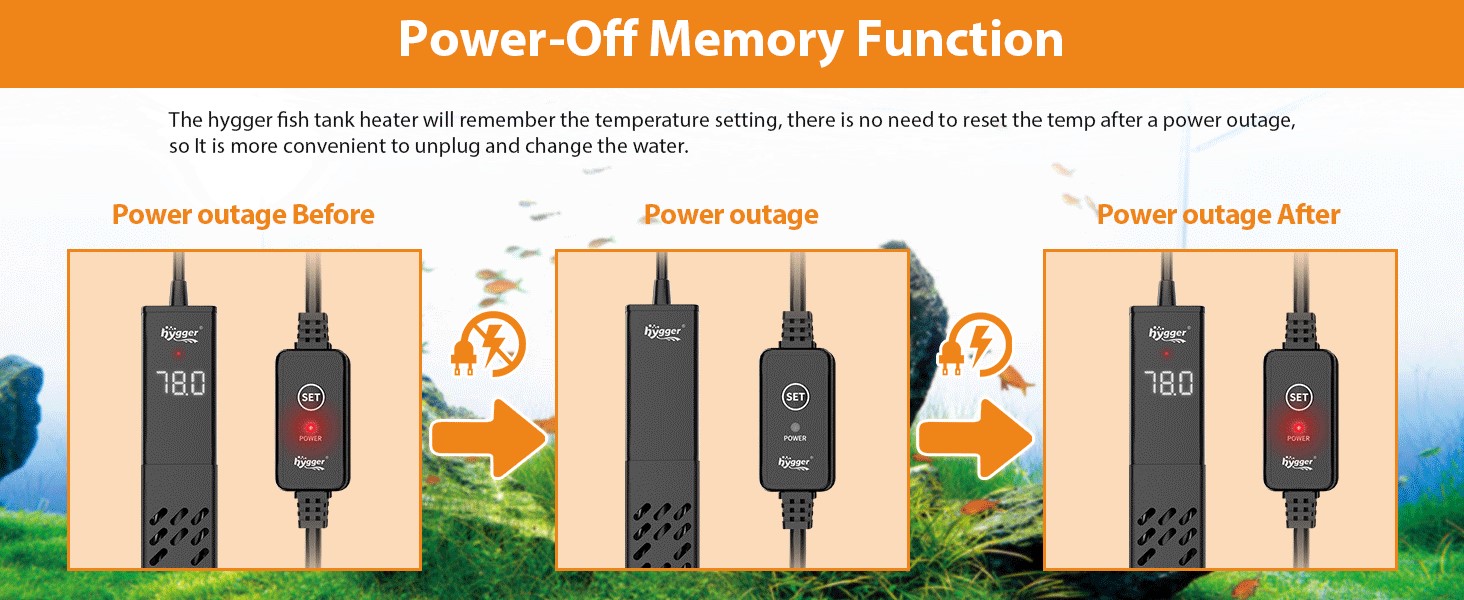
Image 6.2: The heater's power-off memory function, which saves the last temperature setting.
7. Maintenance
Regular maintenance ensures the longevity and efficient operation of your aquarium heater.
- Cleaning: Regularly inspect the heater for algae or mineral buildup.
- Safety First: Before cleaning or performing any aquarium maintenance, always unplug the heater and allow it to cool in the water for 15-30 minutes. This prevents thermal shock to the heater and protects you from potential burns.
- Gentle Cleaning: Use a soft cloth or brush to gently clean the heater's surface. Do not use harsh chemicals, abrasive materials, or sharp objects that could scratch or damage the heater.
- Submersion Check: Ensure the heater remains fully submerged at all times during operation. Low water levels can trigger the "E01" error and potentially damage the unit.
8. Troubleshooting
If you encounter issues with your hygger aquarium heater, refer to the following troubleshooting guide:
- "E01" Error Code: This indicates the heater is not fully submerged in water.
- Solution: Immediately unplug the heater. Ensure the heater is completely underwater. Wait a few minutes, then plug it back in.
- "HH" Error Code: This indicates the water temperature has exceeded 95°F (35°C), triggering the overheating protection.
- Solution: Unplug the heater. Check the aquarium's water temperature with an external thermometer. Allow the water to cool if necessary. Re-evaluate the set temperature. Plug the heater back in once the water temperature is safe.
- Heater Not Heating:
- Check if the power plug is securely connected to the outlet.
- Verify the set temperature is higher than the current water temperature.
- Ensure the heater is fully submerged in water.
- Inaccurate Temperature Reading:
- Ensure the heater is not placed in sand or mud, which can insulate it and affect readings.
- Verify the heater is positioned in an area with good water circulation to ensure even temperature distribution.
- Compare the heater's reading with a separate, reliable aquarium thermometer to confirm accuracy.
9. Specifications
| Attribute | Detail |
|---|---|
| Model | HG156 |
| Power | 100W |
| Temperature Range | 64°F - 95°F (18°C - 35°C) |
| Accuracy | ±1°F |
| Material | Ceramic heating rod, ABS shell |
| Dimensions (Heater Body) | 1.4 x 1.4 x 7.7 inches |
| Weight | 1.06 pounds |
| Suitable Tank Size | 5-20 gallons (freshwater or saltwater) |
| Included Components | Heater, External Controller |

Image 9.1: Guide for choosing the correct heater wattage based on tank size.
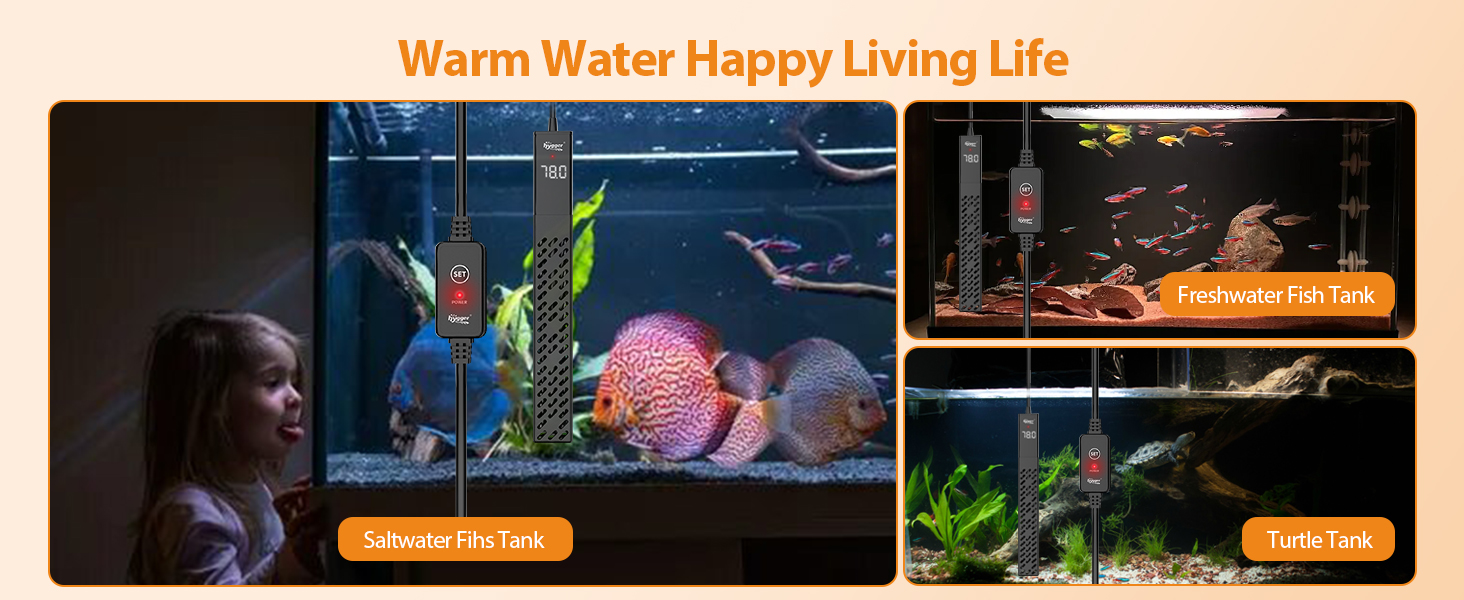
Image 9.2: Examples of the heater's application in different aquatic environments.
10. Warranty and Support
- Warranty: This hygger product is covered by a 2-Year Manufacturer Warranty from the date of purchase. This warranty covers defects in materials and workmanship under normal use.
- Support: For technical assistance, troubleshooting, or warranty claims, please contact hygger customer support. Refer to the product packaging or the official hygger website for the most current contact information. Please have your model number (HG156) and proof of purchase ready when contacting support.


