
TOPDON ArtiDiag600 Pro
TOPDON ArtiDiag600 Pro OBD2 Scanner Diagnostic Tool User Manual
Model: ArtiDiag600 Pro | Brand: TOPDON
Introduction
The TOPDON ArtiDiag600 Pro is an advanced OBD2 scanner and diagnostic tool designed for comprehensive vehicle system analysis and essential maintenance functions. This upgraded version offers full system diagnostics, live data monitoring, and support for 9 common maintenance services, making it suitable for both professional technicians and DIY enthusiasts. It features an intuitive Android OS, AutoVIN technology for quick vehicle identification, and supports modern vehicle communication protocols like CAN-FD and FCA AutoAuth.
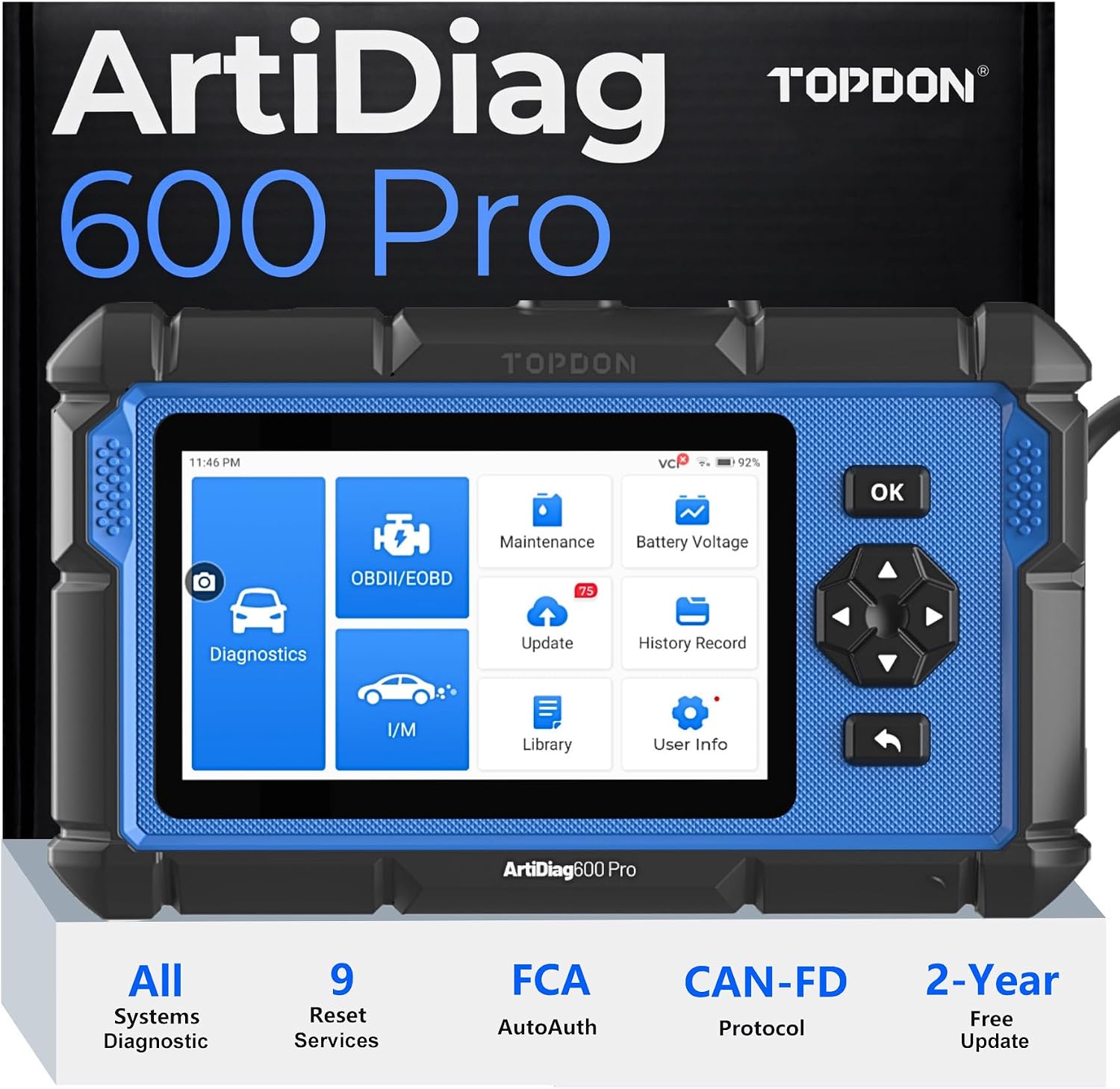
Image: The TOPDON ArtiDiag600 Pro device, showcasing its robust design and user interface with various diagnostic and maintenance options.
What's in the Box
Upon unboxing your TOPDON ArtiDiag600 Pro, please verify that all the following items are included:
- ArtiDiag600 PRO Unit
- 5V/DC Charging Cable (USB Type-A to Type-C)
- Quick-Start Guide
- User Manual
- OBDII Diagnostic Cable
- Storage Bag

Image: A visual representation of all components included in the ArtiDiag600 Pro package, neatly arranged.
Setup
Charging the Device:
Before first use, ensure the ArtiDiag600 Pro is fully charged. Connect the provided 5V/DC charging cable to the device and a suitable power source. The battery indicator on the screen will show charging status.
Power On:
Press and hold the power button to turn on the device. The system will boot up to the main menu.
Initial Configuration:
Follow the on-screen prompts to select your preferred language (English, French, German, Spanish, Portuguese, Russian, Japanese, Italian, Simplified/Traditional Chinese, Korean, Polish, and Turkish are supported), time zone, and Wi-Fi connection. A stable Wi-Fi connection is recommended for software updates.
Software Updates:
It is highly recommended to update the software to the latest version before first use to ensure compatibility with the newest vehicle models and access to all features. Navigate to the "Update" icon on the main screen and follow the instructions. The device includes 2 years of free updates.

Image: The ArtiDiag600 Pro displaying its update feature and highlighting the AutoVIN technology for efficient vehicle identification.
Connecting to Vehicle:
Locate your vehicle's OBDII port (usually under the dashboard). Connect the provided OBDII diagnostic cable to the ArtiDiag600 Pro and then to the vehicle's OBDII port. The device will draw power from the vehicle's battery.
Operating Instructions
Full System Diagnostics
The ArtiDiag600 Pro can scan and analyze all available vehicle systems, including Engine, Transmission, ABS, BCM, Airbags, Powertrain, Chassis, and more. This allows for comprehensive fault code retrieval and diagnosis.
- Read Fault Codes: Identify diagnostic trouble codes (DTCs) present in various vehicle modules.
- Clear Fault Codes: Erase DTCs after repairs have been completed.
- Read Data Streams: View real-time data from vehicle sensors and components.
- Read Module Information: Access ECU information such as VIN, calibration IDs, etc.

Image: An illustrative diagram of a car, indicating the various systems (e.g., Engine, ABS, Airbag, TPMS) that the ArtiDiag600 Pro can diagnose at an OE-level.
Live Data Monitoring
Monitor real-time data streams from the vehicle's sensors and modules. The ArtiDiag600 Pro can display up to 4 data streams simultaneously in a graphical format, providing a dynamic overview of system performance.

Image: The ArtiDiag600 Pro displaying a live data stream graph, illustrating how four different parameters can be viewed concurrently for real-time analysis.
9 Essential Maintenance Functions
The device supports 9 commonly used maintenance and reset services to assist with routine vehicle upkeep:
- Oil Reset: Reset the oil life system after an oil change.
- ABS Bleeding: Perform ABS brake bleeding to restore ABS brake sensitivity.
- DPF Regeneration: Clear particulate matter from the DPF filter to restore performance.
- Throttle Relearn: Relearn the throttle body position after cleaning or replacement.
- SAS Reset: Calibrate the Steering Angle Sensor after replacement or alignment.
- Brake Reset: Reset the electronic parking brake (EPB) system.
- Battery Matching: Register a new battery to the vehicle's ECU.
- Injector Coding: Code new injector numbers to the ECU for accurate fuel delivery.
- TPMS Reset: Reset the Tire Pressure Monitoring System after tire rotation or sensor replacement.

Image: A visual guide to the nine essential maintenance services offered by the ArtiDiag600 Pro, each represented by a clear icon.
AutoVIN & ECU Identification
The smart AutoVIN technology automatically detects your vehicle's VIN, ECU name, ECU identifier, and ECU serial number, streamlining the diagnostic process and ensuring system compatibility. This feature significantly improves efficiency and accuracy by quickly identifying the vehicle.
FCA AutoAuth & CAN-FD Support
The ArtiDiag600 Pro is equipped with FCA AutoAuth technology, providing secure access to Fiat Chrysler Automobiles (FCA) vehicle systems for authorized repairs and diagnostics. Additionally, it supports the latest CAN-FD (Flexible Data Rate) protocol, enabling high-speed data transmission for efficient and reliable diagnostics on modern vehicles.
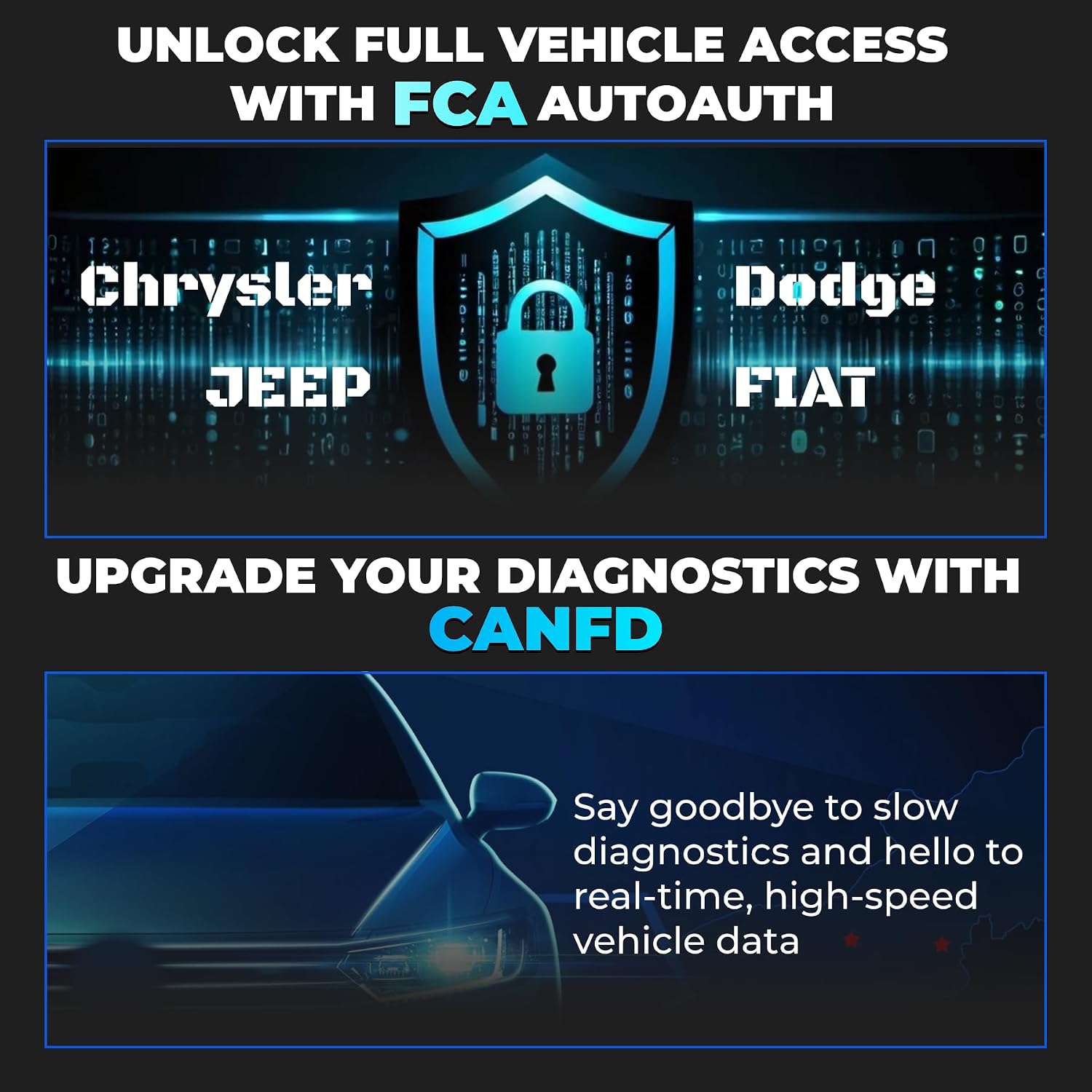
Image: Visuals explaining the FCA AutoAuth feature for secure access to specific vehicle brands and the benefits of CAN-FD protocol support for faster diagnostics.
Wide Vehicle Coverage
The TOPDON ArtiDiag600 Pro is compatible with over 90 vehicle models, offering extensive coverage for various car brands across different regions, including USA (Chrysler, Fiat, GM, Opel, Ford, Mazda), EU (BMW, Land Rover, Volvo, Benz, PSA), and ASIA (Toyota, Honda, Mitsubishi, Hyundai, Subaru, Nissan).

Image: A global map highlighting the extensive vehicle brand coverage of the ArtiDiag600 Pro across USA, EU, and Asia, along with a display of the 12 supported languages.
Product Demonstration Video
Video: An official TOPDON video demonstrating the key features and operation of the ArtiDiag600 Pro, including unboxing, connection, all-system diagnostics, live data monitoring, and various reset services.
Maintenance
To ensure the longevity and optimal performance of your TOPDON ArtiDiag600 Pro, follow these maintenance guidelines:
- Keep Clean: Regularly wipe the device with a soft, dry cloth. Avoid using abrasive cleaners or solvents.
- Software Updates: Periodically check for and install available software updates to ensure the device remains compatible with new vehicle models and features.
- Storage: Store the device in its provided storage bag in a cool, dry place away from direct sunlight and extreme temperatures when not in use.
- Cable Care: Handle the diagnostic cable carefully. Avoid bending or twisting it excessively, which can damage internal wires.
Troubleshooting
If you encounter issues with your ArtiDiag600 Pro, refer to the following common troubleshooting steps:
- Device Not Powering On:
- Ensure the device is fully charged or connected to the vehicle's OBDII port.
- Check the OBDII cable connection to both the device and the vehicle.
- Communication Error with Vehicle:
- Verify the OBDII cable is securely connected.
- Ensure the vehicle's ignition is in the ON position (engine off or running, depending on the test).
- Confirm the vehicle's battery has sufficient voltage.
- Try another vehicle to rule out vehicle-specific issues.
- Software Freezing/Lagging:
- Restart the device.
- Ensure the software is up to date.
- Clear cache if an option is available in settings (refer to device settings).
- Update Issues:
- Ensure a stable and strong Wi-Fi connection.
- Check available storage space on the device.
- Try updating at a different time to avoid server congestion.
For persistent issues, please refer to the "Warranty and Support" section for further assistance.
Specifications
| Feature | Detail |
|---|---|
| Model | ArtiDiag600 Pro |
| Operating System | Android 11.0 |
| Processor | 4-Core 1.5 GHz |
| Screen Size | 5-inch LCD Touchscreen (1280*720 resolution) |
| Battery | 3350mAh 3.8V Lithium Polymer (included) |
| Item Weight | 2.2 pounds |
| Package Dimensions | 10 x 8.39 x 2.17 inches |
| Vehicle Coverage | 90+ vehicle models (USA, EU, Asia) |
| Maintenance Functions | 9 (Oil Reset, ABS Bleeding, DPF Regeneration, Throttle Relearn, SAS Reset, Brake Reset, Battery Matching, Injector Coding, TPMS Reset) |
| Updates | 2 years free updates |
Warranty and Support
TOPDON products are designed for reliability and performance. The ArtiDiag600 Pro comes with a standard warranty. Please refer to the warranty card included in your package for specific terms and conditions.
For technical assistance, product inquiries, or to provide feedback, TOPDON offers dedicated hotline service. You can also utilize the online feedback feature directly on the device for quick support.
For the most up-to-date support information and contact details, please visit the official TOPDON website or refer to the contact information provided in the Quick-Start Guide.
Ask a question about this manual
Ask about setup, troubleshooting, compatibility, parts, safety, or missing instructions. Manuals+ will review the question and use this page’s manual context to help answer it.