
Introduction
Thank you for choosing the Momento M8 PRO 3-Channel 2K QHD Dash Camera Kit. This manual provides essential information for the proper installation, operation, and maintenance of your new dash camera system. The MD-8200 system features a front 2K QHD camera, a rear FHD camera, dual 5.0GHz Wi-Fi, built-in GPS, and advanced parking mode technology to ensure comprehensive vehicle surveillance.
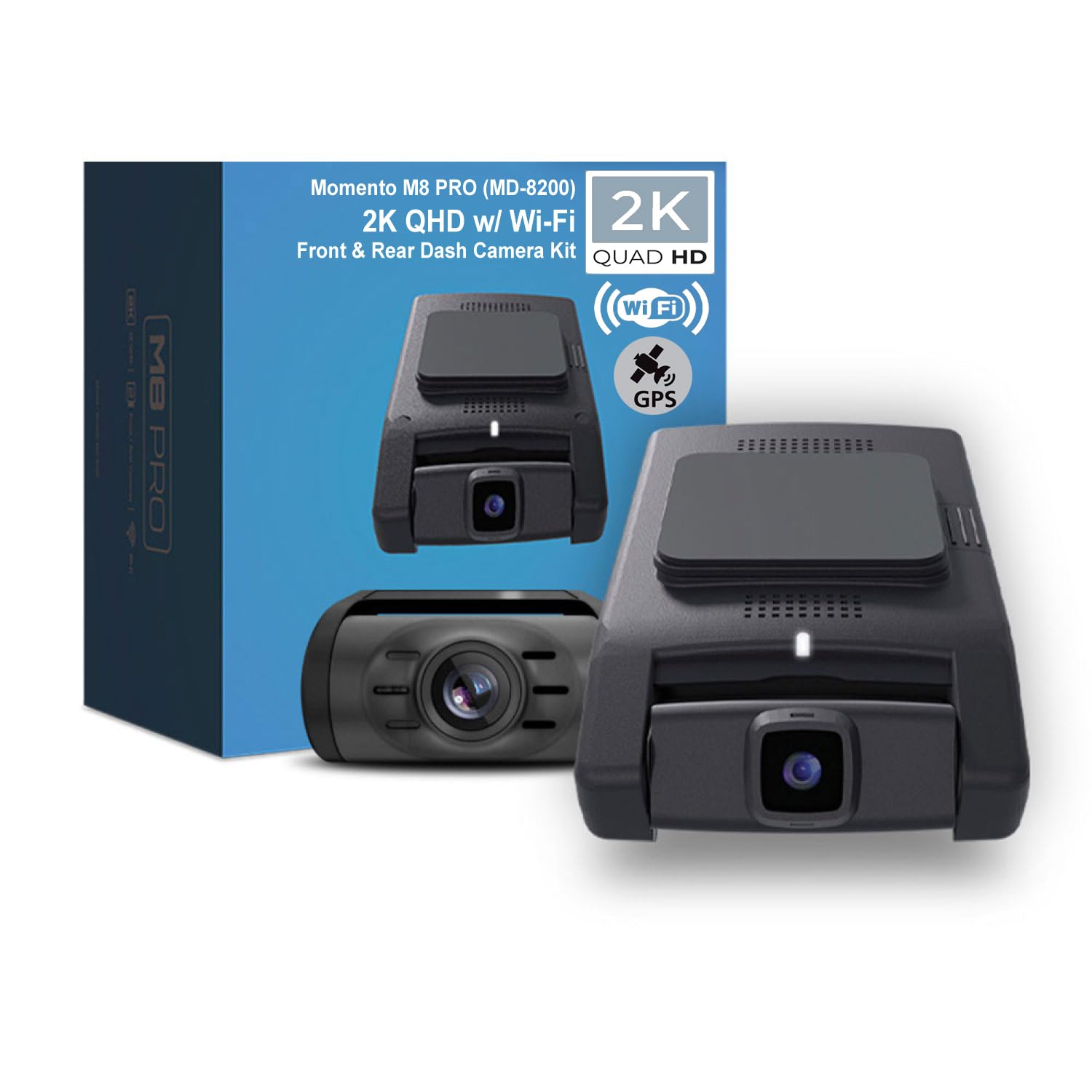
Image: Front view of the Momento M8 PRO dash camera, showcasing its sleek design and front lens.
What's Included
The Momento M8 PRO MD-8200 kit includes the following components:
- M8 Front 2K Dash Camera with Built-in Dual 5.0GHz Wi-Fi + GPS
- FHD Rear Camera with Installation Cable
- Hardwire Installation Harness / Mount
- 64GB Micro SD Card with SD Card Adapter
- 2-Year Warranty Information
Setup and Installation
Proper installation is crucial for optimal performance. It is recommended to have this system professionally installed.
1. Front Camera Installation
Mount the main dash camera unit on your vehicle's front windshield, typically behind the rearview mirror, to ensure a clear view of the road ahead without obstructing your driving visibility. Use the provided mount for secure attachment.

Image: The main Momento M8 PRO dash camera unit, designed for front windshield mounting.
2. Rear Camera Installation
Install the FHD rear camera on the rear windshield. Route the installation cable neatly along the vehicle's interior trim to connect it to the main front unit.

Image: The compact rear camera unit, which connects to the main dash camera for dual-channel recording.
3. Power Connection
Connect the dash camera system using the provided hardwire installation harness. This ensures continuous power for features like parking mode and protects your vehicle's battery.
4. MicroSD Card Insertion
Insert the included 64GB MicroSD card into the designated slot on the main dash camera unit. Ensure it is inserted correctly until it clicks into place.

Image: Side view of the Momento M8 PRO main unit, showing the location of the MicroSD card slot.
Operating Instructions
Power On/Off
The dash camera will automatically power on and begin recording when your vehicle's ignition is turned on, and power is supplied. It will power off automatically when the ignition is turned off.
Recording Modes
- Continuous Recording: The camera continuously records footage while the vehicle is in operation. Older files are overwritten by newer ones once the MicroSD card is full.
- Event Recording: In the event of an impact or sudden braking, the built-in G-sensor triggers event recording, saving the footage to a protected folder to prevent overwriting.
Parking Mode
The advanced parking mode protects your vehicle when parked. It automatically activates when motion or impact is detected, recording incidents even when you are away. The system utilizes ECO battery saving technology to minimize power consumption, drawing as low as 28mAH in Eco Mode.
Wi-Fi Connectivity and Momento App
The M8 PRO features dual 5.0GHz Wi-Fi for seamless smartphone connectivity. Download the Momento App on your iOS or Android device to:
- View live footage from both front and rear cameras.
- Manage and review recorded videos.
- Download important files directly to your smartphone or tablet.
- Adjust camera settings.

Image: A smartphone screen showing the Momento M8 Dashcam app, with options for Live View, Gallery, Saved, and Settings.
Voice Control
The dash camera supports voice control for hands-free operation of certain functions. Refer to the Momento App or detailed user guide for specific voice commands.
Maintenance
MicroSD Card Management
The included 64GB MicroSD card provides ample storage. The system supports MicroSD cards up to 256GB. Regularly format the MicroSD card (at least once a month) through the Momento App or PC/Mac viewer to ensure optimal recording performance and prevent data corruption. Always back up important footage before formatting.

Image: A Momento branded 64GB MicroSD card, essential for storing recorded footage.
Cleaning
Wipe the camera lenses periodically with a soft, lint-free cloth to ensure clear video quality. Avoid using harsh chemicals or abrasive materials that could scratch the lens.
Troubleshooting
If you encounter issues with your Momento M8 PRO dash camera, consider the following common solutions:
- Camera Not Powering On: Check the hardwire connection to ensure it is properly installed and receiving power. Verify your vehicle's ignition is on.
- Recording Issues: Ensure the MicroSD card is inserted correctly and has sufficient free space. Format the MicroSD card. If issues persist, try a different compatible MicroSD card.
- Wi-Fi Connection Problems: Ensure your smartphone is within range of the dash camera. Restart both the camera and your smartphone. Reinstall the Momento App if necessary.
- Poor Video Quality: Clean the camera lenses. Ensure the camera is securely mounted and not vibrating.
For further assistance, please refer to the detailed user manual available online or contact customer support.
Specifications
| Feature | Detail |
|---|---|
| Front Camera Resolution | 2K QHD (1440p) @ 30fps |
| Rear Camera Resolution | FHD (1080p) @ 30fps |
| Viewing Angle | Up to 270° (Front + Rear) |
| Image Sensor | Sony IMX Sensor |
| Wi-Fi Connectivity | Dual 5.0GHz |
| GPS | Built-in |
| Parking Mode | ECO Battery Saving Technology (as low as 28mAH) |
| MicroSD Card Included | 64GB |
| Max MicroSD Supported | 256GB |
| Voice Control | Yes |
| App Compatibility | iOS/Android (Momento App) |
| Mounting Type | Windshield Mount |
| Dimensions | 5 x 5 x 3 inches (Product) |
| Weight | 1 pound |
Warranty and Support
The Momento M8 PRO MD-8200 Dash Camera Kit comes with an industry-leading 2-Year Warranty. This warranty covers manufacturing defects and ensures reliable performance of your device.
For technical support, warranty claims, or any questions regarding your product, please contact your authorized Momento dealer or visit the official Idatalink website for customer service contact information.


