
Introduction
Welcome to the user manual for your new DOOGEE S Punk Smartphone and accompanying Phone Stand. This guide provides essential information to help you set up, operate, and maintain your device, ensuring optimal performance and longevity. Please read this manual thoroughly before using your device.
Product Overview
The DOOGEE S Punk Smartphone is designed for robust performance and user convenience, featuring a durable build and advanced functionalities. The included phone stand offers versatile viewing options.
Intelligent Interaction Lights

The smartphone features intelligent interaction lights that respond to music. When music is playing, the speaker breathing light adjusts its intensity and rhythm according to the music, offering a dynamic visual experience. These lights can display 7 different colors, intermittently changing.
Display Specifications

The device boasts a 6.58-inch FHD+ Waterdrop screen protected by Corning Gorilla Glass. It offers a resolution of 1080*2408 pixels, a pixel density of 401 PPI, and supports 16.7 million colors. The display has a 20:9 aspect ratio and a brightness of 400cd/m2, ensuring clear and vibrant visuals.
Audio Performance
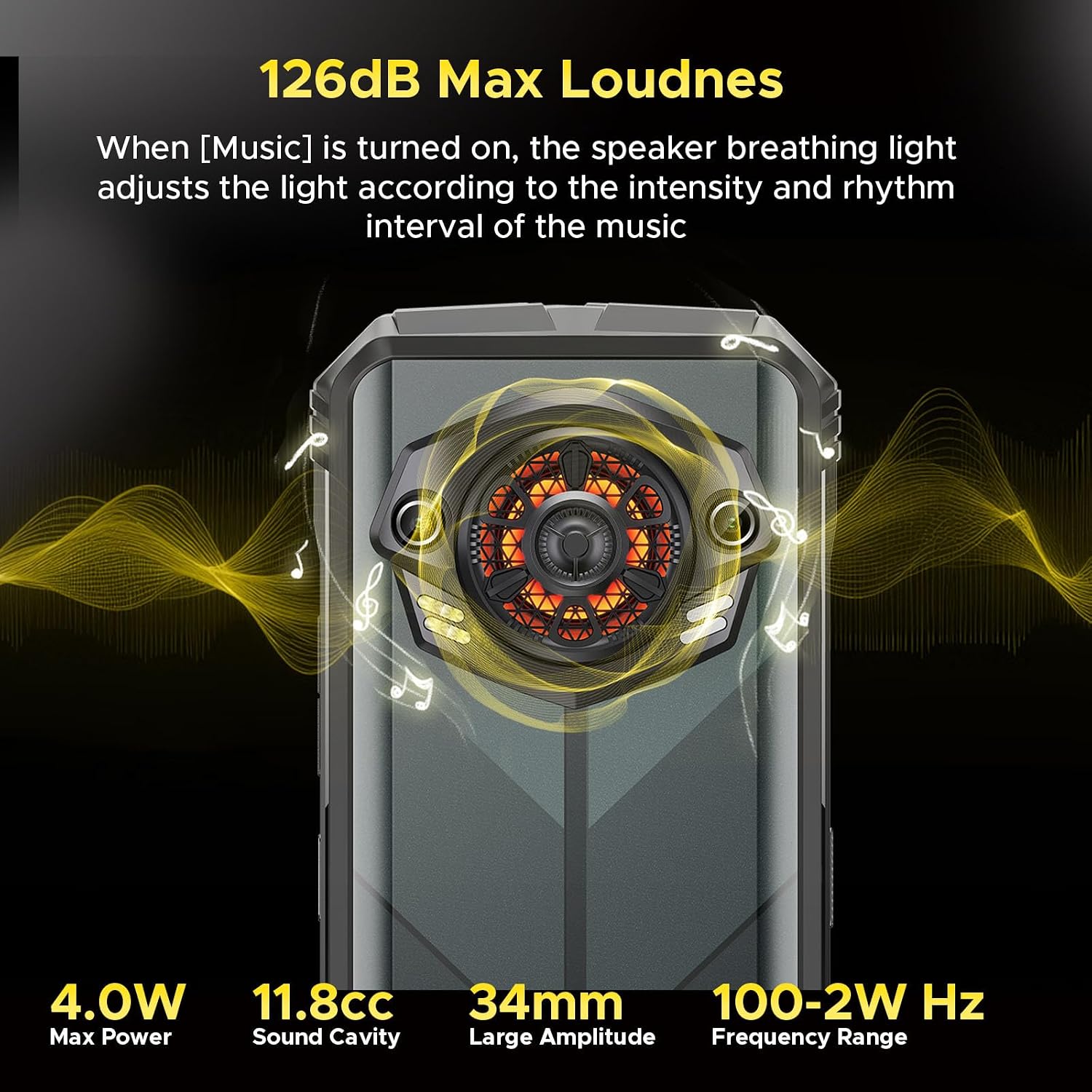
Experience powerful audio with a maximum loudness of 126dB. The speaker features 4.0W Max Power, an 11.8cc Sound Cavity, a 34mm Large Amplitude, and a frequency range of 100-2W Hz, delivering rich and clear sound.
Camera System

Capture your outdoor dream moments with the versatile camera setup. It includes a 16MP Front Camera for selfies, a 50MP AI Main Camera for high-resolution photos, and a 2MP Macro Camera for detailed close-up shots.
Connectivity and Features

The smartphone supports multiple navigation systems including GPS, Glonass, Galileo, and Beidou. It features a convenient Side Fingerprint Recognition for secure unlocking, and supports WiFi 2.4G/5G for fast internet connectivity. It also includes Dual 4G SIM support, a customizable key function, a built-in Software Toolbox, and NFC for contactless interactions.
Battery Life and Charging

Equipped with a large 10800mAh battery, the DOOGEE S Punk offers extended usage times: up to 533 hours of standby, 50 hours of music playback, and 24 hours of video playback. It supports OTG (On-The-Go) functionality and 33W fast charging, allowing it to reach 50% charge in 70 minutes and 100% in 180 minutes.
Phone Stand Design

The included phone stand features a foldable design, making it highly portable and easy to carry in a bag or pocket. Its compact form factor ensures convenience on the go.
Phone Stand Features

The phone stand is equipped with anti-scratch pads to protect your device from scuffs and scratches while in use. Its stable base ensures your phone remains securely in place during viewing or interaction.
Setup
1. Unboxing and Initial Inspection
Carefully unpack all components from the box. Verify that all items listed in the package contents are present and undamaged. Retain the packaging for future use or in case of return.
2. SIM Card and Storage Installation
Locate the SIM card tray on the side of the phone. Use the provided SIM ejector tool to gently open the tray. Insert your Nano-SIM cards and/or a microSD card (if applicable) into the designated slots. Ensure the cards are correctly oriented as indicated on the tray. Carefully push the tray back into the phone until it is flush with the device body.
3. Powering On and Initial Configuration
Press and hold the Power button (typically located on the right side of the phone) until the DOOGEE logo appears on the screen. Follow the on-screen prompts to complete the initial setup process, which includes selecting your preferred language, connecting to a Wi-Fi network, setting up your Google account, and configuring security settings such as fingerprint unlock, PIN, or pattern.
4. Charging the Device
Connect the USB-C cable to the phone's charging port and the other end to the provided power adapter. Plug the adapter into a standard wall outlet. The battery indicator on the screen will show the charging progress. For optimal battery health and performance, it is recommended to fully charge the device before its first use.
Operating Instructions
1. Basic Navigation
Navigate the smartphone interface using standard touch gestures: tap to select, swipe to scroll, and pinch to zoom. The navigation bar at the bottom of the screen typically provides quick access to Home, Back, and Recent Apps functions.
2. Making Calls and Sending Messages
To make a call, open the Phone app, dial the number, or select a contact from your address book. To send text messages, open the Messages app, compose your message, and select the recipient.
3. Using the Camera
Launch the Camera app from your home screen or app drawer. Tap the shutter button to capture photos. You can switch between the front and rear cameras and explore various modes such as AI Main, Macro, and Portrait for different photographic effects.
4. Intelligent Interaction Lights and Speaker
To activate the intelligent interaction lights, ensure the


