1. Important Safety Instructions
Please read all instructions carefully before using this walking pad. Keep this manual for future reference.
- Consult your physician before starting any exercise program.
- Always wear appropriate athletic footwear while using the walking pad.
- Keep children and pets away from the walking pad during operation.
- Place the walking pad on a flat, stable surface with adequate clearance around it.
- Do not operate the walking pad if it has a damaged cord or plug, or if it is not working properly.
- Unplug the walking pad from the power outlet when not in use or before cleaning.
- Do not exceed the maximum weight capacity of 340 lbs.
- Ensure the power cord is not pinched or damaged during setup or use.
2. Product Overview
The GYMAX Walking Pad is a versatile 3-in-1 fitness device designed for walking, jogging, and working. Its compact and slim design makes it ideal for small spaces, offering a convenient way to integrate physical activity into your daily routine.
Key Features:
- 3-in-1 Versatility: Supports speeds from 0.6 mph for light desk-side walking to 3.8 mph for energetic jogging.
- Shockproof Running Belt: Features a 7-layer diamond-textured surface with shock absorbers for enhanced comfort and knee protection.
- Smart Fitness Tracking: LED display shows real-time data (time, speed, distance, calories) and connects to the Gymax APP via Bluetooth.
- Quiet Brushless Motor: Powered by a 2.5 HP motor for quiet operation (less than 45 dB) suitable for home or office use.
- Compact & Portable: Slim 4.6-inch thickness and built-in wheels allow for easy storage and relocation. No assembly required.
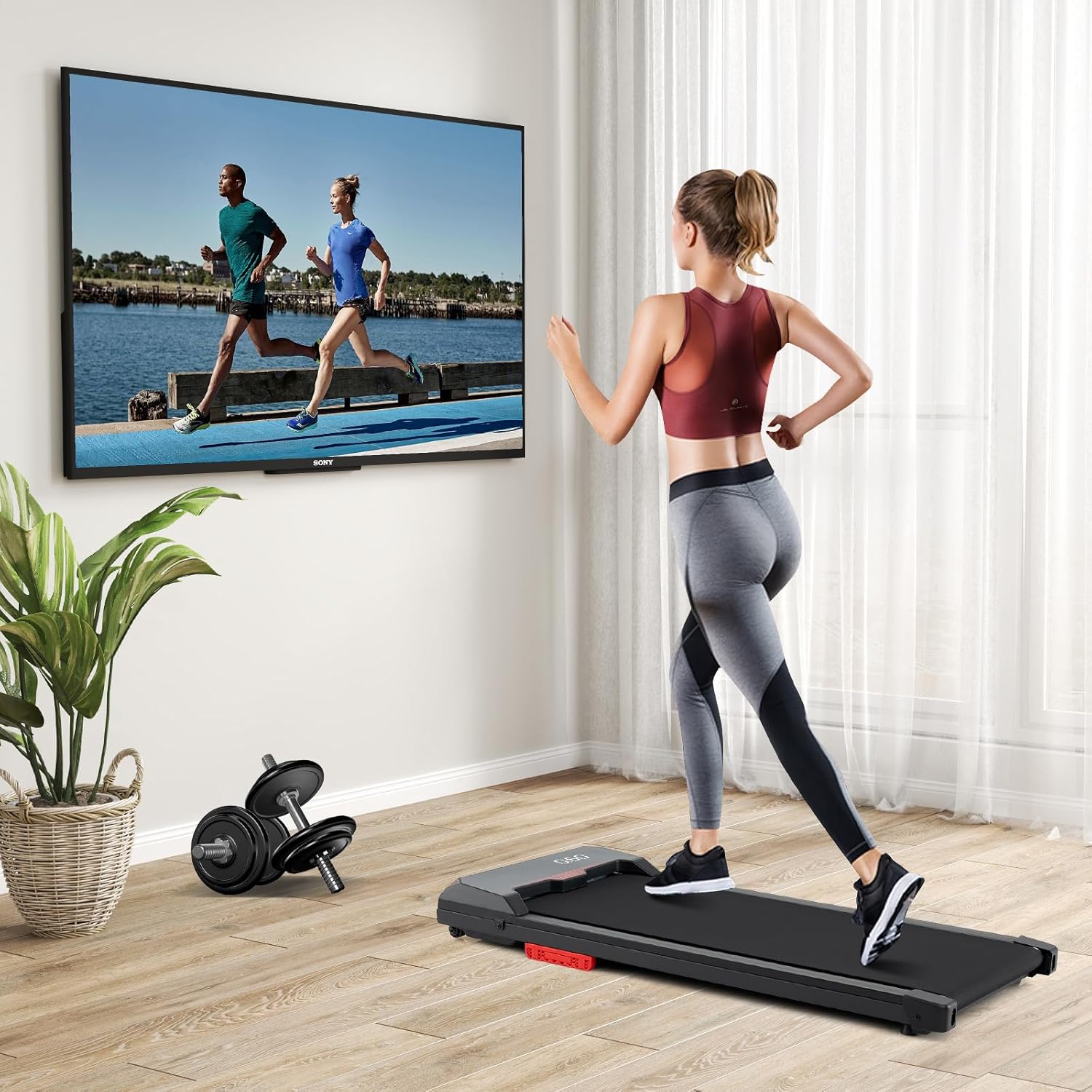
Figure 2.1: GYMAX Walking Pad in a home setting, demonstrating its use for active workdays or leisure.

Figure 2.2: The 3-in-1 versatility of the walking pad, illustrating different speed ranges for working, walking, and jogging.
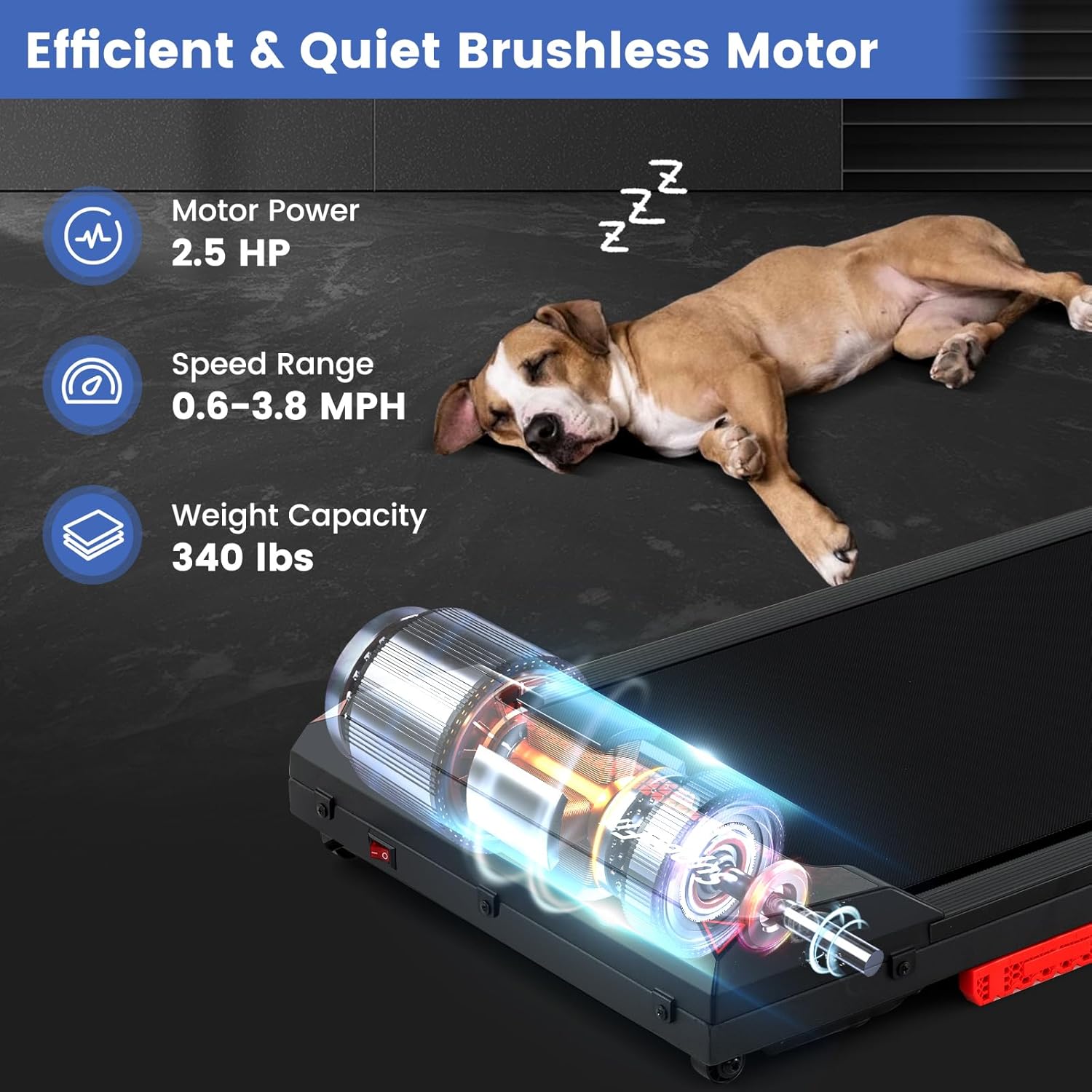
Figure 2.3: Illustration of the efficient and quiet 2.5 HP brushless motor, highlighting its power and low noise operation.

Figure 2.4: Detailed view of the shock-absorbing and non-slip design of the 7-layer running belt, emphasizing user comfort and safety.
3. Setup
The GYMAX Walking Pad comes fully assembled, requiring no complex setup. Simply unbox, place, and plug in to begin your workout.
Initial Placement:
- Choose a flat, stable surface for the walking pad. Ensure there is sufficient space around the unit for safe operation.
- Plug the power cord into a grounded electrical outlet.
Storage and Portability:
Thanks to its slim profile and built-in wheels, the walking pad is easy to store and move.

Figure 3.1: The walking pad's space-saving design and built-in wheels for effortless movement and storage under furniture.

Figure 3.2: Detailed product dimensions, including length, width, and height, for planning placement and storage.
4. Operating Instructions
Power On/Off:
- To turn on, ensure the walking pad is plugged in and press the power button on the unit or remote.
- To turn off, press the power button again.
Remote Control Operation:
The included remote control allows for convenient adjustment of speed and starting/stopping the walking pad.
- Pairing: Press the "Start/Stop" button on the remote to pair with the walking pad. Success is indicated by "beep beep" sounds.
- Start/Stop: Press the play/pause button to start or stop the belt.
- Speed Adjustment: Use the '+' and '-' buttons to increase or decrease the speed. The speed range is 0.6 to 3.8 MPH.
Gymax APP Control:
For enhanced tracking and control, connect your walking pad to the Gymax APP via Bluetooth.
- Download APP: Search for "Gymax" in your device's app store (iOS or Android).
- Connect via Bluetooth: Open the Gymax APP and connect to the device (named "EsangLlinker").
- Features: The app provides multiple training courses, a dynamic community, and a sports mall for an optimized fitness experience.
LED Display:
The clear LED display provides real-time feedback on your workout metrics.
- Metrics: Displays Time, Speed, Distance, and Calories burned.
- Cycling Display: The display cycles through these metrics automatically during your workout.

Figure 4.1: The LED display providing real-time fitness data feedback during operation.

Figure 4.2: Overview of the intelligent Gymax APP control, showing its features and connectivity options.

Figure 4.3: A user demonstrating walking on the pad, highlighting its compatibility with standing desks and remote control.
5. Maintenance
Regular maintenance ensures the longevity and optimal performance of your walking pad.
Cleaning:
- Wipe down the walking pad with a damp cloth after each use to remove sweat and dust.
- Avoid using abrasive cleaners or solvents that may damage the surface.
Lubrication:
Proper lubrication of the running belt is crucial for smooth operation and to prevent wear.
- The walking pad includes treadmill lubricant. Refer to the specific lubrication instructions provided in the separate leaflet for frequency and application method.
- Generally, lubrication is recommended after a certain number of hours of use or if the belt feels dry.
Belt Adjustment:
If the running belt becomes uneven or slips, it may need adjustment.
- Refer to the detailed instructions in the included user manual for adjusting the belt tension and alignment.
- Typically, this involves using an Allen wrench to turn the rear roller bolts.
6. Troubleshooting
If you encounter issues with your walking pad, please refer to the following common problems and solutions:
| Problem | Possible Cause | Solution |
|---|---|---|
| Walking pad does not turn on | Not plugged in; Power switch off; Circuit breaker tripped | Ensure power cord is securely plugged in; Turn on power switch; Reset circuit breaker |
| Belt stops or slips during use | Belt too loose; Insufficient lubrication; Overload | Adjust belt tension (refer to manual); Apply lubricant; Reduce weight/speed |
| Unusual noise from the unit | Loose parts; Lack of lubrication; Belt rubbing | Check and tighten all visible bolts; Lubricate the belt; Adjust belt alignment |
| Remote control not responding | Battery low/dead; Not paired; Obstruction | Replace battery; Re-pair remote (press Start/Stop); Ensure no obstruction between remote and unit |
| Gymax APP not connecting | Bluetooth off; Incorrect device selected; App issue | Ensure Bluetooth is enabled on your device; Select "EsangLlinker"; Restart app/device |
If the problem persists after attempting these solutions, please contact customer support.
7. Specifications
| Specification | Value |
|---|---|
| Brand | GYMAX |
| Model Name | Walking Pad |
| Color | Black |
| Product Dimensions | 42.7"D x 4.6"W x 18.9"H |
| Item Weight | 38.6 Pounds |
| Material | Acrylonitrile Butadiene Styrene (ABS), Metal, PC, Polyvinyl Chloride (PVC) |
| Minimum Speed | 0.6 Miles per Hour |
| Maximum Speed | 3.8 Miles per Hour |
| Maximum Horsepower | 2.5 Horsepower |
| Maximum Weight Recommendation | 340 Pounds |
| Assembly Required | No |
| Display Type | LED |
| Power Source | Corded Electric |
| Connectivity Technology | Bluetooth |
| Control Program Name | Gymax |
| Included Components | Lubricant, Power Cord, Remote Control, User Manual |
8. Warranty and Support
Warranty Information:
This GYMAX Walking Pad comes with a 90-day warranty from the date of purchase. Please retain your proof of purchase for warranty claims.
Customer Support:
For any questions, technical assistance, or warranty inquiries, please contact GYMAX customer support. Refer to the contact information provided on the product packaging or the official GYMAX website.