
Silonn SLCDW02
Silonn Portable Countertop Dishwasher User Manual
Model: SLCDW02
Introduction
This user manual provides essential information for the safe and efficient operation, maintenance, and troubleshooting of your Silonn Portable Countertop Dishwasher. Please read this manual thoroughly before using the appliance and retain it for future reference.
Important Safety Instructions
To reduce the risk of fire, electric shock, or injury when using your dishwasher, follow these basic precautions:
- Read all instructions before using the dishwasher.
- Use the dishwasher only for its intended function.
- Do not operate the dishwasher if it has a damaged power cord or plug, or if it is not working properly.
- Keep children away from the dishwasher, especially when the door is open.
- Always unplug the dishwasher from the power supply before cleaning or performing maintenance.
- Ensure proper grounding for electrical safety.
- Do not immerse the appliance, cord, or plug in water or other liquids.
- Use only detergents and rinse aids specifically designed for dishwashers.
- Do not wash plastic items unless they are marked "dishwasher safe".
- Load sharp items so they are not likely to damage the door seal or interior.
Product Overview
The Silonn Portable Countertop Dishwasher is designed for compact spaces, offering efficient cleaning with smart features.
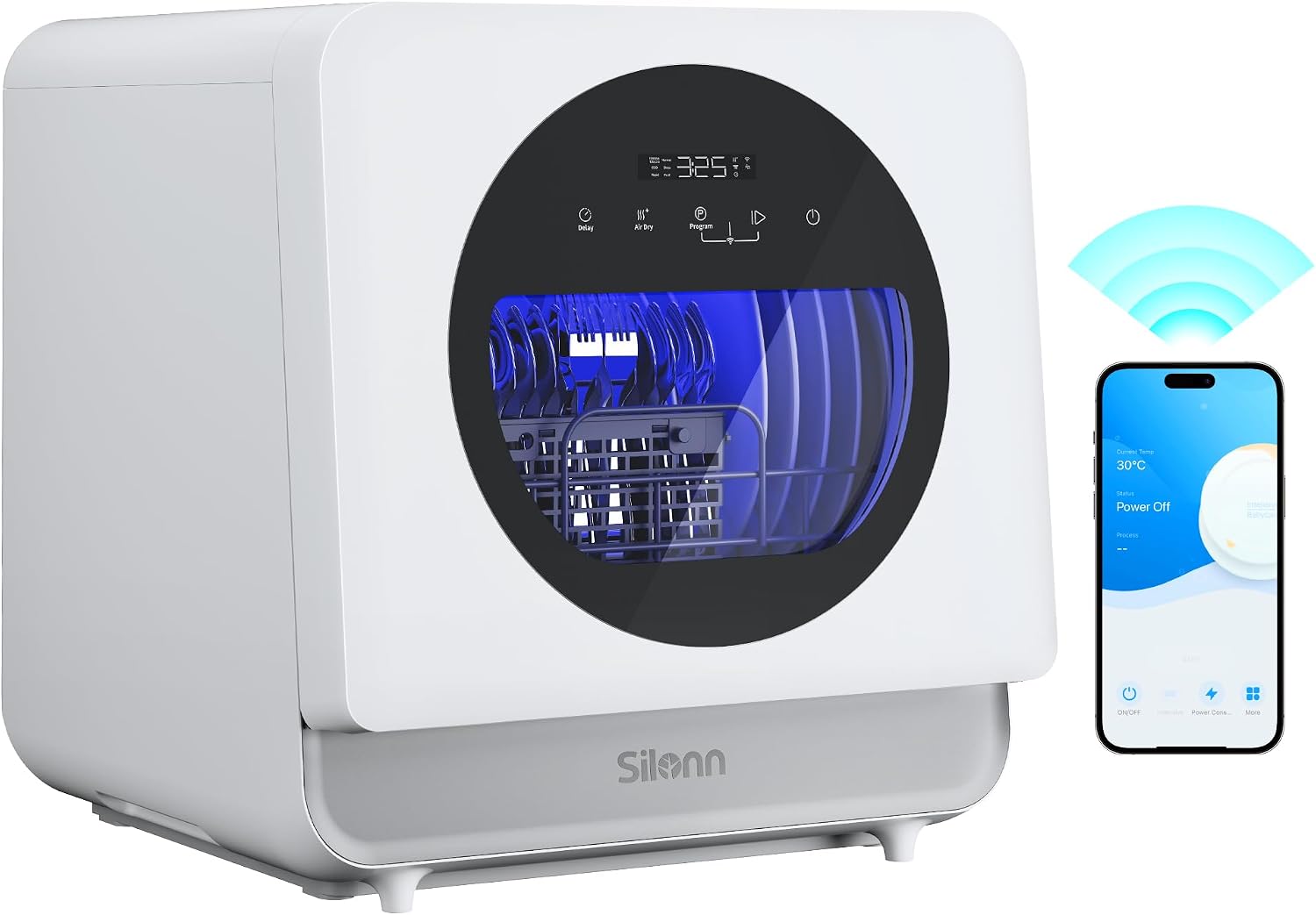
Figure 1: Silonn Portable Countertop Dishwasher with App Control.
Key Features:
- Compact Design with Large Capacity: Measures 16.8" x 17.9" and accommodates up to 4-place settings, including dinner plates, small plates, cups, bowls, forks, spoons, and flute glasses. Ideal for small households, dorms, apartments, and RVs.
- Triple-Jet Cleaning System: Features patented triple spray arm technology for 360° deep cleaning, effectively removing stubborn grease and dried food.
- Smart APP Control: Allows remote control to start, pause, or customize washing cycles via a dedicated smartphone application.
- Multiple Wash Programs: Offers 6+2 versatile modes including ECO, Intensive/Babycare, Normal, Rapid, Glass, Fruit Wash, and Drying.
- Dual Water Supply Options: Features a built-in 5L water tank for manual filling or direct faucet connection for continuous use. The front water inlet design simplifies refilling.
- High-Temperature Cleaning & Drying: Utilizes 167°F high-temperature wash for effective cleaning and disinfection, ideal for baby items. Includes a drying mode and 85-hour storage to keep dishes fresh.

Figure 2: Compact Design and Loading Capacity.

Figure 3: Triple-Jet Cleaning System in action.

Figure 4: Smart App Control Interface.

Figure 5: Available Wash Programs.

Figure 6: Dual Water Supply Options.

Figure 7: High-Temperature Cleaning for Hygiene.
Setup and Installation
Before first use, ensure the dishwasher is placed on a stable, level surface near a power outlet and a water source/drain.
Unpacking:
- Carefully remove all packaging materials.
- Check for any damage during transit. Contact customer support if damage is found.
- Ensure all included components are present: Cutlery Basket, Drain Hose, Inlet Hose, Power Cord, User Manual, Water Pitcher, Tableware Basket, Hose Clamp, Connector, Water Filling Lid, Suction Cup.

Figure 8: Included Components.
Placement:
- Place the dishwasher on a flat, stable countertop.
- Ensure adequate ventilation around the unit.
- Keep away from heat sources and direct sunlight.
Water Supply Connection:
Choose one of the following methods:
- Built-in Water Tank (Manual Fill):
- Open the water filling port on the top of the dishwasher.
- Use the provided water pitcher to slowly pour water into the tank until the indicator shows it is full (approximately 5 liters).

Figure 9: Manual Water Filling.
- Direct Faucet Connection:
- Connect the inlet hose to the dishwasher's water inlet port and securely fasten it.
- Connect the other end of the inlet hose to your kitchen faucet using the appropriate connector. Ensure a tight seal to prevent leaks.
Drainage Connection:
- Attach the drain hose to the dishwasher's drain outlet.
- Place the other end of the drain hose into a sink or a suitable drain bucket. Ensure the hose is not kinked and allows for proper water flow.
Operating Instructions
Loading Dishes:
- Scrape off large food particles from dishes before loading.
- Place dishes securely in the racks, ensuring they do not block the spray arms.
- Use the cutlery basket for forks, spoons, and knives.

Figure 10: Optimized Dish Loading.
Adding Detergent:
- Add a small amount of dishwasher detergent (powder, liquid, or tablet) to the dispenser. Refer to detergent manufacturer's instructions for quantity.
Selecting a Wash Program:
The dishwasher offers 6+2 wash programs. You can select a program using the control panel or the Silonn smart app.
- Control Panel: Press the "Program" button to cycle through available programs. The selected program will be indicated on the LED display.
- Smart App Control: Download the Silonn app from your app store. Connect the dishwasher to the app following the in-app instructions. You can then select and customize wash cycles remotely.

Figure 11: Remote Control via App.
Starting a Cycle:
- Close the dishwasher door firmly.
- Press the "Start" button on the control panel or within the app to begin the selected wash cycle.
Drying Function:
The dishwasher features an advanced drying system with 4 hours of hot air drying followed by 81 hours of auto machine ventilation to prevent odors.

Figure 12: Advanced Drying System.
For manual ventilation, you can slightly open the door after the cycle is complete.

Figure 13: Open Door Drying Option.
Maintenance and Cleaning
Regular cleaning and maintenance will ensure optimal performance and longevity of your dishwasher.
Exterior Cleaning:
- Wipe the exterior with a soft, damp cloth. Do not use abrasive cleaners or solvents.
Interior Cleaning:
- Clean the filter regularly to prevent food particle buildup.
- Periodically run a dishwasher cleaning cycle with a specialized dishwasher cleaner.
Drain Hose:
- Ensure the drain hose is clear of blockages.
Troubleshooting
If you encounter issues with your dishwasher, refer to the table below for common problems and solutions. For more complex issues, consult the full user manual (PDF) or contact customer support.
| Problem | Possible Cause | Solution |
|---|---|---|
| Dishwasher does not start | Power cord not plugged in; Door not closed properly; No water supply. | Check power connection; Ensure door is latched; Verify water tank is filled or faucet is connected. |
| Dishes are not clean | Improper loading; Insufficient detergent; Clogged spray arms or filter. | Reload dishes correctly; Add appropriate detergent; Clean spray arms and filter. |
| Water not draining | Kinked drain hose; Clogged drain filter. | Straighten drain hose; Clean drain filter. |
| Unusual noise during operation | Dishes interfering with spray arm; Foreign object in pump. | Adjust dish placement; Inspect and remove any foreign objects. |
Specifications
| Feature | Detail |
|---|---|
| Model Name | SLCDW02 |
| Form Factor | Countertop |
| Dimensions (D x W x H) | 17.72" x 16.93" x 18.11" |
| Item Weight | 28 pounds |
| Voltage | 120 Volts |
| Water Tank Capacity | 5 Liters |
| Place Settings | 4 |
| Wash Programs | ECO, Intensive/Babycare, Normal, Rapid, Glass, Fruit Wash, Drying |
| Max Wash Temperature | 167°F |
| Noise Level | 56.3 dB |
| Control Type | App, Touch Panel |
| Material | Polypropylene (PP) |
| UPC | 810174342949 |
Warranty and Support
For detailed warranty information and customer support, please refer to the complete User Manual PDF provided with your product or visit the official Silonn website. Protection plans may also be available for extended coverage.
You can access the full user manual here: Silonn Dishwasher User Manual PDF
Related documentsSLCDW02


Ask a question about this manual
Ask about setup, troubleshooting, compatibility, parts, safety, or missing instructions. Manuals+ will review the question and use this page’s manual context to help answer it.